Connect
Optimize
Secure
Announcing StackOne Defender: leading open-source prompt injection guard for your agent • Read More →
Production-ready Mixpanel MCP server with 45 extensible actions — plus built-in authentication, security, and optimized execution.
 StackOne
Coverage
Create, read, update, and delete across Mixpanel — and extend your agent's capabilities with custom actions.

Authentication
Per-user OAuth in one call. Your Mixpanel MCP server gets session-scoped tokens with zero credentials stored on your infra.
Agent Auth →
Security
Every Mixpanel tool response scanned for prompt injection in milliseconds — 88.7% accuracy, all running on CPU.
Prompt Injection Defense →
Performance
Free up to 96% of your agent's context window to enhance reasoning and reduce cost, on every Mixpanel call.
Tools Discovery →A Mixpanel MCP server lets AI agents read and write Mixpanel data through the Model Context Protocol — Anthropic's open standard for connecting LLMs to external tools. StackOne's Mixpanel MCP server ships with 45 pre-built actions, fully extensible via the Connector Builder — plus managed authentication, prompt injection defense, and optimized agent context. Connect it from MCP clients like Claude Desktop, Cursor, and VS Code, or from agent frameworks like OpenAI Agents SDK, LangChain, and Vercel AI SDK.
Every action from Mixpanel's API, ready for your agent. Create, read, update, and delete — scoped to exactly what you need.
Create a new annotation to mark a significant event on Mixpanel charts, such as a product release or marketing campaign launch.
Retrieve all annotations for the Mixpanel project. Annotations are markers on charts that denote significant events like releases or campaigns.
Retrieve a specific annotation by its ID.
Permanently delete an annotation from the project.
Create a new annotation tag with the provided name.
Retrieve all tags that have been added to at least one annotation in the project.
Import events into Mixpanel in bulk. Supports up to 2000 events per batch with a maximum of 10MB uncompressed per request. The time property must be a past timestamp (not in the future) or it will be rejected with a 400 error.
Export raw event data from Mixpanel for a specified date range. Returns newline-delimited JSON (JSONL). Rate limited to 60 queries per hour and max 5 concurrent queries.
Send a batch of group profile updates in a single request. Supports $set, $set_once, $add, $union, $remove, $unset, and $delete operations.
Permanently delete a group profile and all associated data from Mixpanel.
Query user profiles from Mixpanel using filters and selectors to retrieve people data for analysis.
Permanently delete a user profile and all associated data from Mixpanel.
List all schemas in the Mixpanel project.
Get the schema for a specific entity type and entity name.
Delete schema for a specific entity type and entity name.
Get all schemas for a specific entity type, optionally filtered by entity name.
Delete all schemas of a specific entity type, optionally filtered by entity name.
Link an anonymous user ID to a known user ID for identity resolution. Uses the $identify event via the Track API. This is irreversible.
Create an alias to link a distinct_id to another using the $create_alias event. Only works with Original ID Merge and Legacy ID Management systems. Each alias can only map to one distinct_id.
Append values to list properties on a user profile. If the property does not exist, a new list with the value is created.
Retrieve a list of all saved cohorts in the Mixpanel project for audience segmentation and behavioral analysis.
Query the list of user profiles that belong to a specific cohort using the Engage query API.
Retrieve all lookup tables in the Mixpanel project. Lookup tables allow enriching event and profile data with additional dimensions.
Query an Insights report programmatically by bookmark ID. Returns time-series data for the saved report. Rate limited to 60 queries per hour with max 5 concurrent queries.
Query a Funnel report programmatically. Returns funnel step data for the specified date range. Rate limited to 60 queries per hour with max 5 concurrent queries.
Query a Retention report programmatically. Returns cohort retention data for the specified date range. Rate limited to 60 queries per hour with max 5 concurrent queries.
Execute custom JQL (JavaScript Query Language) queries against Mixpanel data. JQL is in maintenance mode. Rate limited to 60 queries per hour with max 5 concurrent queries, 2-minute timeout, and 5GB data processing limit.
Set properties on a group profile (e.g. accounts, companies). Creates the group profile if it does not exist.
Set properties on a group profile only if they have not already been set. Useful for properties like creation date that should not change.
Set properties on a user profile. If the profile does not exist, it will be created. If a property already exists, it will be overwritten. The API returns 200 even with validation issues - check the response body.
Set properties on a user profile only if they have not already been set. Useful for properties like "First Login Date" that should not change.
Send a batch of profile updates in a single request. Supports $set, $set_once, $add, $union, $append, $remove, $unset, and $delete operations.
Remove specified values from list properties on a group profile.
Remove specified values from list properties on a user profile. If the value does not exist, no updates are made.
Permanently remove specified properties and their values from a user profile.
Delete all schemas in the project.
Patch an existing annotation's description or tags.
Add specified values to a list property on a group profile, ensuring values only appear once.
Permanently remove specified properties and their values from a group profile.
Merge two distinct_ids for identity resolution via the Import API. This is irreversible and only works with Original ID Merge systems.
Replace all data in an existing lookup table with new CSV data.
Increment numeric properties on a user profile by a specified amount. Useful for counters like login count or purchase total.
Add specified values to a list property on a user profile, ensuring values only appear once. Creates the profile if it does not exist.
Upload schemas in bulk. If a schema already exists for a specified entity, it will be replaced.
Upload a schema for a single entity. If a schema already exists, it will be replaced.
One endpoint. Any framework. Your agent is talking to Mixpanel in under 10 lines of code.
MCP Clients
Agent Frameworks

 JSON
JSON{
"mcpServers": {
"stackone": {
"command": "npx",
"args": [
"-y",
"mcp-remote@latest",
"https://api.stackone.com/mcp?x-account-id=<account_id>",
"--header",
"Authorization: Basic <YOUR_BASE64_TOKEN>"
]
}
}
}114+ actions
104+ actions
101+ actions
100+ actions
80+ actions
63+ actions
53+ actions

Anthropic's code_execution processes data already in context. Custom MCP code mode keeps raw tool responses in a sandbox. 14K tokens vs 500.
11 min

Benchmarking BM25, TF-IDF, and hybrid search for MCP tool discovery across 916 tools. The 80/20 TF-IDF/BM25 hybrid hits 21% Top-1 accuracy in under 1ms.
10 min
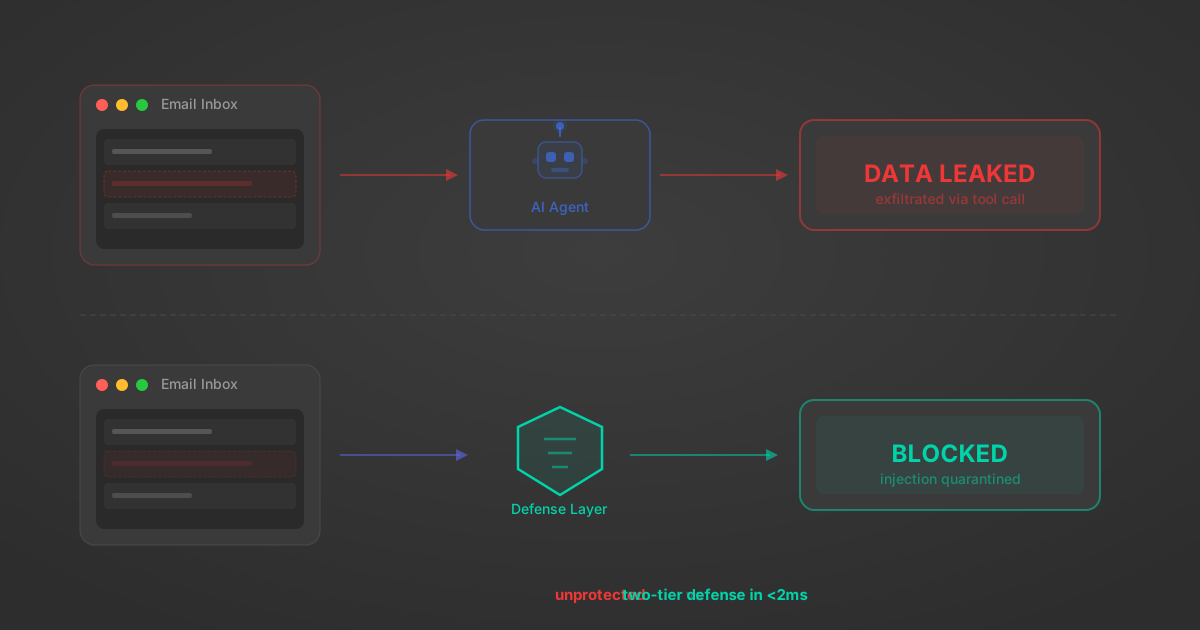
MCP tools that read emails, CRM records, and tickets are indirect prompt injection vectors. Here's how we built a two-tier defense that scans tool results in ~11ms.
12 min
origin_owner_id.All the tools you need to build and scale AI agent integrations, with best-in-class connectivity, execution, and security.