Ticket Triage & Routing
Route Every Ticket Instantly
Use StackOne to connect your AI agent to your helpdesk, CRM, and messaging tools to automate ticket triage and priority routing.




AI Agents
Connect
MCP and A2A to REST, SOAP, and proprietary APIs.
Optimize
Tool discovery, data shaping, and reliable execution.
Secure
Scoped permissions, audit trails, and observability.
StackOne Integration Layer


 StackOne Integration Layer
Connect
200+ connectors, build your own, and multi-protocol support.
Optimize
Context, token, and speed optimization infrastructure.
Secure
Permissions API and prompt injection protection.
What Can AI Agents Do for Ticket Triage & Routing?
Your agent reads every incoming ticket, enriches it with customer context, classifies by category and priority, and routes to the right queue — before a human touches it.
Ticket Intake
Receive new tickets and extract subject, description, and metadata from Zendesk, Freshdesk, Intercom, Gorgias, or ServiceNow.
Customer Context
Query Salesforce or HubSpot for account tier, contract value, health score, and recent interaction history to inform triage decisions.
Category Classification
Analyze ticket content to classify into categories — billing, technical, account management, or feature request — using structured fields rather than free-text guessing.
Priority Assignment
Assign P1 through P4 priority by combining ticket urgency signals with account tier and SLA entitlements from the CRM, so high-value customers get the response times they were promised.
Queue Routing
Map the assigned category and priority to the correct support tier or specialist queue, so billing issues reach the billing team and P1 technical incidents reach senior engineers.
Audit Logging
Update the ticket with the assigned priority, category, and queue. Log the triage rationale so agents and managers can review how routing decisions were made.
Ticket Intake
Receive new tickets and extract subject, description, and metadata from Zendesk, Freshdesk, Intercom, Gorgias, or ServiceNow.
Customer Context
Query Salesforce or HubSpot for account tier, contract value, health score, and recent interaction history to inform triage decisions.
Category Classification
Analyze ticket content to classify into categories — billing, technical, account management, or feature request — using structured fields rather than free-text guessing.
Priority Assignment
Assign P1 through P4 priority by combining ticket urgency signals with account tier and SLA entitlements from the CRM, so high-value customers get the response times they were promised.
Queue Routing
Map the assigned category and priority to the correct support tier or specialist queue, so billing issues reach the billing team and P1 technical incidents reach senior engineers.
Audit Logging
Update the ticket with the assigned priority, category, and queue. Log the triage rationale so agents and managers can review how routing decisions were made.
Why Building a Good Ticket Triage Agent Is Hard
Connecting to 10+ Helpdesk and CRM Providers
A triage agent needs connectors to Zendesk, Freshdesk, ServiceNow, Intercom, Gorgias, Salesforce, and HubSpot. Building and maintaining each one — OAuth scopes, cursor-based pagination, per-provider rate limits — is a massive lift.
Token Cost Grows with Ticket Volume
Without search-first architecture, the agent pre-loads every helpdesk and CRM action definition into its context window. At thousands of tickets per day, that burns tokens on irrelevant tools before the agent classifies a single ticket.
Ticket Content Carries Prompt Injection Risk
Triage agents ingest customer-submitted ticket descriptions, subject lines, and custom fields. A single adversarial instruction embedded in a ticket can hijack the agent into misclassifying priority or routing to the wrong queue.
Getting High Accuracy Requires Purpose-Built Tools
Accurate triage requires reading ticket fields, customer tier, and SLA entitlements in structured calls. Raw helpdesk API wrappers expose too many low-level details and lead to hallucinated field mappings.
How StackOne Makes Ticket Triage Agents Possible
Everything your triage agent needs to classify tickets, enrich with CRM data, and route to the right queue — with the controls IT demands.
200+ connectors with 10K+ agent-optimized actions
Pre-built connectors for Zendesk, Freshdesk, ServiceNow, Intercom, Gorgias, Salesforce, HubSpot, and Slack with full native action coverage and agent instructions included.
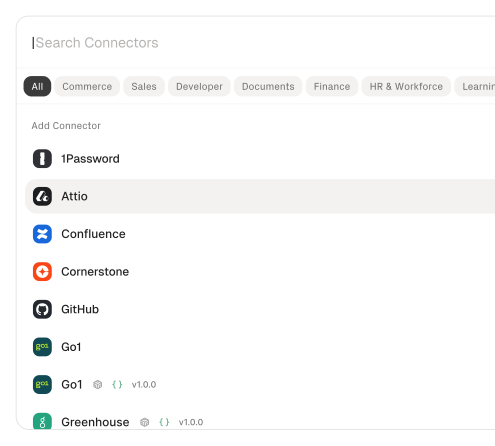
Managed Auth handles credentials across providers
OAuth flows, API keys, and token refresh managed per tenant for every connected helpdesk and CRM — agents never touch raw credentials.
Search and execute finds the right action
Agent searches StackOne's action catalog by natural language and executes the matching helpdesk or CRM action — no pre-loading thousands of tool definitions.
Managed Webhooks deliver ticket events consistently
StackOne subscribes to ticket lifecycle events across connected helpdesks, handling registration, retries, and delivery differences so the agent receives a consistent event stream.
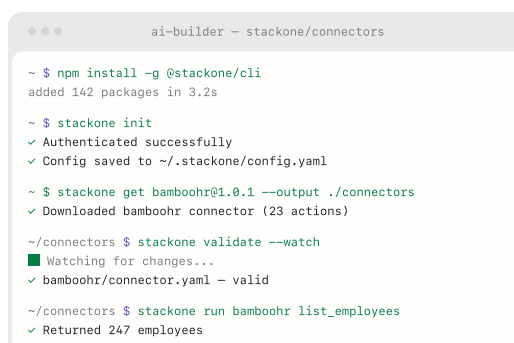
Connector Studio extends to any ticketing platform
Build custom connectors for unsupported helpdesks or internal routing systems via REST, SOAP, or GraphQL — no waiting on vendor support.
Defender blocks prompt injection from ticket content
StackOne Defender screens inbound ticket text for injection attempts before the agent processes it, preventing adversarial content from manipulating triage and routing behavior.
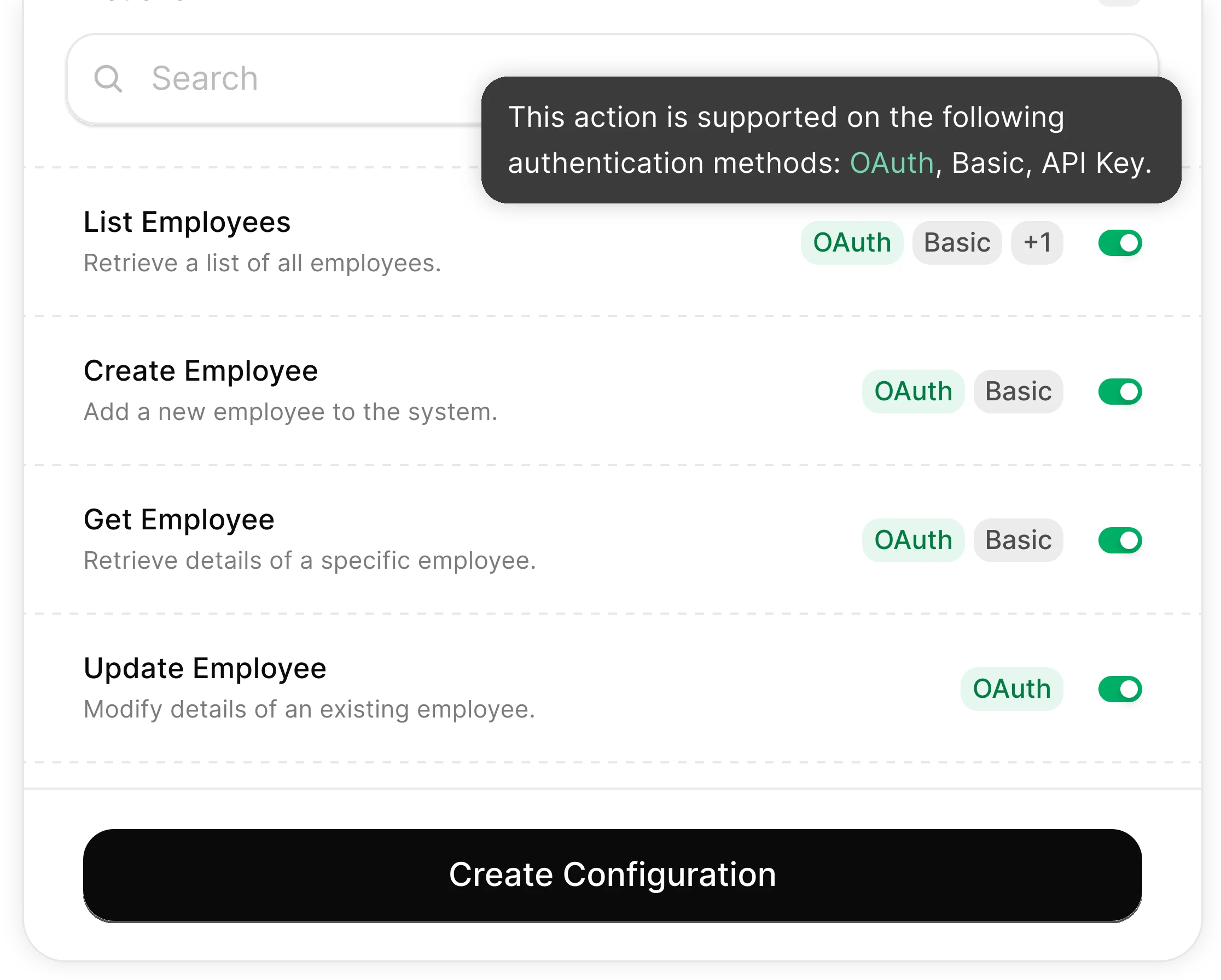
You Control What the Agent Can Do
Scoped permissions define exactly which ticket fields the agent reads and which routing actions it can trigger. Full audit trail of every triage operation.
Integrates with your entire support stack. Whatever it is.
Connect Any Agent to Automate Ticket Triage

Any Agent Framework
Claude, OpenAI, LangChain, Vercel AI SDK, CrewAI, Pydantic AI — StackOne works with every major agent framework out of the box.


Any Agent Builder
Whether you're building with code, a visual builder, or an enterprise platform — StackOne provides the integration layer your agent needs.
Connect Your Agent to Your Support Stack
Start building in minutes. MCP connectors to every system your agent needs.
Frequently Asked Questions
Connect Your Agent to Your Support Stack
Start building in minutes. MCP connectors to every system your agent needs.