AI Agent Authentication.
For Every Tool.
Connect your agent to Salesforce, Workday, Slack and 200+ connectors without writing a single OAuth flow.








One call. Your agent's in.
One POST /connect_sessions call. StackOne handles the OAuth flow, token exchange, and credential storage for 200+ connectors.
MCP, A2A, SDK — One Auth.
One auth. Works across every agent protocol. Same account ID, same credentials, zero extra configuration per protocol.
Production-Ready Auth.
Session tokens with configurable expiry, scoped to specific accounts and actions. If one leaks, exposure is limited.
How AI Agent Authentication
for Tools Works.
From first API call to agent access in under a minute.
Create a Connect Session
Set up authentication through the dashboard or in code. StackOne returns:
- Session token
- Auth link
- Account record
- Client config


User Authenticates
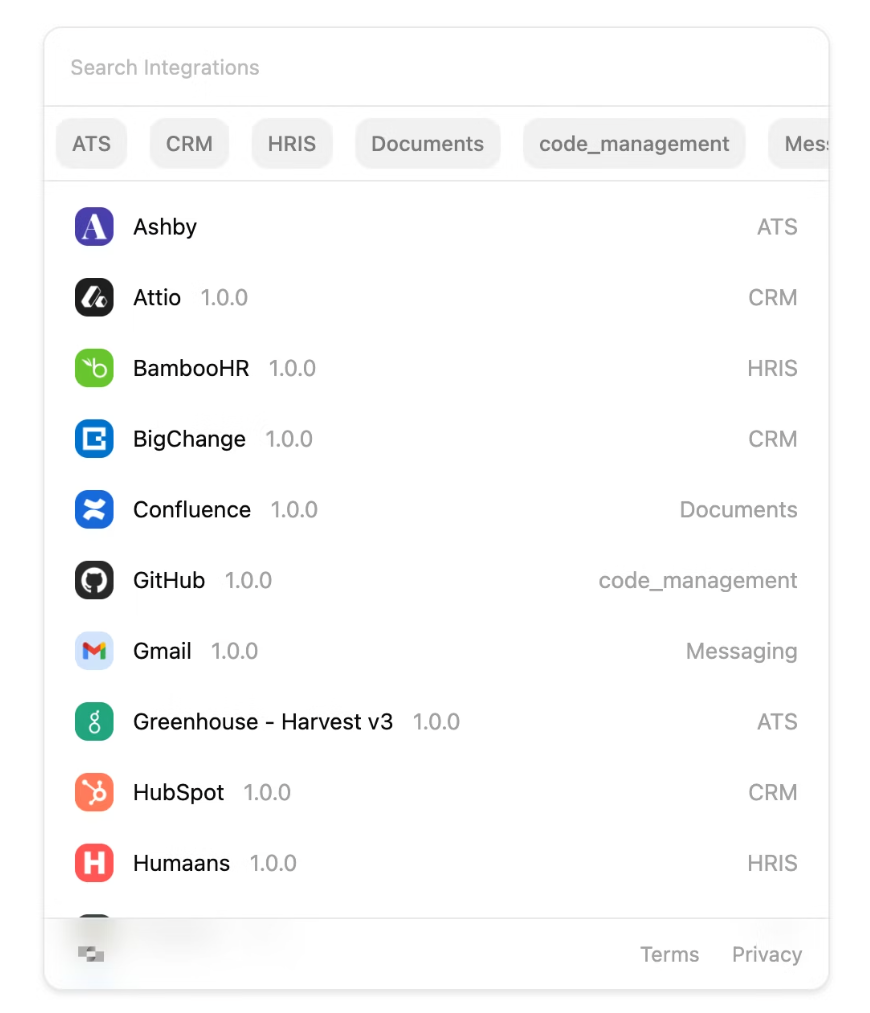
Your user authenticates via the auth link or through the Connect Hub embedded in your app. StackOne handles the rest.
- Consent screens
- Token exchange
- Credential storage
- Token refresh
Access connectors. Take actions.
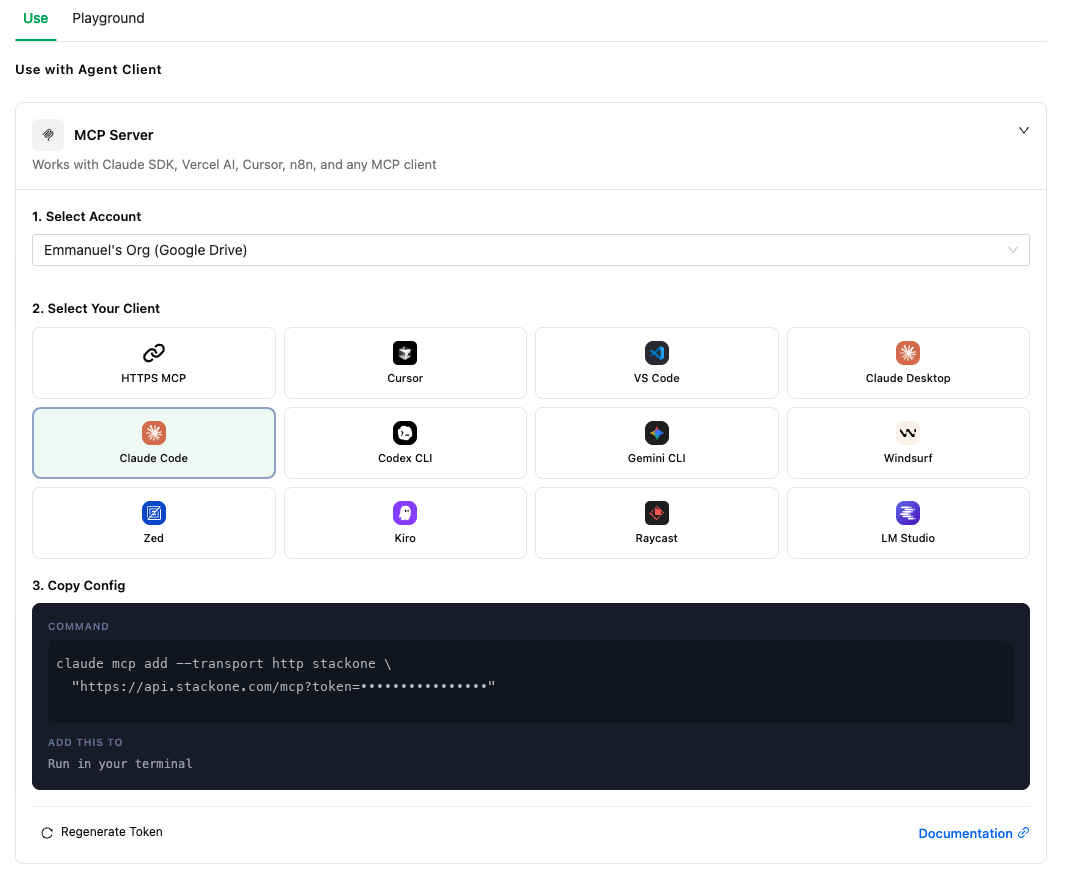
Your agent accesses tools via the AI SDK, MCP, or direct API calls.
- Read and write data
- Execute actions
- Multi-account access
{
  "mcpServers": {
    "stackone": {
      "url": "https://api.stackone.com/mcp",
      "headers": {
        "Authorization": "Basic <base64(API_KEY:)>",
        "x-account-id": "acme-corp-workday"
      }
    }
  }
} Claude Code Claude Desktop
  ChatGPT
  Cursor
  Windsurf
  VS Code
  Gemini |
  Google ADK
  LangChain
  Pydantic AI


Agent Auth You Won't Build.
Zero Maintenance.
Stop building OAuth flows, token refresh logic, and credential storage. Ship agents instead.
API Keys
Long-lived credentials using HTTP Basic Auth. Managed from the dashboard, shown once, store securely. Built for server-to-server integrations.
Scoped Permissions
Four scopes: Full Access Read Only Accounts Actions. Least-privilege by default. Fine-grained scopes available for tighter control.
Per-User Credential Isolation
Every connection is scoped to a user via origin_owner_id. Credentials are isolated, encrypted at rest. Multi-tenant by default.
Automatic Token Refresh
When a request hits a 401, StackOne refreshes the token, updates stored credentials, and retries the original action. Your agent never sees the failure.
Every Auth Method
OAuth 2.0 API Keys Basic Auth Bearer configured per connector automatically. You don't pick the method. StackOne handles it.
StackOne Connect Hub
Embeddable auth UI for your end users. One POST /connect_sessions returns an auth link. Your user picks a provider, logs in, and StackOne creates the account. No OAuth callbacks to build.
 SOC 2 Type II
  GDPR
GDPR  HIPAA
HIPAA AI Agent Authentication FAQ
401, the auth layer refreshes the token, updates stored credentials, and retries the original action. The agent never handles refresh logic directly.origin_owner_id. No shared service accounts, no cross-tenant data access. Essential for production agent deployments serving multiple customers.412 status (account suspended or expired). The auth layer stops retrying. You'll need to prompt the user to re-authenticate through a new connect session. Auth links expire after 30 days.x-account-id as a header. For MCP, use ?x-account-id= as a query parameter. No additional credential configuration per protocol.origin_owner_id. Users cannot share connections. Credentials are isolated per user. To allow a single user to connect multiple accounts from the same provider, enable the multiple parameter in the connect session request.Stop building auth. Start shipping agents.
StackOne handles OAuth, token refresh, and credential storage for 200+ connectors. Start free in minutes.