


SAP Sales Cloud and Service Cloud V2 MCP Server
for AI Agents
Connect your AI agent to StackOne's SAP Sales Cloud and Service Cloud V2 MCP server and give it 187 MCP tools out of the box. Auth, tool execution, and security all managed.
 StackOne


Coverage
187 Agent Actions
Agents can read, write and delete in SAP Sales Cloud and Service Cloud V2. Extend your agent's capabilities with custom actions.

Authentication
Agent Tool Authentication
Per-user OAuth in one call. Your SAP Sales Cloud and Service Cloud V2 MCP server gets session-scoped tokens with zero credentials stored on your infra.
Agent Auth →
Security
Agent Protection
Every SAP Sales Cloud and Service Cloud V2 tool response scanned for prompt injection in milliseconds, with 88.7% accuracy, all running on CPU.
Prompt Injection Defense →
Performance
Max Agent Context. Min Cost.
Free up to 96% of your agent's context window to enhance reasoning and reduce cost, on every SAP Sales Cloud and Service Cloud V2 call.
Tools Discovery →What is the SAP Sales Cloud and Service Cloud V2 MCP Server?
A SAP Sales Cloud and Service Cloud V2 MCP server lets AI agents read and write SAP Sales Cloud and Service Cloud V2 data through the Model Context Protocol, Anthropic's open standard for connecting LLMs to external tools. StackOne's SAP Sales Cloud and Service Cloud V2 MCP server ships with 187 pre-built actions, fully extensible via the Connector Builder, plus managed authentication, prompt injection defense, observability, and agent execution runtime. Connect it from MCP clients like Claude Desktop, Claude Code, Cursor, Goose, and VS Code, or from agent frameworks like OpenAI Agents SDK, LangChain, and Vercel AI SDK.
All SAP Sales Cloud and Service Cloud V2 MCP Tools
Every StackOne action for SAP Sales Cloud and Service Cloud V2, ready for your agent. Read, write and delete, scoped to exactly what you need.
Tasks
- Create Task
You can create a task for a user using ID or display ID of account, owner, organizer and sales organization. You can create task in dry run mode by passing the http header sap-c4c-dry-run=true. You can create a task as a followup from other entities by adding $sourceid='ID of the source object'&$sourcetype='Object type of source entity' as http query parameters.
- List Tasks
Task can be queried from the system using optional $filter or $search query parameters. By default, the system fetches top 50 tasks. To query more tasks, use pagination query parameters $top and $skip. If there are no matching tasks an empty response is sent.
- Get Task
Read the Task from the system using the ID of the task. The attributes of task can be selected using $select or excluded using $exclude.
- Update Task
Attributes of task can be updated by sending the updated values in the request. IF-MATCH http header is mandatory for updating a task. The value for IF-MATCH can be fetched from the http GET method's response header ETag.
- Delete Task
Task in the system can be deleted by sending a delete request.
Appointments
- Create Appointment
Create a new appointment. Note creation within appointments is no longer supported. Use Hypernote APIs for managing notes.
- List Appointments
Specify query parameters to return desired appointment records from the system.
- Get Appointment
Query the system for a specific appointment using the appointment ID.
- Update Appointment
Update an existing appointment. Note updates within appointments are no longer supported. Use Hypernote APIs for managing notes.
- Delete Appointment
Delete an appointment by ID.
Phone Calls
- Create Phone Call
Send phone information to the system to create a new phone interaction.
- List Phone Calls
Specify query parameters to return desired phone records from the system.
- Get Phone Call
Query the system for a specific phone record using the phone interaction id.
- Update Phone Call
Update phone interaction attributes in the system.
- Delete Phone Call
Delete the phone interaction for the given phone interaction id.
Emails
- Create Email
Create email interaction.
- List Emails
Query email interactions.
- Get Email
Read email interaction by ID.
- Update Email
Update email interaction.
- Delete Email
Delete email interaction.
Visits
- Create Visit
You can create a visit using the ID or display ID of the account or individual customer. You can create visit in the dry run mode by passing the http header sap-c4c-dry-run=true. You can create a visit as a followup from other entities by adding $sourceid='ID of the source object'&$sourcetype='Object type of source entity' as http query parameters.
- List Visits
Visits can be queried using optional $filter or $search query parameters. By default, the system fetches the top 50 visits. To query more visits, use the pagination query parameters $top and $skip. If there are no matching visits, an empty response is sent.
- Get Visit
Read the visit using its ID. The attributes of visit can be selected using $select or excluded using $exclude.
- Update Visit
Attributes of visit can be updated by sending the updated values in the request. IF-MATCH http header is mandatory for updating a visit. The value for IF-MATCH can be fetched from the http GET method's response header ETag.
- Delete Visit
Visit can be deleted by sending a delete request.
Person Interactions
- Create Person Interaction
Send in-person interaction information to the system to create an in-person interaction.
- List Person Interactions
Specify query parameters to return in-person interactions.
- Get Person Interaction
Query the system for an in-person interaction using an ID.
- Update Person Interaction
Update an in-person interaction partially using an ID.
Campaigns
- Create Campaign
Send campaign information to the system to create a new campaign entity.
- List Campaigns
Specify query parameters to return desired campaign records from the system.
- Get Campaign
Query the system for a specific campaign using the campaign ID.
- Update Campaign
Update campaign attributes in the system.
- Delete Campaign
Delete a campaign by ID.
Sales Territorys
- Create Sales Territory
Send sales territory information to the system to create a new sales territory instance.
- Get Sales Territory
Read a specific sales territory using the sales territory ID.
- Update Sales Territory
Partial update of sales territory instance in the system.
Competitors
- Create Competitor
Send competitor information to the system to create a new competitor entity.
- List Competitors
Specify query parameters to return desired competitor records from the system.
- Get Competitor
Read a specific competitor using the competitor ID.
- Update Competitor
Update competitor attributes in the system.
Competitor Products
- Create Competitor Product
Send competitor product information to the system to create a new competitor product entity.
- List Competitor Products
Specify query parameters to return desired competitor product records from the system.
- Get Competitor Product
Read a specific competitor product using the competitor product ID.
Cases
- Create Case
Send case information to the system to create a new case entity.
- List Cases
Specify query parameters to return desired case records from the system.
- Get Case
Query the system for a specific case using the case ID.
- Update Case
Update case attributes in the system.
Service Categorys
- Create Service Category
Send service category information to the system to create a new service category.
- Get Service Category
Query the system for a specific service category using the service category id.
Service Catalogs
- Create Service Catalog
Send service catalog information to the system to create a new service catalog.
- List Service Catalogs
Specify query parameters to return desired service catalogs from the system.
- Get Service Catalog
Query the system for a specific service catalog using the service catalog id.
Accounts
- Create Account
Send account information to the system to create a new account.
- List Accounts
Specify query parameters to return desired account records from the system.
- Get Account
Read a specific account using the account ID.
- Update Account
Update account attributes in the system.
Contact Persons
- Create Contact Person
Send contact person information to the system to create a new contact person.
- List Contact Persons
Specify query parameters to return desired contact person records from the system.
- Get Contact Person
Read a specific contact person using the contact person ID.
- Update Contact Person
Update contact person attributes in the system.
Individual Customers
- Create Individual Customer
Send individual customer information to the system to create a new individual customer.
- List Individual Customers
Specify query parameters to return desired individual customer records from the system.
- Get Individual Customer
Read a specific individual customer using the individual customer ID.
- Update Individual Customer
Update individual customer attributes in the system.
Account Hierarchys
- Create Account Hierarchy
Send account hierarchy information to the system to create a new account hierarchy instance.
- Get Account Hierarchy
Read a specific account hierarchy using the account ID.
- Update Account Hierarchy
Partial update of account hierarchy instance in the system.
Service Orders
- Create Service Order
Send service order information to the system to create a new service order entity.
- List Service Orders
Specify query parameters to return desired service order records from the system.
- Get Service Order
Query the system for a specific service order using the ID.
- Update Service Order
Update service order attributes in the system.
Service Quotations
- List Service Quotations
Specify query parameters to return desired service quotation records from the system.
- Get Service Quotation
Query the system for a specific service quotation using the ID.
- Update Service Quotation
Update service quotation attributes in the system.
Return Orders
- Create Return Order
Send return order information to the system to create a new return order entity.
- List Return Orders
Specify query parameters to return desired return order records from the system.
- Get Return Order
Query the system for a specific return order using the ID.
- Update Return Order
Update return order attributes in the system.
Registered Products
- Create Registered Product
Creates a new registered product entity with the details send in the request.
- List Registered Products
Shows all registered product entities that matches the supplied query parameters.
- Get Registered Product
Shows the registered product entity for the given registered product ID.
- Update Registered Product
Modifies the registered product entity for the given registered product ID.
- Delete Registered Product
Deletes the registered product entity for the given registered product ID.
Installed Bases
- Create Installed Base
Creates a new installed base entity with the details send in the request.
- List Installed Bases
Shows all installed base entities that matches the supplied query parameters.
- Get Installed Base
Shows the installed base entity for the given installed base ID.
- Update Installed Base
Modifies the installed base entity for the given installed base ID.
- Delete Installed Base
Deletes the installed base entity for the given installed base ID.
Functional Locations
- Create Functional Location
Creates a new functional location entity with the details send in the request.
- List Functional Locations
Shows all functional location entities that matches the supplied query parameters.
- Get Functional Location
Shows the functional location entity for the given functional location ID.
- Update Functional Location
Modifies the functional location entity for the given functional location ID.
Warrantys
- Create Warranty
Creates a new warranty entity with the details send in the request.
- Get Warranty
Shows the warranty entity for the given warranty ID.
Leads
- Create Lead
Send lead information to create a new lead entity.
- List Leads
Specify query parameters to return desired lead entities.
- Get Lead
Retrieve a specific lead using the lead ID.
- Update Lead
Update lead attributes using the lead ID.
- Delete Lead
Delete a lead using the lead ID.
Opportunitys
- Create Opportunity
Send opportunity information to the system to create a new opportunity entity.
- Get Opportunity
Query the system for a specific opportunity using the opportunity ID.
- Update Opportunity
Update opportunity attributes in the system.
- Delete Opportunity
Delete an opportunity by ID.
Notes
- Create Note
Creates a new note.
- List Notes
Shows all notes that match the supplied query parameters.
- Get Note
Reads a note by ID.
- Delete Note
Deletes the note by ID.
Documents
- Create Document
Create an attachment entry in the document service. In response, a pre-signed upload URL is received. Upload the attachment file to the pre-signed upload URL using the PUT call to complete the attachment creation process.
- Get Document
Query the system for a specific attachment using the document ID.
Time Logs
- Create Time Log
Send time log information to the system to create a new time log entry. Only object type 2886 (case) is currently supported.
- List Time Logs
Specify query parameters to return desired time logs from the system.
- Get Time Log
Query the system for a specific time log using the time log ID.
- Update Time Log
Partially update a time log for the given time log ID. Only the following fields can be updated - duration, endDateTime, extensions. Requires an If-Match header with the current ETag value for optimistic concurrency control.
Employees
- Create Employee
Send employee information to the system to create a new employee.
- List Employees
Specify query parameters to return desired employee records from the system.
- Get Employee
Read a specific employee using the employee ID.
- Update Employee
Update employee attributes in the system.
Scim Users
- Create Scim User
This operation creates a new user in the system.
- List Scim Users
This operation returns a list of users in the system. You can filter the results using the optional filter parameter.
- Get Scim User
This operation returns a user in the system by specifying the user ID.
- Update Scim User
This operation updates only the specified fields of the user in the system by specifying the user ID.
- Delete Scim User
This operation deletes a user in the system by specifying the user ID.
Scim Groups
- Create Scim Group
The operation creates a new user group in the system.
- List Scim Groups
The operation returns all user groups of the system. You can filter the results using the filter parameter.
- Get Scim Group
The operation returns the details of a user group specified by the ID.
Organizational Units
- Create Organizational Unit
Send organizational unit information to the system to create a new organizational unit entity.
- List Organizational Units
Specify query parameters to return desired organizational unit records from the system.
- Get Organizational Unit
Read a specific organizational unit using the organizational unit ID.
Products
- Create Product
Send product information to the system to create a new product entity.
- List Products
Specify query parameters to return desired product records from the system.
- Get Product
Read a specific product using the product ID.
- Update Product
Update product attributes in the system.
Product Lists
- Create Product List
Create Product List.
- List Product Lists
Query Product List.
- Get Product List
Read Product List.
Product List Products
- Create Product List Product
Add Products to Product List.
- List Product List Products
Query Products.
- Get Product List Product
Read Products.
Product Groups
- Create Product Group
Send product group information to the system to create a new product group entity.
- List Product Groups
Specify query parameters to return desired product group records from the system.
- Get Product Group
Read a specific product group using the product group ID.
Sales Quotes
- Create Sales Quote
Send sales quote information to create a sales quote entity.
- List Sales Quotes
Specify query parameters to return sales quotes.
- Get Sales Quote
Retrieve a sales quote using the sales quote ID.
- Update Sales Quote
Update a sales quote by ID.
- Delete Sales Quote
Delete a sales quote by ID.
Sales Quote Items
- Create Sales Quote Item
Create sales quote item.
- List Sales Quote Items
Specify query parameters to return sales quotes items.
- Get Sales Quote Item
Read a sales quote item by sales quote id.
- Update Sales Quote Item
Update a sales quote item.
- Delete Sales Quote Item
Delete a sales quote item by Id.
Sales Contracts
- Create Sales Contract
Create a new sales contract in the system.
- List Sales Contracts
Specify query parameters to return desired sales contract records from the system.
- Get Sales Contract
Query the system for a specific sales contract using the sales contract ID.
- Update Sales Contract
Update a sales contract by ID.
- Delete Sales Contract
Delete a sales contract by ID.
Other (30)
- List Task Categories
Task Categories can be queried from the system by using optional $filter or $search query parameters. By default top 50 task categories are fetched from the system. More task categories can be queried by using the pagination query parameters $top and $skip. If there are no matching task categories an empty response is sent.
- List Appointment Categories
Query appointment categories.
- List Visit Types
Visit types can be queried from the system by using optional $filter or $search query parameters. By default top 50 visit types are fetched from the system. More visit types can be queried by using the pagination query parameters $top and $skip. If there are no matching visit types an empty response is sent.
- List Phone Call Results
Specify query parameters to return desired call result records from the system.
- List Sales Territories
Specify query parameters to return desired sales territory records from the system.
- List Service Categories
Specify query parameters to return desired service categories from the system.
- List Account Hierarchies
Specify query parameters to return desired account hierarchy records from the system.
- List Service Order Types
Query Service Order Types.
- List Service Order Priorities
Query Service Order Priorities.
- List Return Order Types
Query Return Order Types.
- List Return Order Return Reasons
Query Return Reason.
- List Warranties
Shows all warranty entities that matches the supplied query parameters.
- List Opportunities
Specify query parameters to return desired opportunity records from the system.
- List Lead Statuses
Query all (active/inactive) lead status.
- List Lead Sources
Query all (active/inactive) lead sources.
- List Lead Qualifications
Query all (active/inactive) lead qualifications.
- List Lead Categories
Query all (active/inactive) lead categories.
- List Opportunity Sales Cycles
Query opportunity sales cycles.
- List Opportunity Sales Cycle Sales Phases
Query opportunity sales phases.
- List Opportunity Sources
Query opportunity sources.
- List Opportunity Categories
Query opportunity categories.
- List Opportunity Forecast Categories
Query opportunity forecast categories.
- List Opportunity Status Reasons
Query opportunity reason for status.
- List Opportunity Life Cycle Statuses
Query opportunity lifecycle status.
- List Opportunity Contact Party Roles
Query opportunity contact roles.
- List Product Types
Specify query parameters to return desired product product type records from the system.
- List Product Units Of Measure
Specify query parameters to return desired product unit of measure records from the system.
- List Sales Quote Document Types
Specify query parameters to return sales quote document types.
- List Sales Quote Item Types
Query quote item types.
- Replace Note
Modifies the note for the given ID.
SAP Sales Cloud and Service Cloud V2 AI Agent Use Cases
Connect your AI agent to SAP Sales Cloud and Service Cloud V2 and help your team scale the sales operations they run by hand today.
Use StackOne to connect your AI agent to your CRM, email, and calendar tools to automate post-demo follow-up.
ViewUse StackOne to connect your AI agent to your CRM, email, and calendar tools to automate deal risk scoring and pipeline alerts.
ViewUse StackOne to connect your AI agent to your marketing automation, CRM, and email tools to automate lead nurture email sequences.
ViewSet Up Your SAP Sales Cloud and Service Cloud V2 MCP Server in Minutes
One endpoint. Any framework. Your agent is talking to SAP Sales Cloud and Service Cloud V2 in under 10 lines of code.
Agent Frameworks


 JSON
{
  "mcpServers": {
    "stackone": {
      "command": "npx",
      "args": [
        "-y",
        "mcp-remote@latest",
        "https://api.stackone.com/mcp?x-account-id=<account_id>",
        "--header",
        "Authorization: Basic <YOUR_BASE64_TOKEN>"
      ]
    }
  }
}
Check More crm-sales MCP Servers
251+ actions
195+ actions
136+ actions
104+ actions
82+ actions
75+ actions
66+ actions
Platform Resources

Comparing BM25, TF-IDF, and Hybrid Search for MCP Tool Discovery
Benchmarking BM25, TF-IDF, and hybrid search for MCP tool discovery across 916 tools. The 80/20 TF-IDF/BM25 hybrid hits 21% Top-1 accuracy in under 1ms.
10 min
Indirect Prompt Injection Defense for MCP Tools: A Technical Guide
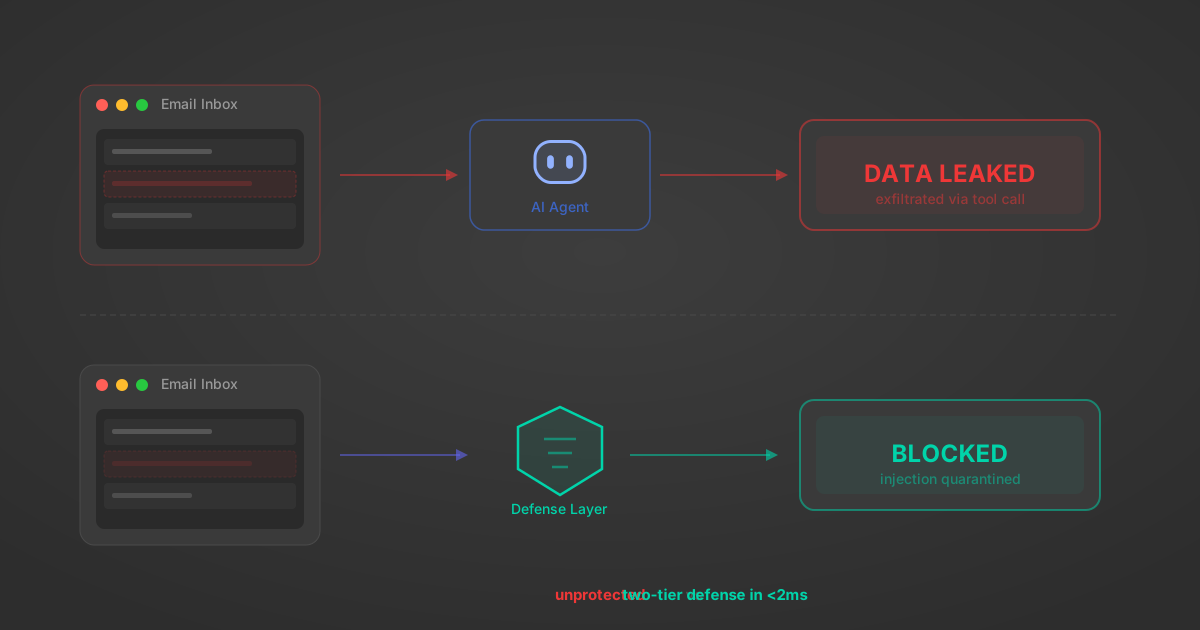
MCP tools that read emails, CRM records, and tickets are indirect prompt injection vectors. Here's how we built a two-tier defense that scans tool results in ~11ms.
12 min

MCP vs A2A: Architecture, Security, and When to Use Each
MCP vs A2A: what each protocol standardizes, how they differ, their shared security risks including indirect prompt injection, and when to use one, both, or a hybrid architecture.
12 min
MCP vs API: What Hundreds of Connector Builds Taught Us
MCP wraps APIs, it doesn't replace them. After building hundreds of connectors that serve both, here's when each approach wins.
14 min read
SAP Sales Cloud and Service Cloud V2 MCP Server FAQ
Does StackOne have a SAP Sales Cloud and Service Cloud V2 MCP server?
SAP Sales Cloud and Service Cloud V2 MCP server vs direct API integration: what's the difference?
How does SAP Sales Cloud and Service Cloud V2 authentication work for AI agents?
origin_owner_id.Are SAP Sales Cloud and Service Cloud V2 MCP tools vulnerable to prompt injection?
What is the context bloat of a SAP Sales Cloud and Service Cloud V2 agent and how do I avoid it?
Can I limit which actions my SAP Sales Cloud and Service Cloud V2 agent can access?
Can I create custom agent actions for my SAP Sales Cloud and Service Cloud V2 MCP server?
When should I NOT use a SAP Sales Cloud and Service Cloud V2 MCP server?
What AI frameworks and AI clients does the StackOne SAP Sales Cloud and Service Cloud V2 MCP server support?
Put your AI agents to work
All the tools you need to build and scale AI agent integrations, with best-in-class connectivity, execution, and security.