
Specter MCP Server
for AI Agents
Connect your AI agent to StackOne's Specter MCP server and give it 82 MCP tools out of the box. Auth, tool execution, and security all managed.
 StackOne






Coverage
82 Agent Actions
Create, read, update, and delete across Specter — and extend your agent's capabilities with custom actions.

Authentication
Agent Tool Authentication
Per-user OAuth in one call. Your Specter MCP server gets session-scoped tokens with zero credentials stored on your infra.
Agent Auth →
Security
Agent Protection
Every Specter tool response scanned for prompt injection in milliseconds — 88.7% accuracy, all running on CPU.
Prompt Injection Defense →
Performance
Max Agent Context. Min Cost.
Free up to 96% of your agent's context window to enhance reasoning and reduce cost, on every Specter call.
Tools Discovery →What is the Specter MCP Server?
A Specter MCP server lets AI agents read and write Specter data through the Model Context Protocol — Anthropic's open standard for connecting LLMs to external tools. StackOne's Specter MCP server ships with 82 pre-built actions, fully extensible via the Connector Builder — plus managed authentication, prompt injection defense, observability, and agent execution runtime. Connect it from MCP clients like Claude Desktop, Claude Code, Cursor, Goose, and VS Code, or from agent frameworks like OpenAI Agents SDK, LangChain, and Vercel AI SDK.
All Specter MCP Tools
Every action from Specter's API, ready for your agent. Create, read, update, and delete — scoped to exactly what you need.
Company Lists
- Create Company List
Creates a new company list shared with the API and returns its ID.
- List Company Lists
Retrieve the company lists reachable from your API key.
- Get Company List
Retrieve a company list's details and the companies it contains.
- Update Company List
Adds and/or removes company IDs from an existing company list in a single request.
- Delete Company List
Permanently deletes a company list and all its associated data.
Investor Lists
- Create Investor List
Creates a new investor list shared with the API and returns its ID.
- Get Investor List
Returns information about an investor list created or shared with the API, including the investors it contains.
- Update Investor List
Adds and/or removes investor IDs from an existing investor list in a single request.
- Delete Investor List
Permanently deletes an investor list and all its associated data.
People Lists
- Create People List
Creates a new people list shared with the API and returns its ID.
- Get People List
Returns information about a people list created or shared with the API, including the people it contains.
- Update People List
Adds and/or removes person IDs from an existing people list in a single request.
- Delete People List
Permanently deletes a people list and all its associated data.
Other (69)
- Get Credit Balance
Retrieve the organization's API credit balance for the current billing window.
- List Organization Members
Retrieve the active members of your Specter team.
- List API Call Logs
Retrieve a paginated log of the API calls your organization has made, newest first.
- Search Companies By Name
Search Specter companies by name or website, returning ranked lightweight matches.
- Get Company By ID
Retrieve the full, current company record for a single Specter company ID.
- List Company Employees
Retrieve the founders and employees Specter holds for a company.
- List Company Funding Rounds
Retrieve a company's funding rounds, newest first, with participating investors.
- Get Companies By ID (bulk)
Resolve up to 50 companies in one request, the bulk counterpart to enrich_company.
- Get Similar Companies (bulk)
Find companies similar to each of up to 50 companies in one request, the bulk counterpart to get_similar_companies.
- Get Company Acquisitions
Returns the acquisitions a company is involved in (both deals where it was the acquirer and deals where it was the acquiree), newest first.
- Get Company Competitors
Returns the competitive landscape for a company, a ranked list of competitors, the dimensions the market splits on, and a short summary of the competitive landscape.
- Get Company IPOs
Returns a company's IPOs, newest first.
- Get Company Latest Revenue
Returns the latest revenue figures and estimated revenue growth for a single company.
- Get Company Latest Valuation
Returns the latest valuation figures and estimated valuation growth for a single company.
- Get Company News
Returns a company's complete news-signal history.
- Get Company Revenue Signals
Returns a company's complete revenue and profitability signal history.
- Get Similar Companies
Returns companies similar to a referenced company (by Specter company ID) as a list of Specter IDs; fetch any of them with get_company.
- Get Company Saved Search
Returns count-level details for a saved company search: total companies matched, newly added, and companies with highlights.
- Get Company Saved Search Results
Returns the companies matching a saved company search.
- Get Investor-interest Saved Search
Returns count-level details for a saved investor-interest search: its name, query ID, and the number of interest signals matched.
- Get Investor-interest Saved Search Results
Returns the interest signals matching a saved investor-interest search.
- Get Investor Interest Signal By ID
Retrieve interest that investors have in either Talent or Companies.
- Get All Investor Lists
Returns the investor lists reachable from your API key: lists created via the API, lists with "Share to API" turned on, and global lists curated by Specter.
- Get Investor List Results
Returns the investors in a list with their current profile, activity, and targeting data.
- Get Investor Saved Search
Returns count-level details for a saved investor search: its name, query ID, and the total number of investors matched.
- Get Investor Saved Search Results
Returns the investors matching a saved investor search, with full profile, activity, targeting, funds, and portfolio detail.
- Search Investors By Name
Search Specter investors by name, returning lightweight matches.
- Get Investor By ID
Retrieve the full investor record for a single Specter investor ID.
- Get Investors By ID (bulk)
Resolve up to 50 investors in one request - the bulk counterpart to enrich_investor.
- Get Investor Funding Rounds
Returns an investor's funding rounds, newest first.
- List Company List Results
Retrieve the companies in a list along with their current data and signals.
- Get Network Companies
Returns all companies where someone in your team's network currently works ordered by number of connections at each company.
- Get Network Connections At A Company
Returns your team's connections at a specific company, who you know there, what roles they hold and which teammates are linked to them.
- Get Network People
Returns all people your team is connected to on LinkedIn, deduped across your teammates.
- Get News Signals For A Company List
Returns news signals for the companies in a list.
- Get News Signal By ID
Returns a single news signal by its integer Specter signal ID.
- Get News Signals For A Saved Company Search
Returns news signals for the companies matched by a saved company search.
- Search People By Name
Search Specter people by name, returning lightweight matches.
- Get Person By ID
Retrieve the full professional profile for a single Specter person ID.
- Get People By ID (bulk)
Resolve up to 50 people in one request, the bulk counterpart to enrich_person.
- Get Person Email
Returns a contactable email for a person, found via a waterfall across multiple data providers.
- Get All People Lists
Returns the people lists reachable from your API key: lists created via the API, lists with "Share to API" turned on, and global lists curated by Specter.
- Get People List Results
Returns the people in a list with detailed profile information for each person.
- Get People Saved Search
Returns count-level details for a saved people search: its name, query ID, and the number of people matched.
- Get People Saved Search Results
Returns the people matching a saved people search.
- Get Revenue Signals For A Company List
Returns revenue signals for the companies in a list.
- Get Revenue Signals By Date
Returns revenue and profitability signals across companies, newest first.
- Get Revenue Signal By ID
Returns a single revenue or profitability signal by its Specter signal ID (rev_…).
- Get Revenue Signals For A Saved Company Search
Returns revenue signals for the companies matched by a saved company search.
- Get All Saved Searches
Returns your saved searches across all product types.
- Search Entities By Name
Fuzzy-match one name across companies, people, and investors in a single call, with matches grouped by entity type.
- Get Talent Signal By ID
Returns a single Talent Signal by its ID, including signal detail (type, status, score, stealth timing) and the full professional profile of the person it concerns (career history, education, skills).
- Get Talent Signal Saved Search
Returns count-level details for a saved talent search: its name, query ID, and the number of talent signals matched.
- Get Talent Signal Saved Search Results
Returns the talent signals matching a saved talent search.
- Get Acquisition By ID
Returns a single acquisition record by its Specter acquisition ID, covering both sides of the deal (acquirer and acquiree), each with their Specter company ID and key details.
- Get Funding Round By ID
Returns a single funding round by its Specter funding round ID, including the company that raised the round and the full list of participating investors, each flagged if they led.
- Get IPO By ID
Returns a single IPO record by its Specter IPO ID, including the issuing company's Specter company ID and primary domain.
- Delete Search
Permanently deletes a saved search and all its associated data.
- Health Check
Check that the Specter API is up and reachable.
- Enrich Company
Look up and enrich a company by website, domain, LinkedIn URL/ID or Crunchbase URL.
- Resolve Company IDs
Resolve a batch of alternate identifiers (domain, website, LinkedIn URL or name) into Specter company IDs.
- Resolve Entity From Text
Resolve a short piece of text to the Specter entities it refers to.
- Enrich People By Email (bulk)
Resolve up to 50 email addresses to people in one request - the bulk counterpart to enrich_person_by_email.
- Bulk Get Investor Interest Signals By ID
Retrieve up to 50 investor-interest signals in a single request by supplying a list of signal IDs.
- Enrich Investor
Look up investors by website domain, name, or both.
- Enrich Person
Look up and enrich a person by a LinkedIn identifier — URL, vanity ID, numeric ID or URN.
- Enrich Person By Email
Resolve an email address to the most probable Specter person, with a match confidence score.
- AI Search
Search Specter with a plain-English query.
- Bulk Get Talent Signals By ID
Retrieve up to 50 Talent Signals in one request - the bulk counterpart to get_talent_signal_by_id.
Specter AI Agent Use Cases
Connect your AI agent to Specter and help your team scale the sales operations they run by hand today.
Use StackOne to connect your AI agent to your CRM, email, and calendar tools to automate post-demo follow-up.
ViewUse StackOne to connect your AI agent to your CRM, email, and calendar tools to automate deal risk scoring and pipeline alerts.
ViewUse StackOne to connect your AI agent to your CRM, sales engagement, and messaging tools to automate outbound prospecting.
ViewSet Up Your Specter MCP Server in Minutes
One endpoint. Any framework. Your agent is talking to Specter in under 10 lines of code.
Agent Frameworks


 JSON
JSON{
"mcpServers": {
"stackone": {
"command": "npx",
"args": [
"-y",
"mcp-remote@latest",
"https://api.stackone.com/mcp?x-account-id=<account_id>",
"--header",
"Authorization: Basic <YOUR_BASE64_TOKEN>"
]
}
}
}Check More crm-sales MCP Servers
136+ actions
104+ actions
61+ actions
59+ actions
54+ actions
53+ actions
26+ actions
Platform Resources

MCP Code Mode: Keeping Tool Responses Out of Agent Context
Anthropic's code_execution processes data already in context. Custom MCP code mode keeps raw tool responses in a sandbox. 14K tokens vs 500.
11 min

Comparing BM25, TF-IDF, and Hybrid Search for MCP Tool Discovery
Benchmarking BM25, TF-IDF, and hybrid search for MCP tool discovery across 916 tools. The 80/20 TF-IDF/BM25 hybrid hits 21% Top-1 accuracy in under 1ms.
10 min
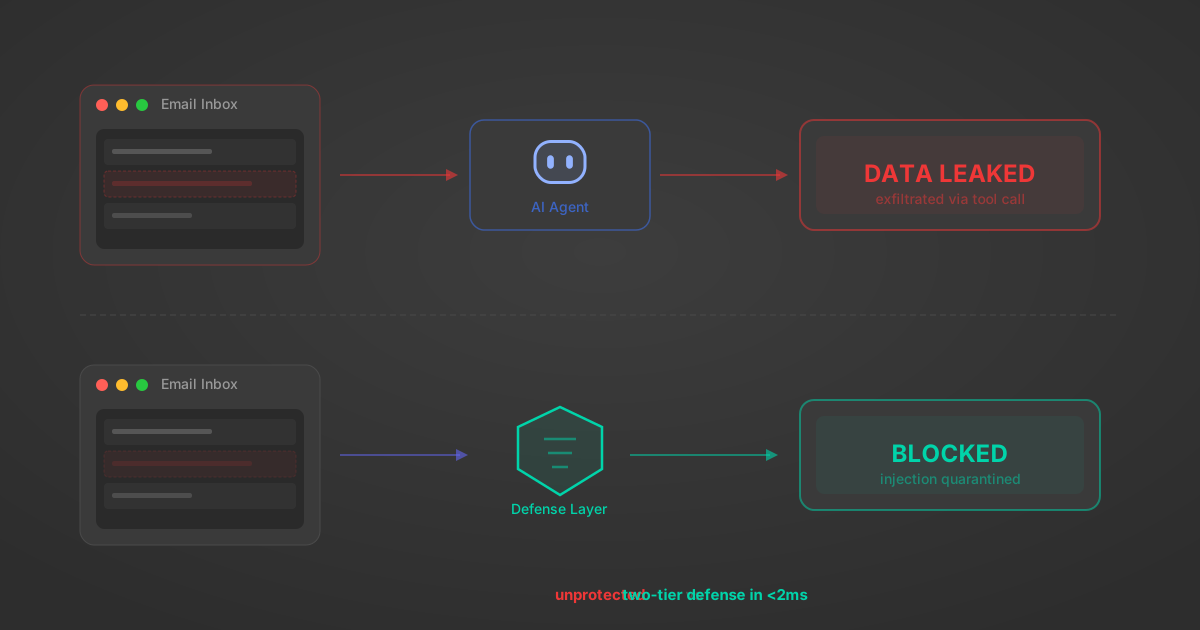
Indirect Prompt Injection Defense for MCP Tools: A Technical Guide
MCP tools that read emails, CRM records, and tickets are indirect prompt injection vectors. Here's how we built a two-tier defense that scans tool results in ~11ms.
12 min
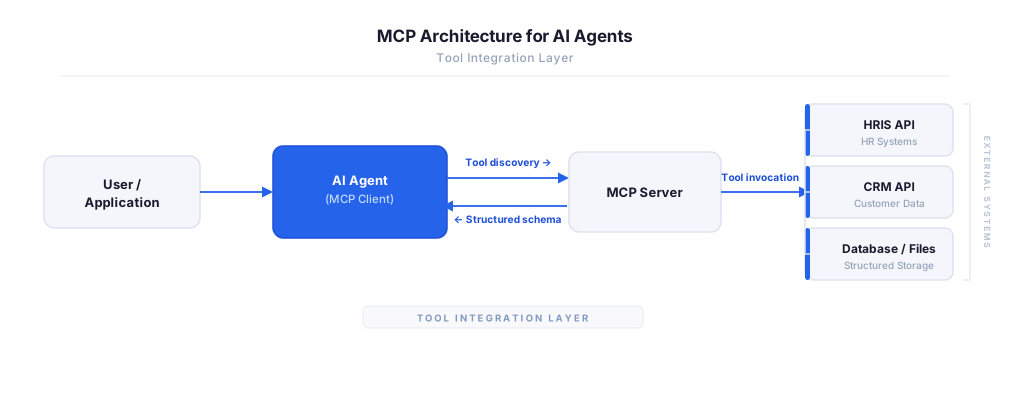
MCP vs A2A: Architecture, Security, and When to Use Each
MCP vs A2A: what each protocol standardizes, how they differ, their shared security risks including indirect prompt injection, and when to use one, both, or a hybrid architecture.
12 min
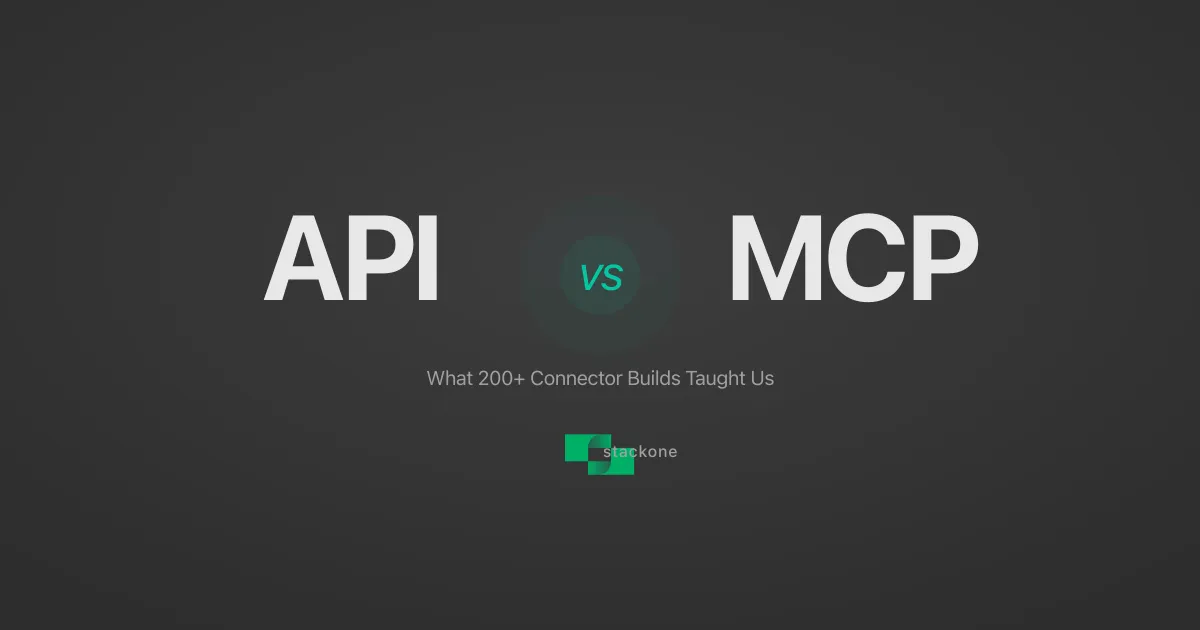
MCP vs API: What Hundreds of Connector Builds Taught Us
MCP wraps APIs, it doesn't replace them. After building hundreds of connectors that serve both, here's when each approach wins.
14 min read
Specter MCP Server FAQ
Does StackOne have a Specter MCP server?
Specter MCP server vs direct API integration — what's the difference?
How does Specter authentication work for AI agents?
origin_owner_id.Are Specter MCP tools vulnerable to prompt injection?
What is the context bloat of a Specter agent and how do I avoid it?
Can I limit which actions my Specter agent can access?
Can I create custom agent actions for my Specter MCP server?
When should I NOT use a Specter MCP server?
What AI frameworks and AI clients does the StackOne Specter MCP server support?
Put your AI agents to work
All the tools you need to build and scale AI agent integrations, with best-in-class connectivity, execution, and security.