Skip to main content Announcing Tool Policies: AI agent permissions down to the field Read the announcement
Connectors Inkbox
Live 195 Actions 45 Events

Inkbox Integration for AI Agents

Connect your AI agent to 195 Inkbox actions via MCP, A2A, or SDK, with agent authentication, tool-calling execution, and security built-in, plus 45 events to subscribe to.

StackOne
DrataGPLocalyzeFlipMindtoolsScreenloop

Inkbox AI Agent Actions

195 production-ready actions for your agent to do more on Inkbox.

195 Actions
List Organization A2A Contact Rules - List A2A contact rules for every identity in the organization (admin).
List A2A Contact Rules - List one identity's A2A contact rules.
Create A2A Contact Rule - Create a directional allow/block rule for a peer agent handle.
Update A2A Contact Rule - Change an A2A contact rule's action or direction.
Delete A2A Contact Rule - Delete an A2A contact rule.
List A2A Contexts - Lists contexts visible to the identity, most recently active first.
List Sent A2A Contexts - Lists contexts this identity originally opened toward other agents.
Get Sent A2A Context - Get one A2A context this identity opened, with its tasks.
Get A2A Context - Get one A2A context another agent opened toward this identity, with its tasks.
Update A2A Context - Updates the persistent session name and returns the complete context.
Create A2A Invitation - Invite a customer agent to establish a bidirectional Agent2Agent connection with a fixed peer bundle
List A2A Tasks - Lists tasks visible to the identity, newest first.
List A2A Messages - Read and search an identity's A2A message history across every task and context
Get A2A Task - Get one A2A task this identity received, with its message history.
Reply To A2A Task - Reply to a received A2A task and move it to a new state.
Check Agent Signup Status - Check the agent's current claim status, the agent owner's (human's) account state, and the agent's behavioral restrictions.
Get Current API Key - Return metadata for the API key making the request.
Get Brand - Returns the same brand object with current verification information.
Update Brand - Replace the organization's 10DLC brand details (full PUT; all required fields must be sent).
Verify Brand SMS OTP - Submit the one-time PIN the customer received via SMS to verify the brand's contact.
Register Brand - Send a JSON body with your business details.
Trigger Brand SMS OTP - Send a one-time PIN via SMS to the brand's mobile phone for sole-proprietor brand verification; returns brand_id and reference_id.
Delete Brand - Delete the organization's 10DLC brand.
Get Campaign - Returns the campaign object with current review information.
Update Campaign - Partially update the existing campaign's help message, message flow and sample messages (only these 7 fields; all optional).
Upload Opt In Evidence - Register a brand first.
Register Campaign - Send the following JSON fields.
Resubmit Campaign - Send the **complete campaign registration body**, with the same fields as `POST /campaign`.
Delete Campaign - Delete the organization's 10DLC campaign (204 No Content).
Get Contact Communication Policy - Read a contact's per-address communication policy for one identity.
Set Contact Communication Policy - Replaces exact-address choices (guarded by expected_revision and observed actions) and optionally the Profile/Memories visibility settings for a contact and identity.
List Contacts - List contacts visible under the caller's contact permissions.
Get Contact - Fetch a single contact by its UUID.
Create Contact - Create a contact in the organization directory.
Create Contact With Permissions - Create a contact and configure one agent's access in a single transaction using an admin API key.
Update Contact - Edit a contact; fields you leave out stay unchanged.
Import Contacts - Bulk-import contacts from a vCard body.
Export Contacts VCard - Export 1–25 contacts as a single vCard document.
Export Contact VCard - Download a single contact as a text/vcard; charset=utf-8 file.
Bulk Delete Contacts - Delete 1–1,000 contacts with an admin API key or a claimed agent API key.
Preview Contacts Import - Validate a vCard batch and find conflicts with existing contacts before importing it.
Delete Contact - Delete one contact.
List Identities - List all identities for your organization, newest first.
Get Identity Channel Status - Get the channel status of an identity.
Get Identity - Get a single identity with its linked communication channels.
Create Identity - Atomically provisions the identity, its mailbox, and its tunnel in a single transaction.
Update Identity - Update an identity's display name, description, iMessage settings, attached iMessage line, or contact-rule filter modes.
Connect Identity IMessage Number - Attach an existing organization-owned dedicated iMessage number to an identity.
Disconnect Identity IMessage Number - Detach the dedicated iMessage number from an identity, returning it to shared service.
Release Identity Phone Number - Release the identity's phone number.
Delete Identity - Delete an agent identity and its mailbox and tunnel.
List Identity Contact Communication Policies - Preview an identity's saved view of contacts; the identity listing returns items, limit, offset, and has_more.
List Identity Contact Permissions - List contacts in the selected identity's organization, including contacts hidden from that identity.
Get Identity Contact Access - Read contact access: email/phone group visibility, contactable addresses, and profile/memories visibility for an identity.
Update Identity Contact Access - Update contact access for an identity; returns the updated settings.
List IMessage Numbers - List the organization's dedicated iMessage lines.
Get IMessage Onboarding - Fetch iMessage onboarding information for the organization or a specific agent identity.
Get IMessage Triage Number - Get the iMessage router number and connect command a person texts to reach an agent.
Connect IMessage Recipient - Create a 1:1 connection and submit its opening message in one request.
Disconnect IMessage Recipient - Disconnect the active connection for an identity and recipient.
Check IMessage Messaging Capability - Check which messaging service is currently available for an E.164 phone number.
Claim IMessage Number - Claims one unattached dedicated line for the organization.
List IMessage Contact Rules - List contact rules for an agent identity, newest first.
List Org IMessage Contact Rules - Org-wide aggregate list of iMessage contact rules across every identity.
Get IMessage Contact Rule - Fetch a single rule by ID.
Create IMessage Contact Rule - Add an allow or block rule for an agent identity.
Update IMessage Contact Rule - Change action or coverage, or atomically edit one covered side.
Delete IMessage Contact Rule - Delete an iMessage (phone-number) contact rule.
List IMessage Conversations - List conversation summaries ordered by most recent message, with latest-message preview and unread count.
List IMessage Assignments - List active iMessage connections, newest first — one row per recipient currently connected to an agent identity through the router or the connect endpoint.
Get IMessage Conversation Thread - Read one reply thread within a 1:1 or group conversation.
Get IMessage Conversation - Get a single 1:1 or group conversation by ID.
Release IMessage Assignment - Disconnect a recipient from an agent identity.
List IMessages - List iMessages visible to the caller, newest first, across all of the caller's conversations or narrowed to one.
Get IMessage - Read a message by UUID, including its current delivery status.
Get IMessage Thread - Read the stored, visible root and replies using any message in the thread.
Send IMessage - Send an outbound iMessage.
Send IMessage Reaction - React to a message a human sent in one of your agent's 1:1 or ready group conversations.
Send IMessage Typing - Show the typing bubble to a 1:1 conversation's recipient — useful while your agent prepares a longer reply.
Remove IMessage Reaction - Take back a tapback your agent sent.
Mark IMessage Read - Send a read receipt to the human — they see "Read" under their latest message — and mark the conversation's inbound messages as read.
Upload IMessage Media - Upload a file and get a media URL to attach to an iMessage.
List IMessage Router Conversations - List router conversations with cursor pagination.
List IMessage Router Messages - List messages in a router conversation with cursor pagination.
Get IMessage Router - Returns the active organization-owned router line and its configuration.
Get IMessage Router Avatar - Get the router avatar.
Get IMessage Router Conversation - Get one router conversation by ID.
Update IMessage Router - Set `contact_sharing_enabled` to `true` to publish the router's display name and optional avatar, or `false` to remove its automatic sharing profile.
Update IMessage Router Connect Onboarding - Toggle whether first-contact onboarding is sent when a human connects.
List Mail Contact Rules - List mail contact rules for an agent identity, newest first.
List Org Mail Contact Rules - Org-wide aggregate list of mail contact rules across every identity the caller can see.
Get Mail Contact Rule - Fetch a single contact rule by ID.
Create Mail Contact Rule - Create an allow or block rule on an agent identity.
Update Mail Contact Rule - Change a rule's action or coverage, or atomically edit one covered side.
Delete Mail Contact Rule - Delete an email contact rule.
List Mail Drafts - List the drafts in one mailbox.
Get Mail Draft - Get one draft with its bodies, attachments and current generation.
Get Mail Draft Attachment - Streams the decoded attachment body with its content type and download filename.
Create Mail Draft - Create an empty, incomplete, or send-ready draft.
Send Mail Draft - Validate and send the exact revision.
Update Mail Draft - Partially update the expected revision.
Add Mail Draft Attachments - Add one or more attachments to the expected generation.
Remove Mail Draft Attachment - Remove one attachment from a draft.
Delete Mail Draft - Permanently delete the expected revision and free its storage.
List Mail Import Jobs - List jobs newest first with cursor pagination.
Get Mail Import Job - Get the current status, counters, timestamps, and any job-level error.
Create Mail Import Job - Start a mailbox import job and get an upload target for the archive file.
Cancel Mail Import Job - Cancel a pending, queued or running mailbox import.
Reissue Mail Import Upload URL - Issue a replacement upload target when the previous one lapses before the file is uploaded.
Start Mail Import Job - Validate the completed upload and queue the job.
List Mailboxes - List all active mailboxes for your organization, newest first.
List Mail Messages - List messages in a mailbox, newest first, with cursor pagination.
Get Mail Message - Get a single message with its full body content (plain text and HTML).
Send Mail Message - Compose and send an email from a mailbox.
Reply All Mail Message - Reply to every visible participant on a stored message.
Forward Mail Message - Forward a stored message to new recipients.
Search Mail Messages Org Wide - Search messages across all mailboxes in your organization.
Search Mailbox Messages - Search messages in a mailbox with full-text search.
List Mail Threads By Visibility - List threads across all mailboxes the caller can access, ordered by most recent activity (spec has no description; inferred from docs summary).
List Mail Folders - List the folders containing at least one accessible thread in the mailbox.
List Mail Threads - List threads for a mailbox with cursor pagination, ordered by most recent message activity.
Get Mail Thread By Visibility - Get a single thread with its messages inline (metadata only, no body content).
Get Mail Thread - Get a single thread with all its messages (metadata only — no body content) inline.
Update Mail Thread - Move a mail thread to the inbox, spam or archive folder.
Delete Mail Thread - Permanently delete a mail thread and its messages.
List Note Access - List the identities granted access to a note.
Grant Note Access - Grant an agent identity read + CRUD access to a note.
Revoke Note Access - Revoke an identity's access to a note.
List Notes - List notes visible to the caller.
Get Note - Fetch a single note by ID.
Create Note - Create an organization-wide note.
Update Note - Edit a note's title or body.
Delete Note - Delete a note.
List Calls - List calls for an agent identity, newest first — spans dedicated phone numbers plus shared and dedicated iMessage lines.
List Call Tool Invocations - List a call's Voice AI tool activity in execution order.
Set Incoming Call Action - Upsert the inbound-call configuration for an agent identity.
Place Call - Initiate an outbound call.
Provision Phone Number - Provision a new phone number for your organization.
Release Phone Number - Release a phone number from your organization.
List Texts - List text messages for a phone number, newest first.
Search Texts - Full-text search across text message bodies for a phone number.
Get Text - Get a single text message by ID.
Send Text - Send an outbound message from one of your phone numbers.
Update Text - Update a text message, for example to mark it as read.
List Call Transcripts - List all transcript segments for a call, ordered by sequence number.
Search Call Transcripts - Full-text search across all transcript segments for a phone number.
Get Identity Signing Key Status - Report whether this agent identity has a signing key configured.
Create Or Rotate Identity Signing Key - Create a signing key for this agent identity, or rotate the existing one.
List Slack Archive Messages - Read retained Slack message history in time order.
Search Slack Archive - Search one Slack workspace's retained messages by keyword.
Search Slack Identity Archive - Search retained Slack messages across all of an identity's workspaces.
Get Slack Archive Coverage - Show Slack archive import progress per conversation and thread.
List Slack Connections - All visible connections for the identity, including disconnected ones.
Start Slack Installation - Requires an organization member in the Console, organization admin API key, or the identity’s claimed agent key.
Disconnect Slack Connection - Disconnect an identity from a Slack workspace.
List Org Slack Contact Rules - Lists Slack contact rules across every identity in the organization.
List Slack Contact Rules - Lists Slack contact rules for an identity.
Get Slack Contact Rule - Reads a single Slack contact rule.
Create Slack Contact Rule - Creates a Slack contact rule for an identity with action (allow or block), match_type, and match_target.
Update Slack Contact Rule - Changes the action or direction of a Slack contact rule.
Import Slack Contacts - Import one page of visible people into your organization's real contacts.
Delete Slack Contact Rule - Delete a Slack contact rule.
List Slack Conversations - List conversations the bot is a member of through the selected workspace connection.
List Slack Conversation Members - List the user IDs of a Slack conversation's members.
Get Slack Conversation - Get one Slack conversation by ID.
Open Slack Conversation - Opens or resumes a DM or group DM in the selected workspace.
Get Slack Cached Media - Download a cached display image.
List Slack Messages - Reads messages live from Slack.
Get Slack Action By Key - Look up a Slack message send by its idempotency key.
Get Slack Action - Get a Slack message send by its action ID.
Get Slack Message - Get one live Slack message by timestamp.
Get Slack Message Context - Read the Slack messages around one message.
Send Slack Message - Send an idempotent message to a Slack conversation (optionally as a thread reply).
Update Slack Message - Edit the text of a message the bot posted in Slack.
Delete Slack Message - Delete a message the bot posted in Slack.
Get Slack Operation By Key - Look up a Slack edit, delete, reaction or stream operation by its idempotency key.
Set Slack Processing Status - This requests Slack's native agent-session status for a thread.
Add Slack Reaction - Add an emoji reaction to a Slack message.
Start Slack Task Stream - Show native task progress in an existing Slack thread and close the stream when work finishes
Append Slack Task Stream - Add progress updates to an open Slack task stream.
Stop Slack Task Stream - Close a Slack task stream.
List SMS Opt Ins - List the consent rows for your organization, ordered by most recently updated first.
Get SMS Opt In - Look up the consent state for one recipient under your organization.
Opt In Recipient - Mark a recipient as opted in.
Opt Out Recipient - Mark a recipient as opted out.
List Tunnels - List all tunnels in the caller's organization.
Get Tunnel - Fetch a single tunnel by ID.
Update Tunnel - Update a tunnel's metadata.
List Vault Secret Access - List all identity access rules for a secret.
Grant Vault Secret Access - Grant an agent identity access to a specific secret.
Revoke Vault Secret Access - Revoke an identity's access to a secret.
List Vault Secrets - List all secrets (metadata only — no encrypted payloads).
Get Vault Secret - Get one vault secret with its encrypted payload.
Create Vault Secret - Store a new encrypted secret.
Update Vault Secret - Update a secret's name, description, or encrypted payload.

Inkbox Webhook Events

45 real-time Inkbox events your AI agent can subscribe to.

45 Events
  • Active Check Responds with 200 OK to any Inkbox delivery that carries no event_type.
  • Email Received Fired when a new inbound email is stored in an agent identity mailbox.
  • Email Sent Fired when an outbound email is accepted for delivery (not fired for forwards).
  • Email Forwarded Fired when a stored email is forwarded.
  • Email Delivered Fired when delivery of an outbound email to the recipient's mail server is confirmed.
  • Email Bounced Fired when an outbound email bounces or receives a complaint.
  • Email Failed Fired when an outbound email permanently fails after all retry attempts.
  • Text Received Fired when an incoming SMS or MMS arrives on the identity phone number.
  • Text Sent Fired when an outbound SMS or MMS is accepted for delivery.
  • Text Delivered Fired when an outbound text reaches the recipient's handset.
  • Text Delivery Failed Fired when an outbound text fails to reach the recipient.
  • Text Delivery Unconfirmed Fired when delivery of an outbound text cannot be confirmed.
  • iMessage Received Fired when an incoming iMessage reaches the identity.
  • iMessage Reaction Received Fired when an incoming iMessage reaction (tapback) arrives.
  • iMessage Sent Fired when an outbound iMessage is reported as sent.
  • iMessage Delivered Fired when an outbound iMessage reaches the recipient's device.
  • iMessage Delivery Failed Fired when an outbound iMessage fails to deliver.
  • Call Ended Fired when a phone call ends (Voice AI calls also report when they never connect).
  • A2A Task Created Fired when another agent creates an Agent2Agent task for this identity.
  • A2A Task Message Fired when a caller adds a message to an open Agent2Agent task.
  • A2A Task Canceled Fired when a caller cancels an open Agent2Agent task.
  • A2A Sent Task Updated Fired when a task sent by this identity receives an update from the target agent.
  • Slack DM Received Fired when a Slack direct message (including replies) arrives.
  • Slack Group DM Received Fired when a Slack group direct message arrives.
  • Slack Channel Message Received Fired when a Slack channel message arrives.
  • Slack Mention Received Fired when a Slack message explicitly mentions the identity's bot.
  • Slack Thread Reply Received Fired when a reply arrives in a Slack thread.
  • Slack Message Updated Fired when a Slack message is edited.
  • Slack Message Deleted Fired when a Slack message is deleted.
  • Slack Reaction Added Fired when a reaction is added to a Slack item.
  • Slack Reaction Removed Fired when a reaction is removed from a Slack item.
  • Slack Member Joined Fired when a member joins a Slack conversation.
  • Slack Member Left Fired when a member leaves a Slack conversation.
  • Slack Channel Updated Fired when a Slack channel's name, topic, purpose or archive status changes.
  • Slack File Shared Fired when a file is shared in Slack.
  • Slack File Changed Fired when a Slack file changes.
  • Slack File Deleted Fired when a Slack file is deleted.
  • Slack Pin Added Fired when an item is pinned in a Slack conversation.
  • Slack Pin Removed Fired when an item is unpinned in a Slack conversation.
  • Slack Connection Changed Fired when the Slack workspace connection changes status or needs attention (including rate-limit notices).
  • Slack Message Sent Fired when an outbound Slack message is confirmed posted.
  • Slack Message Send Failed Fired when an outbound Slack message fails to send.
  • Slack Message Send Unknown Fired when the outcome of an outbound Slack send cannot be established.
  • Slack Interaction Fired when a Slack user triggers an app action, shortcut, command or form.
  • Slack Session Stopped Fired when a Slack user requests that an agent session stop.

Inkbox AI Agent Use Cases

Connect your AI agent to Inkbox and help your team scale the sales operations they run by hand today.

Post-Demo Follow-Up

Use StackOne to connect your AI agent to your CRM, email, and calendar tools to automate post-demo follow-up.

View
SalesforceHubSpotPipedriveGongFirefliesGmailMicrosoft OutlookGoogle Calendar
Deal Risk Scoring

Use StackOne to connect your AI agent to your CRM, email, and calendar tools to automate deal risk scoring and pipeline alerts.

View
SalesforceHubSpotPipedriveZoho CRMCloseFreshsalesGmailOutlook
Outbound Prospecting

Use StackOne to connect your AI agent to your CRM, sales engagement, and messaging tools to automate outbound prospecting.

View
SalesforceHubSpotOutreachSalesloftLemlistPipedriveCloseGmail

Do More, Build Less

Integration Infrastructure for Inkbox AI Agents

Multiple Interfaces

Access integrations via API, AI SDKs, MCP & A2A.

Inkbox MCP server
Managed Authentication

Pre-built authentication UI.

Agent auth
Falcon Engine

Every Inkbox action runs on Falcon.

Agent Execution Engine
StackOne Defender
StackOne Defender Meta PG v1 Meta PG v2 DeBERTa 88.7% 67.5% 63.1% 56.9% Detection accuracy

88.7% prompt injection detection.

Prompt injection defense

"What impressed us most about StackOne is its ambition and clarity. They're creating infrastructure that modern software and the entire AI agent ecosystem can rely on. The depth of secure integrations, the pace of delivery, and the team's foresight into AI's future uniquely position StackOne to redefine this category."

Luna Schmid, Partner at GV

"We've been impressed by how quickly and deeply StackOne integrates with complex enterprise systems -- and now, with their focus on agent-to-agent interoperability, they're unlocking even more powerful use cases for customers. StackOne delivers all of the above in a universal layer -- without compromise."

Barbry McGann, SVP at Workday Ventures

G2 - High Performer G2 - Easiest To Do Business With G2 - Users Love Us G2 - Users Most Likely To Recommend G2 - Easiest Admin

Product Teams Love Building Agent Integrations With StackOne

G2

More productivity-collaboration Integrations Like Inkbox

Inkbox AI agent integration resources
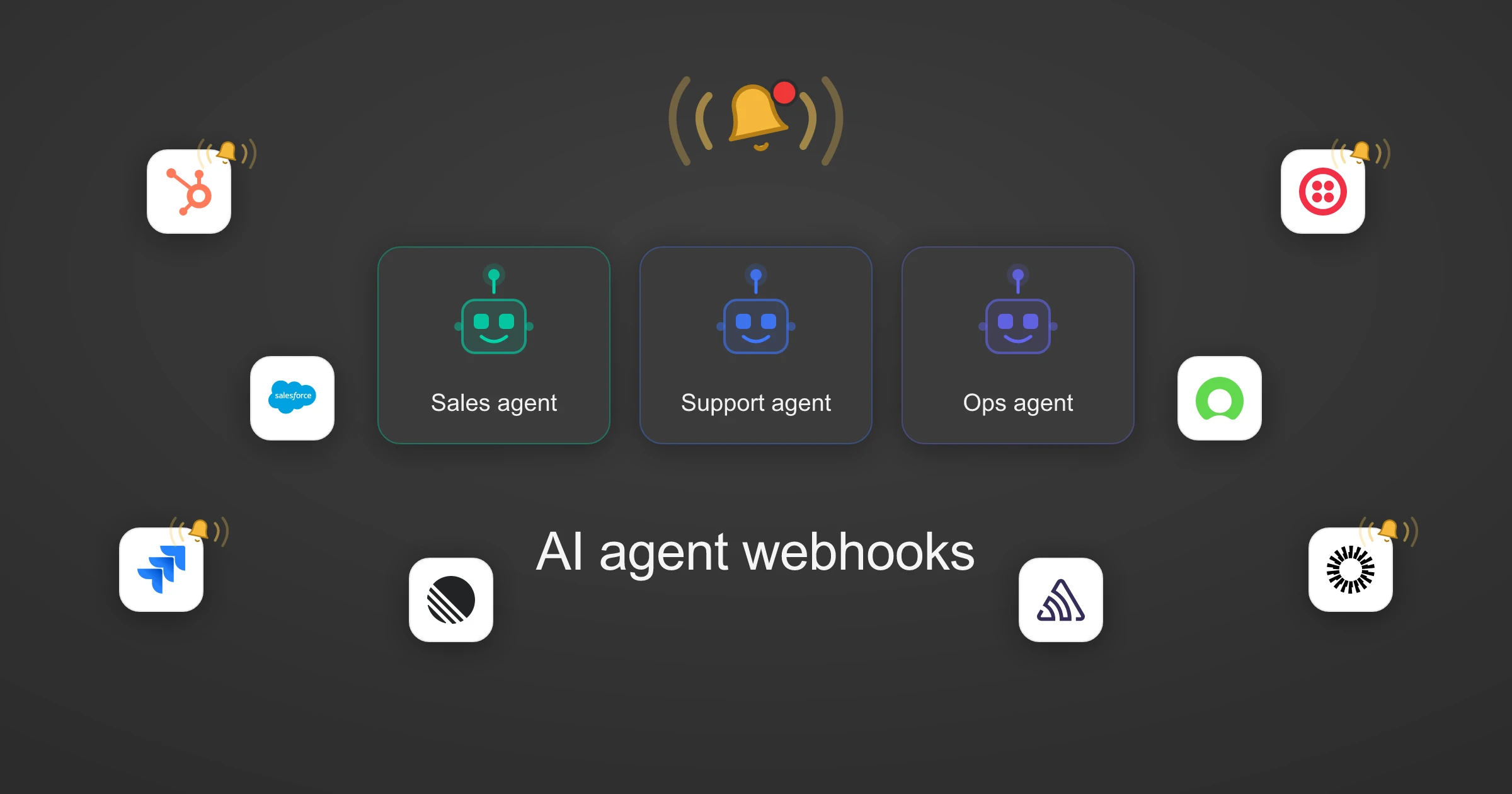
Webhooks for AI agents: why agentic workflows need them purpose-built

AI agents can act the moment a system changes, using webhooks. But webhooks built for software hit three limits in agentic workflows. Here is how to fix each.

7 min read
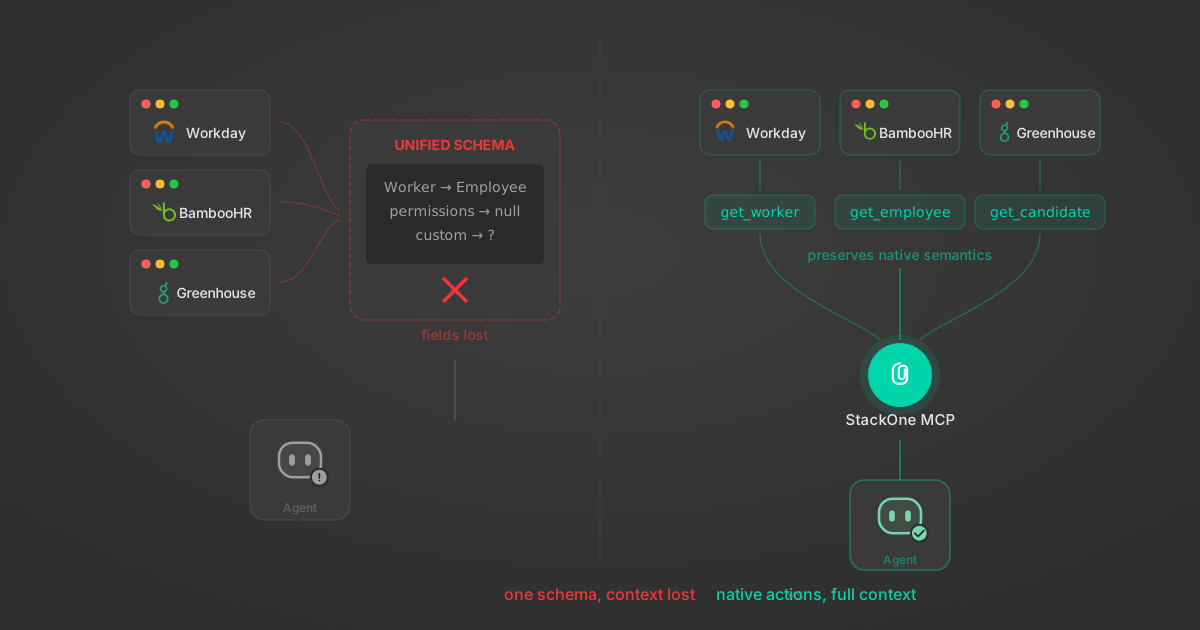
Unified API Limitations for AI Agent Integration: 7 Ways They Break

Unified APIs work for traditional software but fail AI agents in specific, measurable ways. Here are 7 problems we found after building both approaches, with examples from Workday, Greenhouse, Jira, and Salesforce.

14 min
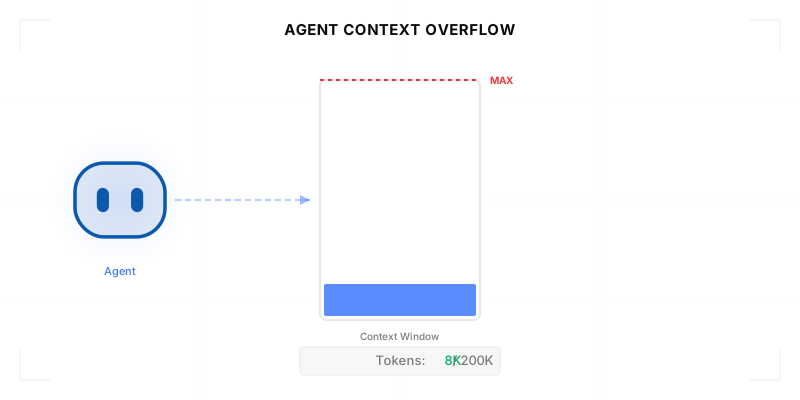
Agentic Context Engineering: Why AI Agents Kill Their Own Context Windows

AI agents exceed their context windows without knowing it. Six failure patterns and seven survival architectures for agentic context engineering.

15 min

Comparing BM25, TF-IDF, and Hybrid Search for MCP Tool Discovery

Benchmarking BM25, TF-IDF, and hybrid search for MCP tool discovery across 916 tools. The 80/20 TF-IDF/BM25 hybrid hits 21% Top-1 accuracy in under 1ms.

10 min

Put your AI agents to work

All the tools you need to build and scale AI agent integrations, with best-in-class connectivity, execution, and security.