


CloudTalk MCP Server
for AI Agents
Connect your AI agent to StackOne's CloudTalk MCP server and give it 101 MCP tools out of the box. Auth, tool execution, and security all managed.
 StackOne


Coverage
101 Agent Actions
Agents can read, write, delete and run operations in CloudTalk. Extend your agent's capabilities with custom actions.

Authentication
Agent Tool Authentication
Per-user OAuth in one call. Your CloudTalk MCP server gets session-scoped tokens with zero credentials stored on your infra.
Agent Auth →
Security
Agent Protection
Every CloudTalk tool response scanned for prompt injection in milliseconds, with 88.7% accuracy, all running on CPU.
Prompt Injection Defense →
Performance
Max Agent Context. Min Cost.
Free up to 96% of your agent's context window to enhance reasoning and reduce cost, on every CloudTalk call.
Tools Discovery →What is the CloudTalk MCP Server?
A CloudTalk MCP server lets AI agents read and write CloudTalk data through the Model Context Protocol, Anthropic's open standard for connecting LLMs to external tools. StackOne's CloudTalk MCP server ships with 101 pre-built actions, fully extensible via the Connector Builder, plus managed authentication, prompt injection defense, observability, and agent execution runtime. Connect it from MCP clients like Claude Desktop, Claude Code, Cursor, Goose, and VS Code, or from agent frameworks like OpenAI Agents SDK, LangChain, and Vercel AI SDK.
All CloudTalk MCP Tools
Every StackOne action for CloudTalk, ready for your agent. Read, write, delete and run operations, scoped to exactly what you need.
Activitys
- Create Activity
Add an activity to an existing contact.
- Update Activity
Updates the activity identified by `activityId`.
- Delete Activity
Deletes the activity identified by `activityId`.
Agents
- Create Agent
Creates an agent.
- List Agents
List the agents (users) of a CloudTalk company account.
- Get Agent
Get a single CloudTalk agent by ID.
- Update Agent
Updates the agent identified by `agentId`.
- Delete Agent
Deletes the agent identified by `agentId`.
Blacklist Numbers
- Create Blacklist Number
Add a phone number to the blacklist.
- Update Blacklist Number
Update a blacklisted phone number.
- Delete Blacklist Number
Remove a phone number from the blacklist.
Calls
- Create Call
Place an outbound call from an agent to a phone number.
- List Calls
Returns call history.
- Get Call
Get the full analytics record of one call, including timings, call-flow steps, agents, contacts and tags.
Call Recordings
- Download Call Recording
Download the WAV recording of a call as base64.
- Delete Call Recording
Permanently delete the recording of a call.
Campaigns
- Create Campaign
Creates a campaign.
- List Campaigns
Returns the account's campaigns.
- Update Campaign
Update a core call campaign.
- Delete Campaign
Deletes the campaign identified by `id`.
Contacts
- Create Contact
Creates a contact.
- List Contacts
Returns contacts together with their phone numbers, email addresses and custom attributes.
- Get Contact
Returns one contact in full — the contact record plus its phone numbers, email addresses, tags, custom attributes and external URLs.
- Update Contact
Update an existing contact; only the fields you send are changed.
- Delete Contact
Deletes the contact identified by `contactId`.
Dialer Campaigns
- Create Dialer Campaign
Create a dialer campaign in the initializing state.
- List Dialer Campaigns
Returns the company's campaigns newest first, cursor-paginated.
- Get Dialer Campaign
Returns a single campaign with its full configuration.
- Update Dialer Campaign
Partially updates the campaign's configuration and/or moves it through its lifecycle.
- Delete Dialer Campaign
Soft-delete a dialer campaign by setting its status to deleted.
Dialer Campaign Contacts
- List Dialer Campaign Contacts
Returns the campaign's members ordered by dialing eligibility (`next_eligible_at`, then id), cursor-paginated.
- Get Dialer Campaign Contact
Returns one campaign membership row, enriched with the contact's current tag names from Contacts.
Dialer Scripts
- Create Dialer Script
Creates a call script agents read while dialing.
- List Dialer Scripts
Returns the company's call scripts newest first, cursor-paginated.
- Get Dialer Script
Returns one script by id, archived or not.
- Update Dialer Script
Partial update — omitted fields stay untouched; `updated_at` is always bumped.
Dialer Surveys
- Create Dialer Survey
Creates a survey agents fill after a call.
- List Dialer Surveys
Returns the company's surveys newest first, cursor-paginated.
- Get Dialer Survey
Returns one survey by id with its full ordered question set, archived or not.
- Update Dialer Survey
Updates the survey's `name` and/or `is_archived` flag — nothing else is patchable here; questions change only through the replace-questions call.
Unified Groups
- List Unified Groups
List unified groups in a CloudTalk company account.
- Get Unified Group
Get a unified CloudTalk group by ID.
Unified Users
- List Unified Users
List unified users in a CloudTalk company account.
- Get Unified User
Get a unified CloudTalk user by ID.
Knowledge Bases
- Create Knowledge Base
Creates a knowledge base from an address or from inline text.
- List Knowledge Bases
Returns one page of the company's knowledge bases.
- Delete Knowledge Base
Deletes the knowledge base.
Notes
- Create Note
Add a note to an existing contact.
- List Notes
List notes attached to contacts.
- Update Note
Updates the note identified by `noteId`.
- Delete Note
Deletes the note identified by `noteId`.
Numbers
- List Numbers
Returns the phone numbers assigned to the account.
- Update Number
Updates the number identified by `id`.
Tags
- Create Tag
Creates a contact tag with the given `name`.
- List Tags
Returns the contact tags defined in the account.
- Update Tag
Renames the contact tag identified by `id`.
- Delete Tag
Deletes the contact tag identified by `id`.
Voice Agents
- Create Voice Agent
Creates a voice agent from the attributes object.
- List Voice Agents
Returns one page of the company's voice agents.
- Get Voice Agent
Returns one voice agent of the company.
- Delete Voice Agent
Deletes the voice agent.
Other (40)
- Create CueCard
Push a CueCard with guidance to the agent handling a live call.
- Create Dialer Campaign Export
Queues an asynchronous export of the campaign's call history or survey responses as CSV or XLSX and returns immediately with a job handle — nothing is generated during the request.
- Add Agent To Group
Adds an agent to a group.
- Upload Knowledge Base File
Creates a knowledge base from one uploaded file.
- Send SMS
Send one SMS or MMS message from a CloudTalk number to one recipient.
- Create Voice Agent Call
Creates a new VoiceAgent call with specified parameters and properties.
- List Activities
List activities attached to contacts.
- List Blacklist
List blacklisted phone numbers.
- List Contact Attributes
List the custom attributes that can be set on contacts.
- Get Call Summary
Returns the AI-generated summary of a completed call.
- Get Call Overall Sentiment
Returns the sentiment scored across a completed call as a whole — one of `very negative`, `negative`, `neutral`, `positive` or `very positive`.
- Get Call Talk-Listen Ratio
Get how long each participant spoke during a completed call.
- List Call Topics
Returns the topics detected in a completed call, each with a weight and the transcript spans it was drawn from.
- Get Call Transcription
Returns the transcript of a completed call as time-stamped segments, each attributed to a caller, together with the detected language.
- Get Call Smart Notes
Returns the structured notes generated for a completed call — call details, action items, decisions made, open questions and any dates or deadlines mentioned.
- Get Call Details Link
Returns a link to the call's detail page in CloudTalk analytics.
- List Countries
Returns every country CloudTalk recognises, with the `country_id` values used by the contact endpoints.
- Get Dialer Campaign Associations
Returns the campaign's associations grouped by kind.
- Get Dialer Campaign Disposition Buttons
Returns the campaign's disposition buttons as a plain array ordered by `display_order`, with each button's name, colour and outcome resolved from its referenced call tag.
- List Dialer Disposition Tags
Lists the call tags the company can wire onto a campaign's disposition buttons.
- Get Dialer Campaign Statistics
Get aggregated performance statistics for a dialer campaign, all-time or for a date range.
- List Dialer Campaign Next Contacts
Returns, in order, the contacts the allocator would serve next — a read-only, NON-BINDING snapshot.
- Get Dialer Export
Polls an export job by its id.
- Get Dialer Export Download Link
Mints a fresh pre-signed S3 link for a completed export job and returns it in a JSON body together with the instant it expires.
- List Groups
List the agent groups of a CloudTalk company account.
- Get Realtime Group Statistics
Get today's live call and waiting-time statistics for every agent group.
- Get Unified Credentials
Get the current CloudTalk connection's unified credentials and identity.
- Remove Agent From Group
Removes one agent from one group.
- Assign Contact Tags
Assign contact tags to a contact.
- Unassign Contact Tags
Unassign contact tags from a contact.
- Bulk Contact Actions
Run up to 10 contact and activity create, update or delete commands in one request.
- Replace Dialer Campaign Associations
Replace the target tags, queue groups and agents of a dialer campaign in one call.
- Replace Dialer Campaign Disposition Buttons
Replaces the campaign's whole disposition-button set — the buttons an agent picks from to close a call.
- Archive Dialer Script
Archives the script — a soft delete, never a hard one.
- Replace Dialer Survey Questions
Atomically replaces the survey's entire question set — this is a replace, not a merge.
- Unregister Number
Clear the routing settings of a phone number and mark it as free.
- Replace Voice Agent
Replaces the voice agent with the attributes object.
- Attach Voice Agent Knowledge Base
Links the knowledge base to the agent.
- Detach Voice Agent Knowledge Base
Unlinks the knowledge base from the agent; the knowledge base itself is kept.
- Stop Voice Agent Outbound Calls
Emergency stop for outbound VoiceAgent dialing.
Set Up Your CloudTalk MCP Server in Minutes
One endpoint. Any framework. Your agent is talking to CloudTalk in under 10 lines of code.
Agent Frameworks


 JSON
{
  "mcpServers": {
    "stackone": {
      "command": "npx",
      "args": [
        "-y",
        "mcp-remote@latest",
        "https://api.stackone.com/mcp?x-account-id=<account_id>",
        "--header",
        "Authorization: Basic <YOUR_BASE64_TOKEN>"
      ]
    }
  }
}Platform Resources
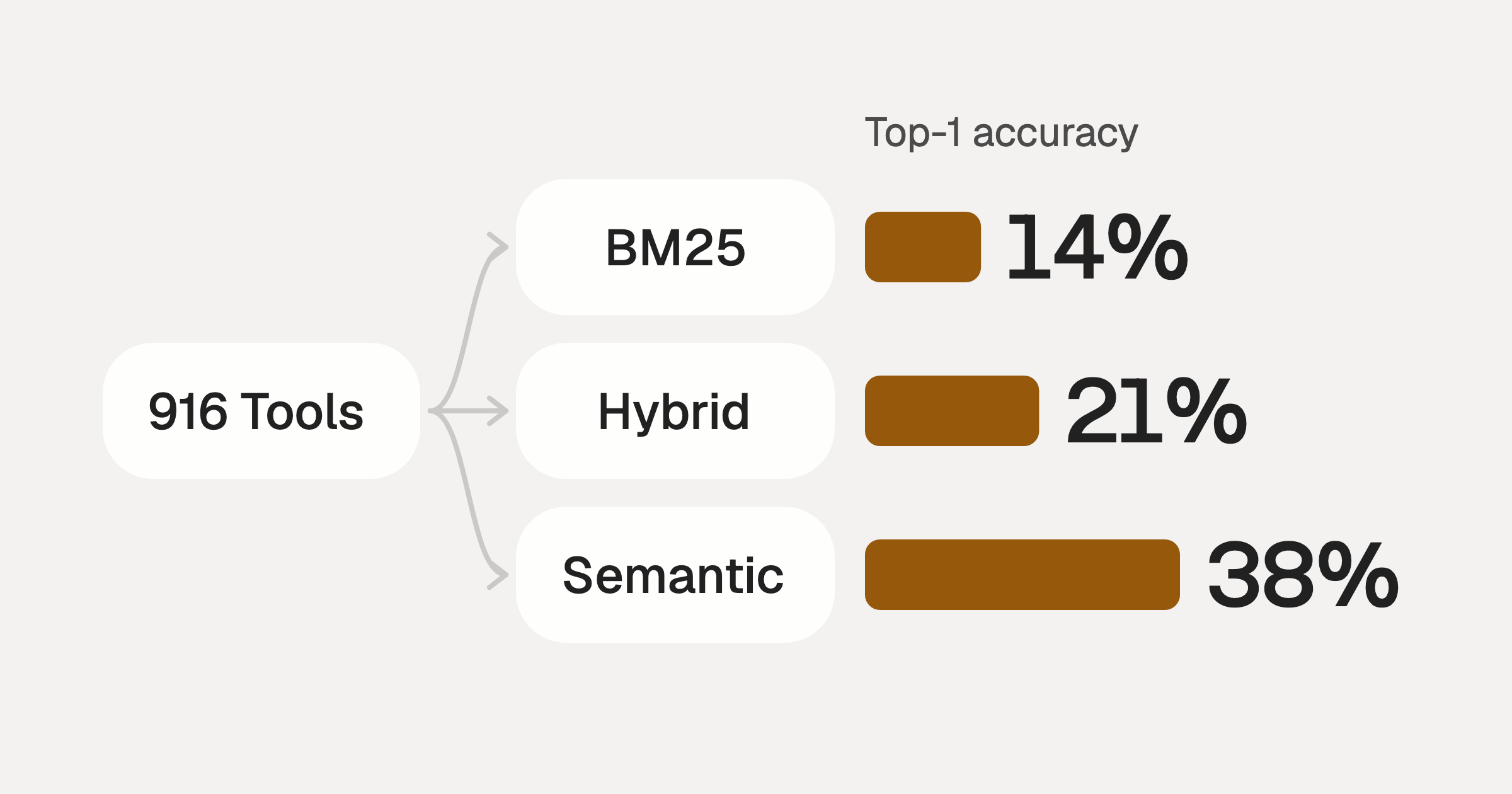
Comparing BM25, TF-IDF, and Hybrid Search for MCP Tool Discovery
Benchmarking BM25, TF-IDF, and hybrid search for MCP tool discovery across 916 tools. The 80/20 TF-IDF/BM25 hybrid hits 21% Top-1 accuracy in under 1ms.
10 min
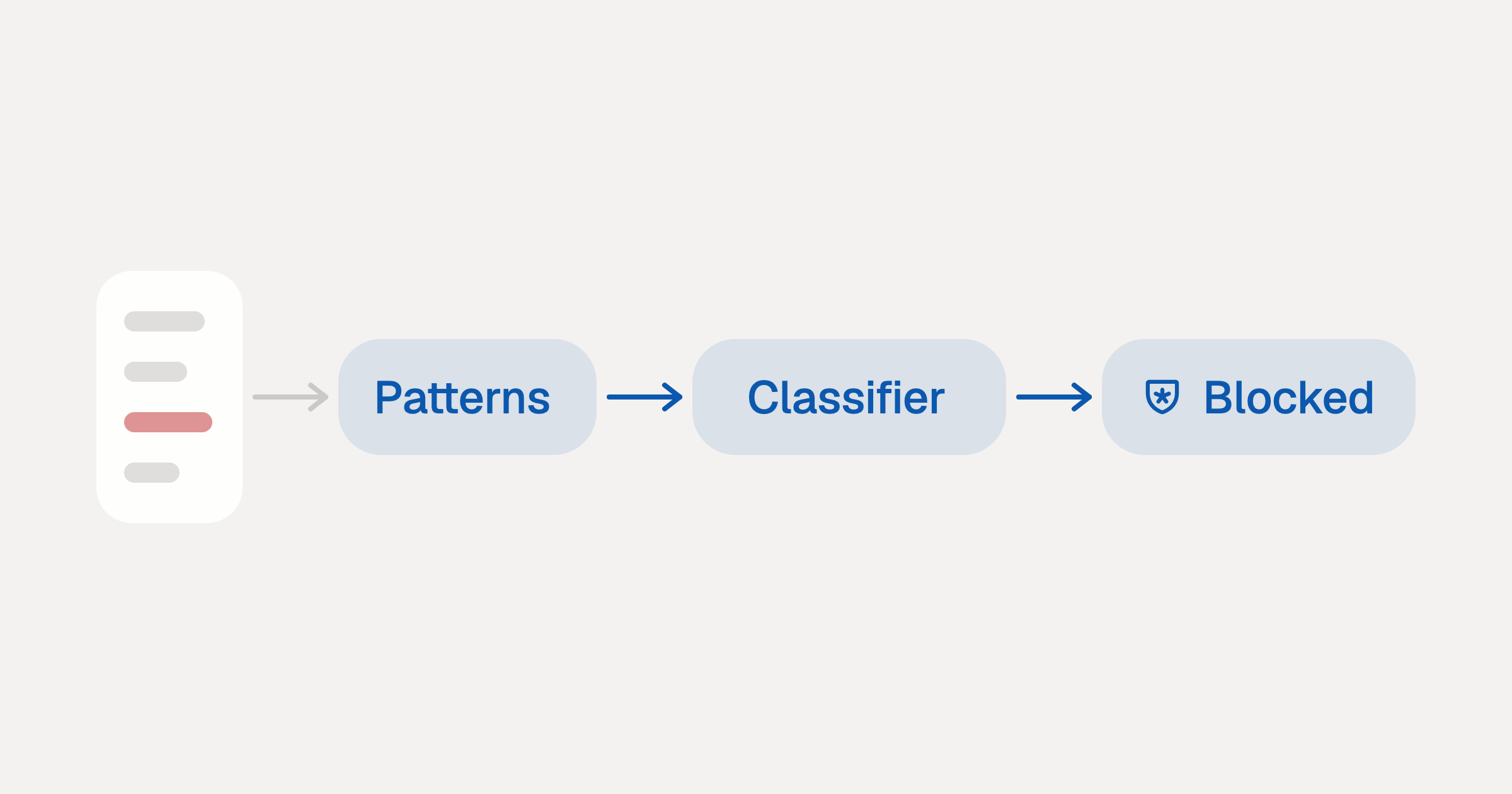
Indirect Prompt Injection Defense for MCP Tools: A Technical Guide
MCP tools that read emails, CRM records, and tickets are indirect prompt injection vectors. Here's how we built a two-tier defense that scans tool results in ~11ms.
12 min
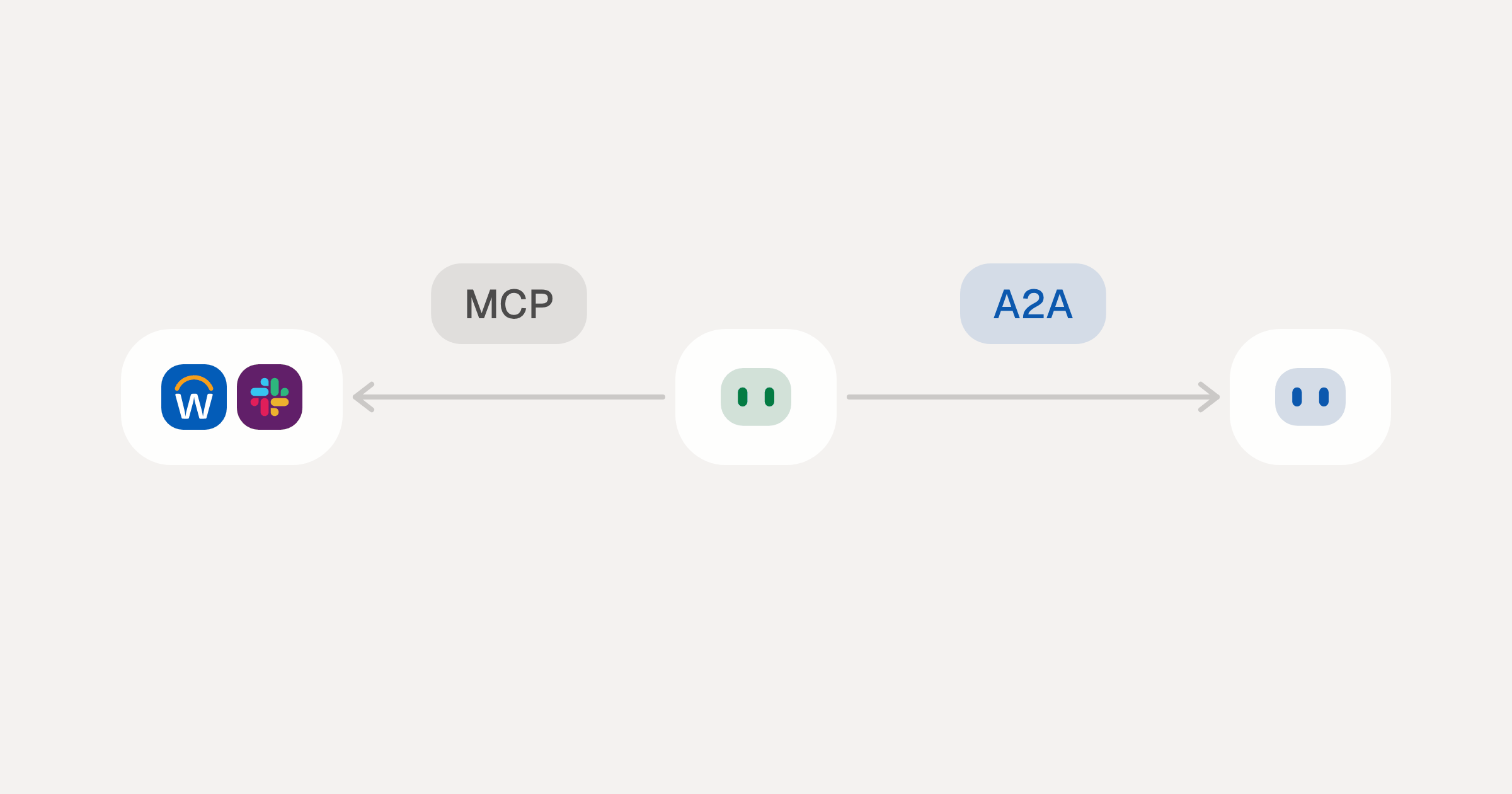
MCP vs A2A: Architecture, Security, and When to Use Each
MCP vs A2A: what each protocol standardizes, how they differ, the security risks they share, and when to use one, both or a hybrid.
12 min
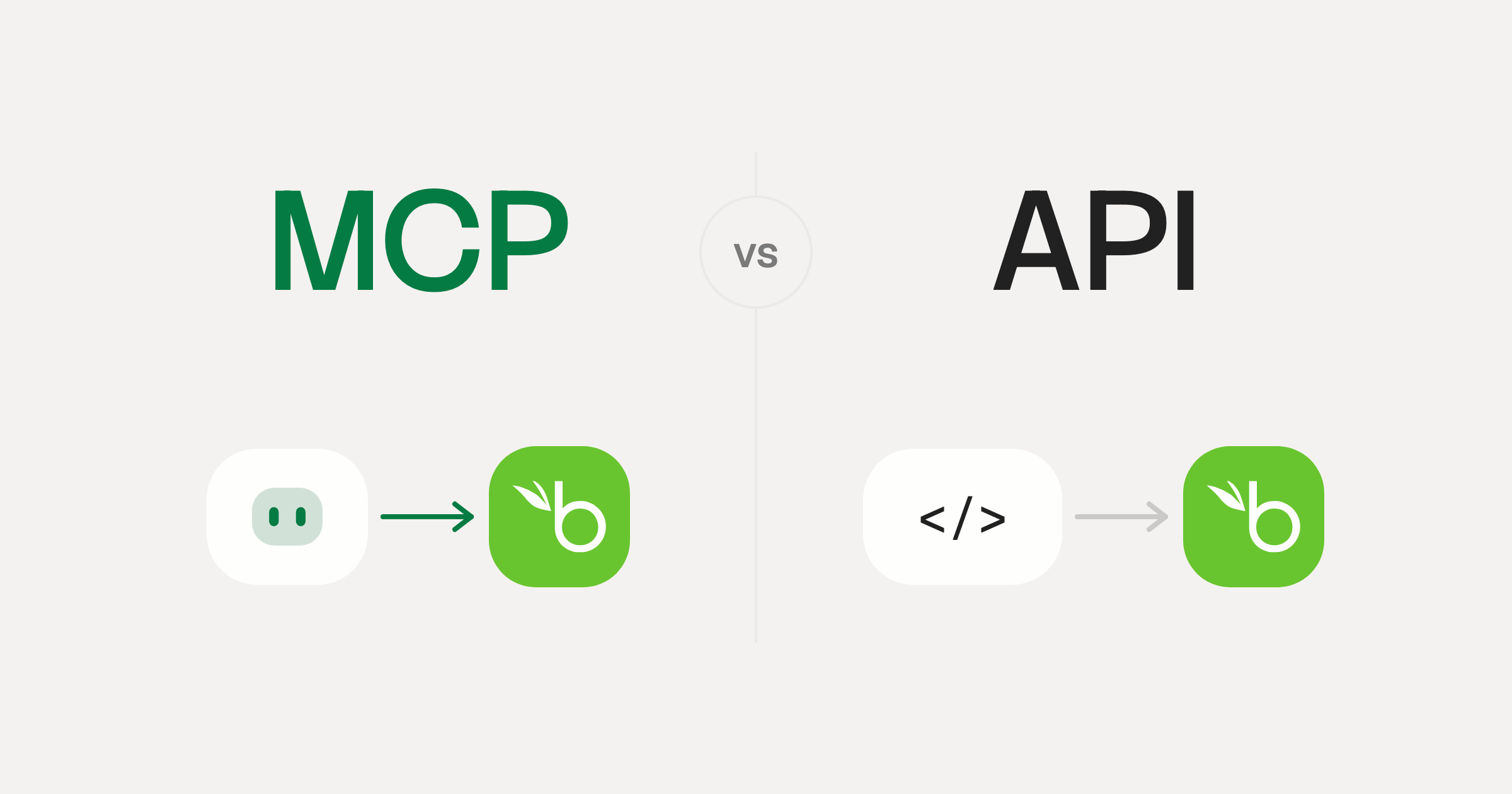
MCP vs API: What Hundreds of Connector Builds Taught Us
MCP wraps APIs, it doesn't replace them. After building hundreds of connectors that serve both, here's when each approach wins.
14 min read
CloudTalk MCP Server FAQ
Does StackOne have a CloudTalk MCP server?
CloudTalk MCP server vs direct API integration: what's the difference?
How does CloudTalk authentication work for AI agents?
origin_owner_id.Are CloudTalk MCP tools vulnerable to prompt injection?
What is the context bloat of a CloudTalk agent and how do I avoid it?
Can I limit which actions my CloudTalk agent can access?
Can I create custom agent actions for my CloudTalk MCP server?
When should I NOT use a CloudTalk MCP server?
What AI frameworks and AI clients does the StackOne CloudTalk MCP server support?
Put your AI agents to work
Connect AI to every company system and control what it can do in each one, down to the field.