Tier 1 Ticket Resolution
Resolve Tickets. No Humans Needed.
Use StackOne to connect your AI agent to your helpdesk, knowledge base, and CRM to automate tier 1 ticket resolution.



AI Agents
Connect
MCP and A2A to REST, SOAP, and proprietary APIs.
Optimize
Tool discovery, data shaping, and reliable execution.
Secure
Scoped permissions, audit trails, and observability.
StackOne Integration Layer


 StackOne Integration Layer
Connect
200+ connectors, build your own, and multi-protocol support.
Optimize
Context, token, and speed optimization infrastructure.
Secure
Permissions API and prompt injection protection.
What Can AI Agents Do for Tier 1 Ticket Resolution?
Your agent reads every incoming ticket, classifies intent, searches the knowledge base for a matching solution, and resolves the issue — before a human ever reads it.
Ticket Intake
New ticket arrives in Zendesk, Freshdesk, Intercom, Gorgias, or ServiceNow. Extract subject, body, priority, customer ID, and channel.
Classification & CRM Context
Classify the ticket by intent using NLP. Pull account tier, recent interactions, and contract status from Salesforce or HubSpot to inform resolution decisions.
Knowledge Base Search
Search Confluence, Notion, or Google Drive for matching articles. Score confidence and evaluate whether the issue qualifies for auto-resolution or requires escalation.
Auto-Resolution
Generate a personalized response from the matched knowledge base article, send it to the customer, and set the ticket to pending confirmation in the helpdesk.
Confirmation & Closure
On customer confirmation or 48-hour no-reply timeout, close the ticket and log the resolution in Salesforce or HubSpot for reporting.
Human Escalation
Route unresolvable or disputed tickets to a human agent with full context — ticket history, classification rationale, and CRM data — so the handoff is seamless.
Ticket Intake
New ticket arrives in Zendesk, Freshdesk, Intercom, Gorgias, or ServiceNow. Extract subject, body, priority, customer ID, and channel.
Classification & CRM Context
Classify the ticket by intent using NLP. Pull account tier, recent interactions, and contract status from Salesforce or HubSpot to inform resolution decisions.
Knowledge Base Search
Search Confluence, Notion, or Google Drive for matching articles. Score confidence and evaluate whether the issue qualifies for auto-resolution or requires escalation.
Auto-Resolution
Generate a personalized response from the matched knowledge base article, send it to the customer, and set the ticket to pending confirmation in the helpdesk.
Confirmation & Closure
On customer confirmation or 48-hour no-reply timeout, close the ticket and log the resolution in Salesforce or HubSpot for reporting.
Human Escalation
Route unresolvable or disputed tickets to a human agent with full context — ticket history, classification rationale, and CRM data — so the handoff is seamless.
Why Building a Good Tier 1 Resolution Agent Is Hard
Connecting Helpdesks, CRMs, and Knowledge Bases
The agent needs connectors to Zendesk, Freshdesk, Intercom, Salesforce, HubSpot, Confluence, and more. Building each one — auth, pagination, rate limits — is a massive lift before you even start resolving tickets.
Knowledge Scattered Across Document Systems
Knowledge bases live in Confluence, Notion, SharePoint, or Google Drive — each with different search APIs and permission models. The agent needs normalized retrieval across all of them to find the right article at resolution time.
Token Cost Grows with Ticket Volume
Without search-first architecture, the agent pre-loads every helpdesk, CRM, and KB action definition into its context window. At thousands of tickets per day, that burns tokens on irrelevant tools before the agent resolves a single issue.
Ticket Content Carries Prompt Injection Risk
Ticket bodies are untrusted user text. Malicious customers can embed instructions that hijack agent reasoning, trigger unauthorized CRM updates, or exfiltrate data via crafted requests.
How StackOne Makes Tier 1 Resolution Agents Possible
Everything your resolution agent needs to classify tickets, search knowledge bases, and auto-resolve common issues — with the controls IT demands.
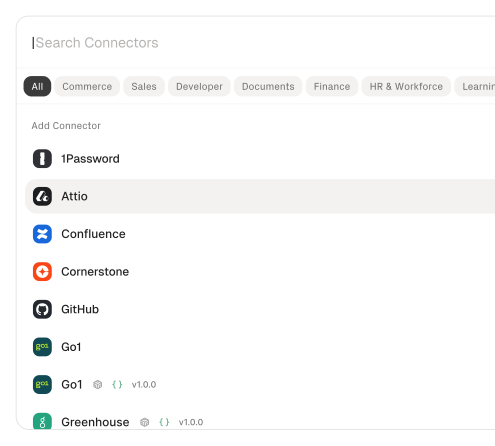
200+ connectors with 10K+ agent-optimized actions
Pre-built connectors for Zendesk, Freshdesk, Intercom, Salesforce, HubSpot, Confluence, and Notion with full native action coverage and agent instructions included.
Documents API for knowledge base access
Search and retrieve knowledge base articles from Confluence, Notion, Google Drive, and SharePoint through one API — so the agent finds the right answer regardless of where articles live.
Search and execute finds the right action
Agent searches StackOne's action catalog by natural language and executes the matching helpdesk, CRM, or KB action — no pre-loading thousands of tool definitions.
Managed Auth handles credentials across providers
OAuth flows, API keys, and token refresh managed per tenant for every connected helpdesk, CRM, and document system — agents never touch raw credentials.
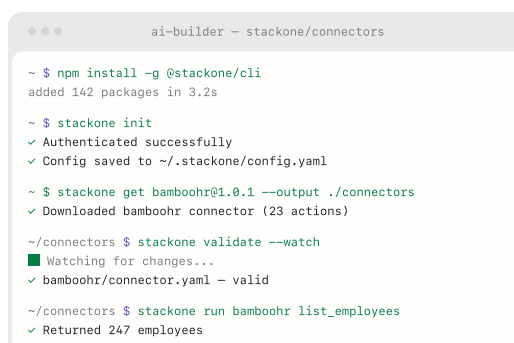
Connector Studio extends to any system
Build custom connectors for unsupported helpdesks or internal knowledge bases via REST, SOAP, or GraphQL — no waiting on vendor support.
Defender blocks prompt injection from ticket content
StackOne Defender screens inbound ticket text for injection attempts before the agent processes it, preventing adversarial content from manipulating resolution behavior.
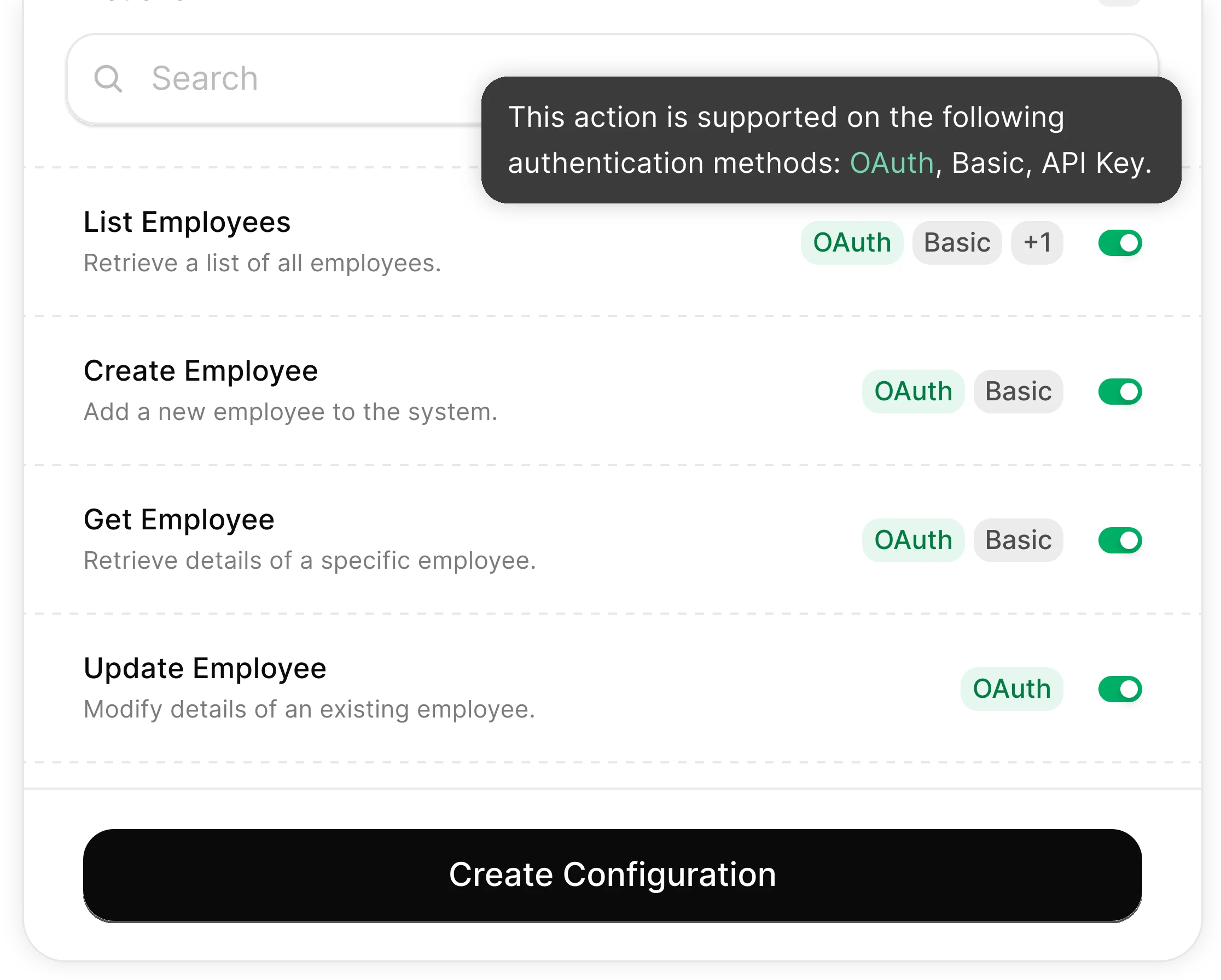
You Control What the Agent Can Do
Scoped permissions define exactly which ticket fields the agent reads, which KB articles it can access, and which resolution actions it can trigger. Full audit trail of every operation.
Integrates with your entire support stack. Whatever it is.
Connect Any Agent to Automate Tier 1 Resolution

Any Agent Framework
Claude, OpenAI, LangChain, Vercel AI SDK, CrewAI, Pydantic AI — StackOne works with every major agent framework out of the box.


Any Agent Builder
Whether you're building with code, a visual builder, or an enterprise platform — StackOne provides the integration layer your agent needs.
Connect Your Agent to Your Support Stack
Start building in minutes. MCP connectors to every system your agent needs.
Frequently Asked Questions
Connect Your Agent to Your Support Stack
Start building in minutes. MCP connectors to every system your agent needs.