The #1 agentic semantic tool search: 91.6% first-try accuracy on S1 Search Bench Explore Tool Discovery

Connectors Google Analytics
Live 33 Actions

Google Analytics Integration for AI Agents

Connect your AI agent to 33 QA'd Google Analytics actions via MCP, A2A, or SDK, with agent authentication, tool-calling execution, and security built-in.


StackOne
DrataGPLocalyzeFlipMindtoolsScreenloop

Google Analytics AI Agent Actions

33 production-ready actions for your agent to do more on Google Analytics.

33 Actions
List Accounts - List all Google Analytics accounts accessible to the authenticated user
Get Account - Get details of a specific Google Analytics account by its resource name
List Account Summaries - List summaries of all accounts and their properties accessible to the authenticated user
Get Data Sharing Settings - Get data sharing settings for a Google Analytics account
List Properties - List all Google Analytics 4 properties under an account
Get Property - Get details of a specific Google Analytics 4 property by its resource name
Create Property - Create a new Google Analytics 4 property under an account
Patch Property - Update settings of an existing Google Analytics 4 property
Acknowledge User Data Collection - Acknowledge user data collection terms for a Google Analytics 4 property
Get Data Retention Settings - Get data retention settings for a Google Analytics 4 property
Run Report - Run a customized report on Google Analytics 4 data for a property
Run Realtime Report - Run a realtime report on active users currently on a GA4 property
Run Pivot Report - Run a pivot report — preferred for side-by-side dimension comparisons and cross-tabulated breakdowns of GA4 data
Batch Run Reports - Run multiple Google Analytics reports in a single API call
Get Metadata - Get metadata about dimensions and metrics available for a GA4 property
List Data Streams - List all data streams for a Google Analytics 4 property
Get Data Stream - Get details of a specific data stream by its full resource name
Create Data Stream - Create a new web data stream for a Google Analytics 4 property
Update Data Stream - Update mutable fields on an existing Google Analytics 4 data stream
Delete Data Stream - Delete a data stream from a Google Analytics 4 property
List Measurement Protocol Secrets - List all Measurement Protocol secrets for a Google Analytics 4 data stream
Create Measurement Protocol Secret - Create a Measurement Protocol secret for a Google Analytics 4 data stream
Get Measurement Protocol Secret - Get details of a specific Measurement Protocol secret by its full resource name
Delete Measurement Protocol Secret - Delete a Measurement Protocol secret from a Google Analytics 4 data stream
List Audience Exports - List all audience exports for a Google Analytics 4 property
Create Audience Export - Create an audience export for a Google Analytics 4 property
Get Audience Export - Get details of a specific audience export by its full resource name
Query Audience Export - Query user data from an ACTIVE audience export
List Key Events - List all key events for a Google Analytics 4 property
Get Key Event - Get details of a specific key event by its full resource name
Create Key Event - Create a new key event for a Google Analytics 4 property
Patch Key Event - Update a key event's counting method or default value
Delete Key Event - Delete a key event from a Google Analytics 4 property

Skip the Google Analytics OAuth Pain

Set up Google Analytics OAuth in about 4 minutes. Create an app, configure API access, grab your Google Analytics API key and secret, and drop them into your StackOne auth config — managed Google Analytics API authentication for all your end users, with automatic token refresh, scope management, and multi-tenant isolation handled for you.

What You'll Do

  1. Create a new project in the Google Developer Console
  2. Enable the Google Analytics Data and Admin APIs
  3. Configure the OAuth consent screen and analytics scope
  4. Create OAuth credentials with StackOne's callback URL
  5. Create an auth config in StackOne and link an account

Do More, Build Less

Integration Infrastructure for Google Analytics AI Agents

Multiple Interfaces

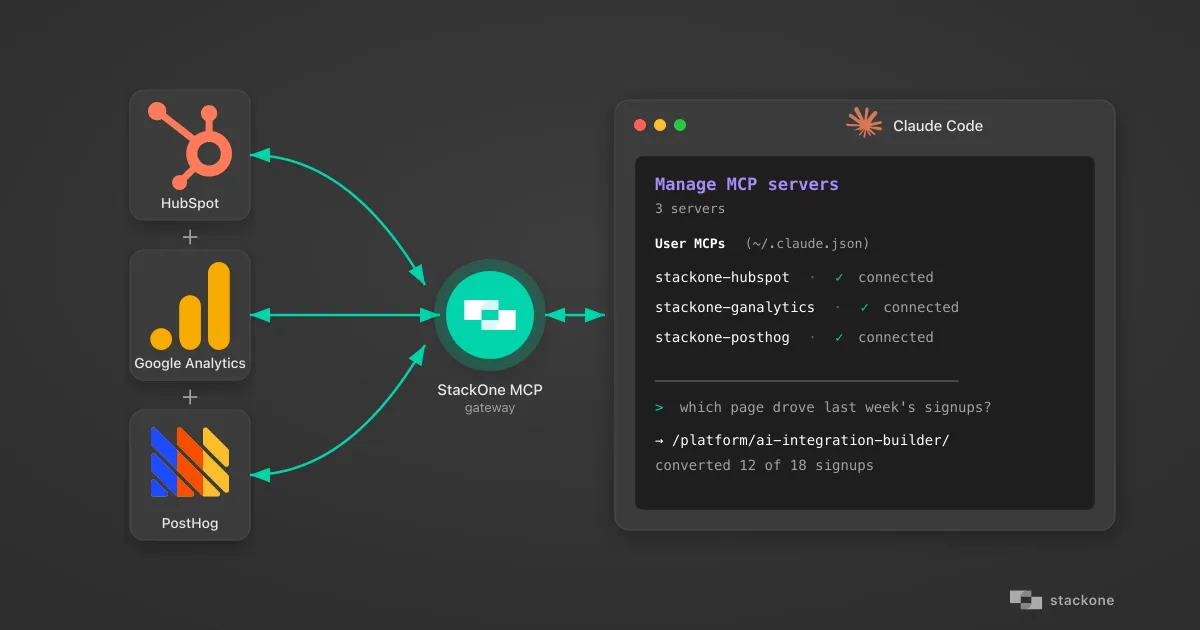
Access integrations via API, AI SDKs, MCP & A2A.

Google Analytics MCP server
Managed Authentication

Pre-built authentication UI.

Agent auth
Falcon Engine

Every Google Analytics action runs on Falcon.

Agent Execution Engine
StackOne Defender
StackOne Defender Meta PG v1 Meta PG v2 DeBERTa 88.7% 67.5% 63.1% 56.9% Detection accuracy

88.7% prompt injection detection.

Prompt injection defense

"What impressed us most about StackOne is its ambition and clarity. They're creating infrastructure that modern software and the entire AI agent ecosystem can rely on. The depth of secure integrations, the pace of delivery, and the team's foresight into AI's future uniquely position StackOne to redefine this category."

Luna Schmid, Partner at GV

"We've been impressed by how quickly and deeply StackOne integrates with complex enterprise systems -- and now, with their focus on agent-to-agent interoperability, they're unlocking even more powerful use cases for customers. StackOne delivers all of the above in a universal layer -- without compromise."

Barbry McGann, SVP at Workday Ventures

G2 - High Performer G2 - Easiest To Do Business With G2 - Users Love Us G2 - Users Most Likely To Recommend G2 - Easiest Admin

Product Teams Love Building Agent Integrations With StackOne

G2

More Data & Analytics Integrations Like Google Analytics

Smartsheet

189+ actions

Tableau

122+ actions

SurveyMonkey

104+ actions

Microsoft Excel

102+ actions

Qlik

100+ actions

Snowflake

80+ actions

PostHog

63+ actions

Google Analytics Agent Integration Resources

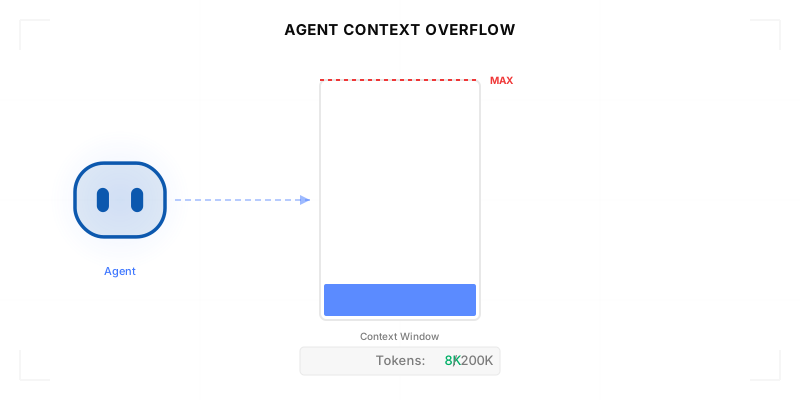
Agentic Context Engineering: Why AI Agents Kill Their Own Context Windows

AI agents exceed their context windows without knowing it. Six failure patterns and seven survival architectures for agentic context engineering.

15 min

MCP Code Mode: Keeping Tool Responses Out of Agent Context

Anthropic's code_execution processes data already in context. Custom MCP code mode keeps raw tool responses in a sandbox. 14K tokens vs 500.

11 min

Comparing BM25, TF-IDF, and Hybrid Search for MCP Tool Discovery

Benchmarking BM25, TF-IDF, and hybrid search for MCP tool discovery across 916 tools. The 80/20 TF-IDF/BM25 hybrid hits 21% Top-1 accuracy in under 1ms.

10 min

Google Analytics integration FAQ

Do I need to create my own auth app to connect Google Analytics to StackOne?
Yes, you need an auth app inside a Google Cloud project. Google calls this an "OAuth client ID" (type: Web application). Once created, paste the Client ID and Secret into the StackOne dashboard auth config for the Google Analytics connector. Setup takes ~5 min, including AI agent action scoping. See the walkthrough video and the Google Analytics auth docs.

Put your AI agents to work

All the tools you need to build and scale AI agent integrations, with best-in-class connectivity, execution, and security.