Content Repurposing
Publish Once, Distribute Everywhere
Use StackOne to connect your AI agent to your document stores, email platforms, and messaging tools to automate content repurposing and distribution.




AI Agents
Connect
MCP and A2A to REST, SOAP, and proprietary APIs.
Optimize
Tool discovery, data shaping, and reliable execution.
Secure
Scoped permissions, audit trails, and observability.
StackOne Integration Layer


 StackOne Integration Layer
Connect
200+ connectors, build your own, and multi-protocol support.
Optimize
Context, token, and speed optimization infrastructure.
Secure
Permissions API and prompt injection protection.
What Can AI Agents Do for Content Repurposing?
Your agent monitors content sources for new publications, transforms long-form content into channel-ready formats, distributes across email and messaging platforms, and tracks performance.
Detect New Content
Monitor Google Drive, Notion, or Confluence for newly published or updated long-form content via webhooks or polling.
Analyze and Chunk
Extract the article, identify key themes and statistics, and break it into reusable atomic units — takeaways, quotes, and data points ready for repurposing.
Track Performance
Pull content performance metrics from Google Analytics. Consolidate engagement data into a unified view to measure repurposing ROI across channels.
Log and Report
Record every distribution action for audit. After each campaign cycle, compile performance across channels and update historical metrics for continuous optimization.
Detect New Content
Monitor Google Drive, Notion, or Confluence for newly published or updated long-form content via webhooks or polling.
Analyze and Chunk
Extract the article, identify key themes and statistics, and break it into reusable atomic units — takeaways, quotes, and data points ready for repurposing.
Track Performance
Pull content performance metrics from Google Analytics. Consolidate engagement data into a unified view to measure repurposing ROI across channels.
Log and Report
Record every distribution action for audit. After each campaign cycle, compile performance across channels and update historical metrics for continuous optimization.
Why Building a Good Content Repurposing Agent Is Hard
Connecting Document, Email, and Messaging Systems
A content repurposing agent needs connectors to Google Drive, Confluence, Mailchimp, SendGrid, Slack, and YouTube. Building OAuth flows, pagination, and rate-limit handling for each provider is a massive engineering lift before the agent can repurpose a single article.
Detecting New Content Across Sources
The agent must monitor Google Drive, Notion, and Confluence for content updates via webhooks or polling. Each provider delivers events with different payload formats, authentication schemes, and retry logic — building that infrastructure per provider across many tenants is engineering-heavy.
Token Cost Grows with Every Connected Platform
Without search-first architecture, the agent pre-loads every action definition across document, email, and messaging connectors into its context window. Orchestrating actions across many platforms per piece of content burns tokens and money at scale.
Untrusted Documents Risk Prompt Injection
The agent ingests documents from shared drives and external sources before repurposing. Without guardrails, malicious instructions embedded in titles, descriptions, or body text can hijack agent behavior — a risk that grows with every document the agent processes.
How StackOne Makes Content Repurposing Agents Possible
Everything your content repurposing agent needs to detect new content, transform formats, and distribute across channels — with the controls IT demands.
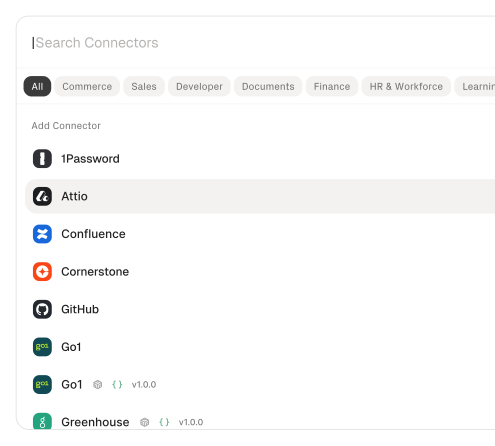
200+ connectors with 10K+ agent-optimized actions
Pre-built connectors for Google Drive, Confluence, Mailchimp, SendGrid, Slack, and YouTube with full native action coverage and agent instructions included.
Managed Auth handles credentials across providers
OAuth flows, API keys, and token refresh managed per tenant for every connected document store, email platform, and messaging tool — agents never touch raw credentials.
Search and execute finds the right action
Agent searches StackOne's action catalog by natural language and executes the matching document, email, or messaging action — no pre-loading thousands of tool definitions.
Managed Webhooks deliver content events consistently
StackOne manages webhook subscriptions and synthetic polling across Google Drive, Notion, and Confluence. The agent receives content-change events in a consistent stream without building per-provider infrastructure.
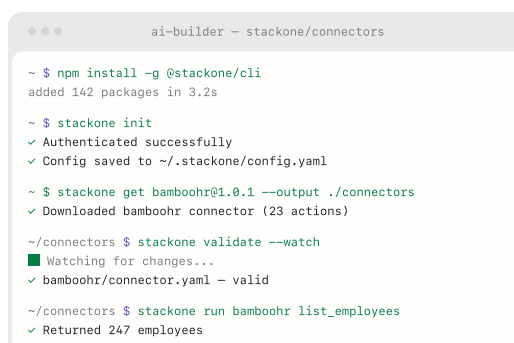
Connector Studio extends to any system
Build custom connectors for proprietary CMS or distribution tools via REST, SOAP, or GraphQL — no waiting on vendor support. Ship new integrations in hours.
Defender blocks prompt injection from document content
StackOne Defender screens inbound document text for injection attempts before the agent processes it, preventing adversarial content from manipulating repurposing workflows.
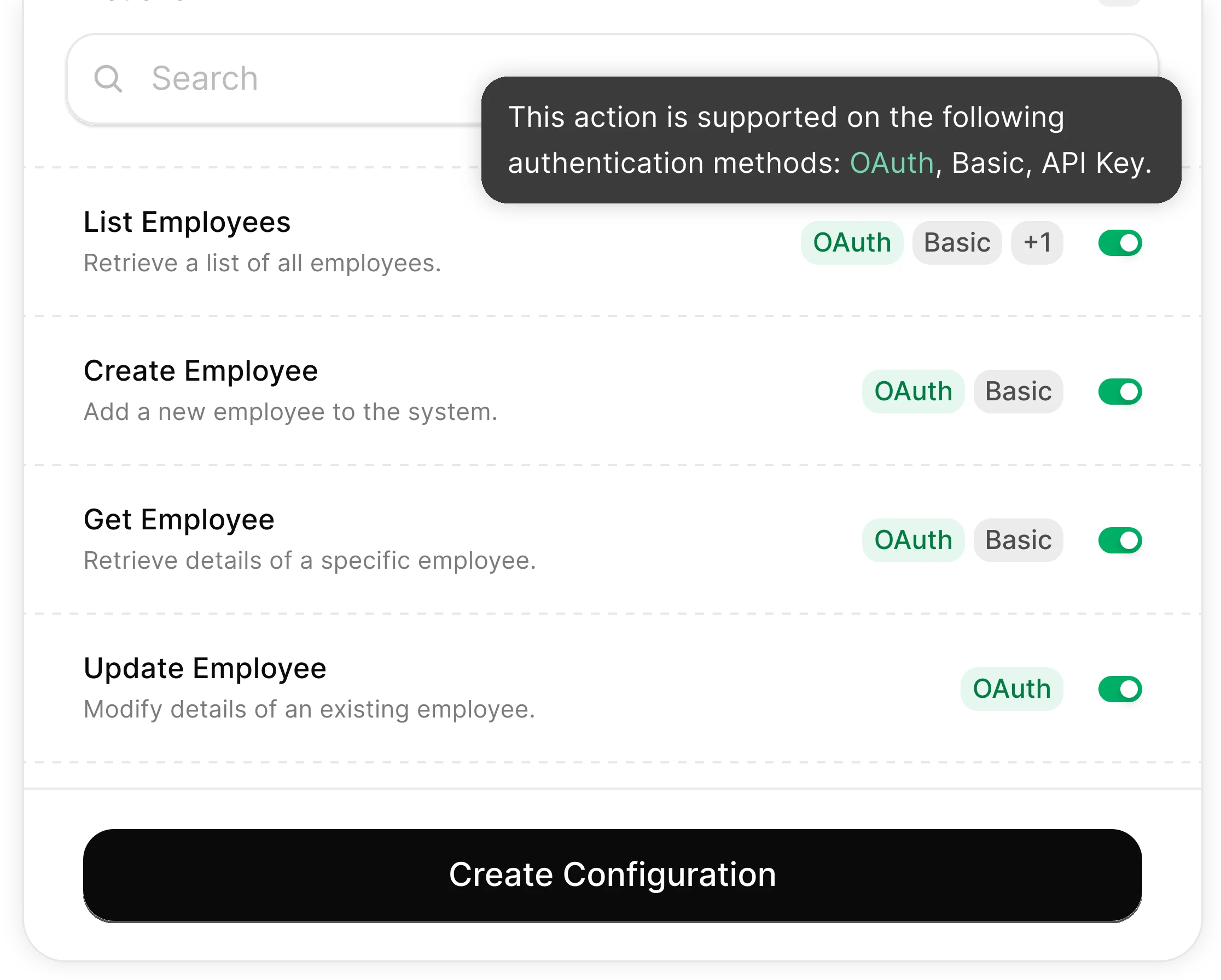
You Control What the Agent Can Do
Scoped permissions define exactly which folders the agent reads and which distribution actions it can trigger. Full audit trail of every operation.
Integrates with your entire content stack. Whatever it is.
Connect Any Agent to Automate Content Repurposing

Any Agent Framework
Claude, OpenAI, LangChain, Vercel AI SDK, CrewAI, Pydantic AI — StackOne works with every major agent framework out of the box.


Any Agent Builder
Whether you're building with code, a visual builder, or an enterprise platform — StackOne provides the integration layer your agent needs.
Connect Your Agent to Your Content Stack
Start building in minutes. MCP connectors to every system your agent needs.
Frequently Asked Questions
Connect Your Agent to Your Content Stack
Start building in minutes. MCP connectors to every system your agent needs.