
Unthread MCP Server
for AI Agents
Connect your AI agent to StackOne's Unthread MCP server and give it 70 MCP tools out of the box. Auth, tool execution, and security all managed.
 StackOne






Coverage
70 Agent Actions
Create, read, update, and delete across Unthread — and extend your agent's capabilities with custom actions.

Authentication
Agent Tool Authentication
Per-user OAuth in one call. Your Unthread MCP server gets session-scoped tokens with zero credentials stored on your infra.
Agent Auth →
Security
Agent Protection
Every Unthread tool response scanned for prompt injection in milliseconds — 88.7% accuracy, all running on CPU.
Prompt Injection Defense →
Performance
Max Agent Context. Min Cost.
Free up to 96% of your agent's context window to enhance reasoning and reduce cost, on every Unthread call.
Tools Discovery →What is the Unthread MCP Server?
A Unthread MCP server lets AI agents read and write Unthread data through the Model Context Protocol — Anthropic's open standard for connecting LLMs to external tools. StackOne's Unthread MCP server ships with 70 pre-built actions, fully extensible via the Connector Builder — plus managed authentication, prompt injection defense, observability, and agent execution runtime. Connect it from MCP clients like Claude Desktop, Claude Code, Cursor, Goose, and VS Code, or from agent frameworks like OpenAI Agents SDK, LangChain, and Vercel AI SDK.
All Unthread MCP Tools
Every action from Unthread's API, ready for your agent. Create, read, update, and delete — scoped to exactly what you need.
Accounts
- Create Account
Create a new account (a company or organization record) that groups related customers and support activity in Unthread.
- Get Account
Retrieve the full details of a single account by its unique ID.
- List Accounts
List accounts in the workspace with optional filtering, sorting, field selection, and cursor-based pagination.
- Update Account
Update the details of an existing account, such as its name, primary support assignee type, or support workflow steps.
- Delete Account
Permanently delete an account by its ID.
Approval Requests
- Create Approval Request
Create an approval request on a conversation, optionally assigning it to a specific user or group for sign-off.
- List Approval Requests
List all approval requests attached to a specific conversation.
Conversations
- Create Conversation
Create a new conversation (support ticket) in Unthread, optionally linking it to a customer, assignee, and ticket type. Use this to open a new support case programmatically.
- Get Conversation
Retrieve the full record of a single conversation by its ID, including its status, priority, assignee, and metadata. Use this after listing conversations to inspect one in detail.
- List Conversations
List conversations (support tickets) with optional filtering, sorting, field selection, and cursor pagination. Use this to search or browse tickets by status, customer, priority, or other fields.
- Update Conversation
Update an existing conversation's status, priority, assignee, ticket-type field values, or metadata. Use this to progress a ticket, reassign it, or change its priority.
Conversation Messages
- Create Conversation Message
Add a reply message or internal private note to a conversation. Use this to respond to a customer or leave an agent-only note on a ticket.
- List Conversation Messages
List the messages in a conversation thread, with optional filtering, sorting, field selection, and cursor pagination. Use this to read the full reply history of a ticket.
Conversation Followers
- Add Conversation Follower
Add a follower (a user or group) to a conversation so they receive updates on the ticket. Use this to loop additional people into a support case.
- Remove Conversation Follower
Remove a follower from a conversation so they stop receiving updates on the ticket. Use this to reverse add_conversation_follower.
Customers
- Create Customer
Create a new customer (the company or end-user account you support) with an optional Slack channel link, email domains, and tags.
- Get Customer
Retrieve the full record for a single customer by its unique ID.
- List Customers
List customers with optional filtering, sorting, field selection, and automatic cursor pagination.
- Update Customer
Update an existing customer's details, such as its display name, autoresponder, support workflow steps, or bot handling settings.
- Delete Customer
Permanently delete a customer by its unique ID.
Knowledge Base Articles
- Create Knowledge Base Article
Create a new knowledge base article with a title and body content.
- Get Knowledge Base Article
Retrieve a single knowledge base article by its ID.
- List Knowledge Base Articles
List knowledge base articles with optional filtering, sorting, field selection, and cursor pagination.
- Update Knowledge Base Article
Update the title, content, status, or scope of an existing knowledge base article.
- Delete Knowledge Base Article
Permanently delete a knowledge base article by its ID.
Outbound Messages
- Create Outbound Message
Create a proactive outbound message to send to customers, either immediately, as a draft, or scheduled for a future time.
- Get Outbound Message
Retrieve the full details of a single outbound message by its ID, including content, recipients, status, and schedule.
- List Outbound Messages
List all outbound messages in the workspace, including drafts, scheduled, and sent messages.
- Update Outbound Message
Update the content, recipients, or status of an existing outbound message, typically one still in draft or scheduled.
SLA Policys
- Create SLA Policy
Create a service-level agreement (SLA) policy with one or more target metrics.
- Get SLA Policy
Retrieve a single SLA policy by its ID.
- Update SLA Policy
Update the name, status, or metrics of an existing SLA policy.
- Delete SLA Policy
Permanently delete an SLA policy by its ID.
Tags
- Create Tag
Create a new tag that can later be applied to customers and conversations for labeling and filtering.
- Get Tag
Retrieve the full details of a single tag by its unique ID.
- List Tags
List tags in the workspace with optional filtering, sorting, field selection, and cursor-based pagination.
- Update Tag
Rename an existing tag identified by its ID.
- Delete Tag
Permanently delete a tag by its ID, removing it from all customers and conversations it was applied to.
Ticket Types
- Create Ticket Type
Create a new ticket type whose custom fields define the intake form applied to conversations of that type.
- Get Ticket Type
Retrieve the full record for a single ticket type by its unique ID.
- List Ticket Types
List ticket types with optional filtering, sorting, field selection, and automatic cursor pagination.
- Update Ticket Type
Update an existing ticket type's name, description, or the custom fields that make up its conversation form.
- Delete Ticket Type
Permanently delete a ticket type by its unique ID.
User Groups
- List User Groups
List user groups with optional filtering, sorting, field selection, and cursor pagination.
- Get User Group
Retrieve the full details of a single user group by its ID, including its description and membership filters.
- Update User Group
Update an existing user group's description or membership filters.
Users
- List Users
List workspace users with optional filtering, sorting, field selection, and cursor pagination; can optionally include external users.
- Get User
Retrieve the full profile of a single user by its ID.
- Update User
Update the profile of an existing user, such as their display name, title, pronouns, photo, or custom attributes.
Other (21)
- Create Automation
Create an automation workflow that runs a sequence of steps when a trigger fires.
- Create Automation Function
Upload automation function source code for a project, creating a new function version.
- Create Conversation External Task
Create an external task (for example a linked issue in Jira, Linear, or another connected tool) from a conversation. Use this to escalate a ticket into an engineering or project tool.
- Add Tag To Customers
Link a tag to one or more customers so those customers become filterable by that tag.
- Add Tag To Conversations
Link a tag to one or more conversations so those conversations become filterable by that tag.
- List Collaborator Types
List the collaborator types defined in the workspace, with optional filtering, sorting, field selection, and cursor pagination.
- Download Conversation File
Download the full content of a file attachment from a conversation. Use this to retrieve documents or images customers or agents attached to a ticket.
- List Conversation SLA Instances
List the SLA instances (deadlines and their status) tracked for a conversation, with optional filtering and cursor pagination. Use this to check whether a ticket is meeting its response or resolution targets.
- Query Knowledge Base
Run a natural-language query against the knowledge base to surface relevant articles or answers.
- Get Time Series Report
Get a time-series report of conversation metrics bucketed over a date range, for dashboards and trend analysis.
- List SLA Policies
List SLA policies with optional filtering, sorting, field selection, and cursor pagination.
- List SLA Instances
List SLA instances (individual deadlines and their status) across the workspace with optional filtering.
- List Surveys
List customer-satisfaction surveys with optional filtering, sorting, field selection, and cursor pagination.
- List Survey Responses
List the individual responses submitted for a specific survey, with optional filtering, sorting, and cursor pagination.
- Get Survey Analytics
Get aggregated analytics for a survey, such as overall CSAT scores, rather than individual responses.
- Update Slack User Group
Update the Slack user group mapping for a user, associating an Unthread user with a Slack handle or user group. Use this to keep Slack routing and mentions in sync with your team.
- Remove Tag From Customers
Unlink a tag from one or more customers without deleting the tag itself.
- Remove Tag From Conversations
Unlink a tag from one or more conversations without deleting the tag itself.
- Activate Automation Function
Activate a specific automation function version for a project.
- Assign Conversation Collaborator
Assign a collaborator (a user or group) of a specific collaborator type to a conversation. Use this to attach helpers in a defined collaborator role on a ticket.
- Link Conversations
Create a link between two conversations to relate them (for example duplicates or related tickets). Use this to connect a source conversation to another one.
Set Up Your Unthread MCP Server in Minutes
One endpoint. Any framework. Your agent is talking to Unthread in under 10 lines of code.
Agent Frameworks


 JSON
JSON{
"mcpServers": {
"stackone": {
"command": "npx",
"args": [
"-y",
"mcp-remote@latest",
"https://api.stackone.com/mcp?x-account-id=<account_id>",
"--header",
"Authorization: Basic <YOUR_BASE64_TOKEN>"
]
}
}
}Platform Resources

MCP Code Mode: Keeping Tool Responses Out of Agent Context
Anthropic's code_execution processes data already in context. Custom MCP code mode keeps raw tool responses in a sandbox. 14K tokens vs 500.
11 min

Comparing BM25, TF-IDF, and Hybrid Search for MCP Tool Discovery
Benchmarking BM25, TF-IDF, and hybrid search for MCP tool discovery across 916 tools. The 80/20 TF-IDF/BM25 hybrid hits 21% Top-1 accuracy in under 1ms.
10 min
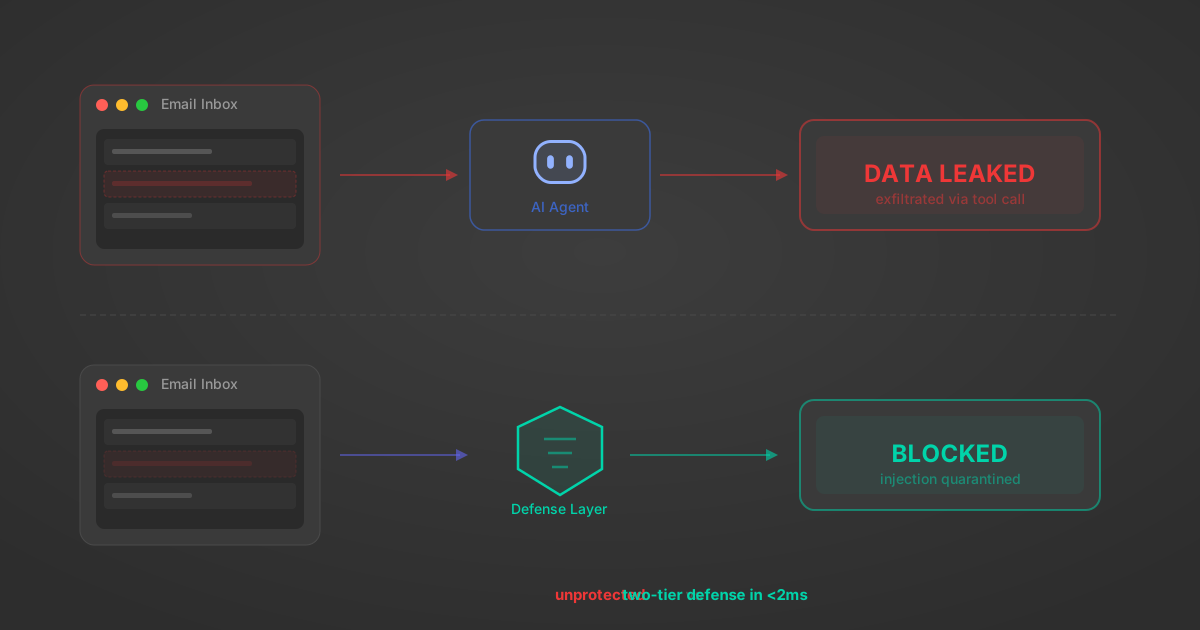
Indirect Prompt Injection Defense for MCP Tools: A Technical Guide
MCP tools that read emails, CRM records, and tickets are indirect prompt injection vectors. Here's how we built a two-tier defense that scans tool results in ~11ms.
12 min
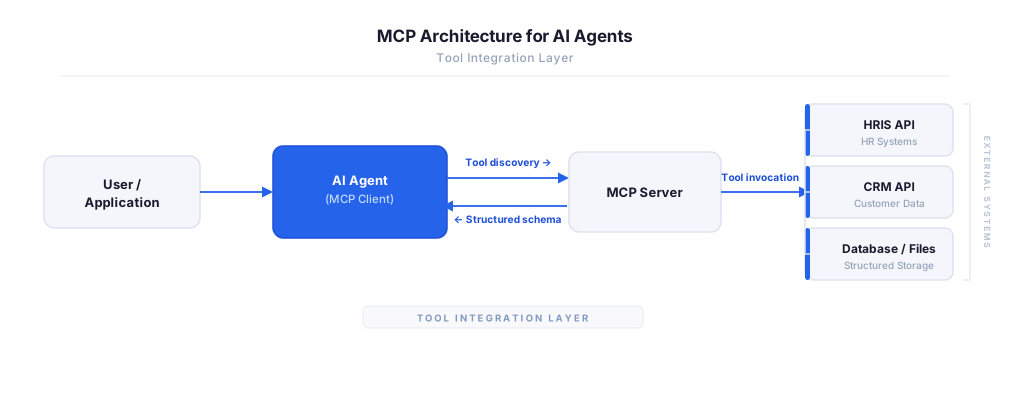
MCP vs A2A: Architecture, Security, and When to Use Each
MCP vs A2A: what each protocol standardizes, how they differ, their shared security risks including indirect prompt injection, and when to use one, both, or a hybrid architecture.
12 min
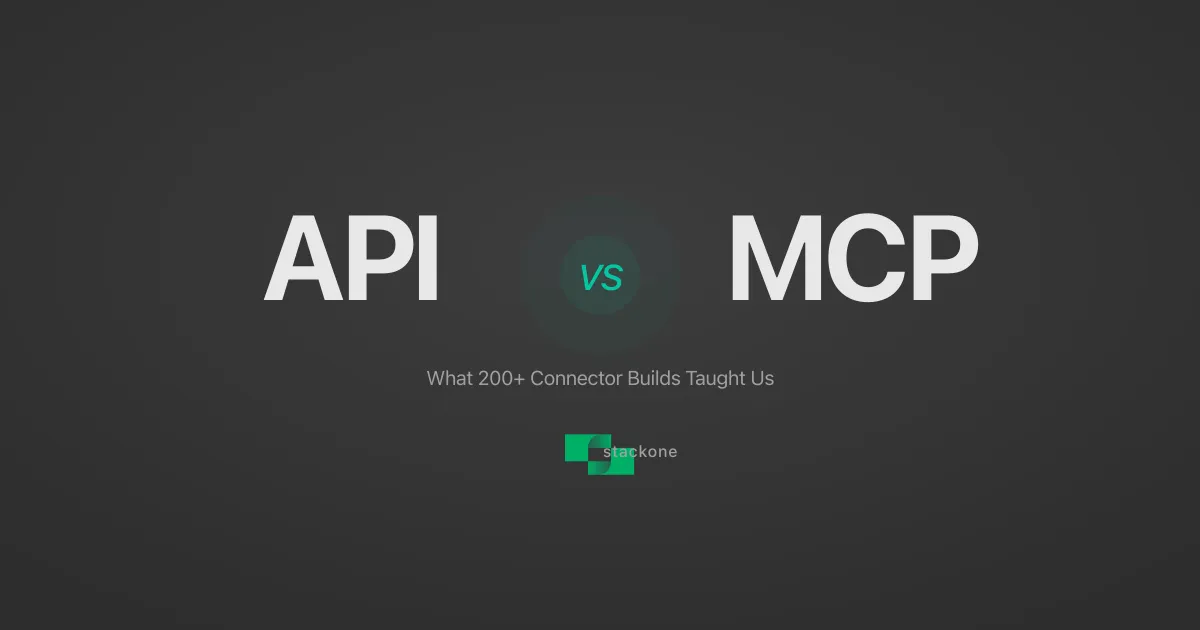
MCP vs API: What Hundreds of Connector Builds Taught Us
MCP wraps APIs, it doesn't replace them. After building hundreds of connectors that serve both, here's when each approach wins.
14 min read
Unthread MCP Server FAQ
Does StackOne have a Unthread MCP server?
Unthread MCP server vs direct API integration — what's the difference?
How does Unthread authentication work for AI agents?
origin_owner_id.Are Unthread MCP tools vulnerable to prompt injection?
What is the context bloat of a Unthread agent and how do I avoid it?
Can I limit which actions my Unthread agent can access?
Can I create custom agent actions for my Unthread MCP server?
When should I NOT use a Unthread MCP server?
What AI frameworks and AI clients does the StackOne Unthread MCP server support?
Put your AI agents to work
All the tools you need to build and scale AI agent integrations, with best-in-class connectivity, execution, and security.