
Stripe MCP Server
for AI Agents
Connect your AI agent to StackOne's Stripe MCP server and give it 138 MCP tools out of the box. Auth, tool execution, and security all managed.
 StackOne






Coverage
138 Agent Actions
Create, read, update, and delete across Stripe — and extend your agent's capabilities with custom actions.

Authentication
Agent Tool Authentication
Per-user OAuth in one call. Your Stripe MCP server gets session-scoped tokens with zero credentials stored on your infra.
Agent Auth →
Security
Agent Protection
Every Stripe tool response scanned for prompt injection in milliseconds — 88.7% accuracy, all running on CPU.
Prompt Injection Defense →
Performance
Max Agent Context. Min Cost.
Free up to 96% of your agent's context window to enhance reasoning and reduce cost, on every Stripe call.
Tools Discovery →What is the Stripe MCP Server?
A Stripe MCP server lets AI agents read and write Stripe data through the Model Context Protocol — Anthropic's open standard for connecting LLMs to external tools. StackOne's Stripe MCP server ships with 138 pre-built actions, fully extensible via the Connector Builder — plus managed authentication, prompt injection defense, observability, and agent execution runtime. Connect it from MCP clients like Claude Desktop, Claude Code, Cursor, Goose, and VS Code, or from agent frameworks like OpenAI Agents SDK, LangChain, and Vercel AI SDK.
All Stripe MCP Tools
Every action from Stripe's API, ready for your agent. Create, read, update, and delete — scoped to exactly what you need.
Application Fees
- List Application Fees
List all application fees collected on your platform
- Get Application Fee
Retrieve an application fee by ID
Balance Transactions
- List Balance Transactions
List all balance transactions that have affected the Stripe account balance, including charges, refunds, transfers, payouts, and fees, with filtering and pagination support
- Get Balance Transaction
Retrieve detailed information about a specific balance transaction by its unique identifier, including amount, fee breakdown, net amount, and associated source object
Charges
- List Charges
Retrieve a paginated list of all charge objects, sorted by creation date with advanced filtering options for customer, payment intent, and time ranges
- Get Charge
Retrieve complete details of a specific charge object by its unique identifier, including payment status, amount, customer information, and transaction metadata
- Search Charges
Perform advanced search across charge objects using Stripe's powerful query language with support for complex filters on status, amount, customer, metadata, and timestamps
- Update Charge
Update mutable properties of an existing charge including customer association, description, metadata, receipt email, shipping details, and fraud reporting
Checkout Sessions
- Create Checkout Session
Create a Stripe Checkout Session via POST /v1/checkout/sessions to initiate a payment, subscription, or setup flow with support for hosted redirect or embedded inline UI integration modes. This action is in preview because consent_collection.terms_of_service requires a Terms of Service URL configured in the Stripe Dashboard
- List Checkout Sessions
List all Checkout Sessions with optional filters
- Get Checkout Session
Retrieve a Checkout Session by ID
Coupons
- Create Coupon
Create a discount coupon for use on subscriptions and invoices
- List Coupons
List all coupons with optional filters
- Get Coupon
Retrieve a coupon by ID
- Update Coupon
Update a coupon's metadata or name
- Delete Coupon
Delete a coupon permanently
Credit Notes
- List Credit Notes
List all credit notes for invoice adjustments and refunds
- Get Credit Note
Retrieve a credit note by ID
Customers
- Create Customer
Create a new customer record in Stripe with optional payment methods, billing information, and tax settings
- List Customers
Retrieve a paginated list of all customers in your Stripe account, sorted by creation date with the most recent customers first
- Get Customer
Retrieve complete details for a specific customer by their unique Stripe customer ID
- Search Customers
Search for customers using Stripe's powerful query syntax supporting filters on email, name, phone, metadata, and creation date
- Update Customer
Update an existing customer's information, payment settings, or metadata while preserving unchanged fields
- Delete Customer
Permanently delete a customer record and immediately cancel all active subscriptions (irreversible operation)
Disputes
- List Disputes
List all disputes with optional filters for monitoring chargebacks and fraud
- Get Dispute
Retrieve a dispute by ID
- Update Dispute
Update a dispute with evidence or metadata
Events
- List Events
List all events for audit trail of account changes
- Get Event
Retrieve an event by ID
Files
- List Files
List all files uploaded to Stripe
- Get File
Retrieve a file by ID
Unified Groups
- List Unified Groups
List unified groups in the connected Stripe account or organization.
- Get Unified Group
Get a unified Stripe group by ID.
Unified Users
- List Unified Users
List unified users in the connected Stripe account or organization.
- Get Unified User
Get a unified Stripe user by ID.
Invoices
- Create Invoice
Creates a draft invoice in Stripe via POST /v1/invoices (form-encoded), returning a fully modifiable invoice object that must be finalized before it can be paid or sent to the customer
- Send Invoice
Email a finalized invoice to the customer with a secure payment link and PDF attachment for manual payment collection
- List Invoices
Retrieve a paginated list of all invoices with optional filtering by customer, subscription, status, and collection method
- Get Invoice
Retrieve complete details of a specific invoice including line items, payment status, customer information, and billing metadata
- Search Invoices
Execute complex invoice searches using Stripe's query language to filter by customer, status, metadata, amounts, dates, and custom fields
- Update Invoice
Modify an existing draft invoice by updating collection method, payment terms, tax settings, custom fields, or metadata
- Delete Invoice
Permanently delete a draft invoice including subscription-generated invoices, with no possibility of recovery
Invoice Items
- Create Invoice Item
Create an invoice item (line item) via POST /v1/invoiceitems to add a charge or credit to a specific draft invoice or queue it as a pending item for the customer's next automatically generated invoice. To reference an existing Price object, use the pricing object with a nested price field (e.g., pricing.price) instead of a standalone price parameter
- List Invoice Items
List all invoice items with optional filters for customer, invoice, or pending status
Payment Intents
- Create Payment Intent
Create a new payment intent to collect payment from a customer, supporting multiple payment methods, automatic confirmation, and future payment setup
- List Payment Intents
Retrieve a paginated list of all payment intents for your account, with optional filters for customer, creation date, and cursor-based pagination
- Get Payment Intent
Retrieve complete details of a specific payment intent by ID, including status, amount, payment method, and all associated metadata
- Search Payment Intents
Search payment intents using Stripe's powerful query language to filter by customer, status, amount, metadata, and timestamps for advanced transaction discovery
- Update Payment Intent
Modify properties of an existing unconfirmed payment intent such as amount, payment method, customer, or metadata without triggering confirmation
Payment Links
- List Payment Links
List all payment links for no-code payment pages
- Get Payment Link
Retrieve a payment link by ID
Payment Methods
- Create Payment Method
Create a new payment method object for future use with customers and transactions
- List Payment Methods
Retrieve all payment methods associated with a specific customer account
- Get Payment Method
Retrieve detailed information about a specific payment method using its unique identifier
- Update Payment Method
Modify billing details, metadata, and limited card information for an existing payment method
Payouts
- List Payouts
List all payouts with optional filters for tracking bank transfers
- Get Payout
Retrieve a payout by ID
Prices
- Create Price
Create a new one-time or recurring price with advanced configuration including tiered pricing, metered billing, and multi-currency support. Prices are immutable after creation
- List Prices
Retrieve a paginated list of all prices in your Stripe account with flexible filtering options
- Get Price
Fetch detailed information about a specific price using its unique identifier
- Search Prices
Perform advanced full-text search across prices using Stripe's powerful search query syntax for complex filtering requirements
- Update Price
Update mutable properties of an existing price including active status, metadata, nickname, and tax behavior
Products
- Create Product
Create a new product in your Stripe catalog with comprehensive configuration including pricing, images, shipping details, and tax settings for both physical and digital goods
- List Products
Retrieve a paginated list of all products in your Stripe account with flexible filtering options including active status, creation date, and shippability
- Get Product
Fetch complete details of a single product using its unique identifier, including pricing information, images, metadata, and shipping configuration
- Search Products
Perform advanced product searches using Stripe's powerful query language with support for field-specific queries, fuzzy matching, and complex boolean expressions
- Update Product
Modify an existing product's properties including name, description, images, pricing, active status, and shipping configuration with partial update support
- Delete Product
Permanently remove a product from your Stripe catalog, only allowed for products with no associated prices (consider deactivating instead for most use cases)
Promotion Codes
- Create Promotion Code
Create a customer-facing promotion code linked to a coupon
- List Promotion Codes
Retrieve a paginated list of all promotion codes with optional filtering by coupon, customer, active status, code, and creation date
- Get Promotion Code
Retrieve a promotion code by ID
Radar Value Lists
- Create Radar Value List
Create a new Radar value list for fraud prevention
- List Radar Value Lists
List all Radar value lists for fraud prevention
- Get Radar Value List
Retrieve a Radar value list by ID
- Update Radar Value List
Update a Radar value list
- Delete Radar Value List
Delete a Radar value list
Refunds
- Create Refund
Issue a full or partial refund for a charge or payment intent with optional reason tracking and metadata
- List Refunds
Retrieve a paginated list of all refunds with optional filtering by charge, payment intent, or creation date
- Get Refund
Retrieve complete details of a specific refund including status, amount, reason, and associated charge or payment intent information
- Update Refund
Update the metadata of an existing refund for internal tracking and organizational purposes
Setup Intents
- Create Setup Intent
Create a SetupIntent to save a payment method for future payments without charging the customer
- List Setup Intents
List all SetupIntents with optional filters
- Get Setup Intent
Retrieve a SetupIntent by ID
Shipping Rates
- Create Shipping Rate
Create a new shipping rate for checkout
- List Shipping Rates
List all shipping rates configured for checkout
- Get Shipping Rate
Retrieve a shipping rate by ID
- Update Shipping Rate
Update a shipping rate
Subscriptions
- Create Subscription
Creates a recurring subscription for a customer via POST /v1/subscriptions (form-encoded), supporting multi-item pricing, trial periods, proration via billing_mode, and payment behavior controls to handle missing payment methods gracefully
- List Subscriptions
Retrieve a paginated list of all customer subscriptions with optional filtering by status, customer, price, and billing attributes
- Get Subscription
Retrieve complete details of a specific subscription including pricing, billing cycle, payment status, and customer information using its unique subscription ID
- Search Subscriptions
Perform advanced full-text search across subscriptions using Stripe's query language to find subscriptions by status, metadata, creation date, and cancellation date
- Update Subscription
Modify an existing subscription's pricing, payment method, billing configuration, or subscription items with optional proration of charges for mid-cycle changes
Subscription Items
- List Subscription Items
List individual line items within a subscription
- Get Subscription Item
Retrieve a subscription item by ID
Tax Rates
- Create Tax Rate
Create a tax rate for subscriptions and invoices
- List Tax Rates
List all tax rates with optional filters
- Get Tax Rate
Retrieve a tax rate by ID
- Update Tax Rate
Update a tax rate's properties
Test Clocks
- Create Test Clock
Create a test clock for subscription time simulation
- List Test Clocks
List all test clocks
- Get Test Clock
Retrieve a test clock by ID
- Delete Test Clock
Delete a test clock
Transfers
- Create Transfer
Create a transfer to a connected account
- List Transfers
List all transfers to connected accounts
- Get Transfer
Retrieve a transfer by ID
- Update Transfer
Update a transfer's metadata or description
Webhook Endpoints
- Create Webhook Endpoint
Create a webhook endpoint to receive event notifications
- List Webhook Endpoints
List all webhook endpoints
- Get Webhook Endpoint
Retrieve a webhook endpoint by ID
- Delete Webhook Endpoint
Delete a webhook endpoint
Other (28)
- Get Balance
Retrieve the current account balance showing available and pending amounts by currency for the authenticated Stripe account
- List Checkout Session Line Items
List line items for a Checkout Session
- Get Unified Credentials
Get the current Stripe connection's unified credentials and identity.
- Get Upcoming Invoice
Preview the next invoice before billing
- List Payment Intent Line Items
Retrieve itemized breakdown of products, quantities, and amounts for a payment intent, providing transaction-level details for invoices and receipts
- List Payment Link Line Items
List line items for a payment link
- Capture Charge
Capture the funds of an existing uncaptured charge with optional partial amount capture, statement descriptors, and transfer configuration for Connect platforms
- Expire Checkout Session
Expire an open Checkout Session to cancel the payment process
- Close Dispute
Close a dispute to accept the chargeback
- Finalize Invoice
Convert a draft invoice to finalized status, making it ready for payment collection, email delivery, or programmatic processing
- Pay Invoice
Programmatically charge an invoice using the customer's default payment source or a specified payment method with support for off-session payments
- Void Invoice
Cancel an open or uncollectible invoice permanently, preventing any future payment collection while maintaining historical records
- Mark Invoice Uncollectible
Mark an open invoice as uncollectible to stop payment collection attempts while preserving the invoice for bad debt tracking and reporting
- Attach Payment To Invoice
Link an existing PaymentIntent or out-of-band payment record to an invoice, automatically crediting payments when they succeed
- Confirm Payment Intent
Confirm customer intent to pay with the specified payment method, initiating payment processing and triggering authentication flows if required
- Capture Payment Intent
Capture authorized funds from a PaymentIntent in requires_capture status (created with capture_method=manual), supporting partial captures via amount_to_capture and Connect platform fees via application_fee_amount and transfer_data
- Cancel Payment Intent
Cancel a payment intent that has not yet been captured, releasing any authorized funds and preventing further payment attempts
- Increment Authorization
Increase the authorized amount on an uncaptured payment intent, useful for scenarios where final charges exceed initial estimates like hotel incidentals or gas pumps
- Apply Customer Balance
Apply funds from a customer's cash balance to reconcile a payment intent, enabling wallet-based or prepaid payment scenarios
- Verify Microdeposits
Verify bank account ownership by confirming microdeposit amounts or descriptor codes, completing the ACH or bank transfer payment method setup
- Attach Payment Method
Link a payment method to a customer account for reuse in future transactions
- Detach Payment Method
Remove the association between a payment method and its customer account
- Cancel Refund
Cancel a pending refund that requires customer action before completion, preventing the refund from being processed
- Cancel Setup Intent
Cancel a SetupIntent that is not yet confirmed
- Cancel Subscription
Immediately terminate a subscription, stop all future billing, and optionally generate a final prorated invoice for the remaining period
- Resume Subscription
Reactivate a paused subscription that was paused through a subscription schedule, restoring billing and transitioning status back to active
- Migrate Subscription
Performs a one-way migration of a subscription from classic billing mode to flexible billing mode, enabling advanced proration discount controls (requires Stripe-Version 2025-06-30.basil or later)
- Advance Test Clock
Advance a test clock to a new frozen time
Set Up Your Stripe MCP Server in Minutes
One endpoint. Any framework. Your agent is talking to Stripe in under 10 lines of code.
Agent Frameworks


 JSON
JSON{
"mcpServers": {
"stackone": {
"command": "npx",
"args": [
"-y",
"mcp-remote@latest",
"https://api.stackone.com/mcp?x-account-id=<account_id>",
"--header",
"Authorization: Basic <YOUR_BASE64_TOKEN>"
]
}
}
}Check More Commerce MCP Servers
172+ actions
137+ actions
128+ actions
120+ actions
90+ actions

90+ actions
72+ actions
Stripe Resources
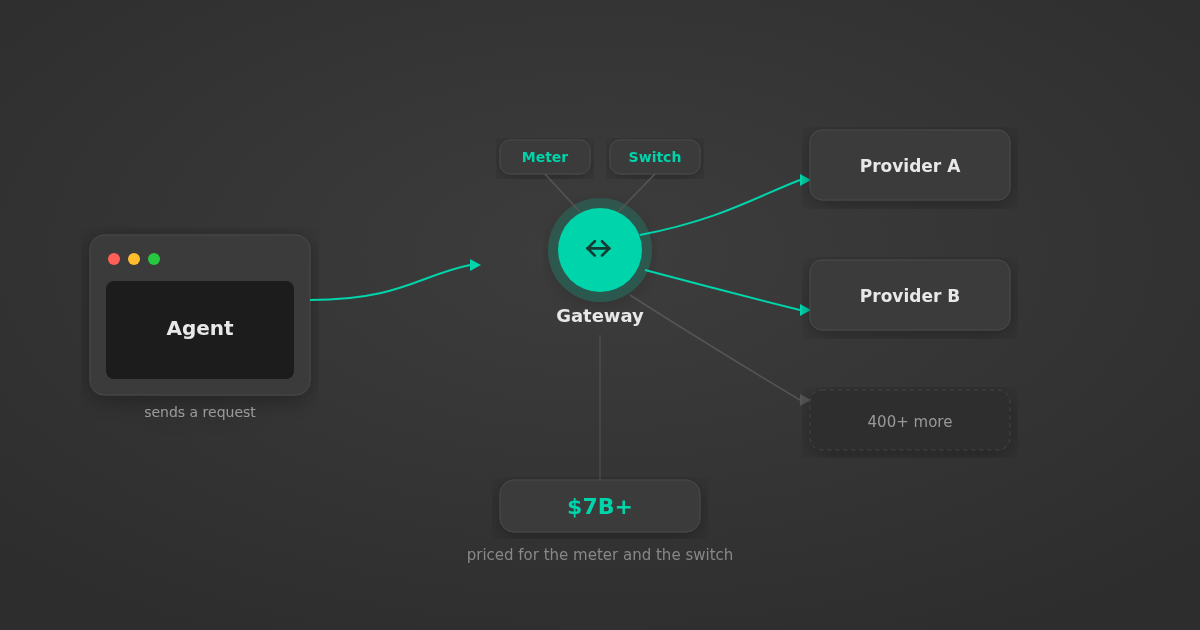
AI Gateway Valuation: Why Stripe Paid $7B+ for OpenRouter
Stripe agreed to pay $7B+ for OpenRouter, an AI gateway that only meters tokens and switches providers. What that valuation means for your agent architecture.
5 min

MCP Code Mode: Keeping Tool Responses Out of Agent Context
Anthropic's code_execution processes data already in context. Custom MCP code mode keeps raw tool responses in a sandbox. 14K tokens vs 500.
11 min

Comparing BM25, TF-IDF, and Hybrid Search for MCP Tool Discovery
Benchmarking BM25, TF-IDF, and hybrid search for MCP tool discovery across 916 tools. The 80/20 TF-IDF/BM25 hybrid hits 21% Top-1 accuracy in under 1ms.
10 min
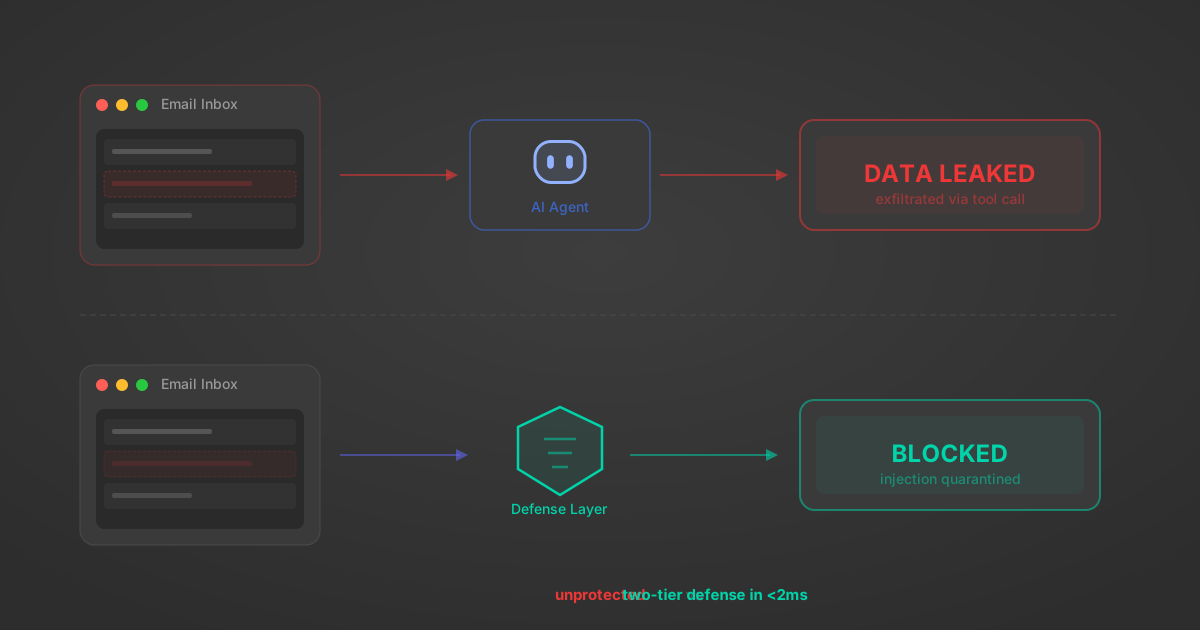
Indirect Prompt Injection Defense for MCP Tools: A Technical Guide
MCP tools that read emails, CRM records, and tickets are indirect prompt injection vectors. Here's how we built a two-tier defense that scans tool results in ~11ms.
12 min
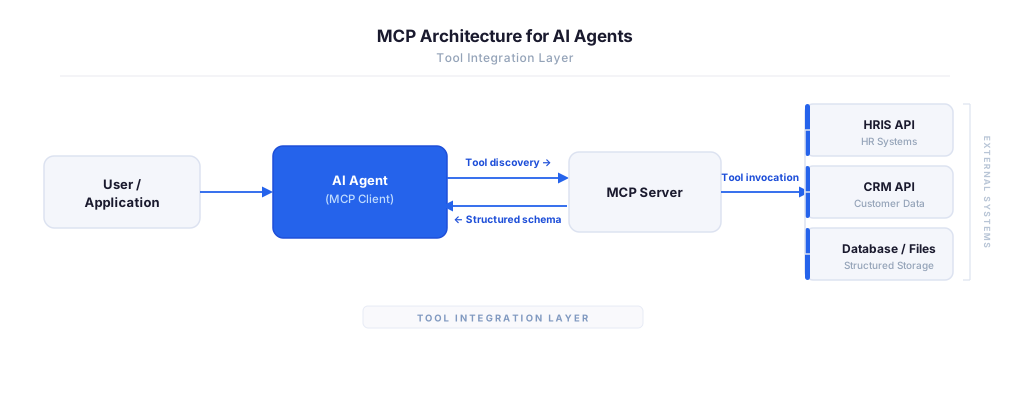
MCP vs A2A: Architecture, Security, and When to Use Each
MCP vs A2A: what each protocol standardizes, how they differ, their shared security risks including indirect prompt injection, and when to use one, both, or a hybrid architecture.
12 min
MCP vs API: What Hundreds of Connector Builds Taught Us
MCP wraps APIs, it doesn't replace them. After building hundreds of connectors that serve both, here's when each approach wins.
14 min read
Stripe MCP Server FAQ
Does StackOne have a Stripe MCP server?
Stripe MCP server vs direct API integration — what's the difference?
How does Stripe authentication work for AI agents?
origin_owner_id.Are Stripe MCP tools vulnerable to prompt injection?
What is the context bloat of a Stripe agent and how do I avoid it?
Can I limit which actions my Stripe agent can access?
Can I create custom agent actions for my Stripe MCP server?
When should I NOT use a Stripe MCP server?
What AI frameworks and AI clients does the StackOne Stripe MCP server support?
Put your AI agents to work
All the tools you need to build and scale AI agent integrations, with best-in-class connectivity, execution, and security.