
Square MCP Server
for AI Agents
Connect your AI agent to StackOne's Square MCP server and give it 137 MCP tools out of the box. Auth, tool execution, and security all managed.
 StackOne






Coverage
137 Agent Actions
Create, read, update, and delete across Square — and extend your agent's capabilities with custom actions.

Authentication
Agent Tool Authentication
Per-user OAuth in one call. Your Square MCP server gets session-scoped tokens with zero credentials stored on your infra.
Agent Auth →
Security
Agent Protection
Every Square tool response scanned for prompt injection in milliseconds — 88.7% accuracy, all running on CPU.
Prompt Injection Defense →
Performance
Max Agent Context. Min Cost.
Free up to 96% of your agent's context window to enhance reasoning and reduce cost, on every Square call.
Tools Discovery →What is the Square MCP Server?
A Square MCP server lets AI agents read and write Square data through the Model Context Protocol — Anthropic's open standard for connecting LLMs to external tools. StackOne's Square MCP server ships with 137 pre-built actions, fully extensible via the Connector Builder — plus managed authentication, prompt injection defense, observability, and agent execution runtime. Connect it from MCP clients like Claude Desktop, Claude Code, Cursor, Goose, and VS Code, or from agent frameworks like OpenAI Agents SDK, LangChain, and Vercel AI SDK.
All Square MCP Tools
Every action from Square's API, ready for your agent. Create, read, update, and delete — scoped to exactly what you need.
Payments
- Create Payment
Create a payment using a payment source such as a card or gift card
- List Payments
Retrieve a paginated list of payments taken by the account
- Get Payment
Retrieve details for a specific payment by ID
- Update Payment
Update a payment with APPROVED status to modify tip or amount
Payment Refunds
- List Payment Refunds
Retrieve a paginated list of refunds for the account
- Get Payment Refund
Retrieve details of a specific refund by ID
Orders
- Create Order
Create a new order for a location
- Clone Order
Create a new order by cloning an existing order
- Search Orders
Search for orders across one or more locations with filters
- Retrieve Order
Retrieve an order by its ID
- Update Order
Update an open order by adding, replacing, or deleting fields
- Batch Retrieve Orders
Retrieve multiple orders by their IDs in a single request
Customers
- Create Customer
Create a new customer profile for the business
- List Customers
Retrieve a paginated list of all customer profiles for the account
- Search Customers
Search customer profiles by phone, email, name, or custom attributes
- Retrieve Customer
Retrieve a specific customer profile by ID
- Update Customer
Update an existing customer profile
- Delete Customer
Delete a customer profile from the business
Customer Groups
- Create Customer Group
Create a new customer group for the business
- List Customer Groups
Retrieve a list of all customer groups for the business
- Retrieve Customer Group
Retrieve a specific customer group by ID
- Update Customer Group
Update an existing customer group's name
- Delete Customer Group
Delete a customer group from the business
Customer Segments
- List Customer Segments
Retrieve a list of all customer segments for the business
- Retrieve Customer Segment
Retrieve a specific customer segment by ID
Catalog Objects
- Search Catalog Objects
Search for catalog objects of any type (items, categories, taxes, discounts, etc.) using advanced query filters
- Retrieve Catalog Object
Retrieve a single catalog object by ID
- Batch Retrieve Catalog Objects
Retrieve multiple catalog objects by their IDs in a single request
- Batch Delete Catalog Objects
Delete multiple catalog objects in a single request
- Delete Catalog Object
Delete a single catalog object and its children
Upsert Catalog Objects
- Batch Upsert Catalog Objects
Create or update up to 10,000 catalog objects in a single request
- Upsert Catalog Object
Create or update a single catalog object
Inventory Counts
- Retrieve Inventory Count
Retrieve current inventory counts for a specific catalog object
- Batch Retrieve Inventory Counts
Retrieve current inventory counts for multiple catalog objects at specific locations
Locations
- Create Location
Create a new location for the seller account
- List Locations
Retrieve all seller locations for the account
- Retrieve Location
Retrieve details of a specific location by ID
- Update Location
Update an existing location's settings and information
Merchants
- List Merchants
Retrieve the merchant profile for the account
- Retrieve Merchant
Retrieve a specific merchant's profile by ID
Payouts
- List Payouts
Retrieve a paginated list of all payouts for the seller's default or specified location
- Get Payout
Retrieve details of a specific payout by its ID
Invoices
- Create Invoice
Create a draft invoice for an order
- Publish Invoice
Publish a draft invoice to send it to the customer
- List Invoices
Retrieve a list of invoices for a given location
- Search Invoices
Search for invoices by location, customer, or status
- Get Invoice
Retrieve an invoice by its ID
- Update Invoice
Update a draft or scheduled invoice
- Delete Invoice
Delete a draft invoice
Subscriptions
- Create Subscription
Enroll a customer in a subscription plan
- Search Subscriptions
Search for subscriptions by customer, location, or plan
- Retrieve Subscription
Retrieve a specific subscription by ID
- Update Subscription
Modify or clear field values on an active subscription
Cards
- Create Card
Add a card on file to an existing customer or merchant
- List Cards
Retrieve a list of saved payment cards (credit/debit cards on file, not gift cards) for the account
- Retrieve Card
Retrieve details of a specific card on file by ID
Gift Cards
- Create Gift Card
Create a digital gift card or register a physical gift card
- List Gift Cards
Retrieve a list of gift cards for the account
- Retrieve Gift Card
Retrieve a gift card by its ID
Team Members
- Create Team Member
Create a new team member for the seller account
- Search Team Members
Search for team members by location, status, or other criteria
- Retrieve Team Member
Retrieve a team member by ID
- Update Team Member
Update an existing team member's information
Jobs
- Create Job
Create a new job definition for the seller account
- List Jobs
Retrieve a list of all jobs defined for the seller account
- Retrieve Job
Retrieve a specific job definition by its ID
- Update Job
Update an existing job definition by its ID
Wage Settings
- Retrieve Wage Setting
Retrieve the wage setting for a team member
- Update Wage Setting
Create or update the wage setting for a team member
Break Types
- Create Break Type
Create a new break type for team member shifts
- List Break Types
Retrieve a list of all break types for the seller account
- Retrieve Break Type
Retrieve a specific break type by ID
- Update Break Type
Update an existing break type by ID
- Delete Break Type
Delete a break type by ID
Timecards
- Create Timecard
Create a new timecard for a team member at a location
- Search Timecards
Search for timecard records with filters for team member and date range
- Retrieve Timecard
Retrieve a specific timecard by ID
- Update Timecard
Update an existing timecard by ID
- Delete Timecard
Delete a timecard by ID
Disputes
- List Disputes
Retrieve a list of disputes associated with the account
- Retrieve Dispute
Retrieve details about a specific dispute by ID
Dispute Evidences
- List Dispute Evidence
Retrieve all evidence submitted for a dispute
- Retrieve Dispute Evidence
Retrieve metadata for a specific piece of dispute evidence
- Delete Dispute Evidence
Remove a specific piece of evidence from a dispute before submission
Bank Accounts
- List Bank Accounts
Retrieve a list of bank accounts linked to the Square account
- Get Bank Account
Retrieve details of a specific bank account by ID
Payment Links
- Create Payment Link
Create a Square-hosted checkout page with a shareable payment link
- List Payment Links
Retrieve a list of all payment links for the account
- Retrieve Payment Link
Retrieve a specific payment link by its token ID
- Update Payment Link
Update an existing payment link's settings
- Delete Payment Link
Delete a payment link permanently
Unified Groups
- List Unified Groups
List Square locations mapped to the IAM unified group schema. Each location represents a physical workplace (store, mobile pop-up, or online presence) to which team members can be assigned via the assigned_locations field. Returns id, name, status, address, and merchant_id (mapped to organization_id).
- Get Unified Group
Retrieve a single Square location by id, mapped to the IAM unified group schema. Field coverage matches unified_list_groups exactly.
Unified Organizations
- List Unified Organizations
Return the Square merchant for the current connection mapped to the IAM unified organization schema. Square is single-tenant per OAuth token — exactly one organization is returned, representing the connected merchant.
- Get Unified Organization
Retrieve a single Square merchant by id, mapped to the IAM unified organization schema. Square is single-tenant per OAuth token — this action always returns the caller's connected merchant.
Unified Roles
- List Unified Roles
Return the two stable workspace-level IAM roles (owner / team_member) synthesized from Square's is_owner flag on team members. The role set is static, closed, and matches the role ids embedded in IamUser.roles[] on this connector.
- Get Unified Role
Retrieve a single synthesized Square IAM role by its stable key. Known keys are "owner" and "team_member"; any other id returns a generic role record with type unmapped_value rather than erroring.
Unified Users
- List Unified Users
List Square team members mapped to the IAM unified user schema. Each member is annotated with a workspace-scoped role synthesized from the is_owner flag (owner / team_member), employment status (enabled / disabled), contact info, and reference data. Cursor-paginated via the Square Team API search endpoint.
- Get Unified User
Retrieve a single Square team member by team member id, mapped to the IAM unified user schema. Field coverage matches unified_list_users; one synthesized workspace-scoped role per member based on the is_owner flag.
Other (38)
- Add Group To Customer
Add a group membership to a customer profile
- Create Gift Card Activity
Create an activity (activate, load, redeem, adjust, etc.) on a gift card
- Create Dispute Evidence Text
Upload text-based evidence to contest a dispute
- List Catalog
Retrieve a paginated list of all catalog objects for the account
- Search Catalog Items
Search specifically for catalog items and item variations only (not taxes, categories, or discounts) by text, category, location, or custom attributes
- Retrieve Inventory Adjustment
Retrieve a specific inventory adjustment by its ID
- Retrieve Inventory Physical Count
Retrieve a specific inventory physical count record by its ID
- List Payout Entries
Retrieve all payout entries for a specific payout
- List Subscription Events
Retrieve a paginated list of events for a specific subscription
- Retrieve Gift Card From GAN
Retrieve a gift card using the gift card account number (GAN)
- List Gift Card Activities
Retrieve a list of gift card activities for a specific gift card or across all gift cards
- Get Unified Credentials
Return the authenticated Square connection's identity (merchant business name), granted OAuth scopes, and auth_type ("oauth"), mapped to the IAM unified credentials schema. Wraps Square's POST /oauth2/token/status for scope/identity introspection plus GET /v2/merchants for the merchant business name.
- List Unified Resource Types
List unified resource types in Square.
- List Unified Resource Users
List Square team members assigned to a specific location (resource_type="location"), mapped to the IAM unified user schema. Each member carries both a workspace-scoped role and a location-scoped role. Wraps POST /v2/team-members/search filtered by location_ids.
- Batch Retrieve Inventory Changes
Retrieve a list of inventory changes for catalog objects at specific locations
- Batch Change Inventory
Apply adjustments and counts to catalog object quantities
- Remove Group From Customer
Remove a group membership from a customer profile
- Cancel Payment
Cancel (void) a payment by its ID
- Cancel Payment By Idempotency Key
Cancel a payment using the original idempotency key when the payment ID is unknown
- Complete Payment
Complete (capture) a payment that was created with autocomplete set to false
- Refund Payment
Refund a payment, either fully or partially
- Pay Order
Pay for an order using one or more approved payments
- Calculate Order
Preview order pricing without creating an order
- Bulk Create Customers
Create up to 100 customer profiles in a single request
- Bulk Retrieve Customers
Retrieve up to 100 customer profiles by ID in a single request
- Bulk Update Customers
Update up to 100 customer profiles in a single request
- Bulk Delete Customers
Delete up to 100 customer profiles in a single request
- Cancel Invoice
Cancel a published invoice
- Cancel Subscription
Schedule a cancellation for an active subscription
- Resume Subscription
Resume a paused or canceled subscription
- Disable Card
Disable a card on file to prevent further charges
- Link Customer To Gift Card
Link a customer to a gift card to associate it with their account
- Unlink Customer From Gift Card
Unlink a customer from a gift card to remove the association
- Bulk Create Team Members
Create multiple team members in a single request
- Bulk Update Team Members
Update multiple team members in a single request
- Accept Dispute
Accept the loss on a dispute without submitting evidence
- Submit Evidence
Submit collected evidence to contest a dispute
- IAM Auth Test
Validate the current Square OAuth access token and return the raw, unmapped token status payload (scopes[], expires_at, merchant_id, client_id). Bypasses the unified IAM credentials schema — use this for debugging scope mismatches, token expiry, or revocation.
Set Up Your Square MCP Server in Minutes
One endpoint. Any framework. Your agent is talking to Square in under 10 lines of code.
Agent Frameworks


 JSON
JSON{
"mcpServers": {
"stackone": {
"command": "npx",
"args": [
"-y",
"mcp-remote@latest",
"https://api.stackone.com/mcp?x-account-id=<account_id>",
"--header",
"Authorization: Basic <YOUR_BASE64_TOKEN>"
]
}
}
}Check More Commerce MCP Servers
172+ actions
138+ actions
128+ actions
120+ actions
90+ actions

90+ actions
72+ actions
Platform Resources

MCP Code Mode: Keeping Tool Responses Out of Agent Context
Anthropic's code_execution processes data already in context. Custom MCP code mode keeps raw tool responses in a sandbox. 14K tokens vs 500.
11 min

Comparing BM25, TF-IDF, and Hybrid Search for MCP Tool Discovery
Benchmarking BM25, TF-IDF, and hybrid search for MCP tool discovery across 916 tools. The 80/20 TF-IDF/BM25 hybrid hits 21% Top-1 accuracy in under 1ms.
10 min
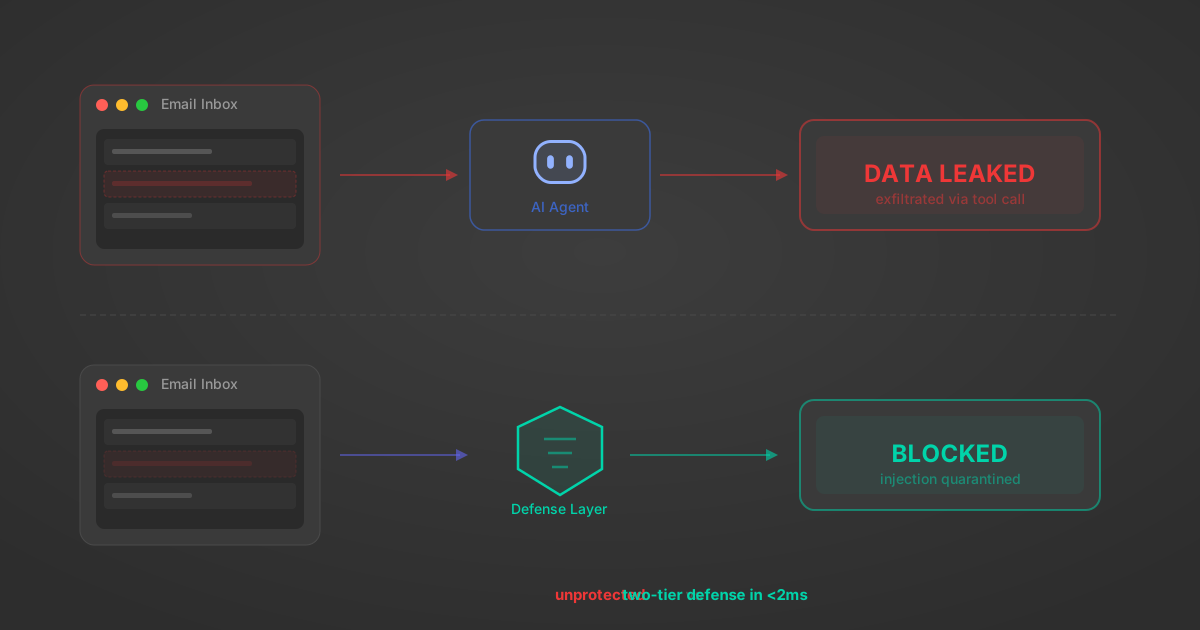
Indirect Prompt Injection Defense for MCP Tools: A Technical Guide
MCP tools that read emails, CRM records, and tickets are indirect prompt injection vectors. Here's how we built a two-tier defense that scans tool results in ~11ms.
12 min
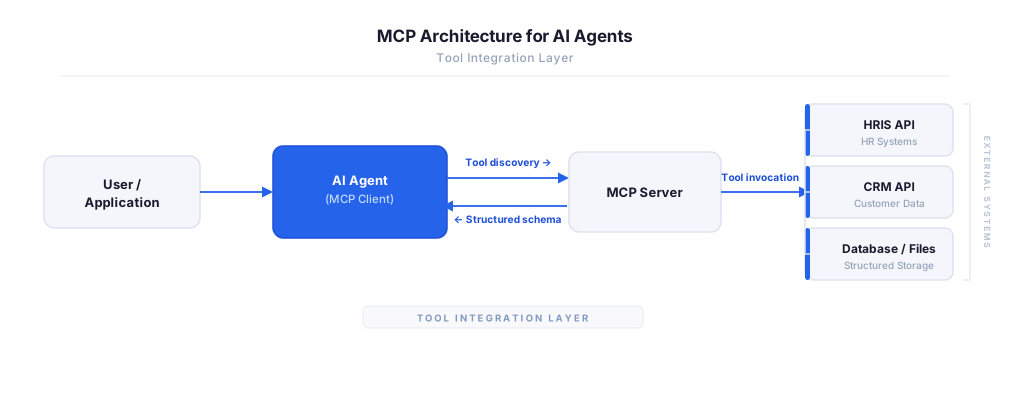
MCP vs A2A: Architecture, Security, and When to Use Each
MCP vs A2A: what each protocol standardizes, how they differ, their shared security risks including indirect prompt injection, and when to use one, both, or a hybrid architecture.
12 min
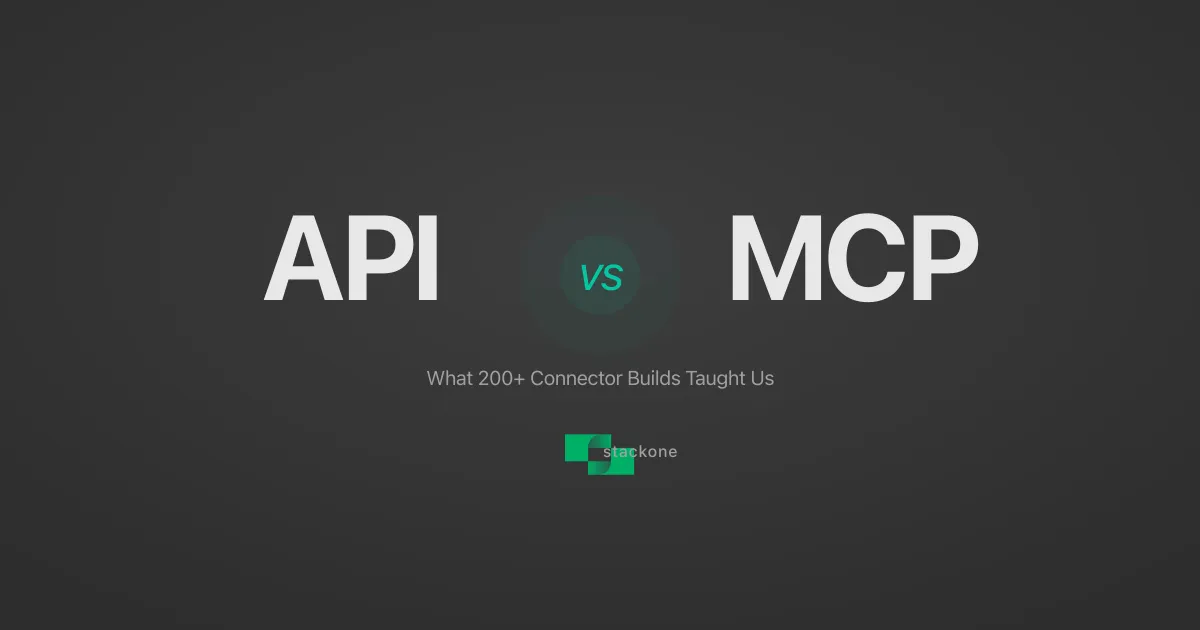
MCP vs API: What Hundreds of Connector Builds Taught Us
MCP wraps APIs, it doesn't replace them. After building hundreds of connectors that serve both, here's when each approach wins.
14 min read
Square MCP Server FAQ
Does StackOne have a Square MCP server?
Square MCP server vs direct API integration — what's the difference?
How does Square authentication work for AI agents?
origin_owner_id.Are Square MCP tools vulnerable to prompt injection?
What is the context bloat of a Square agent and how do I avoid it?
Can I limit which actions my Square agent can access?
Can I create custom agent actions for my Square MCP server?
When should I NOT use a Square MCP server?
What AI frameworks and AI clients does the StackOne Square MCP server support?
Put your AI agents to work
All the tools you need to build and scale AI agent integrations, with best-in-class connectivity, execution, and security.