


Availity MCP Server
for AI Agents
Connect your AI agent to StackOne's Availity MCP server and give it 27 MCP tools out of the box. Auth, tool execution, and security all managed.
 StackOne


Coverage
27 Agent Actions
Agents can read, write, delete and run operations in Availity. Extend your agent's capabilities with custom actions.

Authentication
Agent Tool Authentication
Per-user OAuth in one call. Your Availity MCP server gets session-scoped tokens with zero credentials stored on your infra.
Agent Auth →
Security
Agent Protection
Every Availity tool response scanned for prompt injection in milliseconds, with 88.7% accuracy, all running on CPU.
Prompt Injection Defense →
Performance
Max Agent Context. Min Cost.
Free up to 96% of your agent's context window to enhance reasoning and reduce cost, on every Availity call.
Tools Discovery →What is the Availity MCP Server?
A Availity MCP server lets AI agents read and write Availity data through the Model Context Protocol, Anthropic's open standard for connecting LLMs to external tools. StackOne's Availity MCP server ships with 27 pre-built actions, fully extensible via the Connector Builder, plus managed authentication, prompt injection defense, observability, and agent execution runtime. Connect it from MCP clients like Claude Desktop, Claude Code, Cursor, Goose, and VS Code, or from agent frameworks like OpenAI Agents SDK, LangChain, and Vercel AI SDK.
All Availity MCP Tools
Every StackOne action for Availity, ready for your agent. Read, write, delete and run operations, scoped to exactly what you need.
Prior Authorization Or Referrals
- Get Prior Authorization Or Referral
Get one prior authorization or referral (an Availity service review) with the payer's decision and authorization number.
- Update Prior Authorization Or Referral
Change an existing prior authorization or referral (an Availity service review) at the payer, such as dates, units or providers.
Other (25)
- Get Claim Status Result
Get the payer's full answer for one claim status inquiry, with paid amount, check number and line-level status.
- List Payer Configurations
Get a health plan's field rules for one transaction, or the payers that support that transaction.
- Get Patient Cost Estimate (Professional 1.0)
Get the payer answer to a professional cost estimate, including what the patient will likely owe per service line.
- Get Patient Cost Estimate (Institutional 1.0)
Get the payer answer to a facility cost estimate, including what the patient will likely owe.
- Get Patient Cost Estimate (Professional 2.0)
Get the payer answer to a 2.0.0 professional cost estimate, including what the patient will likely owe per service line.
- Get Eligibility And Benefits
Get the full eligibility and benefits answer for one coverage check.
- Get Dental Claim
Get a submitted dental claim by id to confirm Availity has processed it.
- List Payers
List the health plans (payers) reachable through Availity and the transactions each one supports.
- List Payers (AWS Payer List)
List health plans and their supported transactions from the separate AWS Availity Payer List 2.0.0 product.
- Search Payer Payments (Checks And EFTs)
Find the checks and EFT payments payers sent in a date range, from their remittance (ERA) data.
- Get Payer Payment Details
Get the full remittance for one check or EFT payment, with every claim it pays.
- Search Claim Payments
Find whether, when and how much a payer paid on a claim, from the payer's remittance (ERA) data.
- Get Claim Payment Details
Get the full payment detail of one claim from the payer's remittance.
- Get Payment ERA File (X12 835)
Get the raw X12 835 remittance file for one check or EFT payment.
- Search Prior Authorizations And Referrals
Find existing prior authorizations and referrals (Availity service reviews) at a payer by authorization number, reference number, member, patient, provider, dates or status.
- Delete Stored Claim Status Result
Delete Availity's stored copy of a claim status inquiry without changing anything at the payer.
- Delete Stored Eligibility Result
Delete Availity's stored copy of one eligibility and benefits answer (a coverage).
- Check Claim Status
Ask the payer where a claim stands (received, pending, denied or paid) with a claim status inquiry (X12 276/277).
- Estimate Patient Cost (Professional 1.0)
Ask a health plan what a patient will likely owe for physician or supplier services when there is no eligibility check from today (Patient Cost Estimator Professional 1.0.0).
- Estimate Patient Cost (Institutional 1.0)
Ask a health plan what a patient will likely owe for hospital or facility services (Patient Cost Estimator Institutional 1.0.0).
- Estimate Patient Cost (Professional 2.0)
Ask a health plan what a patient will likely owe for physician services, using an eligibility check from today (Patient Cost Estimator Professional 2.0.0).
- Check Eligibility And Benefits
Start an eligibility and benefits check (Availity Coverages) for a patient with their health plan.
- Submit Dental Claim
Submit a dental claim or encounter (X12 837D) to the payer for payment through Availity.
- Submit Prior Authorization Or Referral
Submit a prior authorization or referral request (X12 278) to a health plan through Availity Service Reviews.
- Void Prior Authorization Or Referral
Void (cancel) a prior authorization or referral (an Availity service review) at the payer.
Set Up Your Availity MCP Server in Minutes
One endpoint. Any framework. Your agent is talking to Availity in under 10 lines of code.
Agent Frameworks


 JSON
{
  "mcpServers": {
    "stackone": {
      "command": "npx",
      "args": [
        "-y",
        "mcp-remote@latest",
        "https://api.stackone.com/mcp?x-account-id=<account_id>",
        "--header",
        "Authorization: Basic <YOUR_BASE64_TOKEN>"
      ]
    }
  }
}
Platform Resources
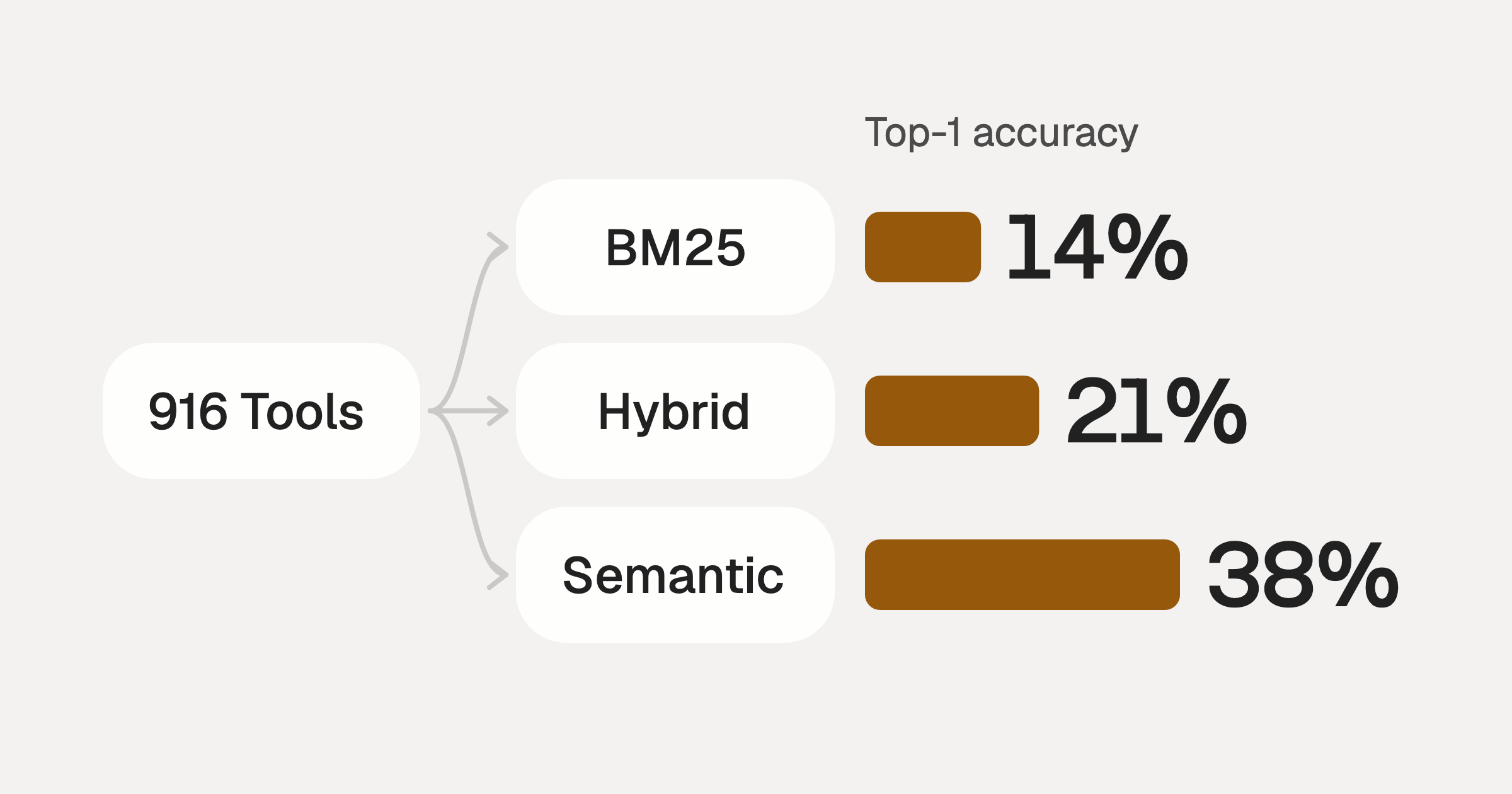
Comparing BM25, TF-IDF, and Hybrid Search for MCP Tool Discovery
Benchmarking BM25, TF-IDF, and hybrid search for MCP tool discovery across 916 tools. The 80/20 TF-IDF/BM25 hybrid hits 21% Top-1 accuracy in under 1ms.
10 min
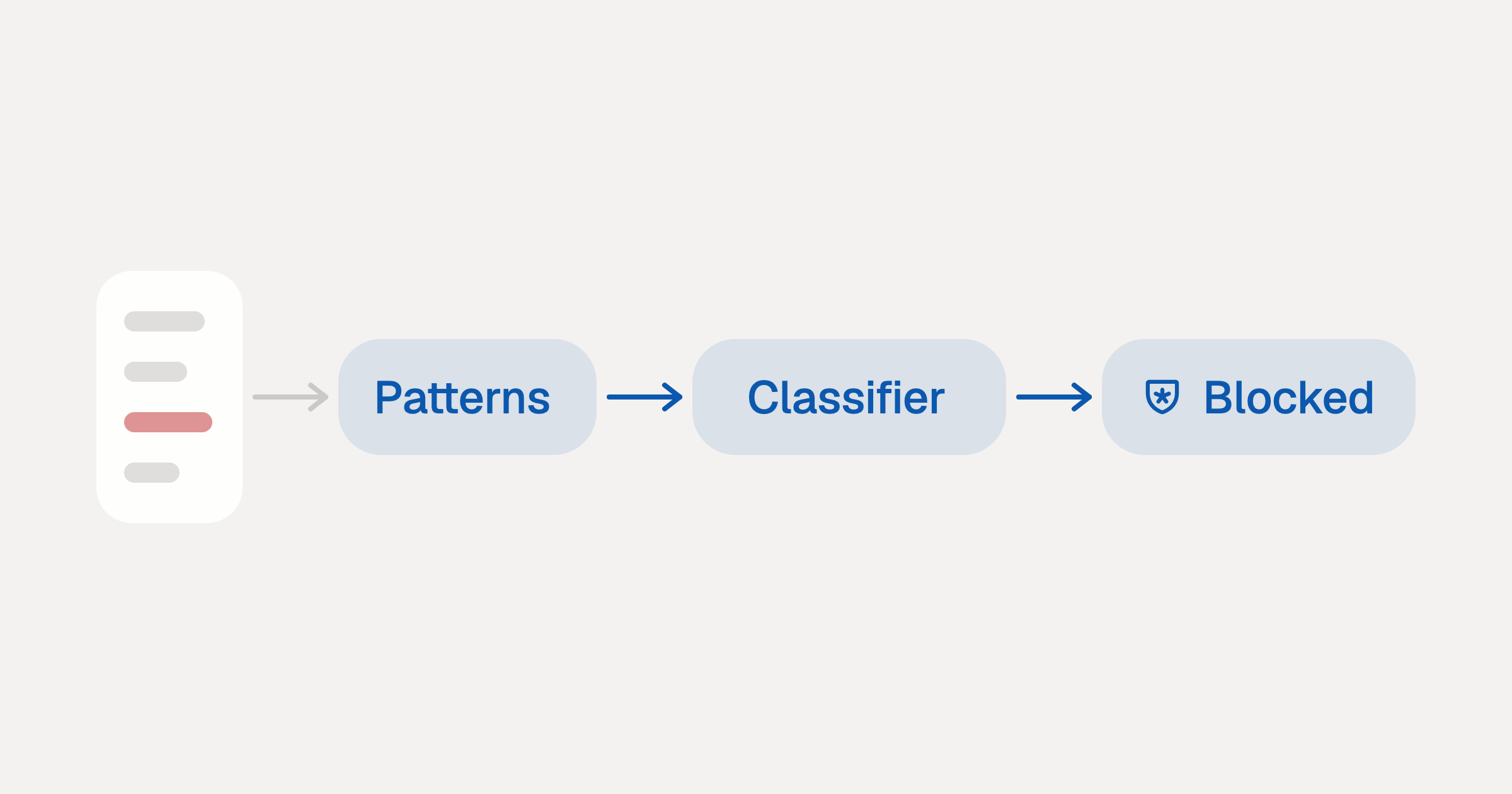
Indirect Prompt Injection Defense for MCP Tools: A Technical Guide
MCP tools that read emails, CRM records, and tickets are indirect prompt injection vectors. Here's how we built a two-tier defense that scans tool results in ~11ms.
12 min
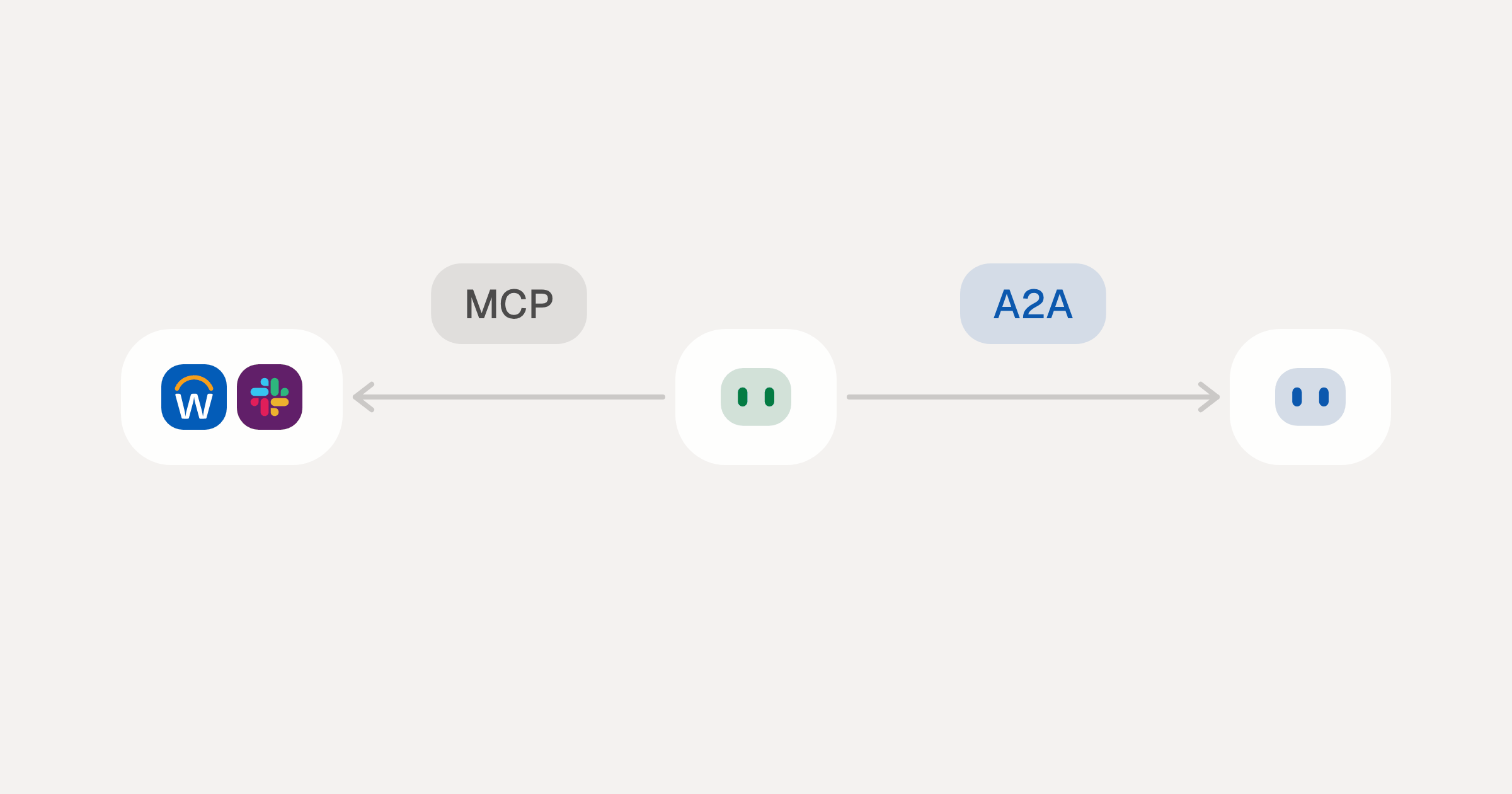
MCP vs A2A: Architecture, Security, and When to Use Each
MCP vs A2A: what each protocol standardizes, how they differ, the security risks they share, and when to use one, both or a hybrid.
12 min
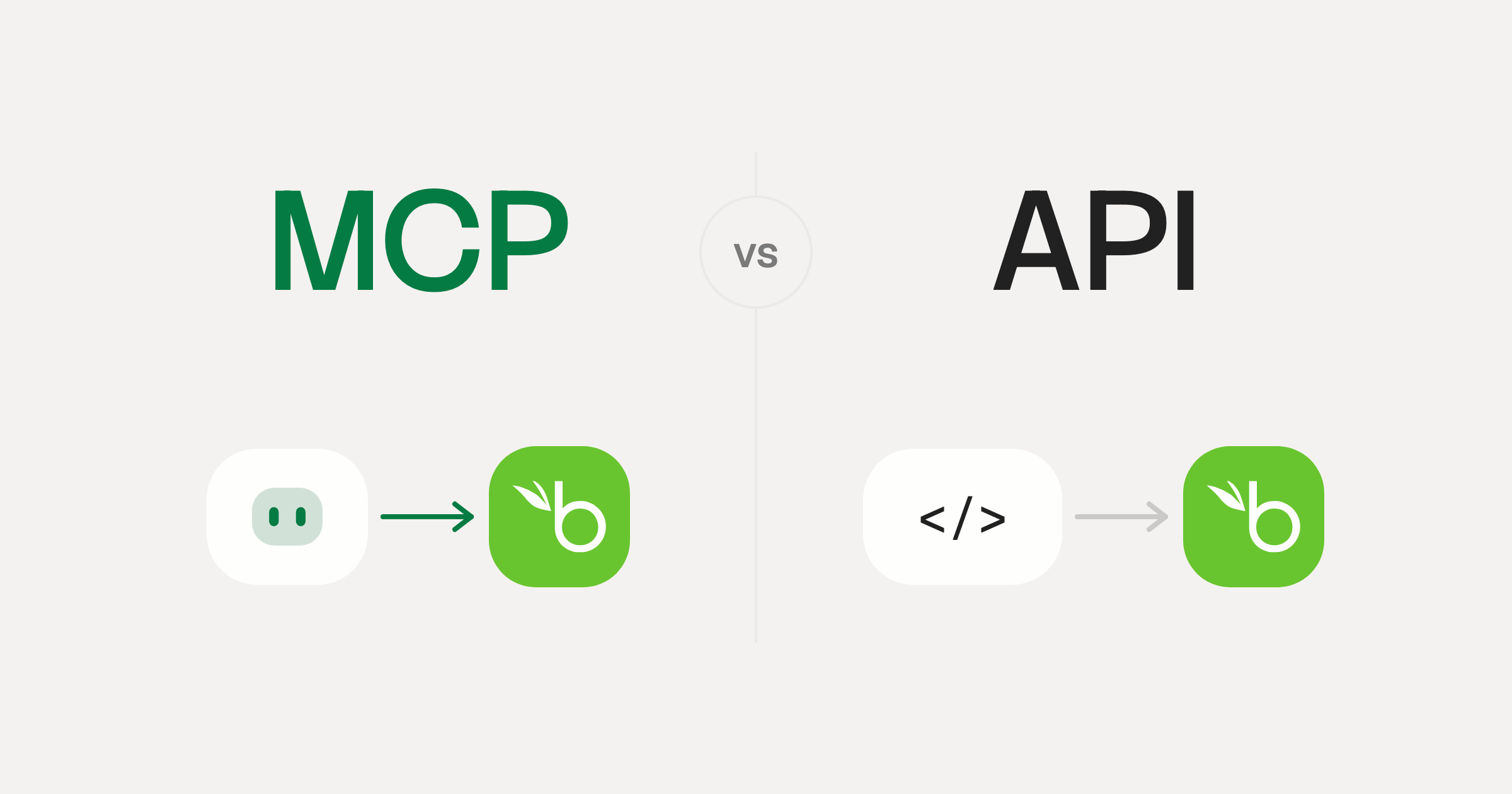
MCP vs API: What Hundreds of Connector Builds Taught Us
MCP wraps APIs, it doesn't replace them. After building hundreds of connectors that serve both, here's when each approach wins.
14 min read
Availity MCP Server FAQ
Does StackOne have a Availity MCP server?
Availity MCP server vs direct API integration: what's the difference?
How does Availity authentication work for AI agents?
origin_owner_id.Are Availity MCP tools vulnerable to prompt injection?
What is the context bloat of a Availity agent and how do I avoid it?
Can I limit which actions my Availity agent can access?
Can I create custom agent actions for my Availity MCP server?
When should I NOT use a Availity MCP server?
What AI frameworks and AI clients does the StackOne Availity MCP server support?
Put your AI agents to work
Connect AI to every company system and control what it can do in each one, down to the field.