
The #1 agentic semantic tool search: 91.6% first-try accuracy on S1 Search Bench Explore Tool Discovery

Connectors Jira
Live 147 Actions 47 Events

Jira Integration for AI Agents

Connect your AI agent to 147 QA'd Jira actions via MCP, A2A, or SDK, with agent authentication, tool-calling execution, and security built-in, plus 47 events to subscribe to.


StackOne
DrataGPLocalyzeFlipMindtoolsScreenloop

Jira AI Agent Actions

147 production-ready actions for your agent to do more on Jira.

147 Actions
Add Attachment - Add an attachment to an issue
Get Attachment - Get metadata for an attachment by ID
Delete Attachment - Delete an attachment from an issue
Get Attachment Archive Metadata - Get metadata for archive attachments (ZIP, TAR, etc.) — only works on archive file types
Get Attachment Settings - Get global attachment settings for the Jira instance
Get All Boards - Get all boards visible to the user
Get Board - Get details of a specific board
Get Board Issues - Get all issues for a board
Get Board Backlog - Get all issues in the backlog of a board
Get Board Configuration - Get board configuration including columns and status mappings
List Project Categories - Get all project categories
Get Project Category - Get details of a specific project category
Create Project Category - Create a new project category
Update Project Category - Update an existing project category
Delete Project Category - Delete a project category
Get Issue Changelogs - Get the changelog history for an issue
Get Changelogs By IDs - Get specific changelog entries for an issue by changelog IDs
List Issue Comments - Get all comments for an issue
Create Issue Comment - Create a comment on an issue
Get Comment - Get a specific comment on an issue
Update Comment - Update a comment on an issue
Delete Comment - Delete a comment from an issue
List Components - Get all components for specified projects
Create Component - Create a new component in a project
Get Component - Get details of a specific component
Update Component - Update an existing component
Delete Component - Delete a component from a project
List Dashboards - Get all dashboards accessible to the user
Search Dashboards - Search for dashboards with advanced filtering
Get Dashboard - Get details of a specific dashboard
Create Dashboard - Create a new dashboard
Update Dashboard - Update an existing dashboard
Delete Dashboard - Delete a dashboard
Copy Dashboard - Copy an existing dashboard
List Fields - Get all fields (system and custom) in the Jira instance
Search Fields - Search for fields with pagination and filtering
Get Field Configurations - Get all field configurations
List Filters - Get all filters accessible to the user
Get Filter - Get details of a specific filter
Create Filter - Create a new filter (saved search)
Update Filter - Update an existing filter
Delete Filter - Delete a filter
Set Filter Favourite - Add a filter to the current user's favourites
Delete Filter Favourite - Remove a filter from the current user's favourites
Get Favourite Filters - Get all filters marked as favourites by the current user
Get My Filters - Get all filters owned by the current user
List Groups - Get all groups in the Jira instance
Search Groups - Find groups matching a query for group picker
Get Group Members - Get members of a specific group
Create Group - Create a new group
Delete Group - Delete a group
Create Group Member - Create a group member (add user to group)
Delete Group Member - Delete a group member (remove user from group)
Get Unified Credentials - Get the current Jira connection's unified credentials and identity.
List Unified Groups - List unified groups in Jira.
Get Unified Group - Get a unified Jira group by ID.
List Unified Roles - List unified roles in Jira.
Get Unified Role - Get a unified Jira role by ID.
List Unified Users - List unified users in Jira.
Get Unified User - Get a unified Jira user by ID.
Get Issue Link Types - Get all available issue link types
Get Issue Link Type - Get details of a specific issue link type
Create Issue Link - Create a link between two issues
Get Issue Link - Get details of a specific issue link
Delete Issue Link - Delete an issue link
Create Issue Link Type - Create a new issue link type
Update Issue Link Type - Update an existing issue link type
Delete Issue Link Type - Delete an issue link type
Search For Issues Using JQL - Search for issues using the JQL endpoint with nextPageToken pagination
Create Issue - Create a new issue in Jira
Get Issue - Get details of a specific issue by ID or key
Update Issue - Update an existing issue
Delete Issue - Delete an issue
Assign Issue - Assign an issue to a user
List Issue Types - Get all issue types in the Jira instance
Get Issue Type - Get details of a specific issue type
List Labels - Get all labels used in the Jira instance
Get My Permissions - Get permissions for the current user
Get All Permissions - Get all available permission types
Get Bulk Permissions - Get permissions for multiple projects and issues in a single request
List Priorities - Get all issue priorities with pagination and filtering
Get Priority - Get details of a specific priority
List Projects - Get a paginated list of projects visible to the user
Get Project - Get details of a specific project
Get Project Statuses - Get all valid statuses for a project grouped by issue type
Get Project Components - Get all components for a project
Get Project Versions - Get all versions for a project
Get Project Issue Types - Get all issue types available for a project
Create Project - Create a new Jira project
Update Project - Update a project's details
Delete Project - Delete a project
Archive Project - Archive a project
Restore Deleted Project - Restore a deleted project
List Project Roles - Get all project roles
Get Project Role - Get a project role by ID
Create Project Role - Create a new project role
Delete Project Role - Delete a project role
Get Project Role For Project - Get a project role and its actors (users/groups) for a specific project
Create Project Role Actor - Create actors (users or groups) for a project role
List Remote Issue Links - Get all remote links for an issue
Get Remote Issue Link - Get a specific remote issue link by ID
Create Remote Issue Link - Create a remote issue link
Update Remote Issue Link - Update a remote issue link by ID
Delete Remote Issue Link - Delete a remote issue link by ID
Delete Remote Issue Link By Global ID - Delete a remote issue link by its global ID
List Resolutions - Get all issue resolutions
Get Resolution - Get details of a specific resolution
Get Server Info - Get information about the Jira instance
Get Current User - Get details of the currently authenticated user
Get Board Sprints - Get all sprints for a board
Get Sprint - Get details of a specific sprint
Create Sprint - Create a new sprint
Partially Update Sprint - Update an existing sprint
Delete Sprint - Delete a sprint
Get Sprint Issues - Get all issues in a sprint
Move Issues To Sprint - Move issues to a sprint
List Statuses - Get all statuses in the Jira instance
Get Status - Get details of a specific status by ID or name
Get Issue Transitions - Get available transitions for an issue
Transition Issue - Transition an issue to a different status
Get All Users - Get a list of all users (active and inactive)
Get User - Get details of a specific user by account ID
Get User Groups - Get the groups to which a user belongs
Search Users - Search for active users matching a query string
Search Users For Picker - Find users for user picker with highlighted query matches
Search Users Assignable To Projects - Find users who can be assigned issues in one or more projects
Search Users Assignable To Issues - Find users who can be assigned to a specific issue
Search Users With Permissions - Find users who have a set of permissions for a project or issue
Search Users With Browse Permission - Find users who have permission to browse issues in a project or specific issue
Create Version - Create a new project version
Get Version - Get details of a specific version
Update Version - Update an existing version
Delete Version - Delete a project version
List Issue Votes - Get vote information for an issue
Create Issue Vote - Add a vote to an issue for the current user
Delete Issue Vote - Remove a vote from an issue for the current user
List Issue Watchers - Get the list of watchers for an issue
Create Issue Watcher - Add a user as a watcher to an issue
Delete Issue Watcher - Remove a user as a watcher from an issue
Search Workflows - Search for workflows in Jira
List Workflow Schemes - Get all workflow schemes
Get Workflow Scheme - Get a workflow scheme by ID
List Issue Worklogs - Get all worklogs for an issue
Create Issue Worklog - Add a worklog entry to an issue
Get Issue Worklog - Get a specific worklog entry from an issue
Update Issue Worklog - Update a worklog entry on an issue
Delete Issue Worklog - Delete a worklog entry from an issue

Jira Webhook Events

47 real-time Jira events your AI agent can subscribe to.

47 Events
  • Issue Created Triggered when a new issue is created in Jira. Includes issue details such as type, priority, assignee, and project.
  • Issue Updated Triggered when an existing issue is modified in Jira. Includes changelog with field-level changes such as status transitions, assignee updates, and field edits.
  • Issue Deleted Triggered when an issue is permanently deleted from Jira. Includes the deleted issue details.
  • Comment Created Triggered when a new comment is added to a Jira issue. Includes the comment body, author, and associated issue details.
  • Comment Updated Triggered when an existing comment is edited on a Jira issue. Includes the updated comment body and author details.
  • Comment Deleted Triggered when a comment is removed from a Jira issue. Includes the deleted comment details and associated issue.
  • Worklog Created Triggered when a new worklog entry is added to a Jira issue. Includes time spent, author, and associated issue details.
  • Worklog Updated Triggered when an existing worklog entry is modified on a Jira issue. Includes updated time spent and author details.
  • Worklog Deleted Triggered when a worklog entry is removed from a Jira issue. Includes the deleted worklog details.
  • Sprint Created Triggered when a new sprint is created in a Jira board. Includes sprint name, board, and date details.
  • Sprint Updated Triggered when a sprint is modified in Jira, such as name or date changes. Includes updated sprint details.
  • Sprint Started Triggered when a sprint is started (moved to active state) in Jira. Includes sprint start and end dates.
  • Sprint Closed Triggered when a sprint is completed/closed in Jira. Includes sprint completion date and final details.
  • Sprint Deleted Triggered when a sprint is permanently deleted from a Jira board.
  • Project Created Triggered when a new project is created in Jira. Includes project key, name, lead, and configuration details.
  • Project Updated Triggered when a project is modified in Jira, such as name, lead, or configuration changes.
  • Project Deleted Triggered when a project is permanently deleted from Jira.
  • Project Soft Deleted Triggered when a project is moved to the trash in Jira (soft delete with undo option). The project can be restored within the retention period.
  • Project Restored Deleted Triggered when a previously soft-deleted project is restored from the Jira trash.
  • Version Created Triggered when a new version (fix version) is created in a Jira project. Includes version name and project details.
  • Version Updated Triggered when a version is modified in Jira, such as name or description changes.
  • Version Moved Triggered when a version is reordered within a Jira project version list.
  • Version Released Triggered when a version is marked as released in Jira. Includes the release date.
  • Version Unreleased Triggered when a previously released version is marked as unreleased in Jira.
  • Version Deleted Triggered when a version is deleted from a Jira project. Also triggered when versions are merged.
  • Board Created Triggered when a new board (Scrum or Kanban) is created in Jira.
  • Board Updated Triggered when a board is modified in Jira, such as name or filter changes.
  • Board Deleted Triggered when a board is deleted from Jira.
  • Board Configuration Changed Triggered when a board configuration is changed in Jira, such as column mappings, swimlanes, or estimation settings.
  • User Created Triggered when a new user account is created in the Jira instance.
  • User Updated Triggered when a user account is modified in Jira, such as display name or email changes. Note - group membership changes do not trigger this event.
  • User Deleted Triggered when a user account is removed from the Jira instance.
  • Attachment Created Triggered when a file attachment is added to a Jira issue. Includes the attachment filename, size, and author.
  • Attachment Deleted Triggered when a file attachment is removed from a Jira issue.
  • Issue Link Created Triggered when a link is created between two Jira issues (e.g., blocks, duplicates, relates to).
  • Issue Link Deleted Triggered when a link between two Jira issues is removed.
  • Issue Type Created Triggered when a new issue type is created in Jira (e.g., Bug, Story, Task).
  • Issue Type Updated Triggered when an issue type is modified in Jira, such as name or description changes.
  • Issue Type Deleted Triggered when an issue type is removed from Jira.
  • Unassigned Issues Option Changed Triggered when the "Allow unassigned issues" setting is toggled in Jira General Configuration.
  • Subtasks Option Changed Triggered when the sub-tasks feature is enabled or disabled in Jira Issue Settings.
  • Issue Links Option Changed Triggered when the issue linking feature is enabled or disabled in Jira Issue Settings.
  • Time Tracking Option Changed Triggered when the time tracking feature is enabled or disabled in Jira Issue Settings.
  • Time Tracking Provider Option Changed Triggered when the time tracking provider is changed in Jira Issue Settings.
  • Filter Created Triggered when a new saved filter (JQL query) is created in Jira.
  • Filter Updated Triggered when a saved filter is modified in Jira, such as JQL query or name changes.
  • Filter Deleted Triggered when a saved filter is removed from Jira.

Do More, Build Less

Integration Infrastructure for Jira AI Agents

Multiple Interfaces

Access integrations via API, AI SDKs, MCP & A2A.

Jira MCP server
Managed Authentication

Pre-built authentication UI.

Agent auth
Falcon Engine

Every Jira action runs on Falcon.

Agent Execution Engine
StackOne Defender
StackOne Defender Meta PG v1 Meta PG v2 DeBERTa 88.7% 67.5% 63.1% 56.9% Detection accuracy

88.7% prompt injection detection.

Prompt injection defense

"What impressed us most about StackOne is its ambition and clarity. They're creating infrastructure that modern software and the entire AI agent ecosystem can rely on. The depth of secure integrations, the pace of delivery, and the team's foresight into AI's future uniquely position StackOne to redefine this category."

Luna Schmid, Partner at GV

"We've been impressed by how quickly and deeply StackOne integrates with complex enterprise systems -- and now, with their focus on agent-to-agent interoperability, they're unlocking even more powerful use cases for customers. StackOne delivers all of the above in a universal layer -- without compromise."

Barbry McGann, SVP at Workday Ventures

G2 - High Performer G2 - Easiest To Do Business With G2 - Users Love Us G2 - Users Most Likely To Recommend G2 - Easiest Admin

Product Teams Love Building Agent Integrations With StackOne

G2

More Project Management Integrations Like Jira

Smartsheet

189+ actions

Azure DevOps

185+ actions

Linear

136+ actions

Confluence

134+ actions

Bitbucket

133+ actions

Trello

133+ actions

Asana

126+ actions

Jira AI agent integration resources
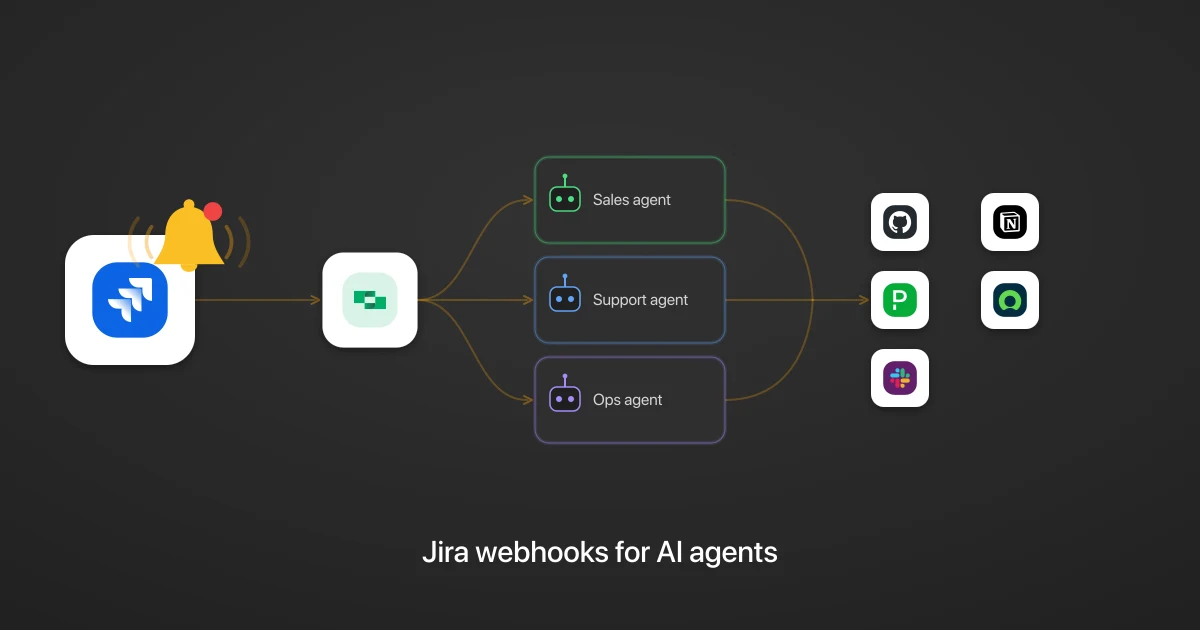
Jira webhooks for AI agents: turn issue and sprint events into cross-app agentic workflows

Turn Jira events into cross-app agentic workflows, cut token spend and lag, and get a full audit trail of every action.

6 min read

Webhooks for AI agents: why agentic workflows need them purpose-built

AI agents can act the moment a system changes, using webhooks. But webhooks built for software hit three limits in agentic workflows. Here is how to fix each.

7 min read

Agentic Context Engineering: Why AI Agents Kill Their Own Context Windows

AI agents exceed their context windows without knowing it. Six failure patterns and seven survival architectures for agentic context engineering.

15 min

MCP Code Mode: Keeping Tool Responses Out of Agent Context

Anthropic's code_execution processes data already in context. Custom MCP code mode keeps raw tool responses in a sandbox. 14K tokens vs 500.

11 min

Comparing BM25, TF-IDF, and Hybrid Search for MCP Tool Discovery

Benchmarking BM25, TF-IDF, and hybrid search for MCP tool discovery across 916 tools. The 80/20 TF-IDF/BM25 hybrid hits 21% Top-1 accuracy in under 1ms.

10 min

Jira integration FAQ

Do I need to create my own auth app to connect Jira to StackOne?
Only if you use OAuth. Jira also offers API token auth, which doesn't require an auth app. Generate an API token inside your Atlassian account and paste it (with your email) into the StackOne dashboard auth config for the Jira connector. For OAuth, you'd register an OAuth 2.0 integration in the Atlassian Developer Console instead. See the Jira setup docs.

Put your AI agents to work

All the tools you need to build and scale AI agent integrations, with best-in-class connectivity, execution, and security.














