


Alchemy MCP Server
for AI Agents
Connect your AI agent to StackOne's Alchemy MCP server and give it 39 MCP tools out of the box. Auth, tool execution, and security all managed.
 StackOne






Coverage
39 Agent Actions
Agents can read and write in Alchemy. Extend your agent's capabilities with custom actions.

Authentication
Agent Tool Authentication
Per-user OAuth in one call. Your Alchemy MCP server gets session-scoped tokens with zero credentials stored on your infra.
Agent Auth →
Security
Agent Protection
Every Alchemy tool response scanned for prompt injection in milliseconds, with 88.7% accuracy, all running on CPU.
Prompt Injection Defense →
Performance
Max Agent Context. Min Cost.
Free up to 96% of your agent's context window to enhance reasoning and reduce cost, on every Alchemy call.
Tools Discovery →What is the Alchemy MCP Server?
A Alchemy MCP server lets AI agents read and write Alchemy data through the Model Context Protocol, Anthropic's open standard for connecting LLMs to external tools. StackOne's Alchemy MCP server ships with 39 pre-built actions, fully extensible via the Connector Builder, plus managed authentication, prompt injection defense, observability, and agent execution runtime. Connect it from MCP clients like Claude Desktop, Claude Code, Cursor, Goose, and VS Code, or from agent frameworks like OpenAI Agents SDK, LangChain, and Vercel AI SDK.
All Alchemy MCP Tools
Every StackOne action for Alchemy, ready for your agent. Read and write, scoped to exactly what you need.
Contract Metadatas
- Get Contract Metadata
Retrieve collection-level metadata (name, symbol, total supply, OpenSea data) for a single NFT contract.
- Search Contract Metadata
Search for NFT contracts by keyword across all ERC-721 and ERC-1155 contract metadata (name, symbol, description).
Transaction Receipts
- Get Transaction Receipt
Get the transaction receipt (status, gas used, logs, block hash) for a single transaction hash.
- Get Transaction Receipts
Batch-fetch all transaction receipts for an entire block in a single call, identified by block number or block hash.
Other (35)
- Get NFTs For Owner
Retrieve all NFTs currently owned by a specified wallet address on the selected EVM network, with optional metadata and spam/airdrop filtering.
- Get NFTs For Contract
Retrieve all NFTs associated with a specific NFT contract on the selected EVM network, with optional metadata and pagination.
- Get Owners For NFT
Retrieve the current owner(s) of a specific NFT token identified by contract address and token ID.
- Get Owners For Contract
Retrieve all wallet addresses that own at least one token from an NFT contract, with optional per-token balances and pagination.
- Get Contracts For Owner
Retrieve all NFT contracts (collections) from which a wallet address holds at least one token, with optional metadata and filtering.
- Get NFT Metadata
Retrieve full metadata (name, image, attributes, token URI) for a single NFT identified by contract address and token ID.
- Get NFT Metadata Batch
Retrieve metadata for up to 100 NFTs across multiple contracts in a single batched request.
- Get Contract Metadata Batch
Retrieve collection-level metadata for multiple NFT contracts in a single batched request.
- Get Floor Price
Retrieve the current floor prices for an NFT collection across supported marketplaces (OpenSea, LooksRare). Provide EITHER contractAddress OR collectionSlug — never both, never neither.
- Get Spam Contracts
Retrieve the complete list of NFT contracts that Alchemy has classified as spam. Requires the Growth tier or higher — free/starter accounts receive HTTP 403.
- Get NFT Sales
Retrieve historical NFT sales data across supported on-chain marketplaces, filterable by block range, marketplace, contract, token, buyer/seller, and taker.
- Get Tokens By Address
Get tokens (fungible + native) held by one or more wallet addresses across specified EVM networks in a single chain-agnostic call.
- Get Token Balances By Address
Get token balances (native + ERC-20) held by one or more wallet addresses across specified EVM networks in a single chain-agnostic call.
- Get NFTs By Address
Get NFTs held by one or more wallet addresses across specified EVM networks, with optional spam/airdrop filters, in a single chain-agnostic call.
- Get NFT Contracts By Address
Get NFT contracts (collections) that one or more wallet addresses hold at least one token from, across specified EVM networks in a single chain-agnostic call.
- Get Token Prices By Symbol
Fetch current market prices for up to 25 tokens identified by their ticker symbols (e.g. ETH, BTC, USDC).
- Get Token Prices By Address
Fetch current DEX-sourced prices for up to 25 tokens identified by network and contract address pairs.
- Get Historical Token Prices
Fetch time-series price history for a single token over a caller-specified time window at 5-minute, hourly, or daily granularity.
- Get Native Balance
Get the native token balance (ETH / MATIC / BNB / etc.) for an address on the selected EVM network.
- Get Block By Number
Get block information (timestamp, hash, transactions, gas usage) for a specific block number on the selected EVM network.
- Get Transaction By Hash
Get transaction details (from, to, value, input data, gas, block) for a specific transaction hash.
- Get Event Logs
Get contract event logs matching filter criteria (block range, address, topics) — the core method for indexing token transfers and contract events.
- Get Gas Price
Get the current gas price (in wei, hex-encoded) on the selected EVM network.
- Get Token Allowance
Returns the ERC-20 token allowance granted by an owner to a spender for a given contract.
- Get Token Balances
Returns ERC-20 token balances for a given wallet address, optionally filtered to specific contracts or token type.
- Get Token Metadata
Returns metadata (name, symbol, decimals, logo) for a given ERC-20 token contract.
- Get Asset Transfers
Fetch historical asset transfer events (external, internal, ERC-20, ERC-721, ERC-1155, special NFT) for any address on the selected EVM network via Alchemy's Transfers API.
- Compute Rarity
Compute the rarity score of each attribute for a specific NFT token within an NFT contract.
- Summarize NFT Attributes
Generate a summary of how frequently each attribute value appears across all NFTs in a collection.
- Invalidate Contract
Mark all cached tokens for the specified NFT contract as stale so the next read fetches fresh on-chain data.
- Is Spam Contract
Check whether a specific NFT contract is classified as spam by Alchemy.
- Report Spam
Report an NFT contract address to Alchemy as suspected spam. Requires the Enterprise tier or higher — lower tiers receive HTTP 403.
- Is Airdrop NFT
Check whether a specific NFT token was airdropped (minted to the owner via a transaction sent by a different address).
- Read Contract State (eth_call)
Execute a read-only contract call (view/pure function) against the current chain state, returning the raw ABI-encoded result.
- Estimate Gas
Estimate the gas required to execute a transaction, without submitting it to the network.
Set Up Your Alchemy MCP Server in Minutes
One endpoint. Any framework. Your agent is talking to Alchemy in under 10 lines of code.
Agent Frameworks


 JSON
JSON{
"mcpServers": {
"stackone": {
"command": "npx",
"args": [
"-y",
"mcp-remote@latest",
"https://api.stackone.com/mcp?x-account-id=<account_id>",
"--header",
"Authorization: Basic <YOUR_BASE64_TOKEN>"
]
}
}
}Platform Resources

Comparing BM25, TF-IDF, and Hybrid Search for MCP Tool Discovery
Benchmarking BM25, TF-IDF, and hybrid search for MCP tool discovery across 916 tools. The 80/20 TF-IDF/BM25 hybrid hits 21% Top-1 accuracy in under 1ms.
10 min
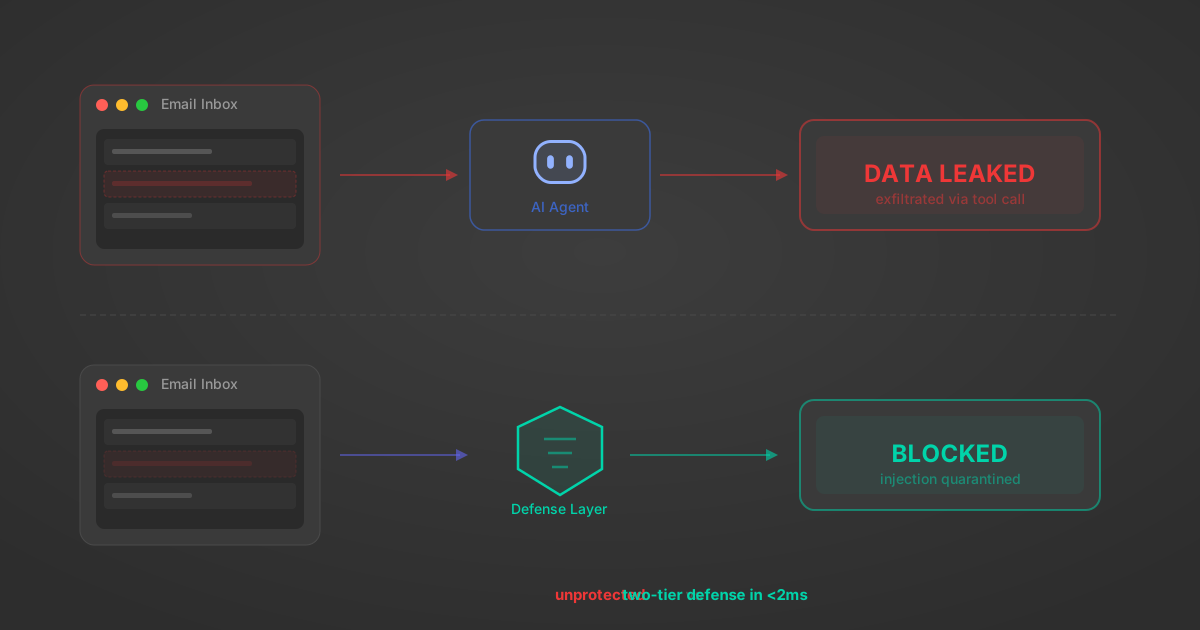
Indirect Prompt Injection Defense for MCP Tools: A Technical Guide
MCP tools that read emails, CRM records, and tickets are indirect prompt injection vectors. Here's how we built a two-tier defense that scans tool results in ~11ms.
12 min
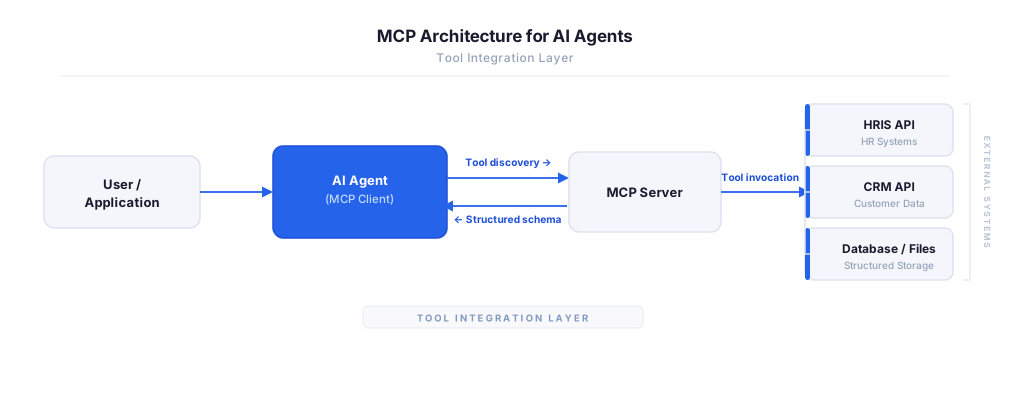
MCP vs A2A: Architecture, Security, and When to Use Each
MCP vs A2A: what each protocol standardizes, how they differ, their shared security risks including indirect prompt injection, and when to use one, both, or a hybrid architecture.
12 min
MCP vs API: What Hundreds of Connector Builds Taught Us
MCP wraps APIs, it doesn't replace them. After building hundreds of connectors that serve both, here's when each approach wins.
14 min read
Alchemy MCP Server FAQ
Does StackOne have a Alchemy MCP server?
Alchemy MCP server vs direct API integration: what's the difference?
How does Alchemy authentication work for AI agents?
origin_owner_id.Are Alchemy MCP tools vulnerable to prompt injection?
What is the context bloat of a Alchemy agent and how do I avoid it?
Can I limit which actions my Alchemy agent can access?
Can I create custom agent actions for my Alchemy MCP server?
When should I NOT use a Alchemy MCP server?
What AI frameworks and AI clients does the StackOne Alchemy MCP server support?
Put your AI agents to work
All the tools you need to build and scale AI agent integrations, with best-in-class connectivity, execution, and security.