
 Romain Sestier · · 6 min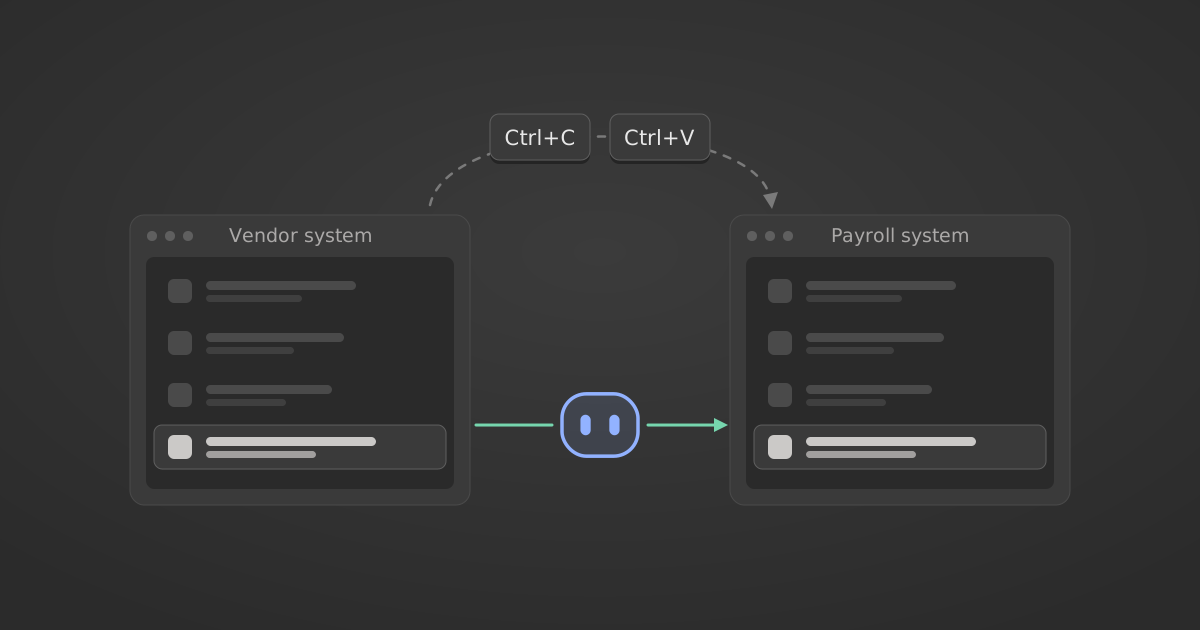
Why 8 in 10 AI users still copy and paste between systems
Table of Contents
At Workday Rising? Meet us in Las Vegas, 12 to 15 October. Qualified meetings get a $100 Amazon gift card. Book a meeting
Michael Brenner’s piece for Workday, The Copy/Paste Economy, is one of the clearest descriptions I’ve read of where enterprise time goes. 82% of employees spend significant time coordinating across teams, 81% moving data between tools and 77% reconciling conflicting reports. One in five lose more than seven hours a week to it, close to a full working day spent by people a company hired for their judgement.

The cost stays hidden because it lives inside hundreds of micro-workflows: pull a number from one system, paste it into another, check it against a spreadsheet, send it for approval. Across a few thousand employees that adds up to millions of dollars of paid time, spent as what Constellation Research’s Ray Wang calls “human middleware between fragmented apps”.
I agree with the report’s conclusion. This is exactly the work AI should take off people’s plates. What I want to dig into is what makes AI succeed at it, and what makes it fail, because the same research shows most companies aren’t there yet.
Disconnected AI adds to the problem
Only 27% of companies have connected AI directly into core workflows. Everyone else has put a chat window on top of the stack, so employees copy data out of the HR or finance system, paste it into the AI, copy the answer back and fix what it got wrong. Workday’s earlier research found that roughly 40% of the time AI was supposed to save goes on reviewing, fixing and reworking its output.
That is the copy/paste economy with one more tab open.
Wire AI into core systems and the numbers change: 60% of employees say it cut their task time meaningfully, against 36% at companies where AI isn’t used in core systems at all.

A week of payroll work, done in an hour
I worked with a healthcare CFO recently who wanted to use AI on their payroll process. The company ran 20 different vendor management systems, and none of them talked to payroll. Every cycle, the finance team moved data out of each system by hand and applied a set of company-specific rules before anything reached payroll. The process took more than a week.
Once AI was connected to all 20 systems and to payroll, one person ran the same process in about an hour. The company-specific rules now live in a workflow that runs the same way every cycle, instead of in the heads of the people who used to apply them.
That result depended on three things being true. In most companies, at least one of them isn’t.
Why AI rollouts stall
1. Connectivity is shallower than the vendor page suggests
The number one reason we see is missing connectivity into enterprise systems. Saying “we have a connector to Workday, to Salesforce, to NetSuite” is a start. A connector only helps if it covers every action the workflow needs and understands how your instance is set up, and most connector lists don’t show either.
Salesforce is the example we hear most. Customers come to us because the standard Salesforce connector doesn’t work for them: their org carries years of custom objects, fields and validation rules, and they need actions built around that setup.
The MCP market is also early. Most MCP servers ship with few or no write actions, so the agent can look things up while a person still makes the change. And every enterprise runs tools built in-house with no AI connectivity at all. Those internal tools account for a meaningful share of what people copy and paste to and from.
2. Security teams block what they can’t govern
Even with full connectivity, giving agents access to enterprise systems creates a new kind of risk. An agent can make a mistake at machine speed or act on a bad instruction. An employee can use it to do something they shouldn’t, like exporting thousands of employee records they would never have downloaded by hand.
IT and security teams know this, so they often block AI tools and workflows until those are properly governed. They are right to. The trouble is that governance usually comes at the cost of the user experience: a fresh approval cycle for every team, read-only access as the compromise, and workflows that stop one step short because the agent can’t write.
These first two reasons have close counterparts in Workday’s data on what limits the value of AI: 27% of employees name too many approvals or governance checks, level with uneven skills at the top of the list, and 23% name rigid systems or workflows.

I cover this at Rising in my session, Trust, Not Just Tools: Governing Agents Across the Enterprise, on Wednesday 14 October at 3:40 PM PT. See the session →
3. Some workflows cost more to run than they save
Being able to run a workflow with AI doesn’t mean it’s worth running. Many enterprise workflows are data-hungry. They read thousands of records and long unstructured files, and every token costs money. A workflow that saves an analyst two hours but spends more than two hours of that analyst’s salary on tokens every run is a loss. At pilot scale the bill is small. Rolled out to every employee, it becomes a line item finance will ask about.
What it takes to fix it
If all three conditions hold, AI can go to every employee, people can run workflows end to end, and the productivity gains show up in the numbers. If any one is missing, people go back to copying and pasting between the AI and the system it can’t reach.
- Connect to everything. You need a connectivity strategy that reaches every system your people work in, including the heavily customised and the homegrown ones. Leave a few out and you are back at square one, with people moving data between the systems the AI can reach and the ones it can’t. Depth matters as much as coverage: the actions each workflow needs, writes included, built for how each system is configured.
- Govern agents, not only users. You need a governance and security layer built for the problems agents create inside enterprise systems, especially around sensitive data: which records an agent can see, which actions it can take, on whose behalf, and a log of what it did. Done well, governance makes it easier for security to approve a rollout.
- Track cost from the first workflow. Measure token usage per workflow as you deploy, before the invoice arrives. Compare what each workflow costs to run with AI against the time it saves, at the scale you plan to run it, and keep only the ones where the saving holds.
Where StackOne fits
The best line in the Workday piece is that the point of AI is to “CTL-D delete” the copy/paste economy. Connectivity, governance and cost decide whether that happens at your company.
They are also the problems we work on at StackOne: connecting AI agents to every enterprise system with actions built for how each one is set up, and governing what each agent can see and do. If your AI rollout is stuck on one of the three, I’d like to hear which one.
Tell us in person. We’ll be at Workday Rising in Las Vegas from 12 to 15 October. Book 30 minutes and tell us where your rollout is stuck, and we’ll come prepared. We’ll send you a $100 Amazon gift card after the meeting. Qualified meetings only.