
Zoom MCP Server
for AI Agents
Connect your AI agent to StackOne's Zoom MCP server and give it 66 MCP tools out of the box. Auth, tool execution, and security all managed.
 StackOne






Coverage
66 Agent Actions
Create, read, update, and delete across Zoom — and extend your agent's capabilities with custom actions.

Authentication
Agent Tool Authentication
Per-user OAuth in one call. Your Zoom MCP server gets session-scoped tokens with zero credentials stored on your infra.
Agent Auth →
Security
Agent Protection
Every Zoom tool response scanned for prompt injection in milliseconds — 88.7% accuracy, all running on CPU.
Prompt Injection Defense →
Performance
Max Agent Context. Min Cost.
Free up to 96% of your agent's context window to enhance reasoning and reduce cost, on every Zoom call.
Tools Discovery →What is the Zoom MCP Server?
A Zoom MCP server lets AI agents read and write Zoom data through the Model Context Protocol — Anthropic's open standard for connecting LLMs to external tools. StackOne's Zoom MCP server ships with 66 pre-built actions, fully extensible via the Connector Builder — plus managed authentication, prompt injection defense, observability, and agent execution runtime. Connect it from MCP clients like Claude Desktop, Claude Code, Cursor, Goose, and VS Code, or from agent frameworks like OpenAI Agents SDK, LangChain, and Vercel AI SDK.
All Zoom MCP Tools
Every action from Zoom's API, ready for your agent. Create, read, update, and delete — scoped to exactly what you need.
Channels
- Create Channel
Create private or public Team Chat channels with customizable permissions and member management
- Get Channel
Get comprehensive channel information including settings, membership, and metadata
- Delete Channel
Permanently remove a Team Chat channel and all its message history
Channel Members
- List Channel Members
Get all channel members with their roles and contact information for membership management
- Remove Channel Members
Batch remove up to 20 members from a channel for efficient membership management
Chat Messages
- Send Chat Message
Send rich text messages with mentions, files, interactive cards, and scheduling to contacts or channels
- Update Chat Message
Modify previously sent message content, files, and interactive cards with edit history tracking
- Delete Chat Message
Remove previously sent messages from conversations or channels with sender-only permissions
Groups
- Create Group
Create a new user group for organizing users and applying bulk settings with rate limits
- List Groups
Retrieve all user groups in the account for organizational management and bulk operations
- Get Group
Get group information including name and membership statistics for management and reporting
- Update Group
Rename a group to reflect organizational changes while preserving members and settings
- Delete Group
Permanently remove a user group while preserving individual user accounts
Group Members
- Add Group Members
Batch add up to 30 users to a group using IDs or email addresses for efficient provisioning
- List Group Members
Get all group members with user details for membership management and reporting
- Delete Group Member
Remove a single user from a group while preserving their account and settings
Unified Groups
- List Unified Groups
List unified groups in Zoom.
- Get Unified Group
Get a unified Zoom group by ID.
Unified Organizations
- List Unified Organizations
List unified organizations in Zoom.
- Get Unified Organization
Get a unified Zoom organization by ID. Pass "me" or the account ID.
Unified Roles
- List Unified Roles
List unified roles in Zoom.
- Get Unified Role
Get a unified Zoom role by ID.
Unified Users
- List Unified Users
List unified users in Zoom.
- Get Unified User
Get a unified Zoom user by ID, email, or "me" (current user).
Meetings
- Create Meeting
Schedule a new meeting with comprehensive configuration options including recurring schedules and advanced settings
- List Meetings
Retrieve all scheduled meetings for a user with pagination and filtering options
- Get Meeting
Get comprehensive details for a specific meeting including settings, participants, and join information
- Update Meeting
Modify scheduled meeting details including time, settings, and recurrence patterns. Always pass query (even empty) alongside path and body.
- Delete Meeting
Delete a meeting or delete a single occurrence of a recurring meeting. WARNING — for recurring meetings, omitting occurrence_id deletes the ENTIRE series permanently.
Meeting Polls
- Create Meeting Poll
Add interactive polls, quizzes, or surveys to meetings for real-time audience engagement
- List Meeting Polls
Retrieve all polling questions configured for a meeting to gather participant feedback
Users
- Create User
Provision a new user account with specified license type and organizational settings
- List Users
Retrieve all users in the account with filtering by status, role, and license type for user management
- Get User
Get comprehensive user profile information including account details, settings, and organizational data
- Update User
Modify user profile fields, license assignments, and organizational attributes. Always pass query (even empty) alongside path and body.
- Delete User
Remove a user from the account with options to transfer ownership of meetings, webinars, and content
User Settings
- Get User Settings
Get comprehensive user configuration including meeting preferences, recording options, and feature enablements
- Update User Settings
Modify user configuration across all settings categories for personalization and policy enforcement. Always pass query (even empty) alongside path and body.
Webinars
- Create Webinar
Schedule a broadcast webinar with registration, panelists, and interactive features for large audiences
- List Webinars
Retrieve all scheduled and upcoming webinars for a host with support for large-scale broadcasts
- Get Webinar
Get comprehensive webinar configuration including registration settings, panelist details, and join URLs
- Update Webinar
Modify webinar configuration including schedule, settings, and recurring series with rate limiting
- Delete Webinar
Remove a webinar with optional cancellation notifications to panelists and registrants
Webinar Registrants
- Add Webinar Registrant
Submit webinar registration with contact details and custom questions for large-scale events
- List Webinar Registrants
Retrieve all webinar registrants with filtering by status and tracking source for registration management
Other (21)
- Add Meeting Registrant
Submit registration for a user to attend a meeting requiring pre-registration
- List User Channels
Retrieve all Team Chat channels a user belongs to for channel management and navigation
- List User Chat Messages
Retrieve chat message history with filtering, search, and pagination for conversations and channels
- Get Unified Credentials
Get the current Zoom connection's unified credentials and identity.
- List Unified Resource Types
List the resource types supported by this Zoom connector for resource-scoped queries.
- List Unified Resource Users
List members of a Zoom user group or account role, mapped to the IAM unified user schema with a resource-scoped role entry per member.
- Get Past Meeting Participants
Get participant attendance data and metrics from completed meetings for reporting and analytics
- Get Past Meeting Details
Retrieve historical meeting metadata and summary information for completed meetings
- List Past Meeting Instances
List past instances (ended occurrences) of a recurring meeting and their occurrence IDs
- List Past Meeting Q&A
Retrieve all questions and answers from completed meetings for engagement analysis and follow-up
- List Upcoming Meetings
Retrieve all future scheduled meetings for a user with pagination support
- Get Meeting Invitation
Retrieve the formatted invitation text for sharing meeting details externally
- Get User Permissions
Retrieve all permissions and access rights assigned to a user for authorization and compliance auditing
- List Past Webinar Participants
Get detailed attendee participation data from completed webinars for engagement analytics
- List Past Webinar Q&A
Retrieve all questions and answers from webinars for engagement analysis and content creation
- Update Meeting Status
Forcibly end an active meeting programmatically via API
- Update Meeting Registrant Status
Batch approve, deny, or cancel meeting registrations for access control management
- Update User Status
Control user account access and time tracking with activate, deactivate, clock in, and clock out actions
- Invite Channel Members
Invite up to five members to a channel in a single batch operation
- IAM Auth Test
Validate the current Zoom access token by calling GET /users/me and returning the raw, unmapped Zoom user JSON. Use for debugging scope mismatches or token issues.
- Check User Email
Check if an email address is registered in your Zoom account to prevent duplicate accounts
Set Up Your Zoom MCP Server in Minutes
One endpoint. Any framework. Your agent is talking to Zoom in under 10 lines of code.
Agent Frameworks


 JSON
JSON{
"mcpServers": {
"stackone": {
"command": "npx",
"args": [
"-y",
"mcp-remote@latest",
"https://api.stackone.com/mcp?x-account-id=<account_id>",
"--header",
"Authorization: Basic <YOUR_BASE64_TOKEN>"
]
}
}
}Platform Resources

MCP Code Mode: Keeping Tool Responses Out of Agent Context
Anthropic's code_execution processes data already in context. Custom MCP code mode keeps raw tool responses in a sandbox. 14K tokens vs 500.
11 min

Comparing BM25, TF-IDF, and Hybrid Search for MCP Tool Discovery
Benchmarking BM25, TF-IDF, and hybrid search for MCP tool discovery across 916 tools. The 80/20 TF-IDF/BM25 hybrid hits 21% Top-1 accuracy in under 1ms.
10 min
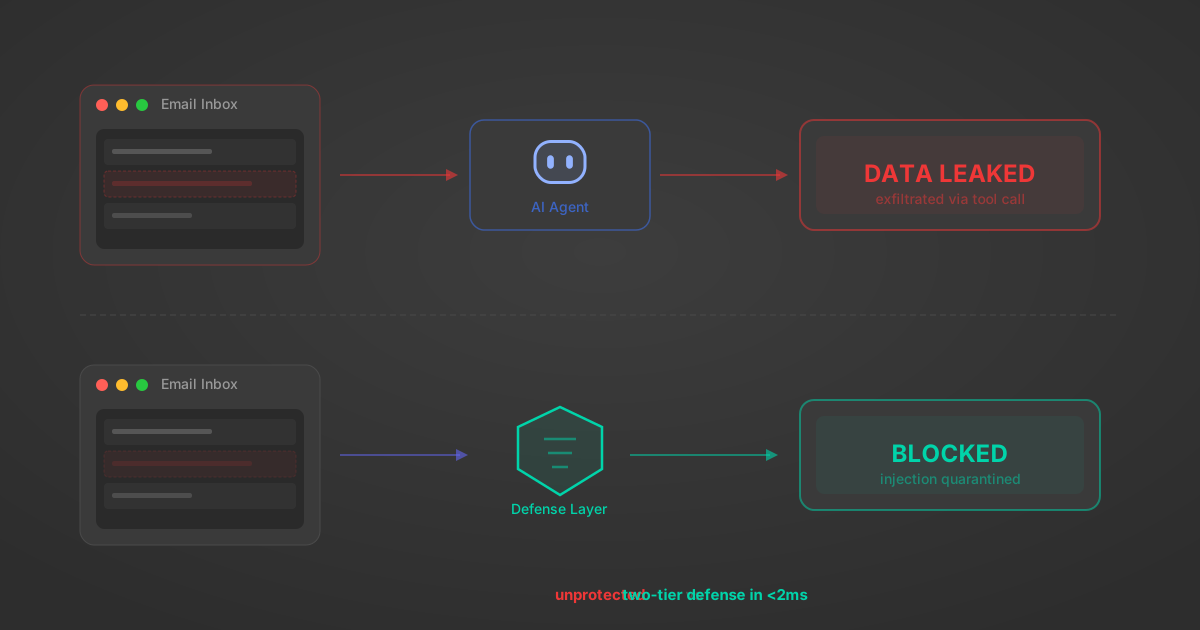
Indirect Prompt Injection Defense for MCP Tools: A Technical Guide
MCP tools that read emails, CRM records, and tickets are indirect prompt injection vectors. Here's how we built a two-tier defense that scans tool results in ~11ms.
12 min
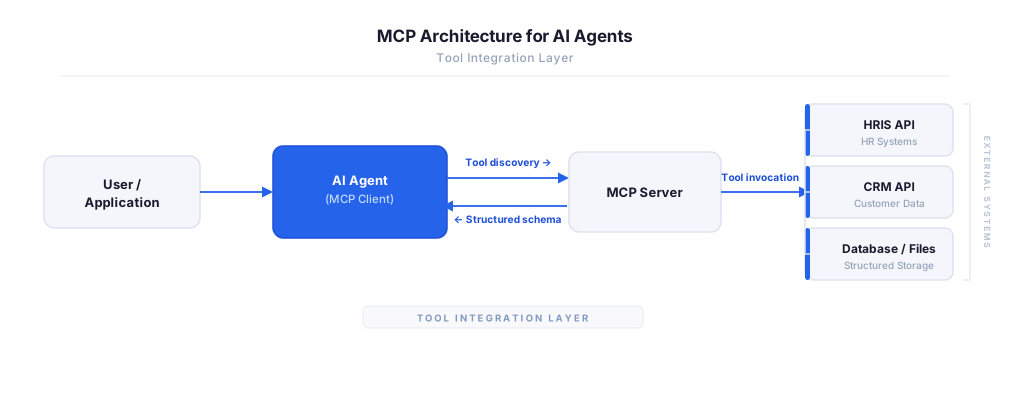
MCP vs A2A: Architecture, Security, and When to Use Each
MCP vs A2A: what each protocol standardizes, how they differ, their shared security risks including indirect prompt injection, and when to use one, both, or a hybrid architecture.
12 min
MCP vs API: What Hundreds of Connector Builds Taught Us
MCP wraps APIs, it doesn't replace them. After building hundreds of connectors that serve both, here's when each approach wins.
14 min read
Zoom MCP Server FAQ
Does StackOne have a Zoom MCP server?
Zoom MCP server vs direct API integration — what's the difference?
How does Zoom authentication work for AI agents?
origin_owner_id.Are Zoom MCP tools vulnerable to prompt injection?
What is the context bloat of a Zoom agent and how do I avoid it?
Can I limit which actions my Zoom agent can access?
Can I create custom agent actions for my Zoom MCP server?
When should I NOT use a Zoom MCP server?
What AI frameworks and AI clients does the StackOne Zoom MCP server support?
Put your AI agents to work
All the tools you need to build and scale AI agent integrations, with best-in-class connectivity, execution, and security.