
Slack MCP Server
for AI Agents
Connect your AI agent to StackOne's Slack MCP server and give it 51 MCP tools out of the box. Auth, tool execution, and security all managed.
 StackOne






Coverage
51 Agent Actions
Create, read, update, and delete across Slack — and extend your agent's capabilities with custom actions.

Authentication
Agent Tool Authentication
Per-user OAuth in one call. Your Slack MCP server gets session-scoped tokens with zero credentials stored on your infra.
Agent Auth →
Security
Agent Protection
Every Slack tool response scanned for prompt injection in milliseconds — 88.7% accuracy, all running on CPU.
Prompt Injection Defense →
Performance
Max Agent Context. Min Cost.
Free up to 96% of your agent's context window to enhance reasoning and reduce cost, on every Slack call.
Tools Discovery →What is the Slack MCP Server?
A Slack MCP server lets AI agents read and write Slack data through the Model Context Protocol — Anthropic's open standard for connecting LLMs to external tools. StackOne's Slack MCP server ships with 51 pre-built actions, fully extensible via the Connector Builder — plus managed authentication, prompt injection defense, observability, and agent execution runtime. Connect it from MCP clients like Claude Desktop, Claude Code, Cursor, Goose, and VS Code, or from agent frameworks like OpenAI Agents SDK, LangChain, and Vercel AI SDK.
All Slack MCP Tools
Every action from Slack's API, ready for your agent. Create, read, update, and delete — scoped to exactly what you need.
Conversations
- Create Conversation
Create a new conversation (channel)
- List Conversations
List conversations (channels, groups, DMs) in the Slack workspace, each with its ID, name, and properties
- Get Conversation
Get details of a specific conversation
Files
- List Files
List files for a team, channel, or user
- Get File
Get detailed information about a file
- Delete File
Delete a file from Slack
Unified Groups
- List Unified Groups
List unified groups (Slack user groups) in a workspace.
- Get Unified Group
Get a unified Slack group by ID.
Unified Organizations
- List Unified Organizations
List unified organizations in Slack.
- Get Unified Organization
Get a unified Slack organization by ID.
Unified Roles
- List Unified Roles
List unified roles in a Slack workspace.
- Get Unified Role
Get a unified Slack role by ID.
Unified Users
- List Unified Users
List unified users in the Slack workspace.
- Get Unified User
Get a unified Slack user by ID.
Messages
- Send Message
Send a message to a channel or conversation
- List Messages
List messages from a conversation
- Search Messages
Search for messages matching a query
- Update Message
Update an existing message
- Delete Message
Delete a message
Scheduled Messages
- List Scheduled Messages
List all scheduled messages
- Delete Scheduled Message
Delete a scheduled message
Users
- List Users
List all users in the Slack workspace, each with ID, name, display name, email, and profile
- Get User
Get details of a specific user
User Profiles
- Get User Profile
Retrieve a user's profile information including status text and emoji, title, phone, and custom profile fields
- Set User Profile
Update a user's profile information
User Presences
- Get User Presence
Get the presence of a user
- Set User Presence
Manually set the user's presence
Other (24)
- Send Ephemeral Message
Send a private temporary message visible only to a specific user in a channel (use for private welcome notes, warnings, or notifications)
- List Conversation Members
List all members of a conversation
- List Thread Replies
Retrieve a thread of messages posted to a conversation
- List Slack Connect Invites
List shared channel invites that have been generated or received
- Get File Upload URL
Get an external URL to upload a file to Slack
- Get Unified Credentials
Get the current Slack connection's unified credentials and identity.
- List Unified Resource Types
List unified resource types in Slack.
- List Unified Resource Users
List unified resource users for a Slack channel.
- Get Message Permalink
Get a permanent link to a message
- List User Conversations
List conversations a user is a member of
- Get User By Email
Get user details by email address (use to find user ID from email)
- Remove User From Conversation
Remove a user from a conversation
- Join Conversation
Join an existing conversation (use before sending messages to new channels)
- Leave Conversation
Leave a conversation
- Rename Conversation
Rename a conversation
- Invite Users To Conversation
Invite users to a conversation
- Invite Shared Conversation
Send an invitation to a Slack Connect channel
- Open Conversation
Open or resume a direct message or multi-person direct message
- Complete File Upload
Complete an external file upload and optionally share to channels
- Share File Public URL
Create a public URL for a file
- Revoke File Public URL
Revoke public sharing for a file
- Auth Test
Validate the current Slack token via auth.test and return the raw response.
- Schedule Message
Schedule a message to be sent at a specific time
- Lookup Discoverable Contact
Check if an email is discoverable on Slack
Set Up Your Slack MCP Server in Minutes
One endpoint. Any framework. Your agent is talking to Slack in under 10 lines of code.
Agent Frameworks


 JSON
JSON{
"mcpServers": {
"stackone": {
"command": "npx",
"args": [
"-y",
"mcp-remote@latest",
"https://api.stackone.com/mcp?x-account-id=<account_id>",
"--header",
"Authorization: Basic <YOUR_BASE64_TOKEN>"
]
}
}
}Slack Resources
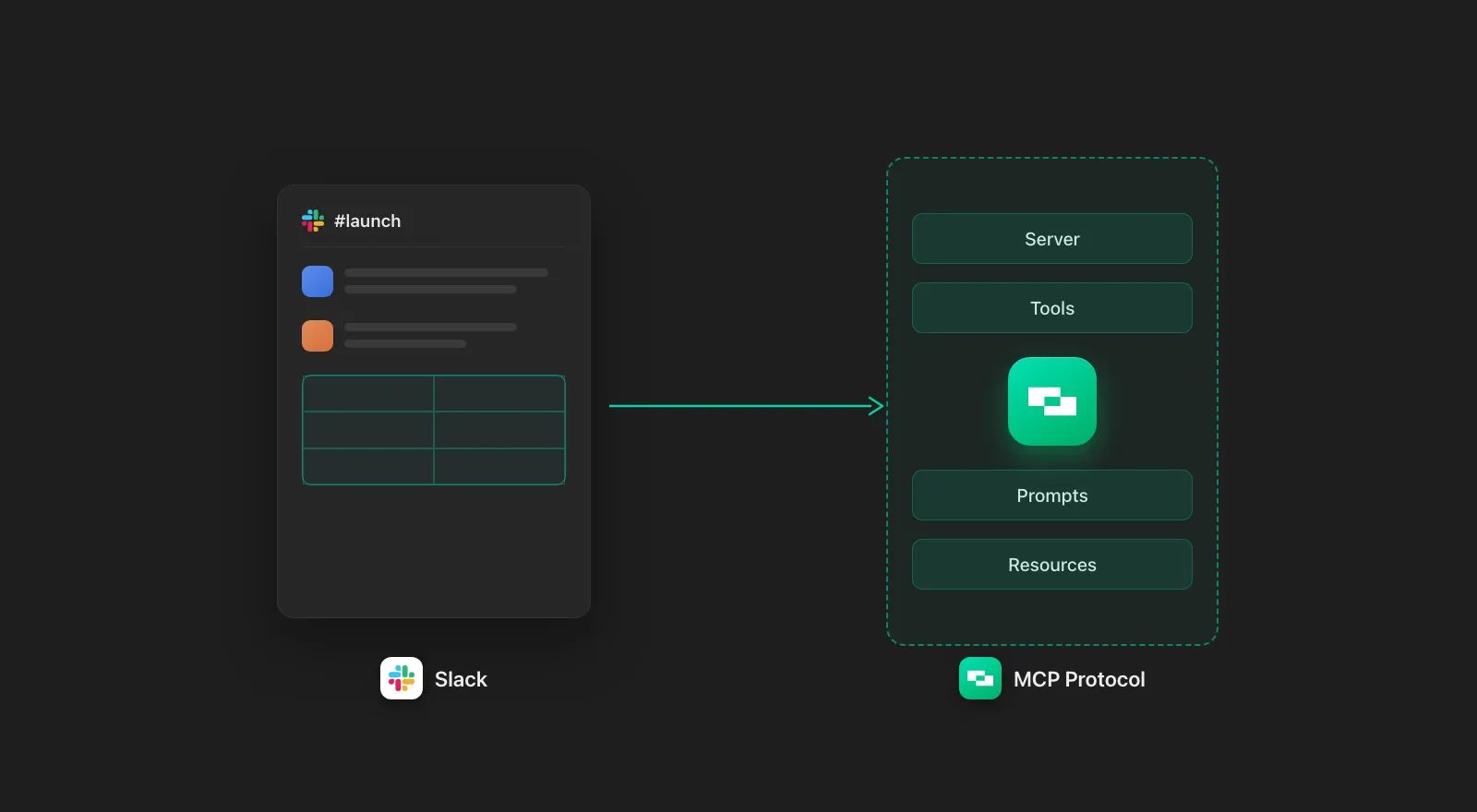
Slack MCP Server: Capabilities, Limitations, and Alternatives
A review of the official Slack MCP server: capabilities, limits, and an alternative, to help you choose which to use for your AI agent.
8 min read

MCP Code Mode: Keeping Tool Responses Out of Agent Context
Anthropic's code_execution processes data already in context. Custom MCP code mode keeps raw tool responses in a sandbox. 14K tokens vs 500.
11 min

Comparing BM25, TF-IDF, and Hybrid Search for MCP Tool Discovery
Benchmarking BM25, TF-IDF, and hybrid search for MCP tool discovery across 916 tools. The 80/20 TF-IDF/BM25 hybrid hits 21% Top-1 accuracy in under 1ms.
10 min
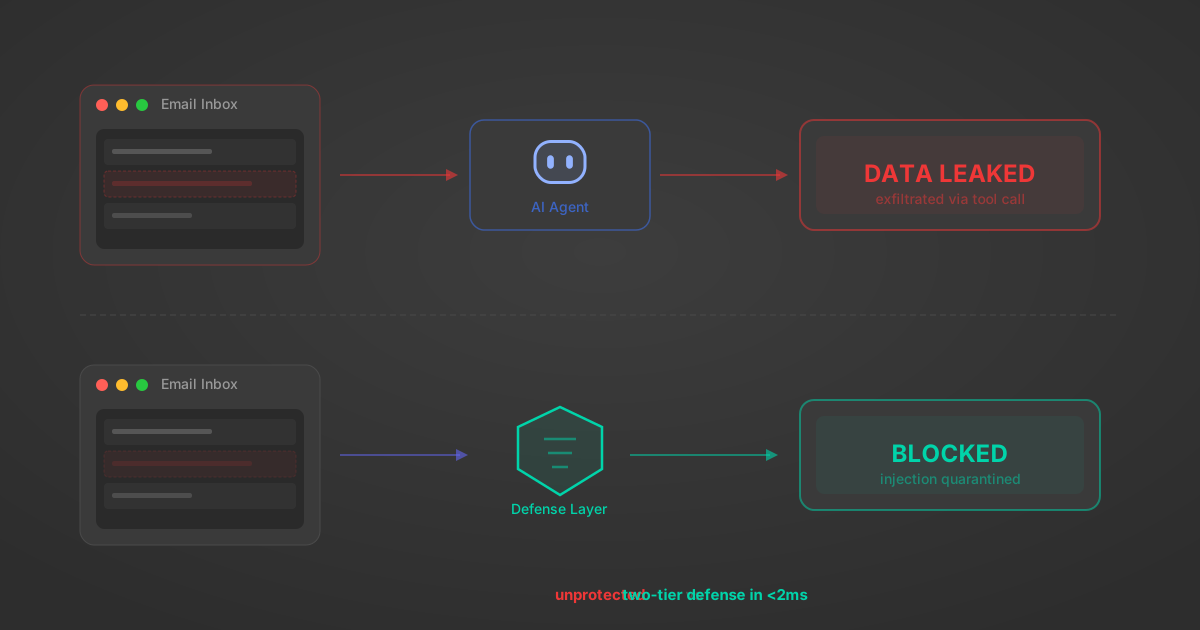
Indirect Prompt Injection Defense for MCP Tools: A Technical Guide
MCP tools that read emails, CRM records, and tickets are indirect prompt injection vectors. Here's how we built a two-tier defense that scans tool results in ~11ms.
12 min
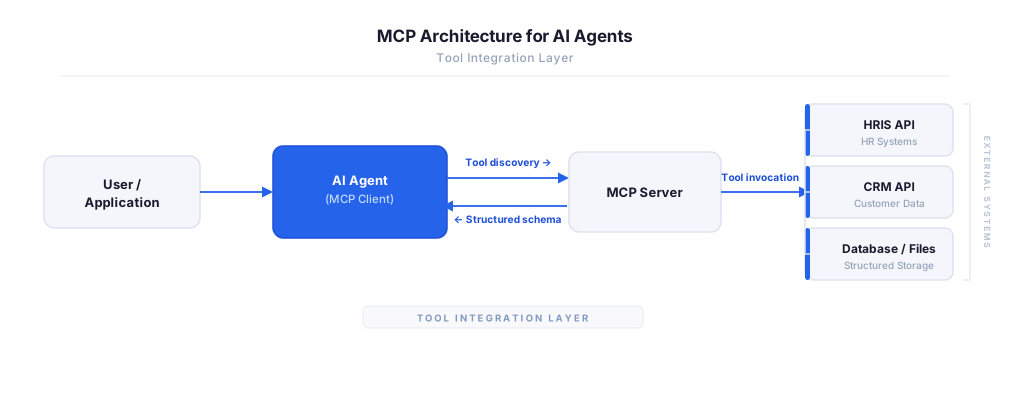
MCP vs A2A: Architecture, Security, and When to Use Each
MCP vs A2A: what each protocol standardizes, how they differ, their shared security risks including indirect prompt injection, and when to use one, both, or a hybrid architecture.
12 min
MCP vs API: What Hundreds of Connector Builds Taught Us
MCP wraps APIs, it doesn't replace them. After building hundreds of connectors that serve both, here's when each approach wins.
14 min read
Slack MCP Server FAQ
Does StackOne have a Slack MCP server?
Slack MCP server vs direct API integration — what's the difference?
How does Slack authentication work for AI agents?
origin_owner_id.Are Slack MCP tools vulnerable to prompt injection?
What is the context bloat of a Slack agent and how do I avoid it?
Can I limit which actions my Slack agent can access?
Can I create custom agent actions for my Slack MCP server?
When should I NOT use a Slack MCP server?
What AI frameworks and AI clients does the StackOne Slack MCP server support?
Put your AI agents to work
All the tools you need to build and scale AI agent integrations, with best-in-class connectivity, execution, and security.