
DataGrail MCP Server
for AI Agents
Connect your AI agent to StackOne's DataGrail MCP server and give it 39 MCP tools out of the box. Auth, tool execution, and security all managed.
 StackOne






Coverage
39 Agent Actions
Create, read, update, and delete across DataGrail — and extend your agent's capabilities with custom actions.

Authentication
Agent Tool Authentication
Per-user OAuth in one call. Your DataGrail MCP server gets session-scoped tokens with zero credentials stored on your infra.
Agent Auth →
Security
Agent Protection
Every DataGrail tool response scanned for prompt injection in milliseconds — 88.7% accuracy, all running on CPU.
Prompt Injection Defense →
Performance
Max Agent Context. Min Cost.
Free up to 96% of your agent's context window to enhance reasoning and reduce cost, on every DataGrail call.
Tools Discovery →What is the DataGrail MCP Server?
A DataGrail MCP server lets AI agents read and write DataGrail data through the Model Context Protocol — Anthropic's open standard for connecting LLMs to external tools. StackOne's DataGrail MCP server ships with 39 pre-built actions, fully extensible via the Connector Builder — plus managed authentication, prompt injection defense, observability, and agent execution runtime. Connect it from MCP clients like Claude Desktop, Claude Code, Cursor, Goose, and VS Code, or from agent frameworks like OpenAI Agents SDK, LangChain, and Vercel AI SDK.
All DataGrail MCP Tools
Every action from DataGrail's API, ready for your agent. Create, read, update, and delete — scoped to exactly what you need.
Assessments
- Create Assessment
Create a new assessment from a template, optionally linked to systems. The assessment starts in not_started status. The template must be a Risk Monitor template accessible to the customer. You can optionally attribute the assessment to a creator and invite contributors by email; both fields reference existing active users in your account.
- List Assessments
Returns paginated list of assessments with optional filtering. Only returns current versions - superseded assessments are excluded.
- Get Assessment
Returns full assessment detail including the form with current answers, per-question visibility flags, progress, and approval details. Use this endpoint to track an assessment through to approval, including who approval is assigned to and who approved it.
Assessment Templates
- List Assessment Templates
Returns paginated list of assessment templates available to the customer, including platform defaults.
- Get Assessment Template
Returns full assessment template detail including sections and question schema. Divider-type questions are excluded.
Consent Audit Log Exports
- List Consent Audit Log Exports
Returns a list of monthly consent audit log export files. Each export covers one calendar month and is updated nightly. Use the export id with the download endpoint to retrieve the file contents.
- Download Consent Audit Log Export
Downloads the contents of a specific monthly audit log export file. The response is a JSON file containing an array of individual consent audit log records, returned as an attachment.
Data Discovery Integrations
- Create Data Discovery Integration
POST RDD integration details for a system to be scanned using an authenticated agent. If successful, the newly created integration's ID will be returned. Note that names are required to be globally unique. Here, any unique identifier like a hostname, ARN, or service name that is easily associated with a unique system can be used.
- List Data Discovery Integrations
GET a list of integrations for an authenticated agent.
- Get Data Discovery Integration
GET an RDD integration for an authenticated agent.
- Update Data Discovery Integration
UPDATE RDD integration details for a system to be scanned using an authenticated agent. Note that names are required to be globally unique. Here, any unique identifier like a hostname, ARN, or service name that is easily associated with a unique system can be used.
- Delete Data Discovery Integration
DELETE an RDD integration for an authenticated agent
Opt Out Integrations
- List Opt Out Integrations
Get a list of opt out integrations
- Update Opt Out Integration
Update an opt out integration
Opt Out Requests
- Create Opt Out Request
Create an opt out request
- List Opt Out Requests
Get a list of opt out requests
- Get Opt Out Request
Get an opt out request
- Update Opt Out Request
Update an opt out request
Privacy Request Integrations
- List Privacy Request Integrations
Get a list of privacy request integrations
- Update Privacy Request Integration
Update a privacy request integration
Privacy Requests
- Create Privacy Request
Create a privacy request
- List Privacy Requests
Get a list of privacy requests
- Get Privacy Request
Get a privacy request
- Update Privacy Request
Update a privacy request
Scan Schedules
- Create Scan Schedule
POST a cron expression to perform data discovery scans for a given integration. If successful, the newly created schedule's ID will be returned.
- List Scan Schedules
GET a list of schedules for an integration.
- Get Scan Schedule
GET a schedule for an integration
- Update Scan Schedule
UPDATE the schedule of an integration.
- Delete Scan Schedule
DELETE an integration schedule and use DataGrail defaults
Other (10)
- Upload Assessment Document
Uploads a document to an assessment. The document is attributed to one of your active users, identified by uploader_email — not to the API key that made the request — so the upload is credited to a person. By default the document is attached to the assessment as a whole; supply tags to attach it to specific questions instead. Send the request as multipart/form-data. The assessment must be in an editable status; uploads to an approved or cancelled assessment are rejected.
- Upload Files To Integration
Upload files to the integration
- Create Detected Objects
Create Detected Objects
- Download Assessment PDF
Download a completed assessment as a PDF document. Only available for assessments in approved status.
- List Privacy Request Policies
Get a list of privacy request policies
- List Security Audit Logs
Returns login and permission-decision audit log entries for the current customer. With no pagination parameter, up to 1000 records are returned unpaginated; supplying page_size, after, before, or include_total enables pagination (default page size 50). Requires the Login Activity feature.
- Sync Remote Files To Integration
Sync remote files to the integration
- Submit Assessment Answers
Atomically submits one or more answers for an assessment. All answers are validated before any are persisted — if any answer is invalid, the entire batch is rejected. Requires a last_updated token for optimistic concurrency control.
- Assign Assessment Approver
Sets the assessment approver from an email, so a procurement system driving assessments over the API can route sign-off without a user assigning the approver in the app. The email must match an existing active user who is eligible to approve this assessment — one holding an approver role, or a contributor or member of the assessment; otherwise the request is rejected. This only routes approval to the named person — it does not approve the assessment. It cannot be used once the assessment is approved or cancelled.
- Approve Assessment
Approves an assessment, so a procurement system driving assessments over the API can sign off without a user opening the app. This performs the same status transition as approving in the app: every required question must be answered first, and the same downstream effects fire. This endpoint is a service-level call, and its authorization differs from approving in the app. In the app, the approval is gated on the signed-in user's own permission to approve. Over the API, the gate is the API token's write access — the token is what is authorized to approve. The approved_by_email you supply is used only for attribution: it records who the approval is credited to, both as the sign-off name and as the actor of the change-history entry (which is marked as API-originated). It can name any active user in your account, including one who would not be permitted to approve the assessment in the app. Any caller holding a write-enabled token can therefore approve on behalf of any active user, so treat the token as the trust boundary. The email must still match exactly one active user in your account, or the request is rejected and nothing is approved. It cannot be used once the assessment is approved or cancelled. Supply the optional last_updated token for optimistic concurrency; omitting it skips the concurrency check and approves the latest assessment state at request time.
Set Up Your DataGrail MCP Server in Minutes
One endpoint. Any framework. Your agent is talking to DataGrail in under 10 lines of code.
Agent Frameworks


 JSON
JSON{
"mcpServers": {
"stackone": {
"command": "npx",
"args": [
"-y",
"mcp-remote@latest",
"https://api.stackone.com/mcp?x-account-id=<account_id>",
"--header",
"Authorization: Basic <YOUR_BASE64_TOKEN>"
]
}
}
}Platform Resources

MCP Code Mode: Keeping Tool Responses Out of Agent Context
Anthropic's code_execution processes data already in context. Custom MCP code mode keeps raw tool responses in a sandbox. 14K tokens vs 500.
11 min

Comparing BM25, TF-IDF, and Hybrid Search for MCP Tool Discovery
Benchmarking BM25, TF-IDF, and hybrid search for MCP tool discovery across 916 tools. The 80/20 TF-IDF/BM25 hybrid hits 21% Top-1 accuracy in under 1ms.
10 min
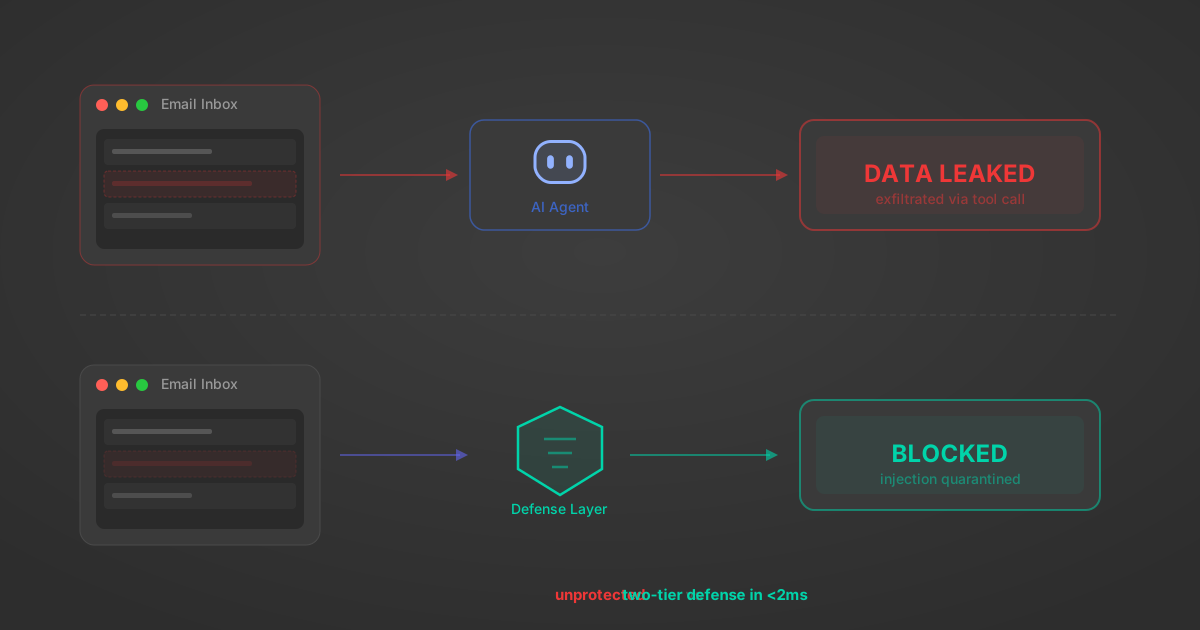
Indirect Prompt Injection Defense for MCP Tools: A Technical Guide
MCP tools that read emails, CRM records, and tickets are indirect prompt injection vectors. Here's how we built a two-tier defense that scans tool results in ~11ms.
12 min
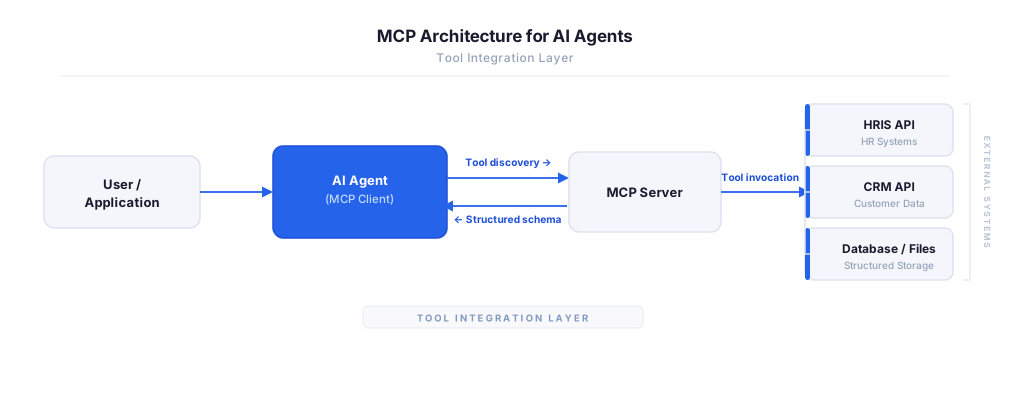
MCP vs A2A: Architecture, Security, and When to Use Each
MCP vs A2A: what each protocol standardizes, how they differ, their shared security risks including indirect prompt injection, and when to use one, both, or a hybrid architecture.
12 min
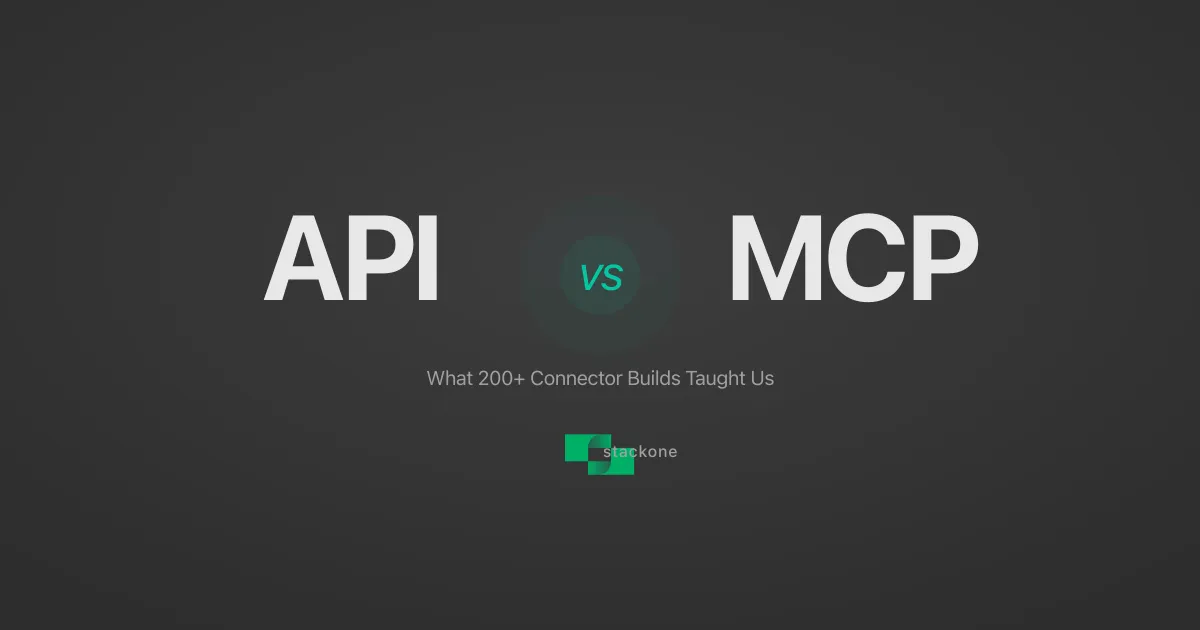
MCP vs API: What Hundreds of Connector Builds Taught Us
MCP wraps APIs, it doesn't replace them. After building hundreds of connectors that serve both, here's when each approach wins.
14 min read
DataGrail MCP Server FAQ
Does StackOne have a DataGrail MCP server?
DataGrail MCP server vs direct API integration — what's the difference?
How does DataGrail authentication work for AI agents?
origin_owner_id.Are DataGrail MCP tools vulnerable to prompt injection?
What is the context bloat of a DataGrail agent and how do I avoid it?
Can I limit which actions my DataGrail agent can access?
Can I create custom agent actions for my DataGrail MCP server?
When should I NOT use a DataGrail MCP server?
What AI frameworks and AI clients does the StackOne DataGrail MCP server support?
Put your AI agents to work
All the tools you need to build and scale AI agent integrations, with best-in-class connectivity, execution, and security.