


October 2026
PII Redaction Categories and Exceptions
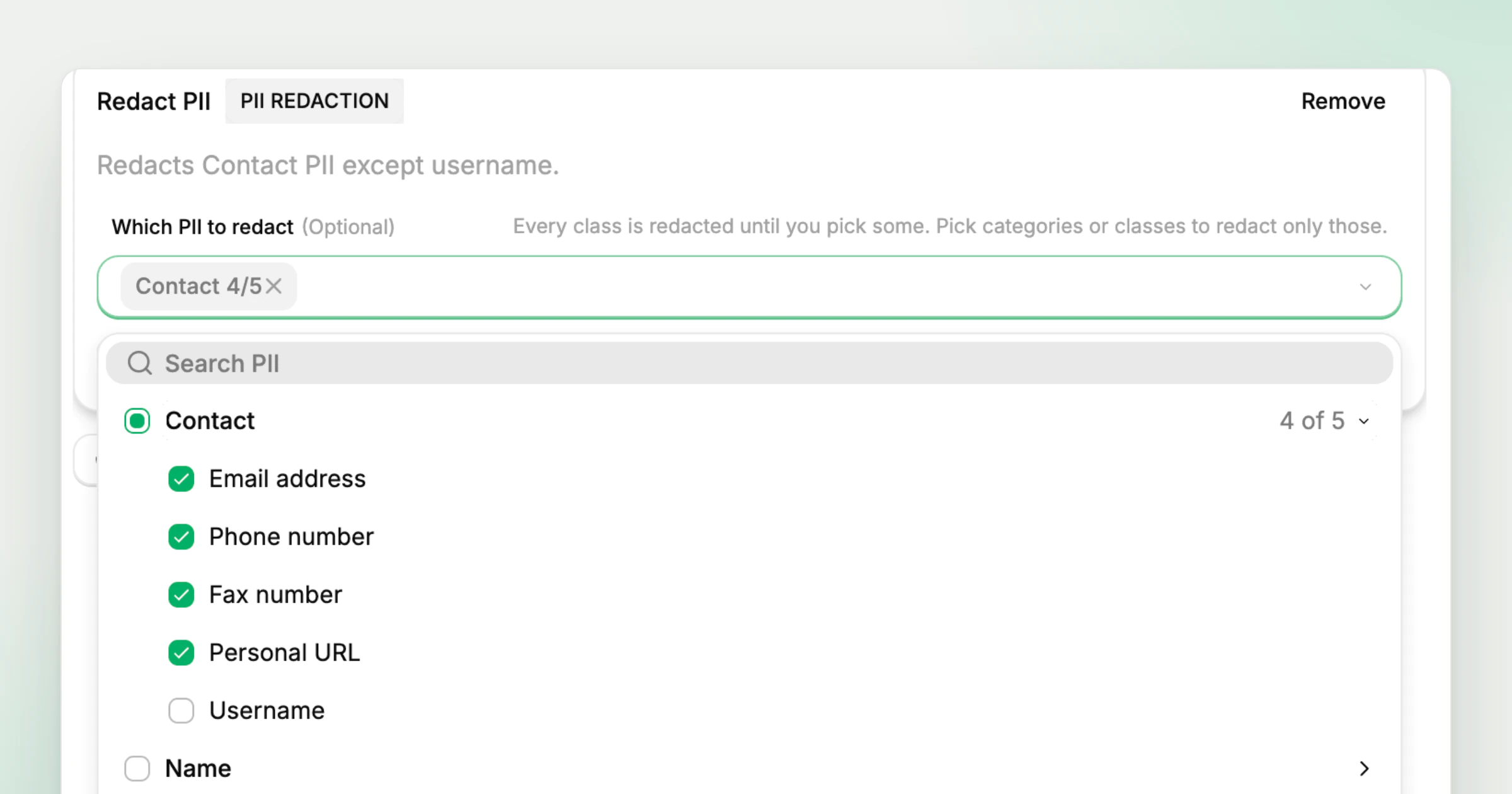
Redact PII rules in Tool Policies now choose from 26 PII classes grouped into 8 categories, up from the four classes in the first PII Redaction release. A rule can name single classes, or take a whole category and leave out the classes the agent still needs, such as Contact except Username. Redact PII is on for every customer who has Tool Policies.
What’s new
- 26 classes in 8 categories. The Which PII to redact picker groups classes under categories such as Contact, Name, Location, Government ID, Financial and Network, and Search PII filters them by name.
- Whole categories with exceptions. Selecting a category redacts every class in it, and unticking a class keeps it. Contact at 4 of 5 redacts email addresses, phone numbers, fax numbers and personal URLs while usernames pass through.
- Every class until you pick. A rule with nothing selected redacts every class, and picking categories or classes narrows it to those.
- Inputs or responses. A rule applies to inputs, the data an agent sends to a connector, or to responses, the data a tool returns before it reaches the model.
- Monitoring PII flows. A policy in monitor mode records which PII classes appear in calls without changing them, so admins can see where personal data flows before enforcing a rule.
Create a rule under Project Settings > Policies, add Redact PII and choose categories or classes, as the Tool Policies docs describe. The PII Redaction docs cover how detection works, and the PII Redaction page shows tool responses before and after redaction.
Availability
- Included in the Gateway Team and Gateway Enterprise plans. See pricing.