
October 2026
Connector Profile and Account Sharing
Two settings now control who reaches a provider through StackOne. Connector profile sharing decides who may link accounts through a profile, and account sharing decides who may use an account someone has already linked. Both grant access to individual users or to whole groups, each with an admin or member role.
What’s new
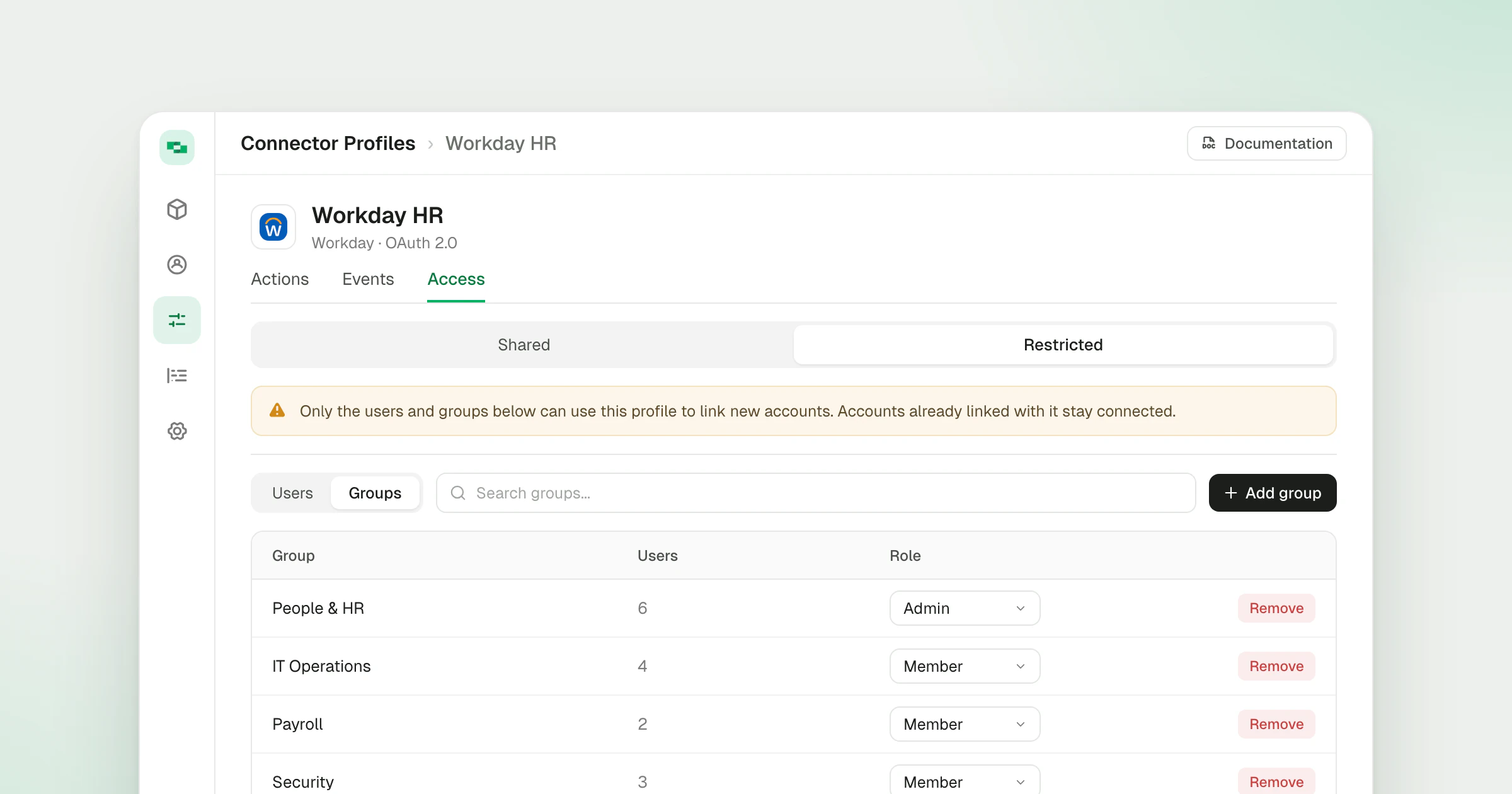
- Shared or Restricted profiles - Each connector profile is either Shared with everyone in the project or Restricted to the users and groups granted on its Access tab, so a payroll or CRM admin profile only appears for the people who should connect through it.
- Profile roles - A Connector Profile Admin links accounts and manages who has access. A Connector Profile Member links accounts only. Whoever restricts a profile becomes its admin automatically, so they can’t lock themselves out.
- Default access per project - Organization admins choose whether new connector profiles start Shared or Restricted. Existing profiles keep the access they have.
- Linked accounts stay connected - Restricting a profile stops new links through it without disconnecting accounts already linked.
- Shared accounts - The owner of a linked account grants users or groups Account Admin (run actions, edit, re-authenticate, manage access) or Account Member (run actions only) from its Access tab, so a team works through one login without ever handling its credentials.
- Shared tag - Accounts someone else linked and shared with you carry a Shared label, in the accounts list and when you pick accounts for an MCP client.
Restrict a profile or share an account
Restrict a profile when its configuration is sensitive. Each permitted person still links their own account with their own credentials, so an HR admin can own the HR connector profile and decide which colleagues connect through it. Share an account when one login should serve several people, such as an analytics account that one person connects and the rest of the team uses.
Both live on the Access tab of the profile or account. The Connector Profile Access and Shared Accounts guides cover the roles and setup, and Groups explains how a grant follows people as they join or leave a team. Shared accounts also appear in the account picker of MCP OAuth, so each person’s agent reaches exactly the accounts they were given.
Availability
- Available on Gateway plans. See pricing.