


August 2026
Groups: Assign Project and Account Access to a Whole Team
Giving a department access to a set of connectors means repeating the same grant for every person in it, on every project. Offboarding means remembering each place that grant was made, so the access list drifts from the org chart as soon as anyone joins or leaves.
Groups are reusable sets of people, defined once at the organization level. You add a group to a project or to an individual linked account the same way you add a single user, with a role, and every member inherits it. Remove someone from the group and they lose access everywhere it was granted.
What’s new
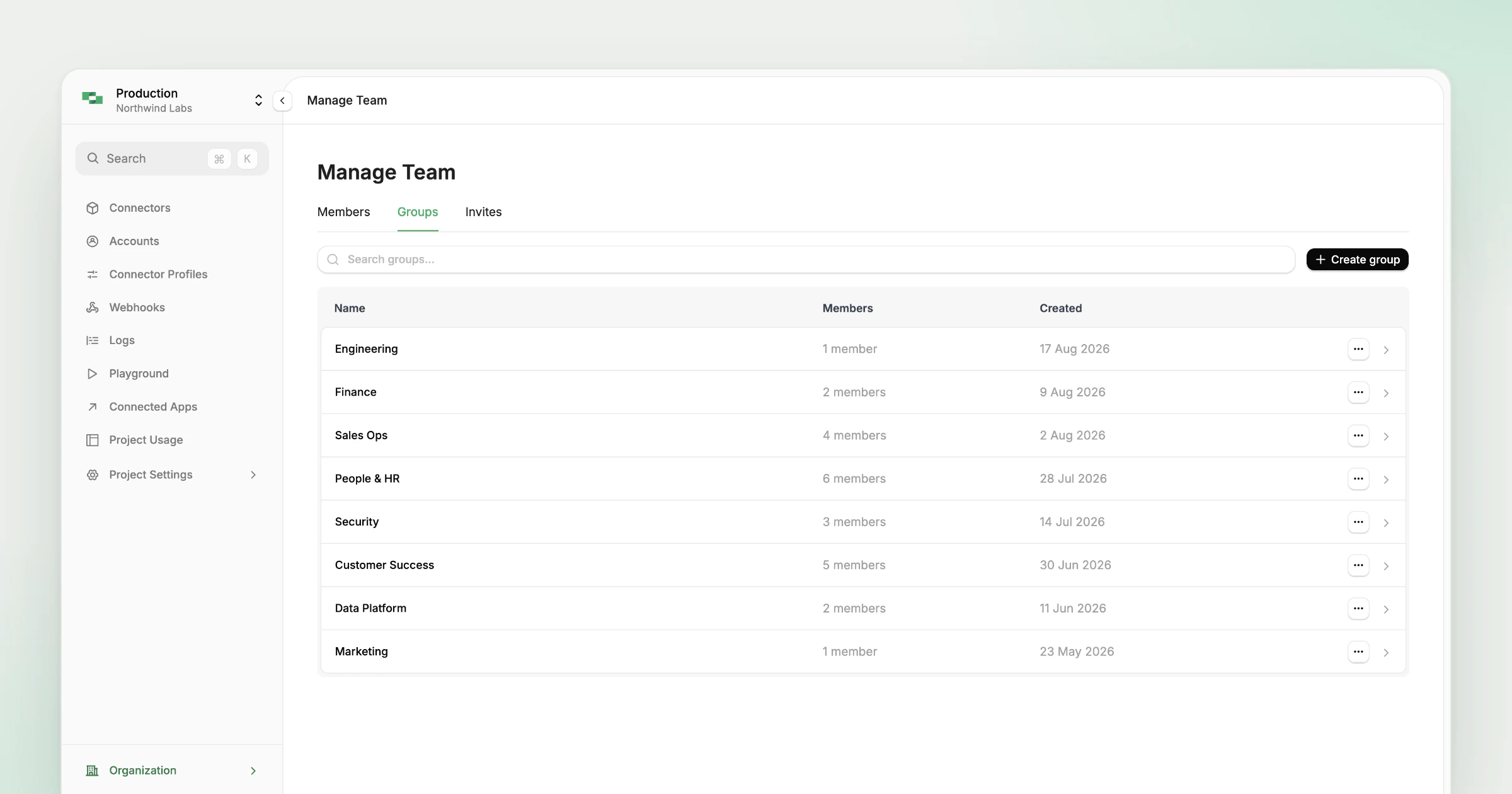
- Org-scoped groups - Create, rename and delete groups, and add or remove members, from the dashboard or the API. The role lives on the assignment rather than on the group, so one group can be reused across projects and accounts at different levels of access.
- Assign a group to a project - Pick the project role at assignment time and every member inherits it, so onboarding a team is one grant instead of one per person.
- Assign a group to an account (Gateway only) - From an individual linked account’s Access page, assign a group as
account:memberoraccount:admin. Account access is a subset of project access, so the group has to be on the parent project first, and the account grant is then a separate, narrower one rather than a side effect of the project grant. - Different roles per target - The same group can be an admin on one project and a viewer on another, and on Gateway an admin on a single shared account, so a team’s access does not have to be uniform across everything it touches.
- One Access page per project and account - Project Settings and account details each get a single Access page with a Members and Groups toggle, replacing the separate Members and Group Access entries. Assign several groups in one action, and click a group row to see exactly which people that grant covers.
- Audit coverage - The existing audit log records group creation, membership changes and access grants, so a grant that covers a whole team is still traceable to the person who made it.
How access resolves
A group expands to its users at access-resolution time and flows through the existing project and account permission resolution. Nothing downstream treats a group differently from a directly granted user, and a group assignment sits alongside direct grants rather than replacing them.
Permissions are additive. Where several grants match the same user, the most permissive one wins, so you can add a group broadly without demoting anyone who already has stronger access.
Groups sit under Organization then Manage Team in the dashboard, next to Members and Invites, and managing them requires organization admin permissions. From there, create a group and add members, then assign it from a project’s Access page or an individual account’s, picking the role at assignment time.
Groups pair with the per-account roles that give each linked account its own membership, and with project roles for access to a project as a whole. If your org already uses SAML SSO, users still sign in through your identity provider, and groups control what they can reach once they are in.