
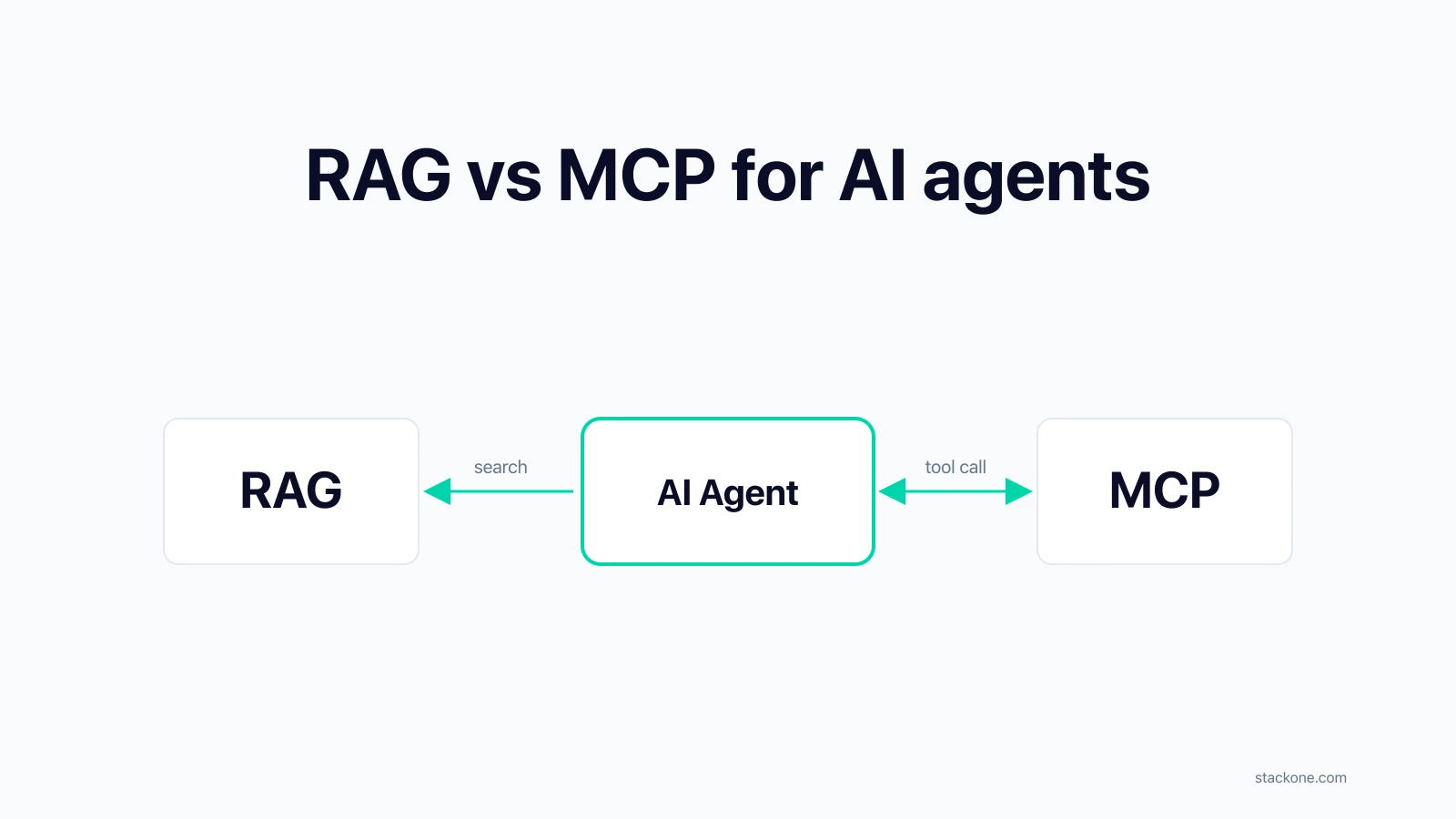
RAG vs MCP for AI agents: When to index, when to fetch live
Table of Contents
TL;DR:
| RAG | MCP | |
|---|---|---|
| What it is | A way for an agent to search content you’ve indexed ahead of time | A way for an agent to call tools that read or write against live systems |
| Best for | Large, slow-changing content: docs, runbooks, transcripts | Live data and write actions: CRM records, tickets, deal stages |
| Search | Semantic, cross-source, ranked by relevance to the question | Whatever the source API exposes: keyword match, per-resource |
| Freshness | As fresh as your last index sync | Always live |
| Permissions | You maintain access-control list (ACL) tags in the index | Source decides; agent acts as the current user |
| Multi-tenant | Risk of oversharing if your ACL sync lags source changes | Per-user scoping handled by source; OAuth lifecycle is on you |
| Operational profile | Continuous data pipeline: fetch, chunk, embed, refresh, sync ACLs | Tool servers + OAuth lifecycle, fired during agent execution |
Most production agents use both RAG and MCP. The right choice for any piece of data depends on how big it is, how volatile, whether the agent needs to write, and who’s allowed to see what.
For every piece of data an agent uses, you have two choices: index it ahead of time and search it later (RAG), or fetch it live the moment the agent needs it (MCP). Which one fits depends on the data, not the protocol. This post walks through the properties that decide it, the search and operational tradeoffs, and how the two patterns compose in production.
What is RAG?
RAG (Retrieval-Augmented Generation) is a pattern where an agent reads from a library you built earlier. You pre-index content into a vector database. At query time, you embed the user’s question, pull back the top-K semantically similar chunks, and include them in the LLM’s prompt alongside the question. RAG has two parts: an ingest pipeline that builds the index, and a query path that uses it.
What is MCP?
MCP, or Model Context Protocol (opens in new tab), is an open protocol from Anthropic that lets an LLM discover and call tools at runtime. Tools can return data, run computations, or perform write actions against live systems. MCP is a single part: a protocol for tool calls during agent execution.
How RAG works
RAG works in two halves: a query path that runs synchronously when an agent fires, and an ingest pipeline that runs continuously to keep the index populated. The query half is what every RAG post covers. The ingest half is the harder one and it looks like classic data engineering, not agent infrastructure.
The RAG query path (synchronous, agent-triggered)
The query path runs the three letters of the acronym in sequence:
- Retrieval: embed the user’s question, search the index, return the top-K most semantically similar chunks.
- Augmented: combine those chunks with the user’s original question into the prompt sent to the LLM.
- Generation: the LLM produces the answer from the augmented prompt, using both the retrieved context and its own training.
The question itself travels two paths: into the embedding model in the Retrieval step, and into the final prompt unchanged in the Augmented step, so the LLM has the original wording when it generates the answer.
═══════════════ RETRIEVAL ═══════════════

   User question
        │
        ├──────────────[Embedding model]
        │                     │
        │                     ↓
        │             [Vector DB search]
        │                     │
        │                     ↓
        │               Top-K chunks
        │                     │
═══════════════ AUGMENTED ═══════════════
        │                     │
        ↓                     ↓
   ┌──────────────────────────────────┐
   │   LLM prompt:                    │
   │   user question + chunks         │
   └──────────────────────────────────┘
                  │
══════════════ GENERATION ═══════════════
                  ↓
                [LLM]
                  │
                  ↓
               Answer
The RAG ingest pipeline (async, deterministic)
The ingest half keeps the index populated. It looks like classic data engineering:
- Fetch content from source systems (Google Drive, Notion, SharePoint, Confluence, Salesforce Knowledge) through their APIs.
- Normalize across formats: export Notion blocks to markdown, extract text from PDFs, strip HTML, handle tables.
- Chunk documents into retrievable units with sensible boundaries and overlap.
- Embed each chunk through an embedding model.
- Upsert vectors and metadata (including access-control list, or ACL, tags) into the vector store.
- Refresh in near-real-time via webhooks, with scheduled syncs as a safety net.
Sources → Fetch → Normalize → Chunk → Embed ─┐
                                             ↓
 Webhooks + scheduled syncs             ┌────────────┐
 drive this continuously                │ Vector DB  │
                                        │ + ACL tags │
                                        └────────────┘
                                             ↑
                                query path reads ─┘
This is deterministic, event-driven, and runs outside the agent’s loop. You build it with the same stack as any integration pipeline: webhook handlers, queues, retries, idempotency, schema normalization.
Running a RAG pipeline means debugging chunking boundaries, re-embedding after model upgrades, backfilling when a new source goes live, and chasing down permission drift. You own the freshness of the data in the index.
How MCP works
MCP works as a single runtime path: the agent decides it needs a tool, calls the MCP server, the server wraps a source API and returns a structured result. There’s no ingest pipeline because there’s no index. The agent acts on behalf of the current user, doing whatever that user is allowed to do in the source system and nothing more.
User query
    ↓
LLM picks a tool
    ↓
MCP client → MCP server → Live system (CRM, docs, ticketing)
                                        ↓
                           Structured result back to LLM
                                        ↓
                          Answer, or next tool call
Running MCP tool servers means debugging OAuth edge cases, handling schema variation across providers, and scaling them with agent traffic. You own nothing about the underlying data.
When to use RAG vs MCP
- Use RAG when the data is large, slow-changing, and read-only: product docs, runbooks, transcripts, policies.
- Use MCP when the data is live, volatile, or requires writes: CRM records, ticket state, deal stages, anything you need to update.
- Use both for most production agents, routing each piece of context to the layer that fits its properties.
| Property | Favors RAG | Favors MCP |
|---|---|---|
| Data volume | Large corpus, many chunks | Small, targeted reads |
| Freshness tolerance | Hours to days is fine | Must be live |
| Data volatility | Slow-changing (docs, policies) | Volatile (inventory, deal stage, tickets) |
| Action required | Read-only | Read and write |
| Permission model | Uniform access, or custom ACLs you own | Per-user via source system |
| Retrieval latency | Tens of milliseconds | 1 to 3 seconds per call is acceptable |
Content examples to index with RAG
- Product documentation, help center articles, policy docs
- Historical support tickets or transcripts used as reference material
- Engineering runbooks and internal wikis
- Any large corpus where semantic similarity beats exact lookup
Embeddings are paid for once on ingest. Retrieval is milliseconds. The agent gets a lot of context for very little token spend.
Query examples to fetch live with MCP
- “What’s the status of deal 8472?” needs the current CRM record
- “Which customers churned in the last 7 days?” is a live query
- “Open a P1 ticket and tag the on-call engineer” is a write
- “Update the Notion page with the meeting summary” is also a write
Re-embedding this kind of data every few minutes wastes compute and still leaves you with stale indexes by query time. RAG also can’t write back at all.
RAG search vs MCP search
RAG search and MCP search differ in scope and quality.
- MCP search is bounded by what the source API exposes: typically keyword match plus a few filters, per-resource.
- RAG search is purpose-built for retrieval: semantic similarity, hybrid scoring, cross-corpus queries, snippet-sized results.
RAG wins on quality; MCP wins on freshness.
What MCP and RAG search can do
| Capability | MCP search | RAG search |
|---|---|---|
| Query method | Keyword + filters (whatever the source API exposes: JQL, SOQL, etc.) | Semantic similarity, hybrid scoring (BM25 + vectors), re-ranking |
| Scope | Per-resource: tickets OR contacts OR pages, one at a time | Cross-corpus: one query hits Drive, Notion, Confluence, Slack at once |
| Ranking | By the source system’s rules | By relevance to the agent’s task |
| Result size | Full JSON records (verbose, fills the context window) | Snippet-sized chunks, around 300 tokens each |
| Freshness | Always live | As fresh as the last index sync |
| Permissions | Source-driven (OAuth as the current user) | ACL-tagged in the index; you maintain the sync |
The MCP search upside: MCP search is always live, because there’s no index sitting between the agent and the source. No index to keep fresh, no re-embedding to schedule when the embedding model is upgraded, and permissions follow the source automatically since every call is authenticated as the current user.
The RAG search upside: RAG search works on questions where MCP search doesn’t. A support agent searching “customers affected by the payment bug we shipped Tuesday” has almost no chance against a keyword-driven ticketing API: the API can match “payment” or “bug” but it doesn’t understand “affected” semantically, can’t span tickets and release notes in one query, and won’t rank by relevance to the agent’s task. Run the same question against a RAG index of recent tickets, release notes, and Slack threads, and it actually works.
The RAG search downside: RAG search isn’t free. You pay for embeddings, storage, and keeping the index fresh (see the ingest pipeline above). It’s worth it for content searched often through semantic or fuzzy queries. Not worth it for data that changes faster than you can re-embed, or for small targeted reads where a primary key lookup is fine.
A hybrid: MCP tools backed by RAG
There’s a third option that combines RAG’s search quality with MCP’s interface simplicity. Instead of putting an MCP tool on top of a source API (a Jira MCP, a Salesforce MCP), you put it on top of your own RAG index. The agent calls a standard tool (say, search_knowledge or lookup_customer), and behind the boundary the tool runs vector similarity against your embeddings, optionally combined with SQL for structured lookups or BM25 for exact-keyword matching. The agent framework sees a clean MCP interface; you keep full control over search quality, ranking, and what flows into the agent’s context.
How RAG and MCP work together
RAG and MCP work together as complementary layers in most production agents: RAG retrieves indexed reference content while MCP fetches live state and runs writes. Running both means operating two pipelines plus the connective tissue between them. A support agent handling a refund request, for example, needs all three of these within a single turn:
- RAG pulls the relevant refund policy from the help center (indexed, stable).
- MCP reads the customer’s current subscription and order history (live, per-tenant).
- MCP processes the refund and opens a follow-up ticket (write actions).
RAG alone can’t do step 3, and MCP alone makes step 1 expensive because the model would keep refetching static content every turn.
                    ┌────────────────────────────────┐
                    │        Agent runtime            │
                    └─────────┬──────────────────────┘
                              │
              ┌───────────────┴───────────────┐
              ↓                               ↓
     ┌──────────────────┐           ┌──────────────────┐
     │   RAG retrieval  │           │   MCP tool call  │
     │  (indexed docs)  │           │ (live systems)   │
     └────────┬─────────┘           └────────┬─────────┘
              │                              │
              ↓                              ↓
     Static reference                 CRM / ticketing /
     knowledge, policies              docs / messaging
     (pre-embedded)                   (fetched at runtime)
The interesting design work lives in how these two layers coexist. Does the agent query RAG first and then decide whether to fetch live data, or fetch live first and use RAG to add context around the result? Should the output of an MCP call get written back into the RAG index so future queries can use it? These are product decisions, not protocol ones.
RAG and MCP in multi-tenant SaaS
RAG and MCP both break in multi-tenant SaaS without an agentic integration layer underneath. If your agent runs against one user’s data, either pattern works on its own: index their docs once, call their APIs with a stored token. Shipping to thousands of customers means thousands of OAuth tokens, per-user permission boundaries inside each source, freshness signals across them, and audit trails that show who accessed what on whose behalf.
Each tenant has their own Salesforce, Notion, Slack, Google Drive, and their own permission boundaries inside each. Pre-embedding any of that raises questions harder than the RAG vs MCP question itself:
- How do you handle OAuth token refresh for thousands of tenants?
- How do you honor per-user document permissions at retrieval time?
- How do you keep the index fresh when source data changes hourly?
- How do you audit what an agent accessed on whose behalf?
MCP by itself doesn’t answer these. Neither does a vanilla RAG stack. Both assume the credentials, scoping, and observability live somewhere else.
The useful frame: RAG is a retrieval technique and MCP is a tool-call protocol. Neither handles auth, scoping, freshness, or audit. Your integration layer has to handle that set regardless of which one you pick.
Permissions: RAG vs MCP
RAG and MCP differ on where permissions live and who keeps them current. With RAG, you own the access-control layer: each chunk in the index carries ACL (access-control list) metadata that you filter against the user’s identity at query time. With MCP, the source system owns it: the server authenticates with OAuth 2.1 (opens in new tab) on behalf of the user, and whatever the source API allows is what the tool returns.
Permissions in RAG
- What you control: Custom policies the source system can’t express. A single index can serve multiple agents, each reading through a different ACL lens.
- What you maintain: Permission sync. Source systems change permissions constantly: files get unshared, team membership churns, broken inheritance quietly exposes folders that were meant to be private.
- Risk: Oversharing. If your sync lags source changes, the index surfaces content the user technically shouldn’t see anymore. Permission drift is a recurring theme in early enterprise agent rollouts.
Permissions in MCP
- What you get: Instant revocation. No index to keep fresh. The source system stays the source of truth.
- What you’re stuck with: Whatever the source API can already express. If Jira doesn’t let you say “this agent class can read tickets but not their attachments,” your MCP tool can’t either.
- Workaround: Layer an authorization service (Oso (opens in new tab), Cerbos (opens in new tab), or a home-built policy layer) between the client and the tool.
A hybrid pattern: runtime-resolved permissions for AI agents
The RAG-with-baked-ACLs and MCP-to-source patterns sit at opposite ends of a spectrum. The first bakes permissions into the index and faces drift. The second punts permission decisions to the source and is stuck with what the source can express. A hybrid pattern combines them: keep the RAG index simple, and resolve permissions live at query time through a Permissions API.
How the hybrid pattern works
- Index content with source identifiers (doc ID, source system, owner) but leave the full ACL state out.
- At query time, run vector search to get your top-N candidates.
- For each candidate, ask a Permissions API with the current user’s identity: can this user access doc X in source Y right now?
- Filter the results based on the live answer before anything reaches the LLM.
Benefits of runtime-resolved permissions
- Permissions are always live. The Permissions API hits the source (or a webhook-invalidated projection of it). No drift.
- Revocation is immediate. A file unshared five seconds ago is gone from the next set of results.
- Custom policies can layer on top. Combine the source’s answer with your own rules before returning.
- Audit trails are real. Each access is backed by a live permission decision, which maps cleanly to compliance requirements.
The trade-off: added latency
You’re adding one permission check per candidate, so the Permissions API has to be fast and cached. Most teams cache permission results with short TTLs (30 to 60 seconds) and invalidate on webhook events from the source. That keeps the hot path cheap while staying correct.
Why a unified Permissions API matters
A unified Permissions API like StackOne’s pays off here. Instead of coding per-source permission checks across Google Drive’s sharing model, Notion’s page permissions, Salesforce’s record-level security, and every other source you support, you call a single endpoint and get a live decision. Without that abstraction, you’re back to building N bespoke permission integrations, each with their own quirks, rate limits, and failure modes.
Comparing the three permission models for AI agents
| Dimension | RAG with baked ACLs | MCP to source | RAG + runtime Permissions API |
|---|---|---|---|
| Where permissions live | In the vector store | In the source system | In the source, fetched live at query time |
| Freshness | As fresh as your sync | Always live | Always live |
| Revocation speed | Next sync cycle | Immediate | Immediate (next query check) |
| Custom agent-level policies | Easy to add | Needs an extra layer | Easy to layer on top |
| Cross-system unification | Natural fit | One tool per source | Natural fit |
| Failure mode | Oversharing (stale ACLs) | Over-restriction (no recourse) | Latency if the API is slow or uncached |
| Ops burden | Continuous permission sync | OAuth lifecycle | Permissions API + caching layer |
There’s also a sharing angle. If you run several agents against the same knowledge base, a RAG index is a natural shared store: one index, many agents reading through different ACL lenses (baked or runtime-resolved). With MCP alone, every agent still needs its own authorized tool set and credentials, so sharing context across agents takes more wiring.
How to choose between RAG and MCP
Choose between RAG and MCP by answering five questions about your data. The first two narrow most of the choice. The next three handle the edges where data, permissions, and operational reality decide the answer.
5 questions to choose between RAG and MCP
1. Does the agent need to write back to the source?
- Yes → MCP (or equivalent direct API access). RAG is read-only by design.
2. How much of what the agent reads is the same across users?
- Large + shared (docs, policies, runbooks, past transcripts) → RAG. Embed once, fast semantic search.
- Per-user + live (CRM records, deal state, tickets) → MCP. Volatile data ages faster than you can re-embed.
- Both (most real products) → hybrid. Route each kind of context to the layer that fits.
3. Do you need permissions the source can’t express?
- Yes (agent-level policies, cross-system rules) → RAG with ACLs. Budget for the permission-sync pipeline.
- No → MCP is simpler. The source is the source of truth, revocation is instant.
4. Will multiple agents share this content?
- One agent + one source → MCP is fine.
- Several agents with different audience cuts → RAG index as a shared store.
5. What operational profile can your team actually run?
- Continuous data pipelines (fetch, normalize, chunk, embed, refresh, sync permissions) → RAG is on the table.
- Tool servers only → MCP.
- Both, plus an agentic integration layer → hybrid. Be honest about what you can operate on day 90, not just day 1.
RAG vs MCP: default recommendations by use case
| Use case | Pattern |
|---|---|
| Read-only over static knowledge | RAG alone |
| Read and write over live systems | MCP alone |
| Knowledge + live state + write actions (most enterprise agents) | Hybrid |
| Multi-agent product sharing a content library | RAG with ACLs + MCP tools for live calls |
| Regulated environments where permission freshness is non-negotiable | MCP first; add RAG only for clearly-public reference content |
An open-source RAG + MCP agent example
A working RAG + MCP agent runs both layers against the same integration platform. We built an open-source reference implementation (opens in new tab) that uses both patterns:
- RAG ingest layer: Documents from Google Drive, Notion, Dropbox, and OneDrive get pulled through a single Documents API, chunked, embedded with OpenAI, and stored in pgvector. This is the classic ETL pipeline described above.
- Realtime tools: At query time the agent can list files, search, and fetch fresh content through
tool_searchandtool_execute. These behave like MCP tools against live sources. - Webhooks: File updates and deletions sync the index automatically so you never rebuild from scratch.
Video walkthrough
The hardest part of building it wasn’t picking RAG or MCP. It was the integration layer that makes either work across tenants: OAuth, per-user scoping, freshness signals, and a consistent schema across four storage providers with different permission models.
Beyond RAG vs MCP: the integration layer
Framing this as “RAG vs MCP” treats two different things as substitutes. RAG is a technique backed by a deterministic data pipeline. MCP is a runtime protocol for tool calls. Neither handles the auth, scoping, freshness, or audit work that an agent needs to operate in production. That work belongs to the integration layer underneath both.
The question worth asking for every piece of context your agent needs: precompute, or fetch live? The answer depends on freshness, data volume, write requirements, permission ownership, how many agents share the content, and what operational profile your team can run. RAG and MCP are tools for either side of that decision. The agentic integration layer is what makes either one survive contact with multi-tenant production. At StackOne, we build that layer so AI agents can compose RAG and MCP without rebuilding auth, scoping, freshness, and audit for every tenant.