 Max Strivens · · 8 min read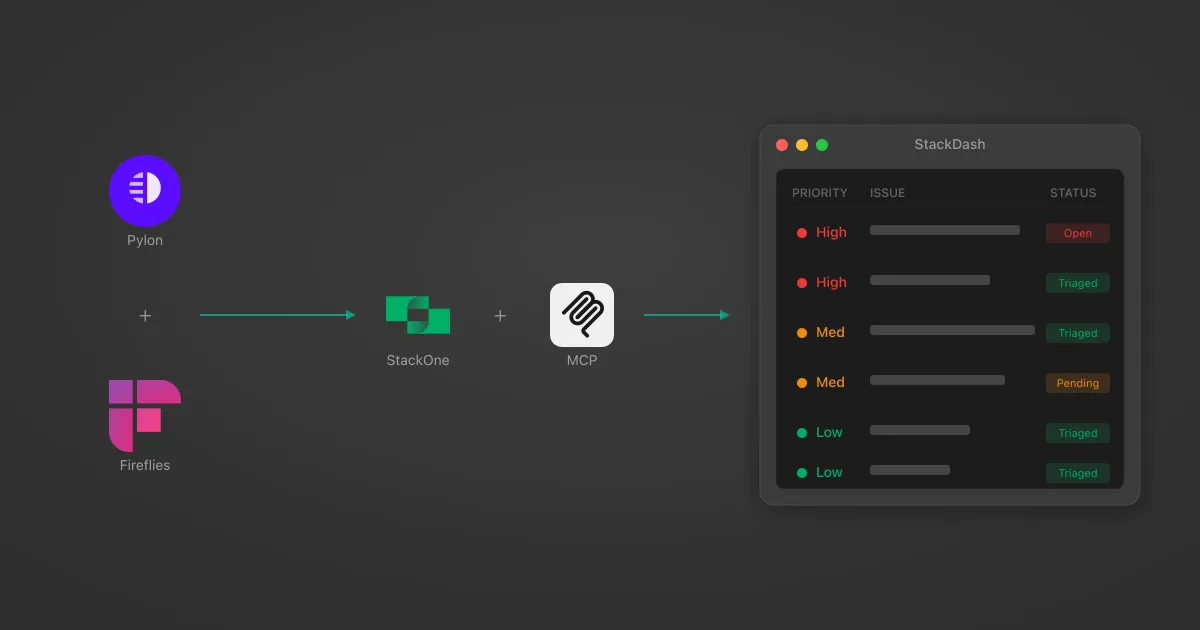
How I Built a Customer Support Dashboard in 2 Days Using StackOne MCP
Table of Contents
Using Claude Code and MCP Tools to Build an Internal Triage System
As a solutions engineer at StackOne, I spend a significant portion of my time supporting customers alongside deeper technical work. The challenge has always been managing the context switching between responsive customer support and tracking these tasks, alongside focused development - two modes of working that fundamentally conflict with each other.
This post covers how I used Claude Code with MCP tools to build an internal dashboard that automates customer issue triage, generates investigation prompts for codebase analysis, drafts customer responses, and extracts action items from meeting transcripts.
The Problem with Slack-Driven Support
The fundamental issue with using Slack as a support channel is that it treats all messages equally. Opening Slack first thing in the morning presents a wall of notifications with no indication of relative priority - an urgent customer issue sits next to a random feature request, and distinguishing between them requires reading everything.
This creates an uncomfortable trade-off between responsiveness and focus. Either Slack notifications stay enabled (constant interruptions that destroy deep work) or they get disabled (risking delayed responses to genuinely urgent issues). Neither option is satisfactory.
We use Pylon for customer issue tracking, which provides better structure than raw Slack threads, but it’s optimised for tracking issues through to completion rather than triaging what needs immediate attention.
What I actually needed was a support triage layer - something that would surface urgent issues immediately, let me batch-handle routine questions, and provide enough context to respond quickly without switching between multiple tools.
Building a Support Dashboard with MCP Tools
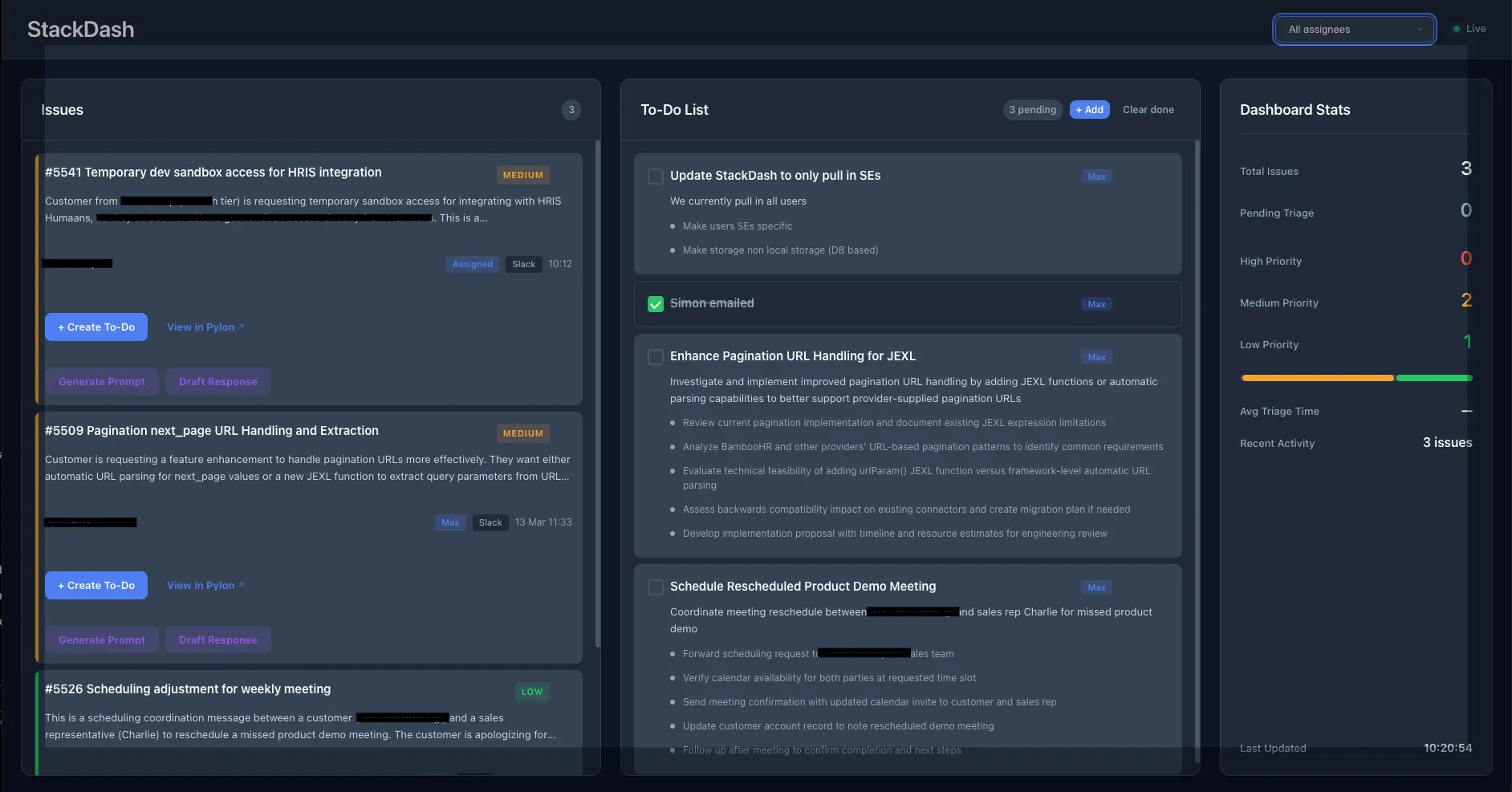
StackDash is a single-page dashboard that:
- Receives issues via webhook
- Runs them through Claude for triage and prioritisation
- Presents them in a simple interface organised by priority
- Generates investigation prompts for Claude Code
- Drafts customer responses following our communication style
- Imports action items from Fireflies meeting transcripts
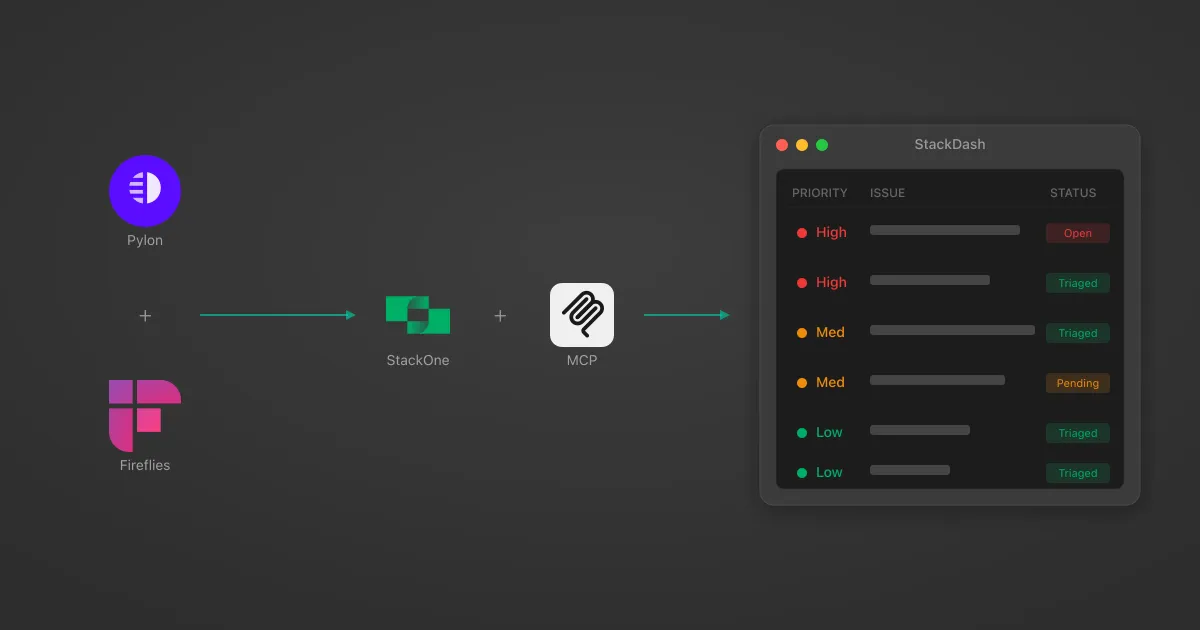
Tech stack: React, Hono (Cloudflare Workers), Claude, StackOne MCP, Cloudflare KV
Where Claude Code Hit a Wall
Building the core application was remarkably fast. Claude Code handled the React components, the Hono API routes, the Cloudflare Workers configuration, and the Claude integration for triage logic without much friction.
The friction appeared when connecting external services. I needed data from Pylon (customer issues, message threads, account information) and Fireflies (meeting transcripts, action items). This is where agentic development typically hits a wall - the agent needs to interact with external APIs, but those APIs have their own authentication flows, data structures, rate limits, and quirks that aren’t immediately apparent from documentation alone.
This is where StackOne’s MCP server changed the development dynamic entirely.
How StackOne’s MCP Server Unblocked the Build
StackOne provides MCP servers that expose platform integrations as standardised tools — ready-made MCP tools that Claude Code can call directly. If you haven’t encountered MCP (Model Context Protocol) before, it’s an open standard for giving AI models access to external tools and data. StackOne handles the underlying API complexity while exposing clean, consistent tool interfaces.
The practical benefit was twofold:
- No dead ends on integrations. Instead of having to build MCP tools myself, I could immediately connect and continue building.
- Pattern consistency across integrations. Claude Code could apply patterns learned from one integration directly to another.
// Same pattern for both Pylon and Fireflies
const issueDetails = await mcpClient.callTool('pylon_get_issue', { id: issueId });
const messages = await mcpClient.callTool('pylon_get_issue_messages', { issue_id: issueId });
const transcripts = await mcpClient.callTool('fireflies_list_transcripts', { fromDate, limit: 10 });
MCP-Powered Customer Issue Triage
When a new issue arrives via Pylon webhook, the pipeline:
- Validates the webhook signature and checks for duplicates
- Enriches the issue by fetching full details, account info, and assignee data via MCP
- Sends the enriched issue to Claude with a triage prompt
Priority classification combines keyword analysis with customer context weighting:
- High: urgent, critical, down, broken, security, outage, production
- Medium: slow, error, not working, issue, problem, bug
- Low: how-to questions, feature requests, documentation queries
Customer tier multipliers:
Investigation Prompts for Claude Code
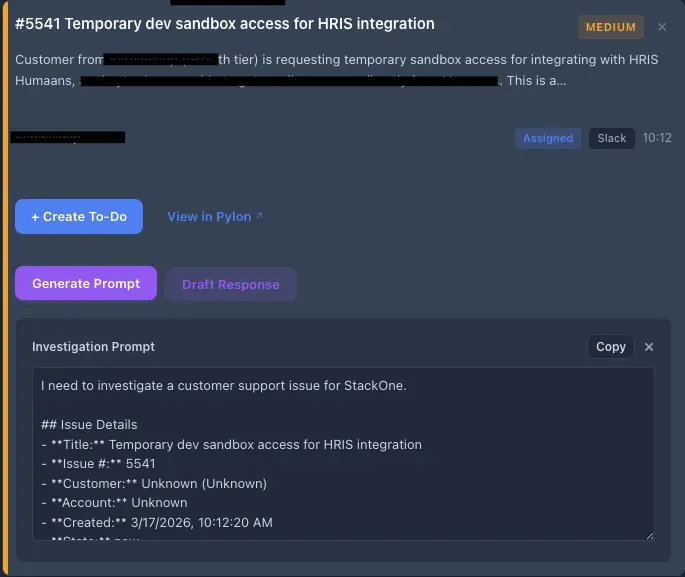
This is the feature I use most. Clicking generate produces a structured prompt containing:
- Issue details (title, customer, account, tags)
- Cleaned issue description
- Full message thread from Pylon
- Triage summary and investigation outline
- A task instruction for Claude Code
## Issue: Sync failing for large datasets
Customer: Acme Corp (Enterprise)
Account: acme-corp-prod
Tags: sync, performance, enterprise

### Description
[HTML-stripped issue description]

### Message Thread
[Complete conversation history from Pylon]

### Triage Summary
Data sync operations are timing out when processing datasets exceeding 10,000 records.
Customer reports this started occurring after their data volume increased last month.

### Investigation Outline
1. Check sync service timeout configuration in worker settings
2. Review batch processing logic for large dataset handling
3. Examine database query performance for bulk operations
4. Check for memory constraints in the sync worker process
5. Review recent changes to sync-related code paths

### Task
Investigate this issue in the codebase. Identify the root cause and suggest fixes.
Pasting this into Claude Code provides targeted analysis rather than starting the investigation from scratch each time.
AI-Drafted Customer Responses
Response generation follows a strict style guide encoded in the system prompt. Core principles:
- BLUF - Bottom Line Up Front
- Concise - typically 2-5 sentences
- No problem repetition - don’t restate what the customer already told you
- Specific next steps - always
The prompt engineering here took more iteration than the actual code - getting responses that sound like they came from the team rather than generic AI output requires real examples and structural constraints.
Importing Meeting Actions from Fireflies
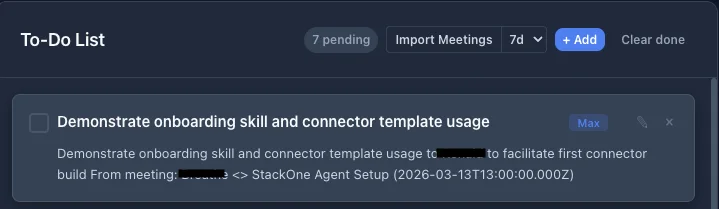
Fireflies records and transcribes customer calls. The import flow:
- Fetches recent meetings filtered by date range and participant
- Retrieves summaries with action items via
fireflies_get_meeting_summary - Sends them to Claude for extraction
The extraction prompt emphasises explicit assignments only - phrases like “Max will handle the config update” qualify, but inferred assignments do not. This prevents the todo list from filling up with items that weren’t actually assigned.
Extracted actions use a sourceId format of fireflies:{transcriptId}:{action-slug} for deduplication, so re-importing meetings doesn’t create duplicates.
Deploying on Cloudflare Workers
The entire application runs on Cloudflare Workers:
- Edge performance globally, zero cold starts
- KV storage for key-value persistence without managing a database
- Minimal configuration - entry point, compatibility flags, KV namespace binding
compatibility_flags = ["nodejs_compat"]

[[kv_namespaces]]
binding = "ISSUES_KV"
id = "..."
Basic authentication protects the dashboard, which is adequate for an internal tool accessed by a small team.
Two-Day Development Timeline
Day 1 - Core pipeline
- Webhook handler with signature verification
- MCP client integration
- Triage logic with Claude
- KV storage layer
- Basic React frontend
Connecting Pylon via StackOne MCP was essentially configuration rather than implementation - no time spent reading API documentation, handling authentication flows, or figuring out data structures.
Day 2 - Automation features
- Customer response drafting
- Meeting action import
- Inline todo editing
- Error handling and polish
- Investigation prompt generation
Adding Fireflies followed the exact same pattern as Pylon. Claude Code handled most of the implementation while I focused on architecture decisions and prompt engineering. (We’ve written more about the Fireflies + Claude Code workflow separately.)
The speed came from eliminating the integration tax. Normally, connecting two external services represents a significant chunk of a project - reading docs, handling auth, mapping data structures, dealing with rate limits. With MCP tools already built and available, that entire category of work disappeared.
Results: From Slack Chaos to Structured Triage
The dashboard now handles the daily support triage workflow effectively:
- Issues get automatically prioritised as they arrive
- Investigation prompts and response drafts are generated without context switching
- Meeting actions automatically surface as todos
- Checking the dashboard twice daily has replaced constant Slack monitoring
Potential future work: webhook-triggered Slack summaries, automatic ticket creation for high-priority issues, broader rollout to the solutions engineering team.
Build Tools First, Ask Questions Later
When building with Claude Code, the bottleneck isn’t writing application code - that moves quickly. The bottleneck is connecting to external systems, because the agent lacks the accumulated context that makes API integration tractable.
This suggests a different approach to tooling strategy: build the MCP tools first, before you necessarily know exactly how they’ll be used. The upfront investment pays off multiplicatively when you can spin up new applications without hitting the integration wall each time.
I didn’t build StackDash because I had a detailed specification in mind - I built it because the tools were there and the application became obvious once connecting things was trivial.
If you’re building internal tools that need to connect to multiple platforms, StackOne’s MCP server significantly reduces integration overhead and lets you focus on the workflow logic that actually differentiates your tool.
FAQ
Built with React, Hono, Cloudflare Workers, Claude, and StackOne MCP