
Snyk MCP Server
for AI Agents
Connect your AI agent to StackOne's Snyk MCP server and give it 71 MCP tools out of the box. Auth, tool execution, and security all managed.
 StackOne






Coverage
71 Agent Actions
Create, read, update, and delete across Snyk — and extend your agent's capabilities with custom actions.

Authentication
Agent Tool Authentication
Per-user OAuth in one call. Your Snyk MCP server gets session-scoped tokens with zero credentials stored on your infra.
Agent Auth →
Security
Agent Protection
Every Snyk tool response scanned for prompt injection in milliseconds — 88.7% accuracy, all running on CPU.
Prompt Injection Defense →
Performance
Max Agent Context. Min Cost.
Free up to 96% of your agent's context window to enhance reasoning and reduce cost, on every Snyk call.
Tools Discovery →What is the Snyk MCP Server?
A Snyk MCP server lets AI agents read and write Snyk data through the Model Context Protocol — Anthropic's open standard for connecting LLMs to external tools. StackOne's Snyk MCP server ships with 71 pre-built actions, fully extensible via the Connector Builder — plus managed authentication, prompt injection defense, observability, and agent execution runtime. Connect it from MCP clients like Claude Desktop, Claude Code, Cursor, Goose, and VS Code, or from agent frameworks like OpenAI Agents SDK, LangChain, and Vercel AI SDK.
All Snyk MCP Tools
Every action from Snyk's API, ready for your agent. Create, read, update, and delete — scoped to exactly what you need.
Collections
- Create Collection
Create a new project collection in an organization. Provide the organization ID and a name for the collection.
- List Collections
List the project collections in an organization. Collections are user-defined groupings of projects used to organize and report on subsets of an org's projects.
- Get Collection
Retrieve a single project collection by ID, including its name and metadata. Provide the organization ID and collection ID.
- Update Collection
Rename a project collection. Provide the organization ID, the collection ID, and the new name.
- Delete Collection
Delete a project collection. This removes the grouping only; the underlying projects are not deleted. Provide the organization ID and collection ID.
Group Members
- Add Group Member
Add a user to a Snyk group with a specific group role. Provide the group ID, the user ID, and the group role ID.
- Remove Group Member
Remove a member from a Snyk group. Provide the group ID and the membership ID.
SSO Connection Users
- List SSO Connection Users
List the users provisioned through a specific SSO connection in a group. Provide the group ID and SSO connection ID.
- Remove SSO Connection User
Remove a user from a group's SSO connection. Provide the group ID, the SSO connection ID, and the user ID.
Invitations
- Create Invitation
Invite a user to join an organization by email with a specific role. Provide the organization ID, the invitee's email, and the org role ID.
- List Invitations
List the pending invitations to join an organization. Provide the organization ID.
- Delete Invitation
Revoke a pending organization invitation. Provide the organization ID and the invitation ID.
Group Issues
- List Group Issues
List security issues (vulnerabilities, license problems, code, cloud, and config findings) aggregated across all organizations in a group. Supports extensive filtering by severity, type, status, and dates, with cursor pagination.
- Get Group Issue
Retrieve a single security issue by ID at the group level, including its severity, type, and affected item. Provide the group ID and issue ID.
Organization Issues
- List Organization Issues
List security issues found in a Snyk organization — vulnerabilities, license, code, cloud, config, and secrets findings. Filter by severity, type, status, scan item, and time range. This is the primary action for pulling an org's vulnerability data.
- Get Organization Issue
Retrieve a single security issue by ID within an organization, including full detail on the vulnerability and the affected project or item. Provide the organization ID and issue ID.
Issues For Packages
- List Issues For Packages
Look up known issues for many packages at once by their Package URLs (purls). Provide the organization ID and a list of purls; returns the vulnerabilities affecting each package.
- List Issues For Package
Look up known issues for a single package by its Package URL (purl). Provide the organization ID and the purl; returns the vulnerabilities affecting that package version.
Organizations
- List Organizations
List all Snyk organizations the authenticated user or service account can access. Supports filtering by group, name, slug, and personal flag, with cursor pagination. Use this to discover organization IDs needed by most other actions.
- Get Organization
Retrieve a single Snyk organization by its ID, including its name, slug, and group association.
- Update Organization
Update a Snyk organization's settings, such as its display name. Provide the organization ID and the attributes to change.
Organization Members
- Add Organization Member
Add a user to a Snyk organization with a specific role. Provide the organization ID, the user ID, and the org role ID to grant.
- Remove Organization Member
Remove a member from a Snyk organization, revoking their access. Provide the organization ID and the membership ID.
Group Policys
- Create Group Policy
Create a group-level policy that automatically applies an action to issues matching its conditions. Provide the group ID, a name, the condition group, the action type, and the action.
- Update Group Policy
Update a group-level policy's name, conditions, or action. Provide the group ID and policy ID.
- Delete Group Policy
Delete a group-level policy. Provide the group ID and policy ID.
Organization Policys
- Create Organization Policy
Create an organization-level policy that automatically applies an action to issues matching its conditions. Provide the organization ID, a name, the condition group, the action type, and the action.
- Get Organization Policy
Retrieve a single organization-level policy by ID, including its conditions and action. Provide the organization ID and policy ID.
- Update Organization Policy
Update an organization-level policy's name, conditions, action, or review setting. Provide the organization ID and policy ID.
- Delete Organization Policy
Delete an organization-level policy. Provide the organization ID and policy ID.
Projects
- List Projects
List the monitored projects in a Snyk organization. Projects are the scanned targets (repositories, images, packages) where Snyk tracks issues. Supports rich filtering (by target, origin, type, tags, business criticality) and cursor pagination.
- Get Project
Retrieve a single monitored project by ID, including its target, settings, and metadata. Provide the organization ID and project ID.
- Update Project
Update a project's attributes such as tags, environment, lifecycle, business criticality, or test frequency. Provide the organization ID and project ID.
- Delete Project
Delete a single monitored project, permanently stopping Snyk from tracking it. Provide the organization ID and project ID.
Group Service Accounts
- Create Group Service Account
Create a group-level service account for API automation. Provide the group ID, a name, the group role ID, and the authentication type (API key, OAuth client secret, OAuth private key JWT, or access token).
- List Group Service Accounts
List the service accounts defined at the group level. Service accounts provide machine credentials for automation against the Snyk API. Provide the group ID.
- Get Group Service Account
Retrieve a single group-level service account by ID. Provide the group ID and service account ID.
- Update Group Service Account
Update a group-level service account, such as renaming it. Provide the group ID and service account ID.
- Delete Group Service Account
Delete a group-level service account, revoking its credentials. Provide the group ID and service account ID.
Organization Service Accounts
- Create Organization Service Account
Create an organization-level service account for API automation. Provide the organization ID, a name, the org role ID, and the authentication type.
- List Organization Service Accounts
List the service accounts defined at the organization level. Provide the organization ID.
- Get Organization Service Account
Retrieve a single organization-level service account by ID. Provide the organization ID and service account ID.
- Update Organization Service Account
Update an organization-level service account, such as renaming it. Provide the organization ID and service account ID.
- Delete Organization Service Account
Delete an organization-level service account, revoking its credentials. Provide the organization ID and service account ID.
Targets
- List Targets
List the scan targets in an organization. A target is the source Snyk imports projects from — for example a Git repository, container registry image, or cloud account. Supports filtering and cursor pagination.
- Get Target
Retrieve a single scan target by ID, including its source integration and display name. Provide the organization ID and target ID.
- Delete Target
Delete a scan target and all of its associated projects from an organization. Provide the organization ID and target ID. This permanently removes monitoring for everything under the target.
Other (24)
- Add Projects To Collection
Add one or more projects to a collection. Provide the organization ID, the collection ID, and the list of project IDs to add.
- Create SBOM Test
Submit an SBOM document to be tested for known vulnerabilities. Provide the organization ID, the SBOM format, and the SBOM document. Returns a job ID to poll for results.
- List Group Audit Logs
Search the audit log for a Snyk group, returning security-relevant events (membership changes, setting updates, project changes) across all its organizations. Filter by event type and time range with cursor pagination.
- List Organization Audit Logs
Search the audit log for a single organization, returning security-relevant events. Filter by event type, actor, project, and time range with cursor pagination.
- List Collection Projects
List the projects that belong to a collection. Provide the organization ID and collection ID; supports the same project filters and cursor pagination as List Projects.
- List Groups
List the Snyk groups the authenticated account can access. Groups sit above organizations in the Snyk hierarchy and own group-level settings, policies, and service accounts.
- List Group Memberships
List the members of a Snyk group and their group-level roles. Provide the group ID.
- List Group User Org Memberships
List, across all organizations in a group, the org-level memberships of the group's users. Use this to see which organizations each group user belongs to.
- List Group SSO Connections
List the SSO (single sign-on) connections configured for a Snyk group. Provide the group ID.
- List Group Organizations
List the organizations that belong to a specific group. Provide the group ID; returns each organization Snyk manages under that group.
- List Organization Memberships
List the user and service-account memberships in an organization, including each member's assigned role. Use this to audit who has access to an org.
- List Group Policies
List the policies defined at the group level. Snyk policies automate actions on issues — for example ignoring or re-prioritizing findings that match a set of conditions. Provide the group ID.
- List Organization Policies
List the policies defined at the organization level. Provide the organization ID.
- List Organization Policy Events
List the events (applications and changes) recorded for an organization-level policy. Provide the organization ID and policy ID.
- Get Project SBOM
Generate a Software Bill of Materials (SBOM) for a monitored project, listing all its dependencies in CycloneDX or SPDX format. Provide the organization ID, project ID, and the desired SBOM format.
- Get SBOM Test Status
Check the status of a submitted SBOM test job. Provide the organization ID and job ID.
- Get SBOM Test Results
Retrieve the results of a completed SBOM test job, listing the vulnerabilities found in the submitted SBOM. Provide the organization ID and job ID.
- Get User
Retrieve a single user's profile within an organization by user ID. Provide the organization ID and user ID.
- Get Current User
Retrieve the profile of the currently authenticated user or service account, including the user ID, name, email, and default org. Useful for verifying credentials and discovering the caller's identity.
- Update Group Member Role
Change the group role assigned to an existing group member. Provide the group ID, the membership ID, and the new group role ID.
- Update Organization Member Role
Change the role assigned to an existing organization member. Provide the organization ID, the membership ID, and the new org role ID.
- Update Group Service Account Secret
Rotate, create, or delete the secret of a group-level service account. Provide the group ID, service account ID, and the mode (replace, create, or delete).
- Update Organization Service Account Secret
Rotate, create, or delete the secret of an organization-level service account. Provide the organization ID, service account ID, and the mode (replace, create, or delete).
- Remove Projects From Collection
Remove one or more projects from a collection. Provide the organization ID, the collection ID, and the list of project IDs to remove. The projects themselves are not deleted.
Set Up Your Snyk MCP Server in Minutes
One endpoint. Any framework. Your agent is talking to Snyk in under 10 lines of code.
Agent Frameworks


 JSON
JSON{
"mcpServers": {
"stackone": {
"command": "npx",
"args": [
"-y",
"mcp-remote@latest",
"https://api.stackone.com/mcp?x-account-id=<account_id>",
"--header",
"Authorization: Basic <YOUR_BASE64_TOKEN>"
]
}
}
}Check More Security MCP Servers
150+ actions
119+ actions
115+ actions
87+ actions
78+ actions
69+ actions
68+ actions
Platform Resources

MCP Code Mode: Keeping Tool Responses Out of Agent Context
Anthropic's code_execution processes data already in context. Custom MCP code mode keeps raw tool responses in a sandbox. 14K tokens vs 500.
11 min

Comparing BM25, TF-IDF, and Hybrid Search for MCP Tool Discovery
Benchmarking BM25, TF-IDF, and hybrid search for MCP tool discovery across 916 tools. The 80/20 TF-IDF/BM25 hybrid hits 21% Top-1 accuracy in under 1ms.
10 min
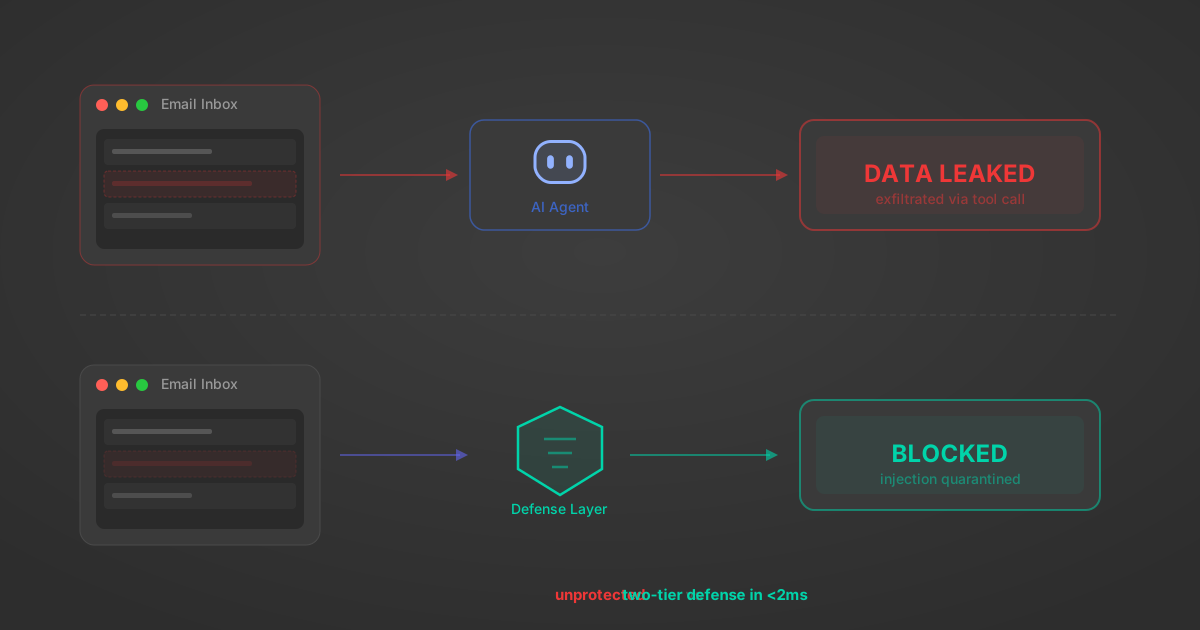
Indirect Prompt Injection Defense for MCP Tools: A Technical Guide
MCP tools that read emails, CRM records, and tickets are indirect prompt injection vectors. Here's how we built a two-tier defense that scans tool results in ~11ms.
12 min
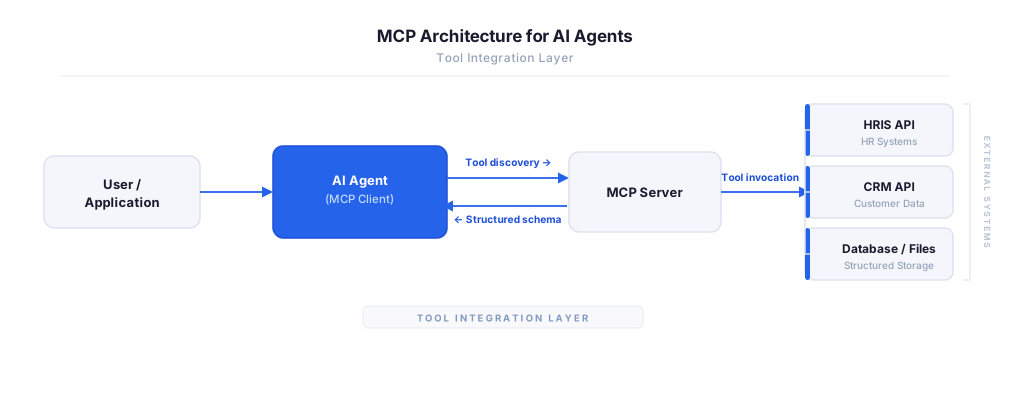
MCP vs A2A: Architecture, Security, and When to Use Each
MCP vs A2A: what each protocol standardizes, how they differ, their shared security risks including indirect prompt injection, and when to use one, both, or a hybrid architecture.
12 min
MCP vs API: What Hundreds of Connector Builds Taught Us
MCP wraps APIs, it doesn't replace them. After building hundreds of connectors that serve both, here's when each approach wins.
14 min read
Snyk MCP Server FAQ
Does StackOne have a Snyk MCP server?
Snyk MCP server vs direct API integration — what's the difference?
How does Snyk authentication work for AI agents?
origin_owner_id.Are Snyk MCP tools vulnerable to prompt injection?
What is the context bloat of a Snyk agent and how do I avoid it?
Can I limit which actions my Snyk agent can access?
Can I create custom agent actions for my Snyk MCP server?
When should I NOT use a Snyk MCP server?
What AI frameworks and AI clients does the StackOne Snyk MCP server support?
Put your AI agents to work
All the tools you need to build and scale AI agent integrations, with best-in-class connectivity, execution, and security.