
Chargebee MCP Server
for AI Agents
Connect your AI agent to StackOne's Chargebee MCP server and give it 60 MCP tools out of the box. Auth, tool execution, and security all managed.
 StackOne






Coverage
60 Agent Actions
Create, read, update, and delete across Chargebee — and extend your agent's capabilities with custom actions.

Authentication
Agent Tool Authentication
Per-user OAuth in one call. Your Chargebee MCP server gets session-scoped tokens with zero credentials stored on your infra.
Agent Auth →
Security
Agent Protection
Every Chargebee tool response scanned for prompt injection in milliseconds — 88.7% accuracy, all running on CPU.
Prompt Injection Defense →
Performance
Max Agent Context. Min Cost.
Free up to 96% of your agent's context window to enhance reasoning and reduce cost, on every Chargebee call.
Tools Discovery →What is the Chargebee MCP Server?
A Chargebee MCP server lets AI agents read and write Chargebee data through the Model Context Protocol — Anthropic's open standard for connecting LLMs to external tools. StackOne's Chargebee MCP server ships with 60 pre-built actions, fully extensible via the Connector Builder — plus managed authentication, prompt injection defense, observability, and agent execution runtime. Connect it from MCP clients like Claude Desktop, Claude Code, Cursor, Goose, and VS Code, or from agent frameworks like OpenAI Agents SDK, LangChain, and Vercel AI SDK.
All Chargebee MCP Tools
Every action from Chargebee's API, ready for your agent. Create, read, update, and delete — scoped to exactly what you need.
Customers
- Create Customer
Create a new customer record in Chargebee with optional contact details (name, email, phone, company), auto-collection preferences, net term days, taxability, VAT number, locale, and metadata. Use this to onboard customers before creating subscriptions, import customers from external systems, or pre-create customer profiles for hosted checkout flows
- List Customers
Retrieve a paginated list of all customers sorted by creation date, with optional filtering by email, first name, last name, company, phone, taxability, and auto-collection status. Returns customer profiles with billing addresses, payment methods, balances, and account hierarchy. Use this to browse, search, or export your Chargebee customer base
- Get Customer
Retrieve the full customer object by its unique Chargebee customer ID, including billing address, payment method, contacts, per-currency balances (promotional credits, excess payments, refundable credits, unbilled charges), account hierarchy (parent/child relationships), fraud flag, channel, and metadata. Use this to inspect a single customer's complete profile and billing configuration before creating subscriptions or invoices
- Update Customer
Update an existing customer's contact details (first name, last name, email, phone, company), auto-collection setting, net term days, taxability, or metadata by customer ID. Only provided fields are changed; omitted fields remain unchanged. Requires payment terms to be configured at the site level for net_term_days changes
- Delete Customer
Soft-delete a customer from Chargebee by marking them as deleted (data is retained and retrievable via the list API). Fails with an error if the customer has active subscriptions or pending invoices. Optionally removes the associated payment method. Use this to clean up test data or remove customers created in error
Subscriptions
- List Subscriptions
Retrieve a paginated list of all subscriptions with optional filtering by customer ID, plan ID, creation/update timestamps, and deleted status. Returns subscription details including status (future, in_trial, active, non_renewing, paused, cancelled, transferred), billing period, plan/addon/charge items, coupons, discounts, MRR, and contract terms
- Get Subscription
Retrieve the full subscription object by its unique Chargebee subscription ID, including plan items, addon items, charge items, billing cycle, trial start/end, MRR, contract terms, discounts, coupons, shipping address, billing override, and referral info. Use this to inspect a subscription's complete configuration, current state, and billing schedule
- Update Subscription
Update an existing subscription's plan item price, quantities, auto-collection, purchase order number, or metadata. Supports immediate changes, end-of-term scheduling via end_of_term flag, proration for mid-cycle adjustments, and immediate invoice generation. Do not send quantity for on_off addon types
Invoices
- List Invoices
Retrieve a paginated list of all invoices with optional filtering by customer ID, subscription ID, recurring flag, date range, paid-at timestamp, updated-at timestamp, dunning status, and channel. Returns invoice details including line items, taxes, payments, credits applied, dunning status, and amounts (sub_total, total, amount_due, amount_paid). Supports ascending or descending sort by date
- Get Invoice
Retrieve the full invoice object by its unique Chargebee invoice ID, including status (paid, posted, payment_due, not_paid, voided, pending), line items with entity types, taxes, discounts, linked payments with transaction status, applied credits, adjustment credit notes, issued credit notes, dunning attempts, billing/shipping addresses, and e-invoice details. Use this to inspect a specific invoice's complete financial breakdown and payment history
Credit Notes
- Create Credit Note
Create a new credit note against a reference invoice for a specified total amount in cents. Supports adjustment type (reduces the amount on an existing invoice in payment_due or not_paid status) and refundable type (allows returning money to the customer via refund or future invoice application). The total must not exceed the invoice's outstanding amount. Supports optional reason codes (e.g., product_unsatisfactory, order_change, waiver), customer-visible notes for the PDF, and internal comments
- List Credit Notes
Retrieve a paginated list of all credit notes (adjustment, refundable, and store credit types) with optional filtering by date and sorting by date in ascending or descending order. Returns credit note details including type, status, reference invoice, amounts (total, allocated, refunded, available), line items, taxes, linked refunds, and invoice allocations. Use this to track refunds, invoice adjustments, and store credits
- Get Credit Note
Retrieve the full credit note object by its unique Chargebee credit note ID, including type (adjustment reduces invoice amount, refundable allows money return, store credit applied to future invoices), status (adjusted, refunded, refund_due, voided), reason code, line items with quantities and tax details, discounts, taxes, linked refunds with transaction status, invoice allocations, and billing/shipping addresses
Items
- Create Item
Create a new item (plan, addon, or charge) in the product catalog with a required ID, name, and type. Requires an item_family_id when Product Families is enabled (most sites). Item type and metered flag are immutable after creation. Plans define the subscription billing period, addons are recurring add-ons, and charges are one-time fees. After creating an item, create item prices to define pricing in specific currencies and billing periods
- List Items
Retrieve a paginated list of all product catalog items (plans, addons, charges) with optional filtering by name, item ID, item family ID, and channel. Plans are the essential recurring subscription component, addons are optional recurring add-ons sold with a plan, and charges are non-recurring one-time fees. Returns item details including type, status, metered billing settings, checkout/portal enablement, and applicable items
- Get Item
Retrieve the full item object by its unique Chargebee item ID, including type (plan, addon, charge), status (active, archived, deleted), item family, metered billing settings and usage calculation method, checkout/portal enablement flags, item applicability rules, applicable items, bundle configuration, and metadata. Use this to inspect a catalog item's complete configuration before creating item prices or subscriptions
- Update Item
Update an existing product catalog item's name, description, external name (customer-facing), checkout enablement, portal enablement, or metadata by item ID. Only provided fields are changed; omitted fields remain unchanged. Item type and metered flag cannot be modified after creation. Items from app_store or play_store channels cannot be updated via API
- Delete Item
Delete an item from the product catalog by setting its status to deleted. The item must not have any active item prices associated with it. Once deleted, both the ID and name can be reused for a new item. Items from app_store or play_store channels cannot be deleted via API. Deleted items remain retrievable via the list items API
Item Prices
- Create Item Price
Create a new item price for a catalog item with a required ID, item_id, name, pricing model, and currency code. An item can have only one price per currency and billing period combination. Period and period_unit are mandatory for plan and addon item types but must NOT be sent for charge item types (returns 400 error). Supports trial settings, free quantity for plan per_unit pricing, and external name for customer-facing documents
- List Item Prices
Retrieve a paginated list of all item prices (price points for catalog items) with optional filtering by item ID, item price name, or item price ID. Each item price defines a currency, pricing model (flat_fee, per_unit, tiered, volume, stairstep), billing period, amount, and trial settings. An item can have only one price per currency and billing period combination. Returns item prices needed for creating subscriptions
- Get Item Price
Retrieve the full item price object by its unique Chargebee item price ID, including pricing model (flat_fee, per_unit, tiered, volume, stairstep), price in minor currency units, currency code, billing period and unit, trial period and end action, free quantity, tier definitions for tiered/volume/stairstep models, tax detail (tax profile, Avalara/TaxJar codes), accounting detail (SKU, accounting codes for Xero/QuickBooks/NetSuite), and metadata
- Update Item Price
Update an existing item price's amount (in minor currency units), name, external name, description, trial period settings, or metadata by item price ID. Only provided fields are changed. Pricing model, currency code, period, period unit, and billing cycles cannot be changed once subscriptions, invoices, or differential prices exist for this item price
- Delete Item Price
Delete an item price from the product catalog by setting its status to deleted. The item price must not be associated with any active subscriptions (returns an error otherwise). Once deleted, both the ID and name can be reused for a new item price. Deleted item prices remain retrievable via the list item prices API
Coupons
- List Coupons
Retrieve a paginated list of all coupons with optional filtering by name or coupon ID. Returns discount type (fixed_amount, percentage, offer_quantity), duration type (one_time, forever, limited_period), validity window, current and maximum redemption counts, apply_on setting (invoice_amount or each_specified_item), item constraints, and metadata. Use this to browse available promotions and discount configurations
- Get Coupon
Retrieve the full coupon object by its unique Chargebee coupon ID, including discount type (fixed_amount, percentage, offer_quantity) and value, duration type and period, apply_on setting, validity window (valid_from/valid_till), current and maximum redemption counts, item constraints defining which plans/addons/charges the coupon applies to, coupon constraints for redemption rules, invoice notes, and metadata. Coupon IDs containing special characters (e.g.,
- Update Coupon
Update an existing coupon's display name, invoice name, discount amount (for fixed_amount type, in cents), discount percentage (for percentage type, 0.01-100), validity end date (valid_till Unix timestamp), maximum redemptions limit, and metadata by coupon ID. Only provided fields are changed; omitted fields remain unchanged. Coupon IDs containing special characters must be URL-encoded
- Delete Coupon
Delete a coupon so it can no longer be applied to new subscriptions. The coupon status changes to deleted. Existing coupon applications on active subscriptions are not affected and continue to apply their discounts until they naturally expire or are explicitly removed. Coupon IDs containing special characters must be URL-encoded
Orders
- Create Order
Create a new order linked to an existing invoice by invoice_id, representing a fulfillment record for physical products. Supports optional initial status, reference_id for mapping to external shipping or order management systems, tracking information (tracking_id, tracking_url, shipment_carrier), and date fields (shipping_date, order_date as Unix timestamps). The order inherits line items and customer details from the linked invoice
- List Orders
Retrieve a paginated list of all orders (fulfillment records for physical products, auto-generated when invoices are paid) with optional filtering by subscription ID, customer ID, and order status. Supports ascending or descending sort. Returns order details including fulfillment status (new, processing, shipped, delivered, cancelled, returned), shipping/billing addresses, tracking info, line items with per-item fulfillment, payment status, and linked credit notes
- Get Order
Retrieve the full order object by its unique Chargebee order ID, including fulfillment status (new, processing, complete, cancelled, queued, awaiting_shipment, on_hold, shipped, delivered, partially_delivered, returned), shipping/billing addresses, tracking info (tracking_id, tracking_url, shipment_carrier), order line items with per-item fulfillment quantities and amounts, payment status (paid or not_paid), cancellation reason, linked credit notes, resent orders, and all timestamps
- Update Order
Update an existing order's status, reference_id for external system mapping, tracking details (tracking_id, tracking_url, shipment_carrier), and fulfilment timestamps (shipping_date, order_date, shipped_at, delivered_at, cancelled_at as Unix timestamps) by order ID. Supports providing a cancellation_reason when updating the status to cancelled. Only provided fields are changed
Payment Sources
- List Payment Sources
Retrieve a paginated list of all saved payment sources (cards, direct debits, PayPal, Apple Pay, Google Pay, bank transfers, UPI, Venmo, Klarna, and more) with optional filtering by customer ID and status (valid, expiring, expired, invalid, pending_verification). Returns payment source details including type, gateway, reference_id, and type-specific nested objects (card brand/last4/expiry, bank account mandate, PayPal agreement). Supports ascending or descending sort
- Get Payment Source
Retrieve the full payment source object by its unique Chargebee payment source ID, including type (card, direct_debit, paypal, amazon_payments, apple_pay, google_pay, upi, venmo, klarna, and more), status (valid, expiring, expired, invalid, pending_verification), gateway and gateway_account_id, reference_id (gateway-specific identifier), and type-specific nested details (card brand/IIN/last4/expiry/funding_type, bank account mandate/scheme, PayPal email/agreement_id, UPI VPA, Venmo username) plus billing address
Transactions
- List Transactions
Retrieve a paginated list of all payment transactions (authorizations, payments, refunds, payment reversals) with optional filtering by customer ID, subscription ID, payment source ID, payment method type, gateway, and transaction type. Supports sorting by date in ascending or descending order. Returns transaction details including amounts, status, fraud flags, linked invoices/credit notes, and gateway error information. Use this to audit payment activity, track payment lifecycle, and reconcile financial records
- Get Transaction
Retrieve the full transaction object by its unique Chargebee transaction ID, including type (authorization, payment, refund, payment_reversal), gateway and payment method details, status (in_progress, success, voided, failure, timeout, needs_attention, late_failure), amounts (total, unused, capturable), fraud flag and reason, 3D Secure info, linked invoices with applied amounts, linked credit notes for refunds, linked payments for authorizations, and comprehensive gateway error details (error category, decline codes, processor codes, recommendation)
Events
- List Events
Retrieve a paginated list of all events (change log entries for subscriptions, invoices, payments, customers, credit notes, items, orders, and more) with optional filtering by occurred_at timestamp range. Each event contains the affected resource data in its content field. Use this for audit trails, webhook replay, polling for updates since a specific timestamp, and building event-driven integrations
- Get Event
Retrieve the full event object by its unique Chargebee event ID, including event_type, source (admin_console, api, scheduled_job, hosted_page, portal, system, etc.), the full affected resource data in the content field (subscription, invoice, customer, etc.), API version (v1 or v2), triggering user, and webhook delivery status for each configured endpoint (not_configured, scheduled, succeeded, failed, etc.). Use this for debugging webhook delivery, auditing changes, and re-fetching event data to confirm webhook payloads
Usages
- Create Usage
Record a usage entry for a metered subscription item with a required item_price_id, quantity (as string), and usage_date (Unix timestamp). Billed postpaid at the end of each billing cycle. Only one usage record is allowed per subscription_id + item_price_id + usage_date combination (to correct an error, delete and recreate). Max 5000 usages per subscription lifetime. Only applicable when Automated Metered Billing is enabled
- List Usages
Retrieve a list of usage records for a specific metered subscription item. Requires both subscription_id and item_price_id as mandatory query parameters. Only applicable when Automated Metered Billing is enabled in Chargebee. Returns usage records with quantity, usage_date, invoice linkage, source, and notes. Use this to audit usage data before invoicing or verify billed quantities
- Delete Usage
Delete a specific usage record for a metered subscription item by providing subscription_id as a path parameter and item_price_id plus usage_id as body parameters. Use this to correct erroneous usage entries before they are invoiced. After deletion, a new usage record can be created for the same date. Only applicable when Automated Metered Billing is enabled
Hosted Pages
- List Hosted Pages
Retrieve a paginated list of all hosted pages (Chargebee-managed secure checkout, payment update, and subscription management pages). Returns hosted page type (checkout_new, checkout_existing, update_payment_method, collect_now, etc.), URL, state (created, requested, succeeded, cancelled, acknowledged), expiration time, and pass-through content. Use this to track hosted page sessions, monitor checkout completion rates, and identify abandoned carts
- Get Hosted Page
Retrieve the full hosted page object by its unique Chargebee hosted page ID, including type, URL, state (created, requested, succeeded, cancelled, acknowledged), expiration time, pass-through content, checkout_info for abandoned cart tracking, and the content field (only populated when state is succeeded, containing the created subscription, customer, card, and invoice resources). Call this after a customer completes checkout to retrieve the full result data
Other (18)
- Create Subscription For Customer
Create a new subscription for an existing customer with a required plan item price, optional addon quantities, unit price overrides, trial period, billing cycle limits, coupons, and metadata. The customer must have a valid payment source on file if auto-collection is on (the default), otherwise set auto_collection to off. Supports future-dated start for creating subscriptions in future status
- Create Invoice For One-Time Charge
Create a non-recurring invoice for a customer with one-time charges (setup fees, consulting, ad-hoc billing) not tied to a subscription. Specify charge amounts in cents with descriptions. Payment is attempted automatically if the customer has auto-collection enabled and a valid payment source on file. Supports optional currency code for multi-currency setups, purchase order number, and invoice notes
- Create Coupon For Items
Create a new coupon with a required ID, name, discount type (fixed_amount deducts a set amount in cents, percentage deducts a proportion 0.01-100, offer_quantity provides free units), duration type (one_time, forever, or limited_period with period/period_unit), and apply_on setting (invoice_amount for invoice-level or each_specified_item for per-item). Supports validity windows via valid_from/valid_till Unix timestamps, redemption limits, invoice notes, and metadata
- Create Checkout For New Subscription
Generate a secure hosted checkout page URL (expires in 3 hours) for creating a new subscription with a required plan item price ID. Handles payment collection and PCI DSS compliance without building a custom checkout UI. Supports pre-filling customer details (email, first name, last name), setting subscription item quantities, applying coupon codes, and configuring redirect/cancel URLs. After checkout, call get_hosted_page to retrieve the created subscription, customer, and invoice data from the content field
- Download Invoice PDF
Generate a temporary download URL for the PDF version of an invoice. The PDF includes all invoice details (line items, taxes, discounts, billing/shipping addresses, and notes). The returned URL is valid for a limited time. Use this for customer invoice delivery, document management integration, or compliance record retention
- List Item Families
Retrieve a paginated list of all item families (product line groupings) in the catalog. Item families compartmentalize items (plans, addons, charges) so only items from the same family can be combined in a subscription. Requires the Product Families feature to be enabled. Returns family name, description, status (active or deleted), channel, and business entity association. Use this to discover available product lines before creating items
- Get Item Family
Retrieve the full item family object by its unique Chargebee item family ID, including name (visible only in Chargebee UI, max 50 chars), description (max 500 chars), status (active allows creating new items, deleted does not), channel (web, app_store, play_store), and business entity association. Item families group related plans, addons, and charges for a product line, ensuring only same-family items can be combined in a subscription
- List Business Entities
Retrieve a paginated list of all business entities (distinct legal or operational units like regional offices, acquired brands, or separate invoicing entities) configured for the Chargebee site. Every site has at least one default business entity. Returns entity name, status (active or inactive), and timestamps. Business entities scope customers, subscriptions, invoices, and transactions to specific operational units
- Get Business Entity
Retrieve the full business entity object by its unique Chargebee business entity ID, including name, status (active or inactive), deleted flag, and timestamps. Business entities scope API operations so that when specified in API calls, only resources (customers, subscriptions, invoices, transactions) linked to that entity are visible. Use this to verify a specific entity's configuration in multi-entity billing setups
- Remove Scheduled Changes
Remove all scheduled changes from a subscription, clearing any pending modifications (plan changes, quantity updates, addon additions) that were queued to take effect at end of term. After removal, has_scheduled_changes is set back to false and the subscription continues with its current configuration unchanged
- Cancel Subscription
Cancel a subscription immediately or schedule cancellation at the end of the current billing term via end_of_term flag. Configure how current-term prepaid charges are handled (none keeps charges, prorate issues prorated credit, full issues full credit) and how unbilled charges are handled (invoice or delete). Supports optional cancel_reason_code that must match configured reason codes in Chargebee
- Reactivate Subscription
Reactivate a previously cancelled subscription to restore billing. The subscription must be in cancelled status. It moves to active or in_trial status (if trial_end is specified) and billing resumes with a new term. Optionally set a trial period, billing cycle limit, or generate an invoice immediately upon reactivation
- Pause Subscription
Pause an active subscription to temporarily suspend billing without cancelling it. Can pause immediately or at end of term via pause_option. Set an optional auto-resume date as a Unix timestamp, or leave blank to pause indefinitely until manually resumed. No invoices are generated while paused. Configure how unbilled charges are handled (invoice or delete)
- Resume Subscription
Resume a paused subscription to restore active billing. The subscription must be in paused status. Resumes immediately if no resume_date is provided, or schedules resumption for a future Unix timestamp. Billing term dates (current_term_start, current_term_end, next_billing_at) are recalculated based on the resumption time
- Void Invoice
Void an invoice to change its status to voided, reversing any collected payments and creating adjustment credit notes. Not supported when credit notes have already been applied to the invoice (remove or void those first). Supports optional void_reason_code (must match configured reason codes in Chargebee) and a comment for audit purposes
- Collect Invoice Payment
Attempt to collect payment for an invoice in payment_due or not_paid status using the customer's primary payment method on file. Supports partial payment amounts in cents. Returns 409 if the invoice is in any other status (paid, voided, pending, posted). Use this to retry failed payments, collect on overdue invoices, or trigger manual payment collection outside of automatic dunning
- Write Off Invoice
Write off the outstanding balance on an invoice in payment_due or not_paid status, marking it as uncollectible bad debt. Automatically creates an adjustment credit note with reason_code write_off and changes the invoice status to paid. Use this for handling bad debts, clearing stale invoices, and managing accounts receivable when all payment collection attempts have been exhausted
- Close Invoice
Close a pending invoice to finalize it and transition it from pending status to a collectible state (payment_due or paid depending on auto-collection settings). Primarily used for metered billing workflows where pending invoices accumulate usage charges before being closed for payment collection. Once closed, the invoice enters the normal payment lifecycle
Chargebee AI Agent Use Cases
Connect your AI agent to Chargebee and help your team scale the finance operations they run by hand today.
Automate invoice processing with AI agents connected to your ERP, accounting software, and AP tools through StackOne.
ViewUse StackOne to connect your AI agent to your accounting, CRM, and messaging systems to automate Accounts Receivable dunning and payment follow-up.
ViewUse StackOne to connect your AI agent to your accounting, email, and document management systems to automate invoice processing and purchase order matching.
ViewSet Up Your Chargebee MCP Server in Minutes
One endpoint. Any framework. Your agent is talking to Chargebee in under 10 lines of code.
Agent Frameworks


 JSON
JSON{
"mcpServers": {
"stackone": {
"command": "npx",
"args": [
"-y",
"mcp-remote@latest",
"https://api.stackone.com/mcp?x-account-id=<account_id>",
"--header",
"Authorization: Basic <YOUR_BASE64_TOKEN>"
]
}
}
}Check More Accounting MCP Servers
139+ actions
125+ actions
117+ actions
115+ actions
105+ actions
95+ actions
89+ actions
Platform Resources

MCP Code Mode: Keeping Tool Responses Out of Agent Context
Anthropic's code_execution processes data already in context. Custom MCP code mode keeps raw tool responses in a sandbox. 14K tokens vs 500.
11 min

Comparing BM25, TF-IDF, and Hybrid Search for MCP Tool Discovery
Benchmarking BM25, TF-IDF, and hybrid search for MCP tool discovery across 916 tools. The 80/20 TF-IDF/BM25 hybrid hits 21% Top-1 accuracy in under 1ms.
10 min
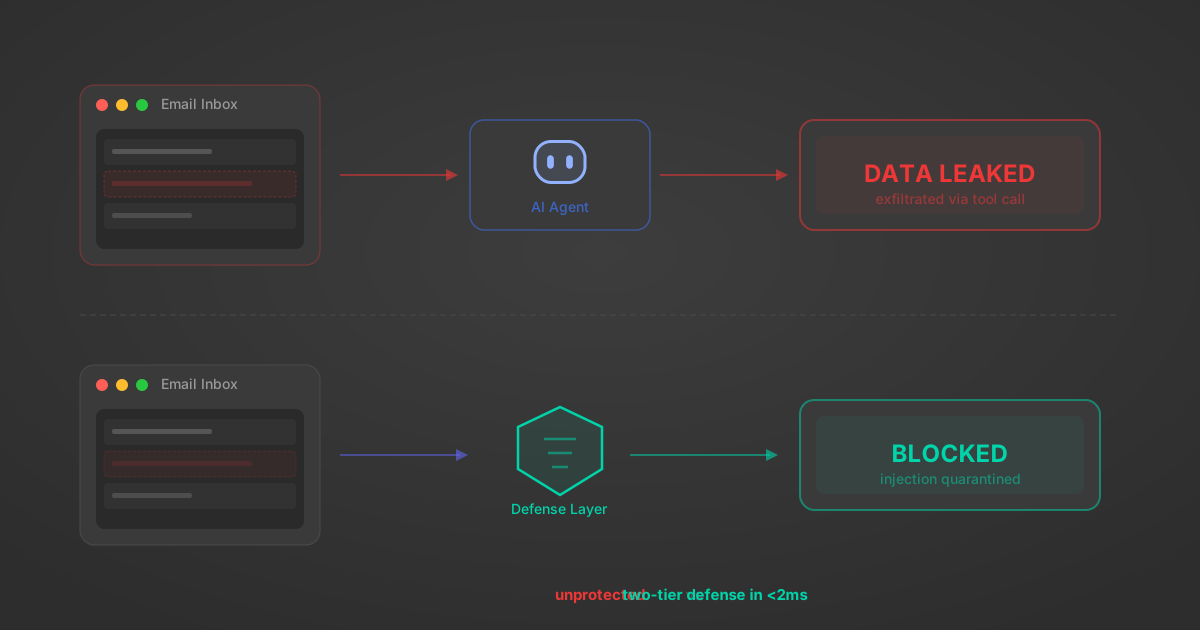
Indirect Prompt Injection Defense for MCP Tools: A Technical Guide
MCP tools that read emails, CRM records, and tickets are indirect prompt injection vectors. Here's how we built a two-tier defense that scans tool results in ~11ms.
12 min
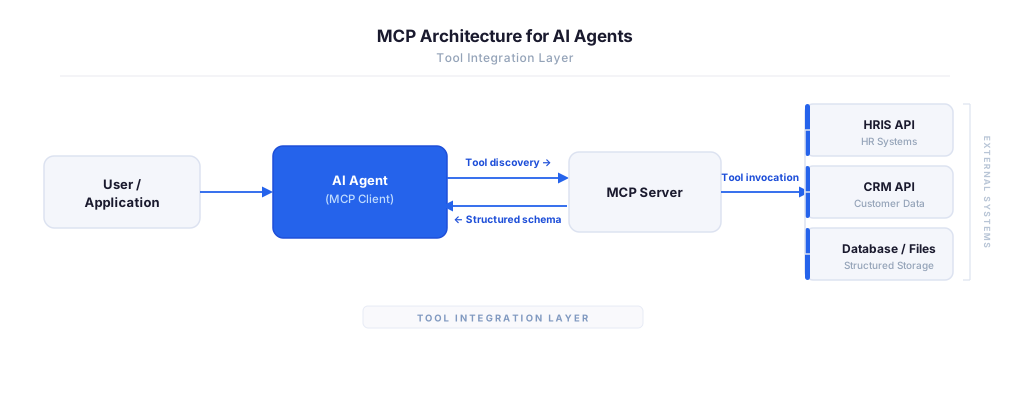
MCP vs A2A: Architecture, Security, and When to Use Each
MCP vs A2A: what each protocol standardizes, how they differ, their shared security risks including indirect prompt injection, and when to use one, both, or a hybrid architecture.
12 min
MCP vs API: What Hundreds of Connector Builds Taught Us
MCP wraps APIs, it doesn't replace them. After building hundreds of connectors that serve both, here's when each approach wins.
14 min read
Chargebee MCP Server FAQ
Does StackOne have a Chargebee MCP server?
Chargebee MCP server vs direct API integration — what's the difference?
How does Chargebee authentication work for AI agents?
origin_owner_id.Are Chargebee MCP tools vulnerable to prompt injection?
What is the context bloat of a Chargebee agent and how do I avoid it?
Can I limit which actions my Chargebee agent can access?
Can I create custom agent actions for my Chargebee MCP server?
When should I NOT use a Chargebee MCP server?
What AI frameworks and AI clients does the StackOne Chargebee MCP server support?
Put your AI agents to work
All the tools you need to build and scale AI agent integrations, with best-in-class connectivity, execution, and security.