


 Guillaume Lebedel · · 7 min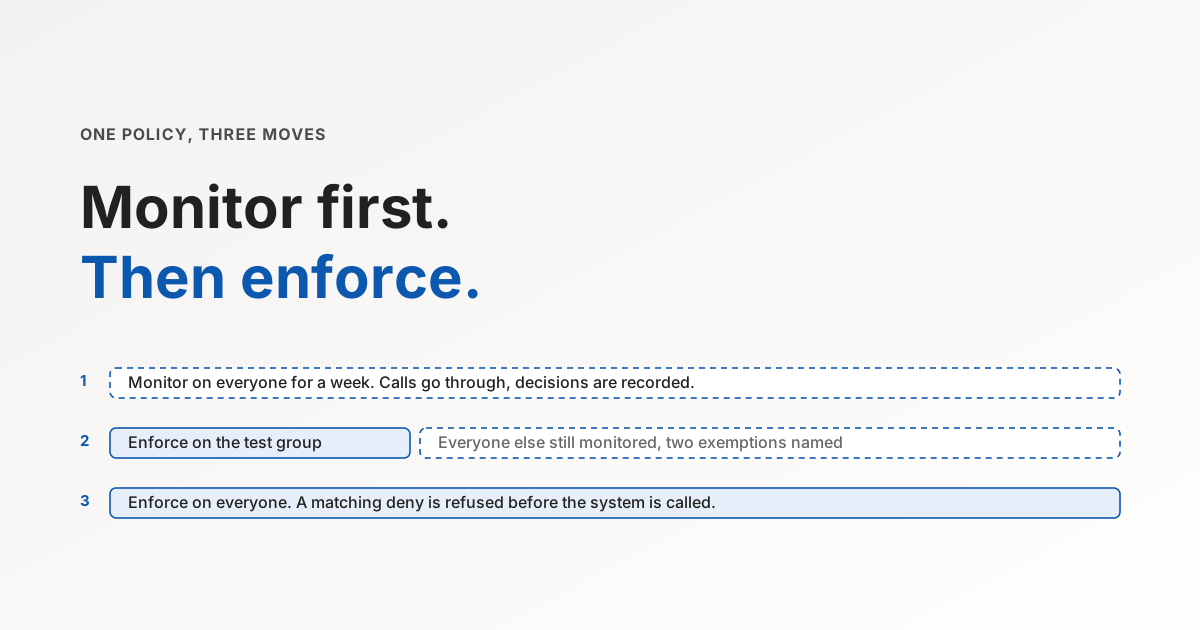
Monitor First, Then Enforce: Rolling Out Agent Policies
Table of Contents
The first enforced policy in an agent rollout usually gets written on a Friday and fires on a Monday, against the finance lead who has been closing supplier tickets with the agent for a month and now gets a refusal at 9:12am. The rule was correct, but the audience was too wide or the name pattern matched one tool more than intended, and the real cost is the slower yes the next policy proposal gets, well beyond the twenty minutes the fix takes.
IT teams know this pattern from firewall changes and conditional access rules, and the fix is the same one those teams already use: a mode that evaluates the rule and records what it would have done, without doing it. This post is the rollout sequence I would use for agent policies, and what to look at in each stage.
Why approvals decay and policies do not
Before the sequence, a word on why the alternative, a human approving each risky call, is not the safer option it looks like. The 3,607 misbehaviour reports in the July post on overeagerness are the case for structural controls in general. This is the case for staging them.
Earlier this year an agent on the DN42 network ran up a $6,531 AWS bill after asking for and receiving human approval. The gate worked as designed. A person read the fortieth routine request of the day and clicked yes, which is what people do with the fortieth routine request. Approval is a procedural control, and procedural controls decay with volume.
A policy is structural. It does not get tired at the fortieth call. The trade is that a wrong policy is a structural outage, which is why the rollout has to be staged rather than switched on.
The three moves
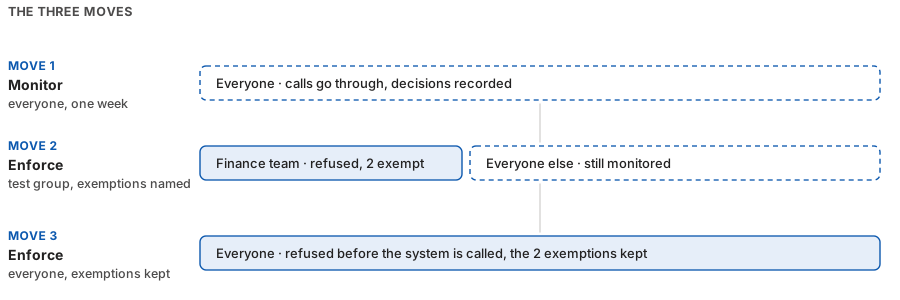
Move one: monitor, on everyone, for a week. Write the rule with its real audience and its real targets, and run it in monitor mode. Every matching call goes through, and the decision the rule would have made is recorded. A week is my rule of thumb because most teams’ agent workflows have a weekly rhythm, and a rule that watched Tuesday’s payroll run and Friday’s close has seen the shapes it needs to see. I have no data that says seven days is better than five.
Move two: enforce on a test group, with exemptions. Pick the team that asked for the agent and would notice a refusal within the hour. Switch the policy to enforce for that group only, and name the one or two people who legitimately need the denied tool as exemptions inside the deny rule. That last part matters more than it looks: an exemption is a hole in the deny, whereas a separate allow rule for the same people would be a second rule that someone has to keep in sync, and in any sane engine a matching deny beats it anyway.
Move three: enforce on everyone. Widen the audience. Keep monitoring the rules you have not enforced yet, and treat every new deny as a new move one.
| Stage | Who | Mode | A matching call | What you learn |
|---|---|---|---|---|
| Move one | Everyone | Monitor | Goes through, decision recorded | Which workflows the rule touches, and whether the pattern matched what you meant |
| Move two | Test group, minus exemptions | Enforce | Refused before the system is called | Whether the refusal message makes sense to the person who sees it |
| Move three | Everyone, minus exemptions | Enforce | Refused | Which teams had a workflow you did not know about |
What to look at during the monitor week
Three results, and what each one means:
- Matches you expected are the rule working. Note which tool names actually matched, because a wildcard such as
*delete*will also catch a tool calleddelete_draftthat the team relies on, and you would rather learn that from a log line than from the finance lead. - Matches you did not expect are the reason the monitor week exists. Usually they are a workflow the rule’s author did not know about: a team using the agent to archive tickets, a manager pulling compensation for a review cycle that happens twice a year. Each of those is either an exemption to add or a conversation to have before move two.
- Zero matches is also a result. Either the agent was never going to do the thing the rule prevents, and you can spend the next hour on a group where it might, or the calls are not reaching the point where the policy is evaluated. Check the second case before you conclude the first: an integration calling with a bare API key carries no member identity, so a policy written for members never sees it, and connector-level scoping is the right control for that traffic.
What monitoring cannot tell you
A monitor week only sees calls that happened. It cannot see the workflow a team abandoned because the agent lacked a tool, and it cannot tell you a rule is too loose, only that it is too tight. Pair it with one question to the team lead at the end of the week: what did you stop asking the agent to do.
It also records decisions, not intent. A match on *delete* from the finance lead means the agent tried to delete something on their behalf. Whether that was the right thing to do is a question for the finance lead, and the log line is the prompt for that conversation rather than the answer.
How we built the dry run
Tool Policies at StackOne has monitor and enforce as two modes of the same rule, assigned per audience, so a policy can be enforced for one group and monitored for another at the same time.
The implementation detail I care about is that the two modes are evaluated in parallel on every call rather than monitor being a logging stub: what gets recorded in monitor mode is the decision the enforcing half would have returned, including the interaction with every other active policy. A monitored rule that reports a match is reporting a refusal that would have happened.
The other decision that makes the sequence work is that audiences are groups from your directory rather than lists of names. When HR moves someone from onboarding to payroll, the policy follows the directory change without a ticket to IT. Exemptions are named inside the deny, and a matching deny wins over any allow, so widening the audience in move three can only narrow what people can do, never widen it.
What a monitored week looks like in the logs
Send Message
Slackreq_8f21b4
- Origin owner
- Priya Shah (Accounts Payable Lead)
- Group
- Revenue operations
Unreleased financials stay in FinanceEnforceDenied
MatchedSemantic rule · “Does this message contain unreleased financial results?” The answer was yes, so the request was refused before execution.
Keep PII out of SlackMonitor onlyNo match
No matchPII check · No email addresses, phone numbers, SSNs or card numbers were found in the message.
Contractors can’t deleteEnforceNo match
No matchTool rule · Send Message does not match *delete*, and the user is not in the Contractors group.
Before executionThe message contained unreleased financial results. Nothing was posted to Slack.
Get Worker
Workdayreq_b47a92
- Origin owner
- Sam Rivera (People Operations Lead)
- Group
- Employee onboarding
Protect personal dataEnforceMasked
MatchedRead a field · Protected values were masked before the response reached the agent. The rest of the response remains available.
Keep salaries unchangedEnforceNo match
No matchThis policy restricts writes. It does not block an employee read.
Review sensitive readsMonitor onlyWould mask
MatchedThe output-field rule matched in Monitor only. Its decision is recorded without applying an additional mask.
Response filteringProtected fields were masked. The rest of the response was returned.
Delete Opportunity
Salesforcereq_c95e13
- Origin owner
- Alex Morgan (Revenue Operations Manager)
- Group
- Revenue operations
Protect CRM recordsEnforceDenied
MatchedTool · Delete Opportunity is restricted for Alex Morgan (Revenue Operations Manager). The request was blocked before execution.
Review sales tool useMonitor onlyWould deny
MatchedThe selected tool also matches this Monitor only policy. It contributes no enforced restriction.
Protect personal dataEnforceNo match
No matchThe PII field rule did not match this tool-level evaluation.
Before executionThe tool was denied. No request was sent to Salesforce.
A representative example of policy decisions in StackOne logs, with illustrative records. Each request lists every policy evaluated, its mode and its decision: an enforced deny, a monitored rule that would have denied, and a rule that did not match.
Monitoring tells you what your own people’s agents tried to do. It cannot tell you when a tool result carried an instruction that steered the agent, which is prompt injection, and a policy rollout should be paired with a control for that. Defender screens tool results before the agent acts on them, with a model that runs inside the platform and a 22MB open-source classifier on GitHub if you want to see how it decides.
The short version
- Write the rule against its real audience and watch it for a week without enforcing.
- Enforce it on the team that asked for the agent, with the two exemptions they need.
- Widen to everyone, and treat a zero-match week as a question rather than a pass.
If you want to run the monitor week on your own agents, book a Tool Policies demo and we will set the first rule up in monitor mode with you.