January 2026
StackOne CLI: Build And Manage Your Agent Connectors Directly From Your Terminal
StackOne connectors are defined as simple YAML configuration files which gives you full programmatic control over the integration logic. Once deployed, the StackOne Execution Engine automatically exposes your actions through the API, MCP servers, A2A protocol and AI Action SDK simultaneously — like it does for 200+ enterprise apps and 10,000 actions already available on the platform.
You may download existing connectors to understand the YAML structure:
# Download a connector as reference
stackone pull --connector notion --profile Production
Today we’re releasing the StackOne CLI, bringing connector management directly to your terminal. Pull connectors, validate configurations, test actions locally, and push updates - all without leaving your development environment.
StackOne CLI: What’s New
- Terminal-native: Build, test and validate connectors directly in your terminal - no GUI required.
- Code first development: Define connectors in YAML code giving you full programmatic control over integration logic.
- Version control: Pull connectors from StackOne’s registry, fork them for customization and merge updates using Git-like versioning with interactive conflict resolution
- Flexible testing: Execute connector actions locally with
stackone run, using inline configuration or linked account credentials for rapid iteration - Extend existing connectors: Fork StackOne’s pre-built connectors and add custom actions or tenant-specific configurations whilst staying synced with updates
- CI/CD ready: Automate connector deployments with GitHub Actions support and environment-based configuration
Build Integrations Once, Run Them Everywhere
The StackOne CLI uses the Execution Engine that runs actions for over 200+ pre-built connectors. Connectors you build work across REST APIs, MCP servers and AI toolsets simultaneously - no separate implementations needed.
Whether you need to integrate with an internal system, add custom actions to existing connectors or build tenant-specific configurations, the CLI gives you the same powerful capabilities StackOne uses internally. Pull existing connectors as a starting point, customize them for your requirements and push updates back - all whilst maintaining quality and consistency.
Git-Like Workflow For Connectors
The CLI is designed for rapid development cycle. The pull command works similar to Git - you can fork StackOne’s connectors, maintain your customizations and selectively merge updates when they’re released.
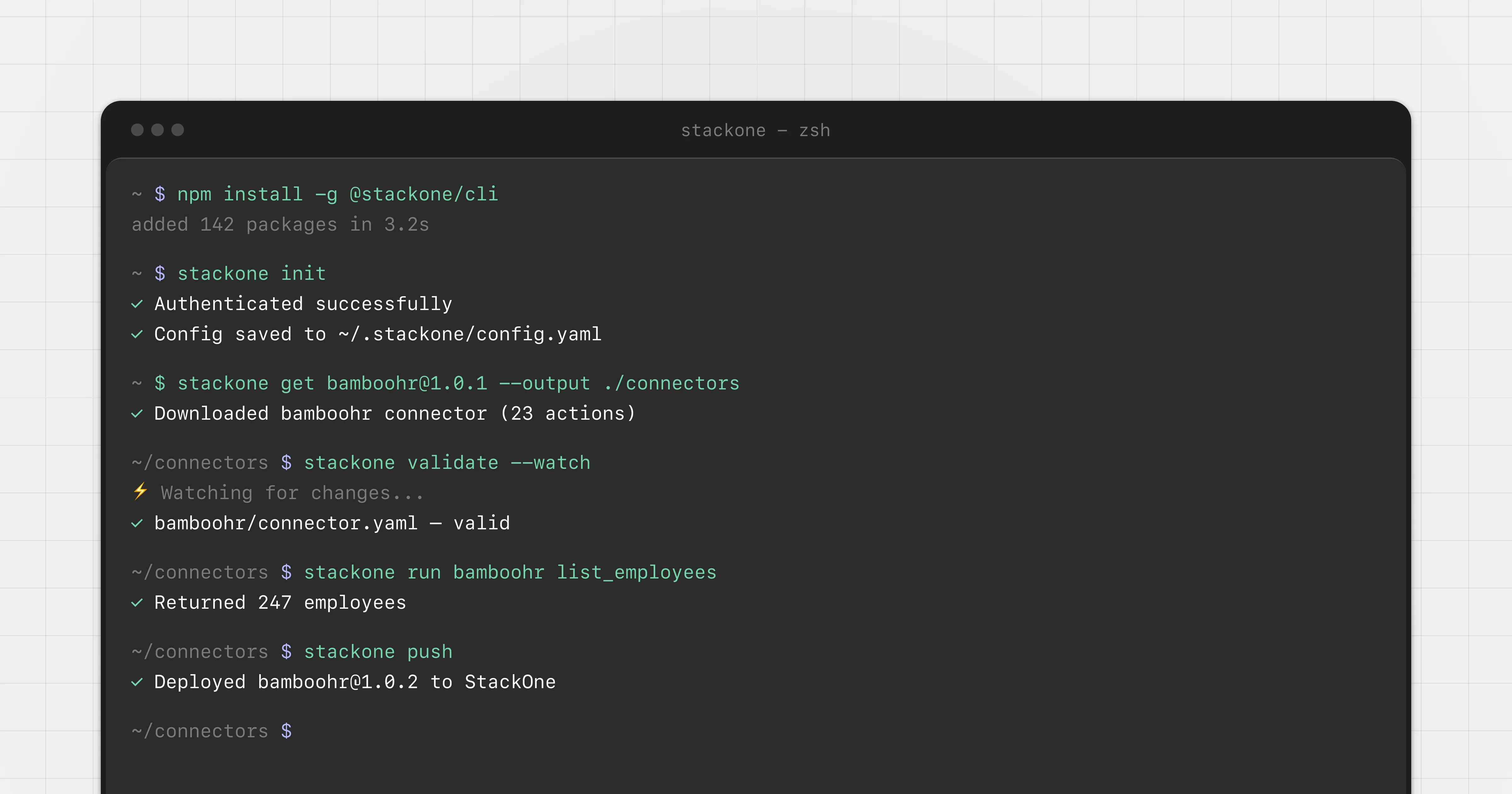
Use stackone validate --watch to catch errors as you type. Test actions locally with stackone run before pushing to production. Pull updates from StackOne’s registry and merge them into your customized connectors using interactive conflict resolution.
Multiple profile support lets you manage different environments (staging, production) with separate configurations, making it straightforward to integrate the CLI into your existing CI/CD pipelines.
Ready to get started?
- Install via npm:
npm install -g @stackone/cli - Authenticate:
stackone initwith your API key - Start building:
stackone pull, edit,stackone validate,stackone run, thenstackone push
StackOne CLI Command Overview
| Command | Description |
|---|---|
| init | Create and store configuration profiles with your API credentials |
| get | Retrieve a connector from the registry |
| pull | Fetch a connector from the registry and save it locally with conflict resolution |
| validate | Check that connector files are valid and properly formatted |
| run | Execute a connector action locally for testing and debugging |
| push | Upload connector files to the StackOne API registry |
| drop | Delete a specific connector version from the registry |